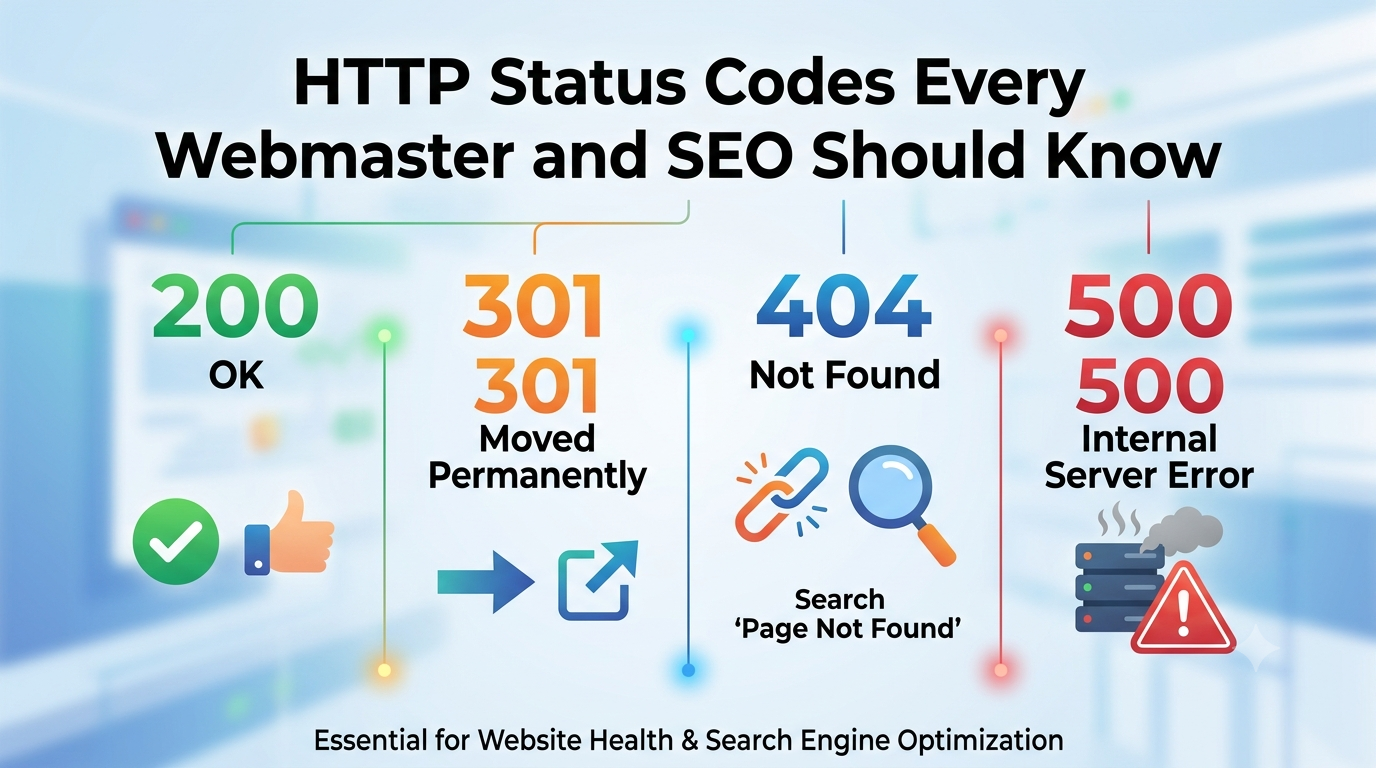
Every time a browser, crawler, or bot requests a page on your site, your server responds with a three-digit status code. Most visitors never see these codes, but search engines do. They shape how your site gets crawled, indexed, and ranked. Understanding the basics isn’t optional technical trivia; it’s a core part of keeping a site healthy.
Status Code Ranges
2xx — Success. The request worked as expected.
3xx — Redirection. The resource has moved somewhere else.
4xx — Client errors. The browser or crawler asked for something that’s missing, forbidden, or invalid.5xx — Server errors. Something broke on your end.
For SEO purposes, the 3xx, 4xx, and 5xx codes deserve the most attention.
The Redirects (3xx)
301 – Moved Permanently
Tells search engines a page has permanently relocated. Most of the page’s ranking signals pass to the new URL. This is the standard choice when migrating content, changing domains, or fixing URL structures.
302 – Found (Temporary Redirect)
Signals a temporary move. Search engines generally keep the original URL indexed rather than the destination. Using a 302 when you mean 301 is one of the most common SEO mistakes — it can leave outdated URLs in the index indefinitely.304 – Not ModifiedTells a crawler or browser that cached content is still valid, saving bandwidth and crawl resources. Good for crawl efficiency, especially on large sites.
Why it matters: Redirect chains (A → B → C) waste crawl budget and dilute link equity at each hop. Keep redirects to a single jump whenever possible.
The Client Errors (4xx)
404 – Not Found
The most familiar error. A requested page doesn’t exist. A few 404s are normal and harmless — even Google expects them on the open web. The problem is uncontrolled 404s: broken internal links, expired products with no redirect, or pages deleted without a plan. These waste crawl budget and create dead ends for users.
410 – GoneSimilar to a 404, but more definitive — it tells crawlers the page is intentionally and permanently removed, not just missing. Search engines tend to drop 410’d URLs from the index faster than 404’d ones, which is useful when you deliberately retire content.
401 – Unauthorized / 403 – Forbidden
These signal access restrictions. If a page that should be public returns a 401 or 403 by mistake (a common issue after server config changes or staging-site mishaps), it becomes invisible to search engines even though it exists.
429 – Too Many Requests
Sent when a server rate-limits a client. If crawlers regularly hit 429s on your site, it can slow down or stall crawling altogether, delaying indexing of new or updated content.
Why it matters: 4xx errors don’t directly “penalize” a domain, but at scale they signal poor site maintenance, waste crawl budget that could go toward valuable pages, and create frustrating dead ends that hurt engagement metrics.
The Server Errors (5xx)
500 – Internal Server ErrorA generic failure on the server side — a script error, misconfiguration, or resource exhaustion.
502 – Bad Gateway / 504 – Gateway TimeoutUsually point to upstream server, proxy, or load-balancer issues — the server couldn’t get a valid response from another server in time.
503 – Service Unavailable
Often used intentionally during maintenance. Importantly, a 503 tells crawlers “come back later” rather than “this is gone,” which is the correct way to handle planned downtime without risking deindexation.Why it matters: Persistent 5xx errors are far more damaging than 4xx errors. If Googlebot repeatedly hits server errors, it will slow its crawl rate to avoid overloading your site — and pages may be temporarily or permanently removed from the index if the errors persist. A site that’s frequently down or slow to respond also erodes user trust and conversion rates.
Why This Matters Beyond “Fixing Broken Links”
Crawl budget efficiency. Search engines allocate a finite amount of crawling attention to each site. Errors waste that budget on dead ends instead of valuable, updated content.
Index health. Misused redirects or accidental access errors can keep the wrong URLs indexed — or remove the right ones.
Link equity preservation. Backlinks pointing to a 404 page pass on nothing. A proper 301 to relevant content preserves that value.
User experience signals. Broken pages increase bounce rates and reduce time on site, which correlates with weaker engagement metrics that search engines do factor into quality assessments indirectly.
Site reliability perception. A site riddled with 5xx errors looks unreliable to both users and crawlers, which can slow indexing of new content for months.
Practical Monitoring Tips
Check Google Search Console’s Page Indexing and Crawl Stats reports regularly for spikes in errors.
Review server logs to see exactly what bots are encountering, not just what tools sample.
Run periodic crawls (Screaming Frog, Sitebulb, or similar) to catch broken internal links before they accumulate.
Set up uptime and response-code monitoring so 5xx spikes trigger alerts immediately, not weeks later.
Audit redirect chains during site migrations — collapse multi-hop redirects into single 301s.
HTTP status codes are the conversation happening between your server and every crawler and browser that visits it. Most webmasters only notice when something visibly breaks, but the codes happening silently in the background — stray 302s that should be 301s, intermittent 503s, orphaned 404s — quietly shape how well search engines can find, understand, and trust your site. Treating status code hygiene as routine maintenance, not an emergency-only fix, pays off in better crawl efficiency, preserved link value, and a more reliable experience for visitors.