Posted on

What to Look for in a Content Organization Tool

The sheer volume of content we produce and consume daily has turned organization from a nice-to-have into a survival skill. Whether you are managing a personal blog, a marketing department, or a research archive, the tool you choose to structure your work will shape how you think, create, and collaborate. Picking the right one is less about chasing features and more about understanding how you actually work.

Start with the way you capture ideas. The best tools meet you where inspiration strikes, not where you happen to be sitting. A system that forces you to open a specific app, navigate three menus, and tag everything before you can jot down a thought will slowly train you to stop capturing ideas at all. Look for something with low-friction entry points: a quick-add widget, a browser extension, a voice memo that transcribes automatically, or even a simple email-to-inbox feature. The threshold between having an idea and recording it should feel invisible.

Once the ideas are in, they need room to breathe. Rigid folder structures tend to suffocate creativity because they demand that you know exactly what something is before you have fully understood it. A more forgiving approach uses flexible tagging, bidirectional linking, or associative networks that let you connect a piece of content to multiple contexts without duplicating it. This matters because the value of your archive grows not from how neatly it is filed but from the unexpected connections you can draw between seemingly unrelated pieces months or years later.

Searchability is the silent engine of any good system. You will rarely browse for something; you will search for it. If your tool relies on your memory of where you put a file or what you named it, it is already failing you. Full-text search, optical character recognition for images and PDFs, and semantic search that understands synonyms and related concepts are the features that separate a passive storage bin from an active thinking partner. The goal is to find what you need in seconds, not minutes, because every second spent hunting is a second not spent creating.

Collaboration introduces an entirely different set of demands. A tool that works beautifully for one person can become a bottleneck for a team. Shared workspaces, granular permissions, real-time editing, and clear version histories are not luxuries; they are the infrastructure that prevents miscommunication and duplicated effort. Pay attention to how the tool handles conflicting edits, whether it offers comment threads that stay attached to specific content rather than floating in a separate chat, and how gracefully it notifies people without drowning them in noise. The best collaborative tools feel like a shared mind rather than a shared hard drive.

Integration is where a content organization tool either becomes the center of your workflow or an island you constantly have to ferry data to and from. If you live in Google Docs, Slack, Notion, Figma, or a dozen other apps, your organization tool should speak their language. Webhooks, APIs, native integrations, and even simple embed options determine whether your content hub is a source of truth or just another tab competing for attention. The less you have to copy and paste between tools, the more integrity your content retains.

Longevity is an underrated consideration. The tool you choose today is a bet on the future. Startups shut down, acquisition strategies shift, and pricing models change. Open formats, robust export options, and a track record of reliability matter because your content archive is an asset that should outlast any single vendor. If the only way to get your data out is a messy JSON dump or a proprietary file format nobody else reads, you do not truly own your work.

Finally, consider the emotional texture of the tool. This sounds soft, but it is not. You will spend hours looking at this interface. If it feels cluttered, slow, or visually hostile, you will subconsciously avoid it. If it feels calm, responsive, and thoughtfully designed, you will gravitate toward it. The best content organization tools do not just store your work; they invite you back in. They make the act of organizing feel like part of the creative process rather than administrative drudgery.

Choosing a content organization tool is ultimately an act of self-knowledge. It requires honesty about your habits, your team’s dynamics, and the kind of thinking you want to enable. The right tool will not do the thinking for you, but it will clear the path so that your best ideas have space to grow, connect, and endure.

Posted on

How to Do a Competitor Content Analysis

The first thing to understand about competitor content analysis is that it is not about copying what others are doing. It is about understanding the landscape so you can find your own space within it. Every market has noise, and every audience has fatigue. Your job is to figure out where the gaps are, what your competitors are missing, and how you can serve your audience in a way that no one else currently does. This process requires patience, honesty, and a willingness to look at your own work with the same critical eye you turn toward everyone else.

Start by identifying who your real competitors are. This sounds obvious, but most people get it wrong. Your competitors are not just the big names in your industry or the websites that rank above you for your favorite keywords. Your competitors are anyone creating content that satisfies the same audience need you are trying to satisfy. That might include a solo blogger with a small but loyal following, a YouTube channel, a newsletter, or even a community forum where your target audience hangs out and finds answers. Make a list that is broad at first. You can always narrow it later, but if you start too narrow, you will miss the peripheral players who are often the most innovative because they have nothing to lose.Once you have your list, choose a manageable number to study deeply. Three to five is usually enough for a thorough analysis, though you might scan a larger pool to spot trends. For each competitor, spend real time with their content. Do not just skim headlines. Read full articles, watch videos, listen to podcasts, and subscribe to their emails. You are trying to understand their voice, their depth, their frequency, and their strategy. Take notes on what they cover and what they ignore. Notice the questions they answer and the ones they leave hanging. Pay attention to the comments sections and social shares, because these reveal what resonates and what falls flat.

As you immerse yourself in their work, begin to categorize their content by type, topic, and intent. Some content is designed to attract new audiences through search engines, while other pieces are meant to nurture existing relationships or convert readers into buyers. Notice the ratio between these types. A competitor who publishes mostly top-of-funnel educational content might be building authority but struggling to monetize. A competitor who publishes mostly product-focused content might have a loyal audience but limited reach. Neither approach is wrong, but understanding the balance helps you see where you might differentiate.

Next, evaluate the quality of what they are producing. Quality is subjective, but there are concrete markers you can assess. Look at the research depth. Are they citing sources, sharing original data, or relying on regurgitated opinions? Look at the production value. Is their writing clear and edited, or rushed and error-filled? Are their visuals professional, or do they look like afterthoughts? Look at the originality. Are they saying something new, or are they echoing the same talking points everyone else uses? Be brutally honest in this assessment, because your audience is making these same judgments about your work whether you realize it or not.

Now examine their distribution and promotion strategy. Great content that no one sees is not really great content, it is just a private journal entry. Notice where your competitors share their work. Are they active on specific social platforms? Do they have an email list, and if so, how often do they send to it? Do they guest post on other sites? Do they repurpose content across formats? Look at their backlink profile using any available tools to see who is linking to them and why. This tells you not just where their traffic comes from, but who considers them authoritative enough to reference. It also reveals partnership opportunities you might pursue.

Pay special attention to the engagement their content generates. A blog post with thousands of views but zero comments suggests the content is forgettable. A podcast with a small download number but an active community discussing every episode suggests deep resonance. Look at what people are saying in the comments, on social media, and in reviews. The language your competitor’s audience uses is incredibly valuable because it reveals how they think about their problems and what they wish someone would address. Sometimes the most insightful part of competitor analysis is not the competitor’s content itself, but the conversation happening around it.

With all this information gathered, look for patterns and gaps. Patterns show you what the market expects and what has been proven to work. Gaps show you where the opportunity lies. Maybe every competitor in your space writes long-form guides but no one produces quick reference tools. Maybe they all focus on beginners and ignore advanced practitioners. Maybe they cover tactics but never strategy, or they discuss theory without showing real implementation. These gaps are not just opportunities for content ideas, they are opportunities for positioning. When you consistently fill a gap that others leave open, you become known for something specific, and specificity is what builds a loyal audience.

Do not forget to analyze yourself with the same rigor. It is easy to see what competitors do poorly and assume you are doing better, but that assumption is dangerous. Audit your own content through the same lens. Where do you fall short on depth, originality, or consistency? Where are you repeating the same themes without advancing the conversation? The goal of competitor analysis is not to make you feel superior, it is to make you sharper. The best practitioners in any field know exactly where they stand relative to everyone else, and they use that knowledge to improve rather than to boast.

Finally, turn your analysis into action. Create a document that summarizes your findings, but do not let it become a dusty report no one reads. Use it to inform your editorial calendar. Use it to guide your positioning. Use it to set benchmarks for your own quality and frequency. Revisit it every quarter because content landscapes shift quickly. A competitor who was dominant last year might have grown complacent. A new voice might have emerged with fresh energy. The analysis is never truly finished because the market is never truly still.

The ultimate measure of a good competitor content analysis is whether it changes what you create and how you create it. If you finish the process and your content strategy looks exactly the same as before, you have wasted your time. But if you finish with a clearer sense of where you fit, what you can offer that no one else does, and how to communicate that difference with excellence, then you have done the work properly. The internet does not need more content. It needs better content, created by people who understand their audience deeply enough to matter. Competitor analysis is one of the most reliable paths to that understanding.

Want to know what your competitors are writing that you aren’t? Take a look at my content gap finding browser extension.

Posted on

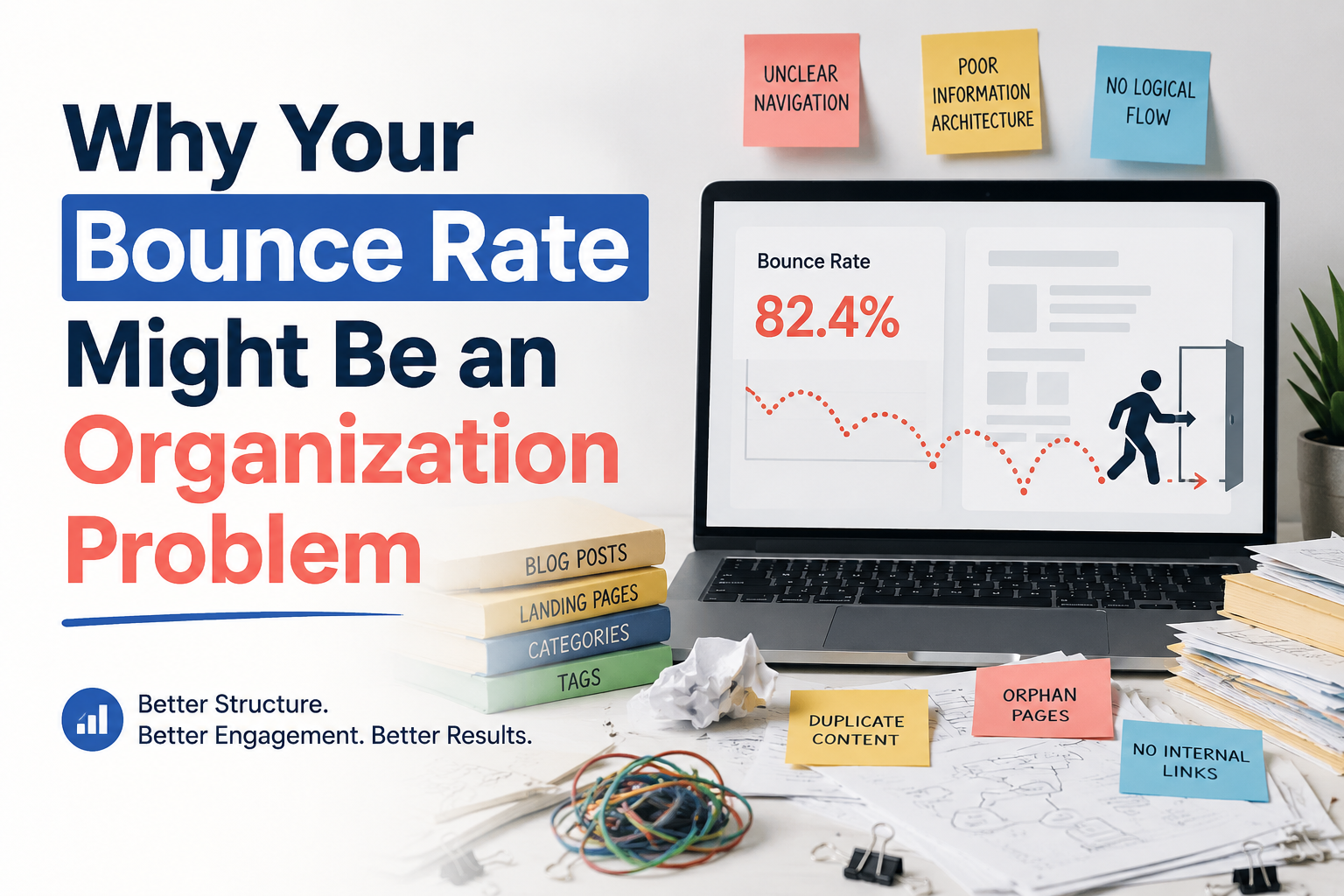
Why Your Bounce Rate Might Be an Organization Problem

Every digital marketer has stared at the bounce rate metric with a particular kind of dread. It sits there in the analytics dashboard, a single red number that seems to accuse you of failure. A visitor arrived, looked around, and left. No second click. No scroll. No conversion. The instinctive response is to blame the landing page. The headline was weak. The hero image was stock. The call-to-action button was the wrong shade of blue. Teams scramble to A/B test headlines, swap out images, and tweak button colors, chasing the elusive percentage point that will turn a bounce into a stay. But what if the problem is not on the page at all? What if your bounce rate is not a design flaw or a copy failure, but a symptom of something deeper and more structural, something that lives in the hallways and meeting rooms of your organization rather than in the pixels of your website?

Consider what a bounce actually represents. A person, somewhere in the world, had a need or a curiosity. They typed a query into a search engine or clicked a link from an email or a social post. They arrived with an expectation, however faint, that your site would satisfy that need. Within seconds, they decided it would not. The decision was made faster than most people can choose what to eat for lunch. This is not a failure of patience on the visitor’s part. It is a failure of alignment on yours. The gap between what the visitor expected and what they found is where bounces are born, and that gap is often created long before the visitor ever loads the page.In many organizations, the team that writes the ad copy does not talk to the team that designs the landing page. The social media manager crafts a compelling post that promises insight, entertainment, or a solution, and the traffic flows in. But the landing page was built by a different team, with different priorities, perhaps weeks or months ago. It was optimized for a different campaign, a different message, a different audience segment. The visitor clicks through expecting a seamless continuation of the story they were told, and instead they find a jarring shift in tone, design, and promise. The cognitive dissonance is instant and fatal. They bounce not because the page is bad, but because it is the wrong page for the promise that brought them there. This is an organizational failure masquerading as a user experience failure.

The same fracture can appear between search engine optimization and content strategy. An SEO team, driven by traffic targets and keyword rankings, optimizes pages to capture high-volume search queries. They succeed. The traffic arrives. But the content team, working on an editorial calendar set months in advance, has not produced the depth or specificity that someone searching for that query actually needs. The page ranks for the keyword, but it does not answer the question. The visitor lands, scans, realizes the mismatch, and leaves. The SEO team celebrates the ranking. The content team laments the engagement. The analytics team reports the bounce. No one connects the dots because no one owns the entire journey. The organization is siloed, and the bounce rate is the smoke rising from the walls between departments.

Even the technology itself can be an organizational symptom. Slow load times, broken layouts on mobile devices, intrusive pop-ups that obscure the content, these are not merely technical bugs. They are the result of prioritization decisions made in conference rooms. The engineering team is understaffed because the budget went to marketing. The mobile experience is neglected because the executive team still does most of their browsing on desktop computers. The pop-up exists because the lead generation team has a quarterly target that overrides the user experience team’s warnings. Every technical friction point that drives a bounce was once a decision made by people with competing incentives, reporting to different managers, measured by different key performance indicators. The bounce rate is the visitor’s verdict on those internal conflicts.

There is also the deeper issue of organizational self-awareness. A high bounce rate can indicate that the company does not actually know who it is talking to. The marketing department may have built elaborate personas, but if the product team has never met a real customer, and the customer service team does not share what they hear in support tickets, and the sales team keeps its insights in a private spreadsheet, then the personas are fiction. The website speaks to an imagined audience, and the real audience, arriving with real needs, finds no one addressing them. They bounce because the organization, for all its internal activity, has not managed to become a single coherent voice that recognizes the person on the other side of the screen.Fixing this requires a different kind of audit than the one most teams perform. Instead of testing button colors, test the handoffs. Map the journey of a visitor from the first touchpoint to the landing page, and identify every organizational boundary they cross. Does the promise made in the email match the headline? Does the social post’s energy survive the transition to the website’s more corporate tone? Does the search result’s description accurately reflect the content behind it? These are not creative questions. They are structural ones. They require people who do not normally sit in the same meetings to look at the same data and agree on what it means.

It also requires a rethinking of what the bounce rate is actually measuring. It is not a scorecard for the landing page alone. It is a measure of organizational coherence. A low bounce rate means that the left hand knows what the right hand is doing, that the promise and the fulfillment are in conversation, that the company has managed to present itself as a unified entity rather than a collection of competing fiefdoms. A high bounce rate, conversely, is often the first visible sign that the organization has become fragmented, that different teams are optimizing for different outcomes without regard for the whole, and that the customer is falling through the cracks between those optimizations.

The uncomfortable truth is that some bounce rates cannot be fixed by a better headline or a faster server. They can only be fixed by better alignment. By teams that talk to each other not just in quarterly reviews but in daily practice. By metrics that reward the entire journey rather than individual handoffs. By leadership that understands a visitor does not experience a company in departmental slices but as a single, continuous impression. When that impression is fractured, the visitor leaves. Not because they are impatient, not because they are fickle, but because they can sense, even in the first few seconds, that no one is really home. The lights are on, but the house is empty.

So the next time you gather around the analytics dashboard and stare at that red number, resist the urge to reach for the nearest design tool. Instead, ask a harder question. Ask whether your organization is arranged in a way that makes a coherent experience possible. Ask whether the person who wrote the promise and the person who built the destination have ever truly collaborated. Ask whether your teams are measured on the same definition of success. The bounce rate might not be telling you that your page is broken. It might be telling you that your organization is.

Posted on

How to Evaluate ROI on a One-Time SEO Tool Purchase

A one-time purchase feels simpler to evaluate than a subscription, since there’s no recurring bill to weigh month after month. In practice, that simplicity is a little misleading. A one-time SEO tool still needs to earn back its cost, and the way to think about that payback is different from how you’d evaluate a subscription, precisely because there’s no ongoing bill forcing you to reassess the decision every month.This post covers a practical way to think through whether a specific one-time purchase is actually worth it, using the kind of BYOK content organization tool discussed earlier in this series as a running example.

Start With What the Tool Actually Replaces

Before thinking about cost at all, get clear on what the tool is standing in for. If it replaces an afternoon of manual work you’d otherwise do yourself, following something like the manual audit process covered earlier in this series, the honest comparison is the tool’s price against the value of your own time saved, not against some abstract sense of “is this worth it.” If you’d have spent four hours doing something manually and the tool does it in twenty minutes with comparable quality, that’s four hours of your time recovered, and it’s worth putting a real number on what your time is worth before deciding whether the price is reasonable.If the tool replaces an ongoing subscription you’d otherwise be paying monthly, the comparison is more directly financial: total up what a year or two of the subscription alternative would cost, and compare that against the one-time price.

Factor In Your Own Usage Costs, Not Just the Purchase Price

For a BYOK tool specifically, the purchase price isn’t the whole cost. As covered earlier in this series, using a bring-your-own-key tool means you’re also paying for the underlying model’s API usage directly, separate from what you paid for the tool itself. A fair ROI calculation includes a rough estimate of what a typical audit or run actually costs in API usage, not just the one-time license fee, since the two together are your real total cost of ownership.For a content organization tool doing something like a full-site audit, this usually means estimating roughly how many tokens a scan of your site’s content would use, at current model pricing, and adding that to the purchase price when comparing against alternatives. It’s a modest additional cost in most cases, but it’s worth actually estimating rather than assuming the one-time price is the entire financial picture.

Think in Terms of Runs, Not Just a Single Use

A tool you use exactly once has a straightforward ROI calculation: did that one use save you more value than the price. But most tools of this kind are used repeatedly over time, an initial full audit followed by periodic smaller re-checks as your blog grows. The realistic ROI calculation should account for how many times you expect to actually use the tool over a reasonable ownership period, say a year or two, since a tool used a dozen times has a very different cost-per-use than one used once and forgotten.

This is also where BYOK models can look particularly favorable compared to a subscription: since there’s no recurring license fee, using the tool ten times over a year costs you the same purchase price plus ten runs’ worth of API usage, rather than twelve months of subscription fees regardless of how often you actually opened the tool.

Compare Against Doing Nothing, Not Just Against Alternatives

It’s easy to frame an ROI decision purely as “this tool versus a competitor’s tool,” but the more honest baseline is often “this tool versus continuing to operate without any structured process at all.” If your blog currently has orphaned posts, duplicate content, and no clear cluster structure, and you know from earlier posts in this series what that costs in lost traffic and reader engagement, the relevant comparison includes the ongoing cost of that disorganization continuing indefinitely, not just the sticker price of a tool that might fix it.

This framing tends to make a modest one-time purchase look more favorable than a narrow “tool versus tool” comparison would suggest, provided the tool genuinely addresses a real, current problem on your site rather than one you don’t actually have.

Be Honest About Whether You’ll Actually Use It

The best ROI math in the world doesn’t matter if a tool sits unused after purchase. Before buying anything, it’s worth being honest about your own habits: do you actually tend to follow through on structural projects like a content audit, or does this kind of work tend to get pushed aside indefinitely in favor of writing new content instead. A tool that makes an existing habit faster is a much safer bet than a tool you’re hoping will create a habit you don’t currently have.

A Simple Framework to Apply

Putting this together, a reasonable way to evaluate any specific one-time SEO tool purchase is to estimate the time or subscription cost it genuinely replaces, add your best estimate of ongoing usage costs if it’s a BYOK tool, multiply by how many times you realistically expect to use it over a year or two, and compare the total against the price, while being honest with yourself about whether you’re actually likely to use it at all based on your own track record with similar tools in the past.None of this needs to be a precise spreadsheet exercise. Even a rough version of this thinking, done for five minutes before a purchase, tends to catch the most common mistake in evaluating one-time tools: focusing entirely on the sticker price while ignoring both the ongoing usage cost and the realistic frequency of use that determines whether that price is actually a bargain or an expensive way to solve a problem you’d have fixed manually in an afternoon anyway.

The next post in this series looks at a related question from the other side of the purchase decision: signs you’ve outgrown spreadsheet-based content tracking, and when the manual process itself starts costing more than a dedicated tool would.

Posted on

How Long Should a Blog Post Be in 2026

The question of ideal blog post length has haunted content marketers for over a decade, and in 2026 the answer remains as unsatisfying as ever: it depends on what you are trying to accomplish, who you are trying to reach, and what the people reading your work actually need from you. The internet is littered with studies claiming that two thousand words is the magic number, or that three thousand words ranks better, or that short posts under six hundred words perform best on social media. All of these claims capture something true about specific contexts, and all of them fail when applied universally. The length of your blog post should be determined by the depth of the topic and the intent of your reader, not by an arbitrary word count target you read in a headline.

Google has never published an official word count requirement, and its representatives have consistently said that content length is not a direct ranking factor. What the algorithm actually measures is satisfaction, whether the person who clicked your link found what they were looking for and whether they stayed to consume it or bounced back to the search results to try something else. A two-hundred-word answer that perfectly resolves a simple question can outrank a three-thousand-word opus that buries the solution under paragraphs of fluff. Conversely, a complex topic that genuinely requires deep exploration will struggle to satisfy readers if it is compressed into a superficial overview. The algorithm has become sophisticated enough to distinguish between brevity that serves the reader and brevity that results from laziness.

In 2026, the most successful content strategies are moving away from uniform length requirements and toward intent-based length decisions. Informational queries that ask a straightforward question often deserve a straightforward answer. A post explaining what a 401k is does not need to be a definitive treatise on retirement planning. It needs to define the term clearly, explain how it works in practical terms, and point the reader toward next steps if they want to go deeper. Forcing this into two thousand words does not add value. It adds friction. The reader who wanted a quick answer now has to scroll through sections they did not ask for, and the algorithm notices when they leave unsatisfied.

On the other hand, commercial investigation queries demand depth because the reader is making a decision with consequences. Someone comparing project management software for a fifty-person team is not looking for a surface-level listicle. They want detailed feature comparisons, pricing breakdowns, integration capabilities, security considerations, and honest assessments of strengths and weaknesses. This content naturally runs longer because the topic requires it. The length is not padding. It is the necessary architecture of a useful resource. Posts in this category often land between two thousand and four thousand words, not because of a word count target, but because that is how much space it takes to do the topic justice.

The rise of AI-generated content has complicated the length question in ways that were not fully apparent even a few years ago. Large language models can produce thousands of words in seconds, and many content teams have responded by publishing longer posts more frequently, assuming that volume and length will overwhelm the competition. This strategy is already showing signs of collapse. Readers are developing fatigue for bloated articles that say very little. The algorithm is improving at detecting content that repeats the same points in different words, adds irrelevant sections to hit a word count, or structures information in ways that prioritize length over clarity. In 2026, the content that wins is not the longest. It is the most complete relative to the specific need it serves.

Another shift worth noting is the growing importance of multimedia in determining effective content length. A blog post that includes a detailed video tutorial, an interactive calculator, or a downloadable template does not need to be as text-heavy to deliver value. The words on the page are one component of a larger experience. A fifteen-hundred-word post paired with a ten-minute video walkthrough may deliver more practical value than a four-thousand-word post with no visual aids. When measuring length, forward-thinking content teams are starting to measure time-to-value rather than word count. How long does it take for the reader to get what they came for, and does the total time investment feel proportional to what they receive?

The platform where your content lives also influences length expectations. A blog post discovered through organic search can afford to be longer because the reader arrived with specific intent and is willing to invest time. The same content shared on LinkedIn or Twitter may need to be excerpted, summarized, or restructured because social audiences are browsing, not searching. Email newsletters sit somewhere in between, with subscribers generally tolerating longer reads if the subject line promised depth and the opening paragraphs deliver on that promise. The mistake is publishing one version everywhere and expecting it to perform equally. Length should flex to fit the context of consumption.

There is also the practical reality of production constraints. A small team or solo creator cannot sustainably publish three-thousand-word posts multiple times per week without sacrificing quality or burning out. The content calendars that dominate in 2026 are not built around maximum length. They are built around sustainable consistency. A weekly twelve-hundred-word post that is genuinely useful will outperform a monthly four-thousand-word post that exhausts the creator and arrives irregularly. Your content length should be something you can maintain without compromising the rest of your business. A blog that publishes nothing for three months because the team is chasing an arbitrary word count loses more ground than it gains.

The most honest answer to how long a blog post should be in 2026 is that it should be exactly as long as it needs to be and no longer. Start with the reader’s question. Determine what a complete, satisfying answer looks like. Write that. Then edit ruthlessly, removing anything that does not serve the reader’s journey from confusion to clarity. If the result is eight hundred words, publish it with confidence. If the result is three thousand words, make sure every paragraph earns its place. The algorithm does not reward length. It rewards satisfaction. And satisfaction is measured in the reader’s experience, not in your word processor’s status bar.

Posted on

Understanding Search Intent Before You Write

Every piece of content that fails to rank, fails to convert, or fails to engage has at least one thing in common: it was written without a clear understanding of why the reader was searching in the first place. Search intent is the invisible force behind every query typed into a search engine, and ignoring it is the fastest way to waste time, energy, and opportunity. Before you write a single word, you need to know what the person on the other side of the screen is actually trying to accomplish.

Search intent falls into four broad categories, but the boundaries between them are softer than most guides suggest. Informational intent covers the vast landscape of people who want to learn something, know something, or understand something. They are not looking to buy, at least not yet. They want answers, explanations, definitions, or tutorials. Navigational intent is what drives someone who already knows where they want to go and uses the search engine as a map. They type a brand name, a specific website, or a login page because it is faster than typing the full URL. Transactional intent belongs to the ready buyer, the person with credit card in hand who wants to purchase, subscribe, or hire right now. Commercial investigation sits in the messy middle, where the searcher is comparing options, reading reviews, and weighing decisions without being quite ready to commit.

The mistake most writers make is assuming that the keyword itself tells the whole story. It does not. Someone searching for “best running shoes” is almost certainly in commercial investigation mode. They want comparisons, reviews, and enough detail to feel confident in a choice. Someone searching for “Nike Air Zoom Pegasus 39” is likely navigational or transactional, they already know the product and are either looking for the official page or the best place to buy it. Someone searching for “how to choose running shoes” is informational, they are early in the journey and need education before they can even think about a purchase. The same broad topic, three entirely different mindsets, and three entirely different content approaches required.

Google has become exceptionally good at reading intent, and it judges your content against what it believes the searcher wants. If the top results for a query are all detailed buying guides with comparison tables and pros and cons lists, and you publish a five-hundred-word overview that barely skims the surface, you are not going to rank no matter how well you optimize your title tags. The algorithm has already learned that people who type that phrase want depth, detail, and decision-making support. Your thin content signals that you do not understand the assignment.

This is why studying the search results page before you write is non-negotiable. Do not just glance at the titles. Open the top five results and read them. Ask yourself what they all have in common. Are they long-form articles or short answers? Do they include images, videos, or tools? Are they written for beginners or experts? Is the tone formal or conversational? The patterns you see are not accidents. They are the accumulated data of millions of searches, and Google has decided that this particular mix of content best satisfies the people asking this particular question. Your job is not to copy what is there but to understand the underlying need and meet it more completely than anyone else has.

Intent also changes over time, and the same keyword can shift meaning as culture, technology, and events evolve. A search for “mask” in 2019 would have returned results about Halloween costumes and skincare routines. By mid-2020, the intent had shifted almost entirely to health and safety. A search for “remote work tools” before the pandemic might have served a niche audience of digital nomads and distributed startups. Now it serves a global workforce. If you are relying on old keyword research or outdated assumptions about what a term means, you are writing for an audience that no longer exists.

The format of your content is as much a part of satisfying intent as the words themselves. Someone with informational intent might be perfectly happy with a well-structured blog post, but they might be even happier with a video tutorial or an interactive tool that lets them explore the concept at their own pace. Someone in commercial investigation mode wants comparison charts, detailed specifications, and honest pros and cons. They do not want a sales page disguised as a review. Someone with transactional intent wants a clean, fast, trustworthy path to purchase. Friction is the enemy. Every unnecessary click, every vague product description, every hidden shipping cost is a reason to abandon the process and go back to the search results.

Understanding intent also means understanding where your content fits in the broader journey your audience is taking. The person reading your informational guide on retirement planning today may become the person searching for a financial advisor six months from now. The parent researching developmental milestones this week may be looking for pediatric specialists next month. Your content should serve the immediate intent without closing the door on future intent. This is why the best content does not just answer the question at hand but anticipates the next logical question and provides a path forward.

There is a temptation to treat search intent as a box to check, something to verify quickly before moving on to the more exciting work of writing. This is backwards. Intent is the foundation. It determines your angle, your depth, your tone, your format, and even your call to action. A blog post written without intent in mind is like a speech written without knowing who is in the audience. You might deliver beautiful sentences, but they will land on ears that are waiting for something else entirely.

The writers and marketers who consistently outperform their competition are not necessarily better writers. They are better listeners. They listen to what the search results are saying about what people want. They listen to the questions customers ask in support emails and sales calls. They listen to the language people use in forums and social media, which is often very different from the polished keywords in their editorial calendars. This listening is what allows them to create content that feels inevitable, the exact right answer at the exact right moment.

Before you write your next piece, pause. Type your target keyword into Google and spend twenty minutes with the results. Read the top pages carefully. Scroll through the related searches and the people also ask boxes. Look at the images and videos that appear. Ask yourself what is missing, what is overdone, and what the searcher is really hoping to find. Then write something that makes them feel understood. That is the only optimization that has ever mattered.

Posted on

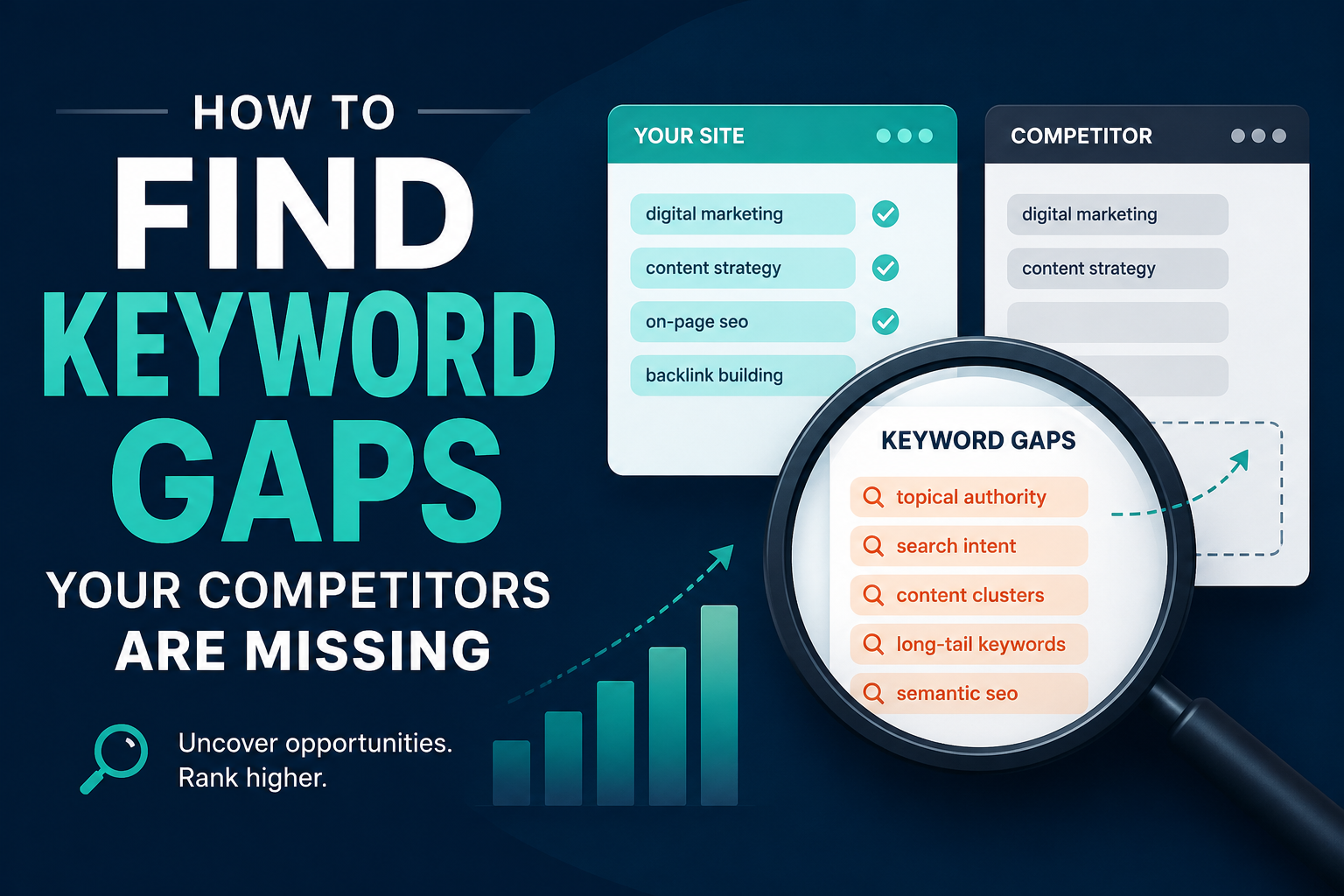
How to Find Keyword Gaps Your Competitors Are Missing

If you are looking for a basic way to track competitor keywords, start here with our browser extension.

Every website owner dreams of ranking on the first page of Google, but most spend their time chasing the same crowded keywords everyone else is already fighting over. The real growth happens in the shadows, in the spaces your competitors have overlooked or ignored entirely. These are keyword gaps, and finding them is the closest thing to a shortcut in search engine optimization.

A keyword gap is simply a search term that your competitors rank for but you do not, or more valuably, a term that nobody in your niche is targeting at all. These gaps represent unclaimed territory, audiences searching for answers that no one is providing well. The businesses that learn to spot and fill these gaps consistently outrank larger, better-funded competitors who are too busy optimizing for the obvious terms.

The first place to look for these opportunities is in the long tail. Most people instinctively gravitate toward short, high-volume keywords because the traffic numbers look impressive on paper. A term like “running shoes” might get fifty thousand searches a month, but it is also being chased by every major athletic brand and publication on the internet. Meanwhile, “best running shoes for flat feet and high arches” might only get a few hundred searches, but the person typing that query knows exactly what they want and is much closer to making a purchase. The competition for that phrase is often nonexistent, and there are thousands of these specific variations hiding in plain sight. Start by thinking about the problems your audience actually faces, not the broad categories they belong to. What questions do they ask in support emails? What objections do they raise before buying? Each of these is a potential keyword gap waiting to be filled.

Another rich source of overlooked keywords lies in the comparison and versus space. Searchers love to compare options before making a decision, yet most businesses avoid creating content that mentions their competitors by name. They fear it will drive traffic away or appear unprofessional. This fear creates a massive gap. When someone searches for “your product versus competitor product” or “alternative to popular tool,” they are already deep in the buying process. If you are the only one providing a thorough, honest comparison, you control the narrative. You do not need to trash your competitors, you simply need to be the most helpful voice in the room. Review sites and forums often rank for these terms by default, not because they are the best answer, but because nobody else bothered to write the content.

Seasonal and trending topics represent another category of keyword gaps that move too quickly for most competitors to catch. A sudden shift in regulations, a new technology announcement, or a cultural moment can create a surge of searches before the established players in your industry have time to react. The key is to build a system for monitoring these shifts rather than relying on luck. Set up alerts for industry news, follow the discussions happening in niche communities, and pay attention to what your audience is suddenly asking about on social media. The first few pieces of content published during the early wave of interest often retain their rankings long after the trend becomes mainstream, simply because they were there first and have accumulated backlinks and engagement.

Your competitors’ own content can also reveal what they are missing. Take the time to actually read the articles and pages that rank well in your space, not just scan them for optimization cues. Look for the questions they raise but do not answer fully, the assumptions they make that leave beginners behind, and the outdated information they have not updated. If a top-ranking post mentions a concept in passing but does not explain it, that is a gap. If they use technical jargon without defining it, that is a gap. If their guide skips a step that a real beginner would need, that is a gap. Your goal is not to copy what they have done but to complete what they have left unfinished.

The search results themselves are a map of intent that most people read too quickly. When you type a query into Google, look at what is already ranking and ask yourself what is missing from the page. Are the results all listicles when someone is clearly looking for a tutorial? Are they all product pages when the searcher is still in the research phase? Are they all text when a visual explanation would be far more useful? Google is trying to satisfy intent, and when the current results do a poor job, it is actively looking for something better. A keyword gap is not always about finding a term no one has written about, sometimes it is about finding a term that everyone has written about poorly.

Voice search and conversational queries have opened up entirely new categories of gaps that traditional keyword research tools struggle to capture. People speak to their devices differently than they type into a search bar. They ask full questions, use natural language, and include location and context that they would never type. A typed search might be “emergency plumber Chicago,” but a voice search is “who is the best emergency plumber near me that is open right now.” These longer, more specific phrases have lower search volume individually, but they add up to significant traffic and almost always indicate higher intent. The businesses that optimize for how people actually talk, rather than how they type, are finding gaps that their competitors do not even know exist.

Do not overlook the value of zero-search-volume keywords. Many SEO professionals filter these out automatically, assuming that if a tool reports no monthly searches, there is no opportunity. This is a mistake. Keyword research tools estimate search volume based on samples and models, and they are particularly bad at capturing new, emerging, or hyper-specific queries. If a term perfectly describes a problem your audience has, and you know from conversations with customers that people are asking about it, write the content anyway. You will often find that the real search volume is higher than the tools suggest, and even if it is not, ranking for a term with no competition gives you a foothold in a topic area that may grow over time.

The most powerful keyword gaps are often found at the intersection of two unrelated topics. When you combine your core expertise with an adjacent field, you create content that serves an audience that no one else is addressing. A fitness coach who writes about productivity for entrepreneurs, a financial advisor who covers mental health and money, a web designer who focuses on accessibility for nonprofits, these intersections have less competition because they require expertise in two areas, and most competitors only have one. The audience at these crossroads is often highly engaged because they have been searching for content that speaks to their specific situation and finding nothing.

Finally, remember that finding keyword gaps is not a one-time project. The search landscape shifts constantly. Competitors publish new content, algorithms change, and audience behavior evolves. The businesses that treat keyword gap analysis as an ongoing practice, rather than a checklist item during a site launch, are the ones that continue to find new opportunities while everyone else is fighting over the same shrinking pool of obvious terms. The gaps are always there, but they move. Your job is to keep looking.

Posted on

How Often Should You Update Old Blog Posts?

There is a quiet anxiety that sets in when you look at your content library and realize how much of it is aging. Every post you have ever published is a small promise to your readers that what they are reading is true, useful, and current. But time does not stand still, and neither does the web. The question is not whether you should revisit old work but how often, and with what urgency.

The honest answer depends on what the post is doing for you right now. A piece that sits in the long tail of your analytics, drawing a few visits a month and converting no one, does not need your attention this week. But a post that once drove significant organic traffic and has begun to slope downward deserves your focus immediately. Traffic trends are the most honest calendar you have. When a high-performing post loses ten percent of its monthly visitors for two consecutive months, that is your signal. Not next quarter. Now.

For posts that rank on the first page of search results, the maintenance window shrinks even further. The top positions are not earned once and held forever. They are rented by the month, and the rent is relevance. A competitor publishing a more current, more comprehensive answer to the same query can displace you in a matter of weeks. If you depend on organic search for leads or revenue, your highest-ranking posts should be reviewed at least every ninety days. This does not mean rewriting them from scratch every quarter. It means checking whether the facts still hold, whether the links still resolve, whether the screenshots still match the current interface of the tool you are describing, and whether any new developments in your industry have made your advice incomplete or worse, misleading.

Evergreen content is often misunderstood as content that never needs updating. The term refers to topics that remain relevant over long periods, not to articles that maintain themselves. A guide on how to write a business plan is evergreen in subject but not in execution. The examples you use, the templates you link to, and the economic context you assume will all drift. Evergreen posts should be refreshed at least twice a year. Think of it as changing the oil in a reliable car. The engine is sound, but neglect will still seize it.

Posts tied to fast-moving industries or technology require a different rhythm entirely. If you write about software, digital marketing tactics, health guidelines, or financial regulations, annual updates are the minimum and semi-annual updates are closer to the standard. In these spaces, what was accurate in January can be obsolete by June. Your readers know this. They check the date. A post about social media strategy from 2024 carries a weight of suspicion in 2026 that no amount of good writing can overcome. The date stamp is a trust signal, and letting it grow stale is a choice to let trust erode.

There is also a category of content that should never be updated, and knowing which posts these are is as important as knowing which to refresh. A personal essay rooted in a specific moment in time loses its integrity if you rewrite it to sound current. A historical analysis should be preserved as a snapshot of understanding, perhaps with a preface noting what has changed since, but not rewritten to pretend you knew then what you know now. News commentary and reaction pieces fall into this category too. They are artifacts, not assets, and their value is archival. Trying to optimize them for current search traffic is usually a mistake that wastes time and dilutes your voice.

The practical rhythm that works for most publishers looks something like this. Once a month, scan your analytics for posts that have dropped in traffic or ranking position. Once a quarter, conduct a deeper audit of your top twenty percent of posts by traffic and conversion value. Once every six months, review your evergreen library for factual drift, broken links, and opportunities to expand or sharpen the argument. Once a year, assess whether any posts should be consolidated, redirected, or retired entirely. This layered approach keeps you from drowning in maintenance while ensuring nothing critical slips through the cracks.

Updating is not just about correction. It is about expansion. The best revisions add depth. You might return to a post you wrote two years ago and realize you have learned enough since to double its length and usefulness. You might have new case studies, new data, or a clearer way to explain the concept. The web rewards comprehensiveness, and your older posts are often the best candidates for growth because they already have history and authority behind them. A thin post that ranks on the strength of its domain can become a definitive resource with patient expansion.

There is a psychological benefit to this practice too. Writers often feel pressure to constantly generate new ideas, as if publishing volume is the only measure of productivity. Revisiting old work breaks this cycle. It reminds you that good ideas are durable and that your best thinking deserves maintenance, not abandonment. It also trains you to write with more foresight. When you know you will be living with a post for years, you choose topics more carefully, structure them more cleanly, and avoid references that will date too quickly.

The cadence you settle on should reflect your resources and your goals. A solo blogger with a day job cannot maintain the same schedule as a content team with dedicated editors. But the principle remains the same. Your content library is not a museum. It is a garden, and gardens need regular tending. Some plants need daily water. Others thrive with seasonal pruning. The skill is learning to read the signs and respond before the wilting becomes visible to everyone else.

Posted on

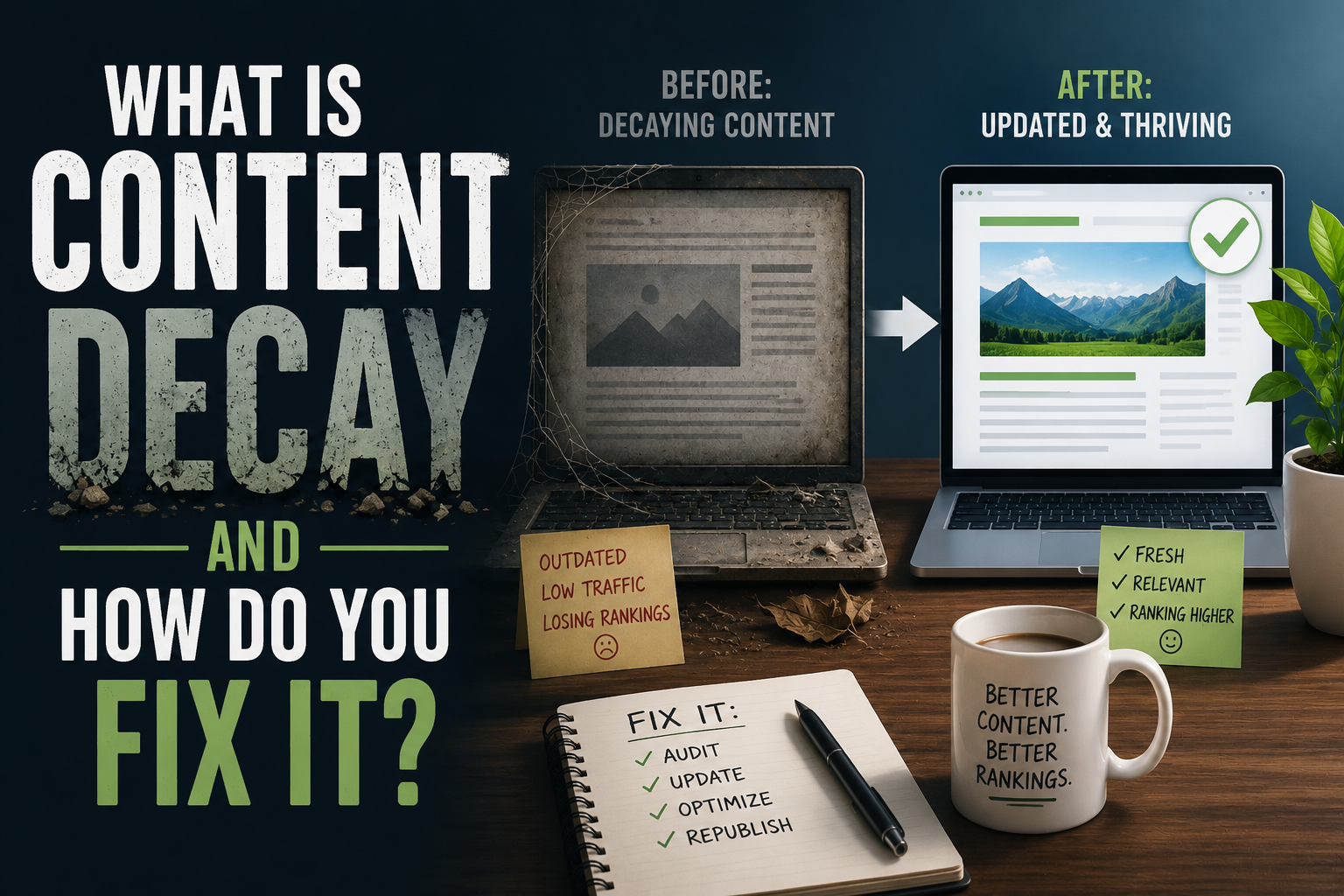
What Is Content Decay and How Do You Fix It?

Every piece of content you publish is a living thing with a natural lifespan. When it first goes live, it draws attention, climbs search rankings, and generates traffic. But over time, almost every article, guide, or blog post begins to fade. This gradual decline in performance is what marketers call content decay, and it is one of the most overlooked threats to a website’s long-term success.

Content decay does not mean your writing has become bad. It means the world around it has changed. Search engines update their algorithms. New competitors enter the space with fresher perspectives. The facts you cited become outdated. Links you included go dead. Even the language people use to search for your topic shifts. Your article is still technically there, still indexed, but it has lost the signals that once made it visible and valuable. The traffic graph does not crash overnight. Instead it slopes downward gently, week by week, until you realize a post that once brought thousands of visitors now brings only a handful.

The real danger of content decay is its invisibility. A sudden traffic drop triggers alarms. A slow leak often goes unnoticed. You might keep producing new content while your existing library quietly rots. This creates a paradox where you work harder and harder to grow traffic while your foundation crumbles beneath you. The cost is not just lost visitors. It is lost trust. A reader who lands on a post with broken links, outdated statistics, or advice that no longer reflects current best practices will leave with a poorer impression of your brand. Decay turns assets into liabilities.

So how do you recognize it before the damage becomes severe? The most reliable signal is a sustained downward trend in organic traffic to a specific page over a period of several months. You might also notice that a page still ranks but for less valuable keywords, or that its click-through rate has dropped even though its average position looks stable. Sometimes the decay is relative rather than absolute. Your traffic might hold steady while competitors surge past you, meaning you are losing market share even if the raw numbers look acceptable. Social shares and backlinks might slow to a trickle. Comments and engagement might dry up. These are all symptoms of the same underlying condition: your content has become less relevant to the current moment than it once was.

Fixing decay requires a different mindset than creating something new. When you write a fresh article, you are building from a blank page. When you revive decaying content, you are performing surgery. You must diagnose precisely what has changed and why the page lost its edge. Start by examining the search results for your target keywords today. Look at what is ranking above you. Is the content more comprehensive? Does it include newer data? Is the format more useful, perhaps with video, interactive tools, or a cleaner structure? Is the page faster and easier to read on mobile devices? Your competitors are not just writing better sentences. They are solving the searcher’s problem more effectively.

Once you understand what has changed, the revision process begins. Update any statistics, examples, or references that have aged. Remove broken links and replace them with current, authoritative sources. Expand sections that feel thin compared to what now ranks well. Consider whether the search intent has shifted. A query that once called for a quick definition might now be best answered with a detailed tutorial. Rewrite your introduction and conclusion to reflect the current conversation around the topic. If the original post was written years ago, the tone might need adjusting to match how your audience communicates today.

Technical maintenance matters just as much as the words on the page. Search engines favor pages that load quickly and display correctly across devices. An older post might be weighed down by oversized images, outdated code, or formatting that breaks on modern browsers. Refreshing the publish date can signal freshness to both readers and algorithms, but only if the update is substantive. Simply changing the date without improving the content is a short-term trick that ultimately damages credibility.

Internal linking is another powerful tool for combating decay. As you publish new content, link back to your older posts where relevant. This distributes authority and helps search engines rediscover pages that might have slipped from their crawl priorities. Conversely, review your older posts and add links to newer resources you have created. This transforms a static article into a hub that connects to the broader ecosystem of your site.

Sometimes the fix is not a revision but a consolidation. If you have multiple posts targeting similar keywords, they might be cannibalizing each other. Merging them into one definitive resource can create a stronger page than the sum of its parts. Other times, the honest answer is that a topic is no longer worth maintaining. The market has moved on, or your business has pivoted. In those cases, redirecting the old URL to a more relevant current page preserves whatever authority it had while steering visitors toward something useful.

The most effective approach to content decay is prevention through rhythm. Build a practice of regularly auditing your content library. Set a schedule to review your highest-traffic posts every quarter and your mid-tier posts every six months. Track performance in a simple dashboard so you can spot downward trends before they become steep drops. When you plan new content, design it with longevity in mind. Write about foundational topics that will remain relevant. Use evergreen language rather than references that will date quickly. Build modular content that can be easily updated without a full rewrite.

Content decay is not a failure. It is a natural process, like erosion or entropy. The web is not a library where books sit unchanged on shelves. It is a garden where every plant needs tending. The sites that dominate search results year after year are not necessarily the ones that publish the most. They are the ones that relentlessly maintain what they have already built. They treat their existing content as a portfolio of assets that requires active management, not a collection of finished projects to be abandoned.

Your best posts are your hardest workers. They have already proven they can attract an audience. Letting them decay is like leaving a productive employee to struggle without support. With attention, diagnosis, and careful revision, you can restore their performance and often push them to new heights. The fix is rarely as glamorous as launching something new, but it is usually more efficient. One thoroughly updated post can outperform five hastily written new ones. In a landscape where attention is scarce and competition is fierce, the discipline of maintenance is what separates durable authority from fleeting noise.

Posted on

On-Page SEO Checklist for Every New Post

Once you know what topic and keyword a new post is targeting, following the keyword research process covered earlier in this series, there’s a separate, more mechanical layer of work that determines how well that post is actually set up to perform once it’s live. This post covers the on-page checks worth running through for every new piece before hitting publish, framed as a sequence to work through rather than a checkbox list.

Confirm the Title Matches Search Intent

Start with the page title, since it’s the single most important on-page element for both search engines and readers deciding whether to click. Read the title as if you were the searcher who typed your target phrase, and ask honestly whether it clearly promises the answer to that specific question. A title that’s clever or vague at the expense of clarity tends to underperform a title that’s plain but immediately tells a searcher exactly what they’ll get, especially for more direct, practical search queries where readers are scanning results quickly rather than browsing leisurely.

Write a Meta Description That Earns the Click

The meta description doesn’t directly affect rankings the way it once did, but it still strongly influences whether someone clicks your result over a competitor’s when both appear in search results for the same query. A good meta description restates the core value of the post in a sentence or two, written for a human deciding between several similar-looking results, rather than stuffed with keywords aimed at a search engine that mostly ignores this field for ranking purposes anyway.

Use Headers That Reflect Real Subtopics

Headers should break the post into the actual logical subtopics a reader is moving through, not exist purely to insert keyword variations at regular intervals. A reader skimming your headers alone should be able to get a rough sense of the post’s structure and decide which section to read closely. This also connects directly to how search engines parse a page’s structure, since clear, logically ordered headers make it easier for a page to be understood and appropriately matched to related, adjacent search queries beyond just the primary target phrase.

Address the Actual Question Early

Whatever the primary question a reader searched to find this post, make sure the post actually addresses it clearly within the first few paragraphs, rather than building up to it slowly through extended preamble. This matters for readers, who decide within seconds whether a page is going to answer what they came for, and it matters for search engines, which increasingly evaluate whether a page’s early content is genuinely relevant to the query it’s ranking for.

Check Internal Links Before Publishing, Not After

Every new post should link up to its relevant pillar page and across to at least one or two genuinely related cluster posts, following the standards from the internal linking guide earlier in this series, and this should happen at the time of publishing rather than being deferred to some future audit. A new post published with zero internal links is, by definition, an orphan from the moment it goes live, and it’s far easier to add these links while you’re already deep in the post’s context than to come back to it later.

Confirm Images Have Descriptive Alt Text

Any images in the post should have alt text that accurately describes what the image shows, both for accessibility and because search engines use alt text to understand image content for image search results, which can be a meaningful secondary traffic source for visually relevant topics. Generic or missing alt text is a small thing individually but an easy, low-effort win to get right at publish time rather than retrofitting across dozens of old posts later.

Check That URL Slugs Are Clean and Stable

The URL slug should be short, readable, and reasonably reflective of the post’s topic, since a clean slug is both more shareable and slightly more useful as a relevance signal than an auto-generated string of numbers or an overly long sentence-length slug. More importantly, once a post is published and has any traffic or backlinks at all, its URL should be treated as effectively permanent, since changing it later requires the redirect care covered in the safe reorganization post earlier in this series. Getting the slug right before publishing avoids that problem entirely.

Verify Mobile Readability

Before publishing, actually look at the post on a phone screen, not just a desktop editor. Paragraph length that looks reasonable on a wide desktop screen can look like an intimidating wall of text on mobile, where the majority of casual blog traffic now arrives. Breaking up long paragraphs, keeping sentences reasonably short, and making sure any tables or embedded content actually render sensibly on a narrow screen all affect how long a mobile reader is willing to stay on the page.

Double-Check for Accidental Duplication

Before publishing something new, do a quick check of your own site for existing coverage of the same specific question, following the prevention habit described in the duplication post earlier in this series. This takes a couple of minutes and prevents exactly the kind of self-competition that’s far more time-consuming to untangle after both posts have accumulated their own traffic and backlinks.

Confirm the Post Fits Its Intended Cluster

Finally, before publishing, confirm the post genuinely fits into the cluster and pillar structure you intended for it, rather than drifting into a tangent partway through writing that no longer matches its planned place in your site’s structure. If a post has drifted, it’s worth deciding at publish time whether to adjust the post back toward its intended topic, or to consciously treat it as belonging to a different cluster than originally planned, rather than publishing it into a structural slot it no longer actually fits.

Treat This as a Pre-Publish Habit, Not an Afterthought

Every item above is far faster to address before a post goes live than after, since fixing internal linking, titles, or structural fit on an already-published, already-indexed post carries some of the same friction covered throughout this series regarding safe reorganization. Building this checklist into your actual publishing workflow, rather than treating it as a periodic audit task, is what prevents most of the structural problems this series has covered from accumulating in the first place.

The next post in this series looks at a concept that’s been referenced throughout without being fully defined yet: content decay, what causes it, and how to recognize and reverse it once it sets in.