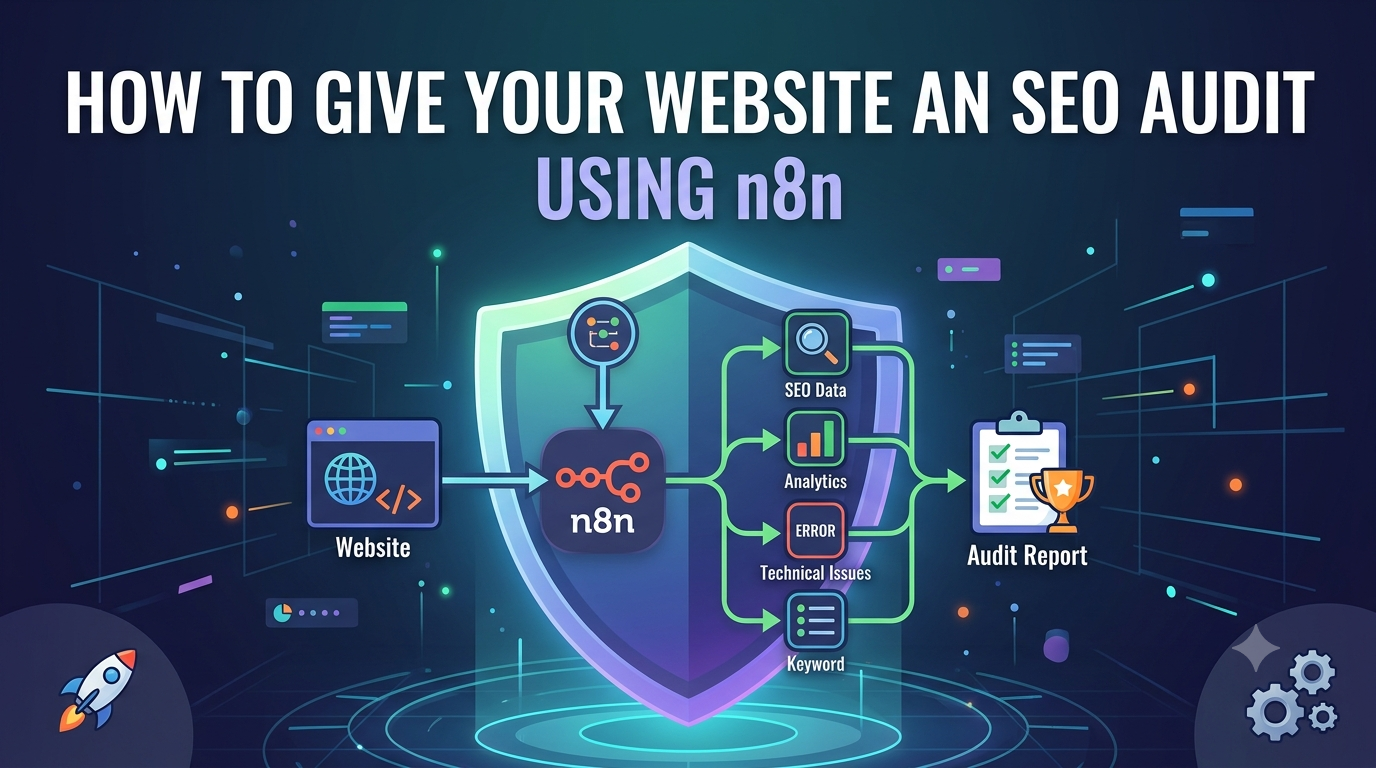
Most website owners treat SEO audits like a dreaded annual tax filing: something you put off until it becomes unavoidable, then scramble through in a panic. The result is a static PDF report that sits in a folder and gathers dust while your site’s rankings quietly slip. There is a better way. By wiring together n8n’s automation engine with a few well-chosen data sources, you can build a living SEO audit system that crawls your site, analyzes performance data, and delivers actionable recommendations to your inbox on whatever schedule you choose. No more spreadsheets. No more forgotten audits. Just a continuous stream of insights that keep your site competitive.Why Manual SEO Audits FailThe traditional approach to auditing a website involves exporting data from Google Search Console, pulling reports from Google Analytics, running a Lighthouse scan, and then somehow stitching all of that into a coherent narrative. For a site with hundreds or thousands of pages, this process eats up entire days. Worse, by the time you finish, the data is already stale. A competitor might have published new content, a page might have developed a broken link, or a Core Web Vitals score might have degraded after a plugin update. Manual audits are snapshots of a moving target, and they leave far too much room for human error when copying figures between tools.What n8n Brings to the Tablen8n is an open-source workflow automation platform that connects APIs, databases, and AI services through a visual node-based interface. Think of it as the glue that binds your SEO data sources together. Instead of logging into five different dashboards and copying numbers by hand, n8n pulls everything automatically, runs it through analysis logic, and formats the results into a clean report. The platform supports both cloud-hosted and self-hosted deployments, meaning you can run it for free on your own server or pay a modest monthly fee for managed hosting. For SEO work specifically, n8n shines because it can talk directly to Google Search Console, Google Analytics, PageSpeed Insights, and virtually any other API without requiring you to write custom integration code.Building Your Audit PipelineThe architecture of a solid n8n SEO audit workflow breaks down into a handful of connected stages. You begin with discovery: n8n fetches your sitemap.xml via an HTTP Request node and parses out every URL on your site. This gives you the complete inventory of pages to analyze. From there, the workflow branches into parallel data collection. One branch hits the Google Search Console API to pull clicks, impressions, average position, and click-through rate for each URL over your chosen date range. Another branch queries Google Analytics for pageviews, bounce rate, session duration, and conversion data. A third branch can call the Google PageSpeed Insights API to capture Core Web Vitals scores for mobile and desktop, measuring metrics like Largest Contentful Paint, First Input Delay, and Cumulative Layout Shift.Once the raw data is gathered, the real intelligence happens in the analysis stage. Here you have two powerful options. The first is to use n8n’s built-in Code node to write custom JavaScript that flags specific issues: URLs with missing H1 tags, pages where the title tag exceeds sixty characters, images without alt text, or pages where the bounce rate has spiked above a threshold you define. The second option, which has become increasingly popular, is to pipe the collected data into an AI node powered by OpenAI, Claude, or DeepSeek. The AI receives a structured prompt containing all the metrics for a given page and returns a prioritized list of issues along with specific recommendations. For example, it might notice that a high-traffic page has a low CTR relative to its average position and suggest rewriting the meta description to be more compelling.Generating the ReportRaw data is useless without presentation. The final stage of your n8n workflow formats everything into a readable report. Many builders use the Send Email node to deliver an HTML-formatted audit directly to stakeholders. The report can include tables showing each URL alongside its key metrics, color-coded status indicators for pass or fail on various checks, and a summary section highlighting the top three issues to tackle first. If you prefer Slack or Microsoft Teams for team communication, n8n can push the report there instead. Some workflows even save results to a Google Sheet or Notion database, creating a historical log that lets you track improvements over time.A Practical Starting PointIf you are new to n8n, the best way to begin is with a simple daily audit that focuses on a single page. Set up a Schedule Trigger to fire once per day, add an HTTP Request node to fetch the HTML of your homepage, and use an HTML Extract node to pull out the title tag, meta description, and H1 heading. Add a PageSpeed Insights node to grab performance scores, then use a Code node to check whether the title length falls within the recommended range and whether the meta description is present. Feed the results into a Send Email node with a basic HTML template. Once this minimal workflow is running reliably, you can expand it: swap the single URL for a sitemap parser, add Google Search Console data, introduce AI analysis, and eventually build a comprehensive audit that covers your entire site.Scaling Beyond the BasicsOnce you have the fundamentals working, the possibilities multiply. You can create separate workflows for different audit frequencies: a daily check for broken links and Core Web Vitals regressions, a weekly analysis of search console trends, and a monthly deep dive into content gaps and keyword opportunities. You can add conditional logic so that only pages with detected issues get included in the report, reducing noise. You can integrate with project management tools like Asana or Trello so that critical issues automatically spawn tasks for your development team. Some agencies have built n8n workflows that audit client sites and generate personalized outreach emails referencing real findings, turning a technical process into a business development tool.The Bottom LineSEO is not a one-time project. It is an ongoing discipline of measurement, analysis, and incremental improvement. n8n transforms the audit from a burdensome manual chore into an automated background process that keeps you informed without demanding your constant attention. The initial setup requires some investment of time to configure APIs and tune your analysis logic, but once running, the workflow pays for itself in saved hours and caught issues that would otherwise have gone unnoticed. Your website deserves better than an annual checkup. Give it a continuous health monitor instead.