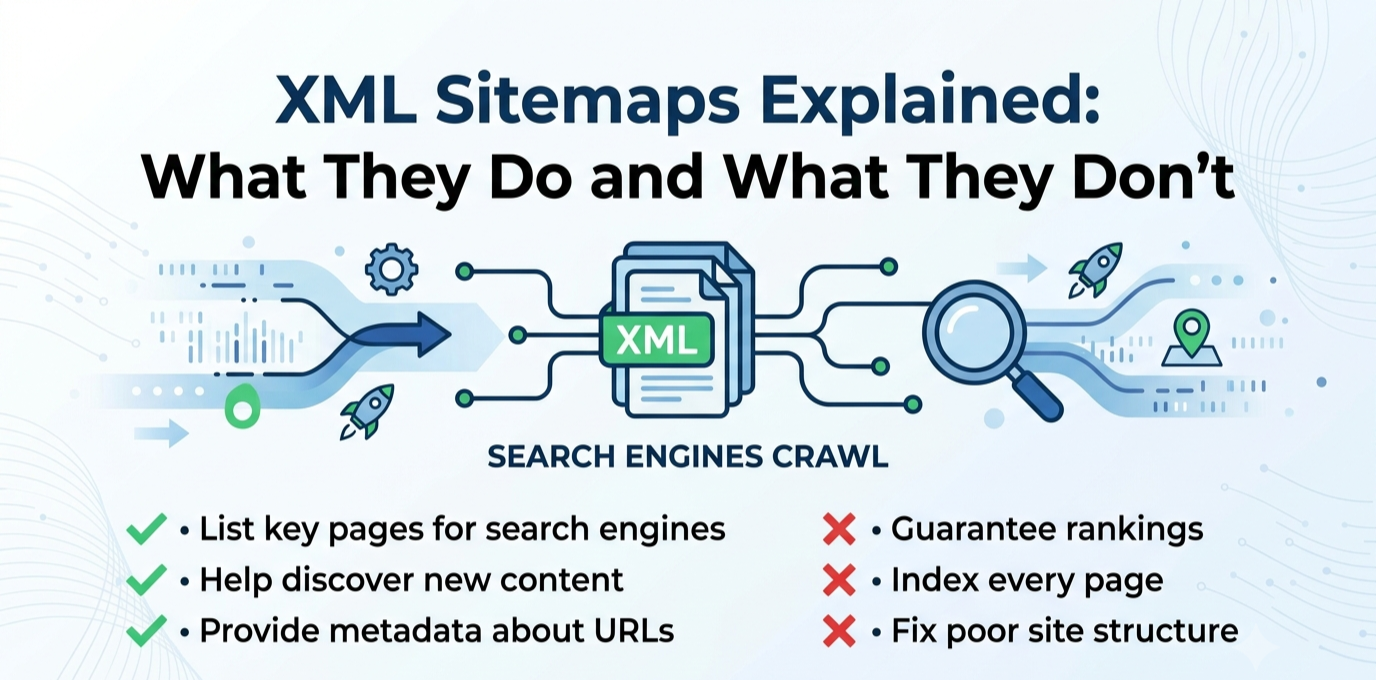
An XML Sitemap helps search engines index your site faster. They don’t improve rankings. It is a file, usually at a URL like yoursite.com/sitemap.xml, that lists the URLs you want search engines to know about, along with optional metadata like when each page was last modified. It is not a ranking system, nor a table of contents for visitors, and not a way of telling Google how important a page is. It functions more like a directory listing, a straightforward statement of which URLs exist on your site.
The real job of a sitemap is discovery, not ranking. It helps search engines find pages they might otherwise miss or take longer to reach through normal crawling. This matters most for large sites with thousands of pages, where crawling every internal link path would be slow on its own, or for new sites with few or no external backlinks yet, and for sites with pages that are poorly linked internally, where the sitemap acts as a backup discovery path. For a well-established, well-linked site, the sitemap plays a smaller role. Most pages will be found through normal crawling anyway. It speeds up discovery of new content and signals which URLs are connonical.
It is equally important to understand what a sitemap does not do, since this is where most confusion comes from. It does not improve rankings, since ranking depends on content quality, relevance, backlinks, and other factors the sitemap doesn’t communicate. It does not guarantee indexing, since listing a URL is a request, not a command, and Google can choose not to index pages. It does not fix a page’s underlying quality problems, and it does not override other signals telling Google not to index a page, since a noindex tag, a robots.txt block, or a canonical pointing elsewhere all take precedence, and including those pages in your sitemap only sends a contradictory signal.
A few sitemap problems show up on real sites. The sitemap could include pages that shouldn’t be there, such as deleted content returning a 404, thin tag or category archive pages, or pages marked noindex elsewhere. The sitemap can be missing pages that should be there, often because a plugin conflict, a manual page-building process, or a migration created content outside the normal publishing flow. The sitemap hasn’t been resubmitted after a significant structural change, like a URL migration or a large batch of new content. And the sitemap references the wrong protocol or domain version, such as still listing http URLs after a move to https, creating a mismatch between what the sitemap says and what actually resolves.
Checking your sitemap takes only a few minutes. Load the sitemap URL directly in a browser and confirm it loads without errors and looks reasonably complete. In Google Search Console, check the Sitemaps report under Indexing, which shows whether Google successfully read it, how many URLs were discovered, and whether there were processing errors. Cross-reference a handful of your most important pages against the sitemap to confirm they’re listed, and spot-check a few entries to confirm they’re pages you’d actually want indexed.
A sitemap is a discovery aid. Treat it as infrastructure worth getting right once and checking periodically, particularly after major site changes. It’s not a tool that can solve a ranking or visibility problem with a different underlying cause. Get the fundamentals correct, keep it current, keep it limited to pages you genuinely want found, and put your actual effort into the things that do influence rankings: content quality, site structure, and the rest of a real technical SEO foundation.