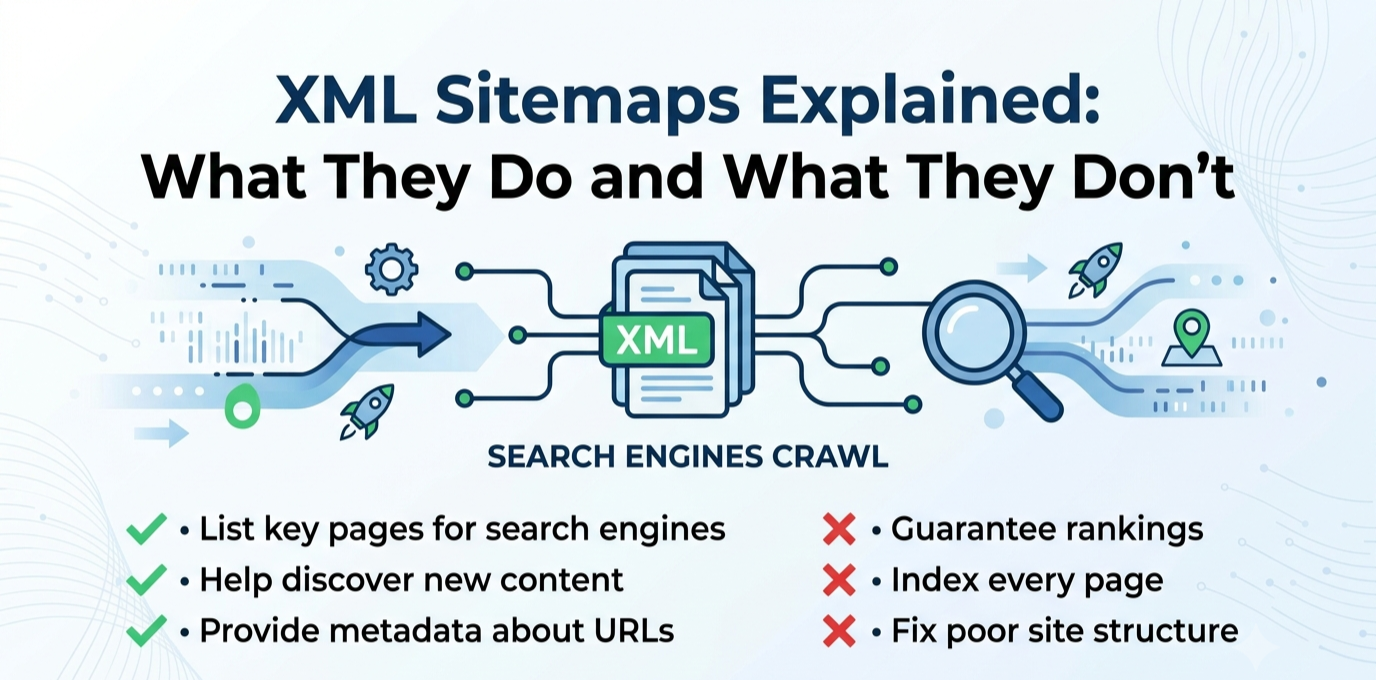
An XML sitemap is one of the most commonly recommended, least understood pieces of technical SEO. Nearly every checklist tells you to have one, submit it, and keep it updated. Far fewer explain what a sitemap actually does once it’s in Google’s hands, which leads to a common and understandable misconception: that having a sitemap somehow helps a page rank. It doesn’t, not directly, and understanding the real, narrower job a sitemap does will save you from both neglecting it and overestimating what it can fix.
What a Sitemap Actually Is
An XML sitemap is a file, usually found at a URL like yoursite.com/sitemap.xml, that lists the URLs on your site you want search engines to know about. For each URL, it can optionally include metadata like when the page was last modified. Most modern CMS platforms generate this automatically and keep it updated as you publish, so for the majority of site owners, the sitemap itself isn’t something you write by hand, it’s something you confirm exists, submit, and periodically check for accuracy.The important thing to understand about its structure is what it isn’t: it’s not a page ranking system, not a table of contents shown to visitors, and not a set of instructions telling Google how important each page is in any absolute sense. It’s closer to a directory listing, a way of saying “here is the full set of URLs that exist on this site.”
What a Sitemap Actually Does
A sitemap’s real job is discovery, not ranking. It helps search engines find pages they might otherwise miss or take longer to find through normal crawling, which happens by following links from page to page. This matters most in a specific set of situations: a large site with thousands of pages, where crawling every internal link path would take a long time on its own; a new site with few or no external backlinks yet, since search engines often discover new sites by following links from other sites that already exist, and a brand-new site doesn’t have that established. A site with pages that are poorly linked internally, where a sitemap can serve as a backup discovery path Google can use even if a page isn’t well connected through your own navigation.
For a well-established, well-linked site with a normal amount of content, a sitemap plays a smaller, though still worthwhile, role. Search engines will likely find most of your pages through normal crawling anyway, but the sitemap still speeds up discovery of new content and gives you a clean, direct signal of exactly which URLs you consider canonical and worth indexing.
What a Sitemap Does Not Do
This is the part most checklists skip, and it’s the source of most of the confusion.
A sitemap does not improve your rankings. Being listed in a sitemap has no bearing on how well a page performs in search results once it’s found and indexed. Ranking depends on content quality, relevance, backlinks, and the many other factors search engines evaluate, none of which the sitemap itself communicates.
A sitemap does not guarantee indexing. Listing a URL in your sitemap is a request for Google to consider crawling and indexing it, not a command. Google can and does choose not to index pages it finds through a sitemap, if it judges them low-value, duplicate, or otherwise not worth including in search results. A sitemap full of thin or duplicate pages won’t force Google to index all of them.A sitemap does not fix a page’s underlying quality problems. If a page isn’t ranking because it’s thin, outdated, or poorly targeted, adding it to your sitemap or resubmitting the sitemap won’t change that. The sitemap only affects whether Google finds and considers the page, not what it concludes once it evaluates it.
A sitemap does not override other signals telling Google not to index a page. If a page has a noindex tag, is blocked by robots.txt, or is canonicalized to point at a different URL, including it in your sitemap doesn’t cancel out those signals. In fact, having noindexed pages in your sitemap sends a mildly confusing, contradictory signal, and it’s worth keeping your sitemap limited to pages you genuinely want indexed.
Common Mistakes Worth Checking For
A few sitemap problems show up repeatedly on real sites, and they’re worth checking for directly rather than assuming your CMS handled everything correctly.The sitemap includes pages that shouldn’t be there: old, deleted content that returns a 404, thin tag or category archive pages, or pages you’ve deliberately marked noindex elsewhere. A sitemap should reflect the pages you actually want search engines focusing on, not simply every URL your CMS has ever generated.
The sitemap is missing pages that should be there, often because a plugin conflict, a manual page-building process, or a migration created content outside the normal publishing flow that your CMS’s automatic sitemap generator never picked up.The sitemap hasn’t been resubmitted after a significant structural change, like a URL migration or a large batch of new content, even though most modern setups update and notify automatically once configured correctly in Search Console.
The sitemap references the wrong protocol or domain version, for instance still listing http:// URLs after a site moved to https://, or listing a non-www version when the site now redirects to www, creating an unnecessary mismatch between what the sitemap says and what actually resolves.
How to Check Yours
Confirming your sitemap is in good shape takes only a few minutes. Load the sitemap URL directly in a browser and confirm it loads without errors and looks reasonably complete. In Google Search Console, check the Sitemaps report under Indexing, which shows whether Google successfully read it, how many URLs were discovered, and whether there were any processing errors. Cross-reference a handful of your most important pages against the sitemap to confirm they’re actually listed, and spot-check a few sitemap entries to confirm they’re pages you’d actually want indexed, not stray or outdated URLs.
The Right Way to Think About Sitemaps
A sitemap is a discovery aid, not a ranking lever and not a fix for content problems. Treat it as basic infrastructure worth getting right once and checking periodically, particularly after major site changes, rather than as a tool you can lean on to solve a ranking or visibility problem that actually has a different underlying cause. Get the fundamentals correct, keep it current, keep it limited to pages you genuinely want found, and then put your actual effort into the things that do influence rankings: content quality, site structure, and the rest of a real technical SEO foundation.