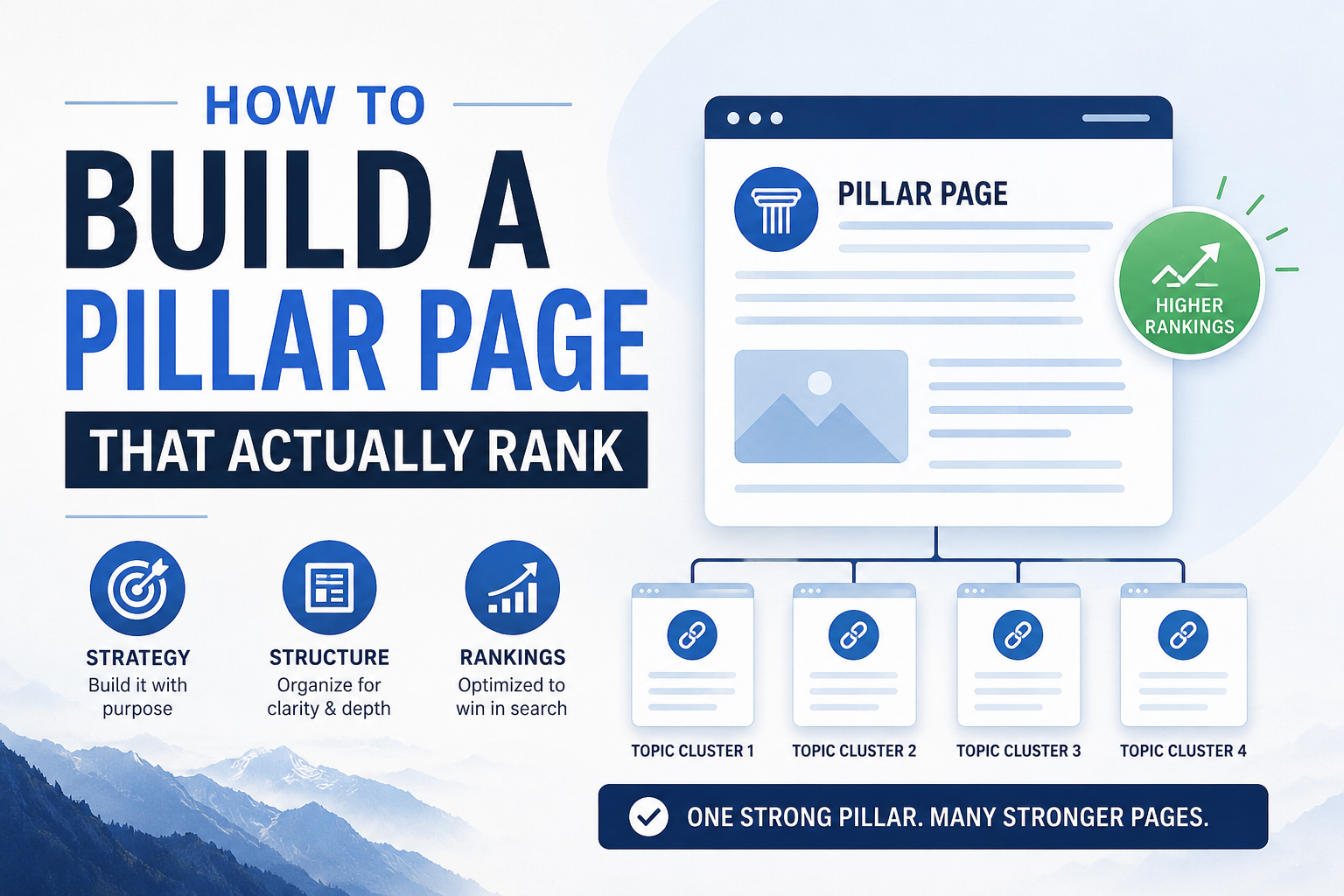
sA lot of bloggers hear “pillar page” and picture something like a glorified table of contents — a long post that links out to a bunch of other posts and not much else. That’s part of what a pillar page does, but it’s not what makes one actually rank. A pillar page that works is a genuinely comprehensive, standalone resource on its topic, one that would be useful even to a reader who never clicks a single internal link. The linking structure is the bonus, not the substance.
This post covers what separates a pillar page that ranks from one that just sits there being a directory nobody reads.
What a Pillar Page Needs to Do
A pillar page has two jobs at once, and most weak pillar pages only do one of them. The first job is to be the best single answer to the broad topic it covers, comprehensive enough that a reader who lands on it and reads nothing else still walks away satisfied. The second job is to organize and link out to every relevant supporting post in its cluster, so that both readers and search engines can see the full depth of coverage your site has on the subject.If you only do the first job, you end up with a great standalone article that isn’t connected to anything, which is really just an orphan candidate with better writing. If you only do the second job, you end up with a thin hub page that reads like a list of links wearing a headline — comprehensive in structure but empty in substance, which readers bounce from immediately and Google doesn’t reward.
Choosing the Right Topic Scope
Before writing anything, get the scope right. Too broad, and the page can’t possibly be comprehensive without ballooning into something unreadable — “how to blog” is too broad for almost any niche site to own credibly. Too narrow, and there’s no room for a real cluster underneath it — “how to brew coffee in a French press with 2:1 ratio” is really a cluster post pretending to be a pillar.
A workable test is whether the topic naturally supports somewhere between five and twelve distinct, non-overlapping supporting posts, each answering a specific sub-question a reader would have after reading the pillar. If you can’t list at least five, the topic is probably too narrow for its own pillar. If you’re listing twenty and they don’t feel related to each other, it’s probably two or three pillar topics being treated as one.
Structuring the Page Itself
A pillar page that ranks well tends to follow a predictable shape, even though the specific content varies by niche. It opens by clearly stating what the page covers and who it’s for, so a reader (and a search engine parsing the page) immediately understands its scope. It then works through the topic in a logical order, using clear H2 and H3 headers that mirror the actual subtopics a reader cares about, rather than headers written to stuff in keywords.
Each major section should say enough on its own to be genuinely useful, then link out to the relevant cluster post for anyone who wants to go deeper. The link should feel like a natural next step, not an interruption — something closer to “the mechanics of choosing a grind size are covered in more depth here” than a bare “read more” button dropped at the end of a paragraph.
Near the end, a well-built pillar page often includes a short section that ties the whole topic together and points toward related pillars if the site has them, giving both readers and search engines a sense of how this pillar fits into the broader site.
Writing for Comprehensiveness Without Padding
The instinct to hit a big word count on a pillar page sometimes leads to padding — restating the same point three different ways to look thorough. That backfires. Comprehensiveness means covering every subtopic a reasonable reader would want addressed, not repeating yourself to inflate length. It’s entirely possible to write a genuinely comprehensive 2,500-word pillar page and a padded, repetitive 4,000-word one on the same topic, and the shorter one will usually perform better, because readers and search engines both register when a page respects their time.
A useful habit while drafting is to imagine the ten most common follow-up questions a curious reader would ask after your opening section, and make sure each one is addressed somewhere in the page, even briefly, with a link to the fuller treatment in a cluster post where one exists.
Linking the Cluster In
Once the supporting posts exist, or as you plan them, the pillar page’s internal links matter as much as its prose. Every relevant cluster post should be linked from the pillar at the point in the page where that subtopic is first introduced, not bundled into a generic list at the very bottom. A reader scanning the “grind size” section should find the deep-dive link right there, in context, rather than having to hunt for it in a separate “further reading” block.
The reverse direction matters just as much. Every cluster post should link back up to the pillar, usually early in the post, so that both readers and search engines can trace the relationship in both directions. A pillar page that links out beautifully but receives no links back from its own cluster posts is only doing half the job.
Common Mistakes That Keep Pillar Pages From Ranking
The most frequent mistake is publishing the pillar page before any of its cluster posts exist, then never coming back to add the links once they’re written. The page ends up permanently underlinked, and the whole point of a pillar structure — mutual reinforcement between hub and supporting content — never actually happens.
Another common mistake is treating the pillar page as a one-time project rather than something that gets revisited. Topics evolve, new subtopics emerge, and a pillar page written two years ago often needs a pass to fold in newer supporting posts and updated information, the same way any decayed content does.
A third mistake is choosing a pillar candidate based on which post happens to be the longest, rather than which one is actually the best foundation for the topic. Length alone doesn’t make a post a good hub — a shorter, well-organized post with a clear structure is often a better pillar candidate than a long, rambling one that happens to have more words.
Updating an Existing Post Into a Pillar
You often don’t need to write a pillar page from scratch. If your content audit surfaced a post that’s already broad, already performing reasonably well, and already roughly in the right shape, upgrading it into a proper pillar is usually faster and more effective than starting over. That means expanding thin sections, adding the subtopic headers your cluster actually needs, and going through and adding links to every relevant supporting post you have or plan to write.
This approach also tends to preserve whatever ranking signal the original post had already built up, rather than starting a brand-new URL from zero.
Measuring Whether It’s Working
A pillar page that’s doing its job shows a few consistent signs over time. Search Console impressions for a wide range of related queries tend to climb, since a genuinely comprehensive page naturally surfaces for many different phrasings of the topic rather than just one exact keyword. Time on page and pages-per-session for visitors landing on the pillar tend to be noticeably higher than for a typical single post, since readers are moving between the pillar and its cluster posts rather than reading one page and leaving. And the supporting cluster posts themselves often see a lift in their own rankings over the following months, since they’re now benefiting from a stronger, better-linked hub pointing to them.
None of these show up overnight. A pillar structure is closer to a foundation you build once and maintain than a quick win, which is exactly why it’s worth getting the structure right from the start rather than publishing something thin and circling back later.
The next post in this series looks at the reverse question — once a pillar and its cluster exist, how many supporting posts is actually enough, and when adding more starts to hurt rather than help.