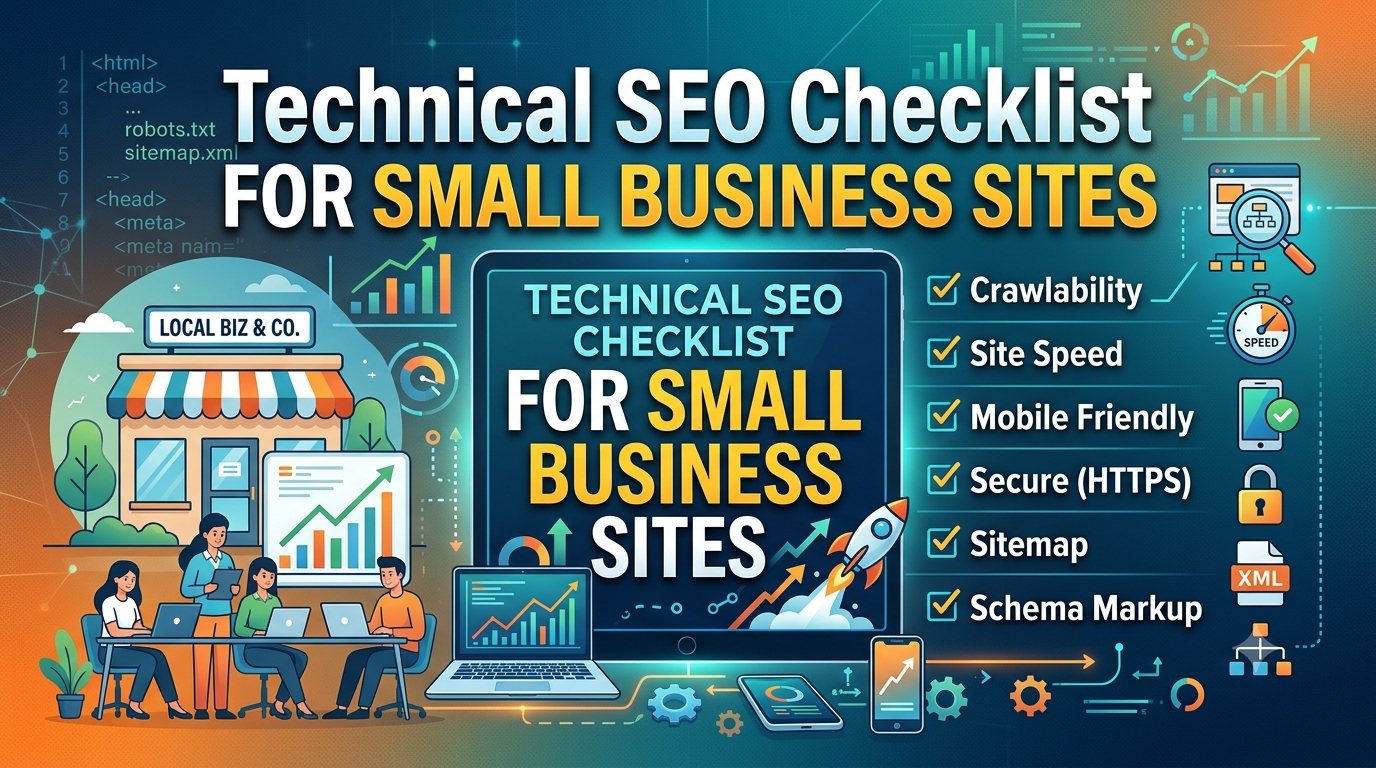
Technical SEO has a reputation for being intimidating, the kind of thing that requires a developer and a weekend you don’t have. Most of it isn’t. The majority of technical issues that quietly cap a small business site’s rankings are things you can check and fix without touching code. This is a working checklist, organized by what actually matters most.
Confirm Google Can Find Your Pages
Before worrying about rankings, confirm indexing. A page that isn’t indexed can’t rank at all, regardless of how good the content is.
Search site:yourdomain.com in Google and scan whether your important pages show up
In Google Search Console, check the Pages report under Indexing for anything marked “Excluded” that shouldn’t be
Look for accidental noindex tags left over from a staging site or theme default — this is a surprisingly common small-business mistake after a redesign
Check your robots.txt file isn’t blocking sections of the site it shouldn’t be
Fix Your Sitemap and Submit It
Your XML sitemap tells search engines which pages exist and are worth crawling. Most CMS platforms (WordPress with Yoast or RankMath, Shopify, Squarespace) generate one automatically, usually at yourdomain.com/sitemap.xml.
Confirm the sitemap exists and loads without errors
Submit it in Google Search Console under Sitemaps if you haven’t already
Check it doesn’t include pages you’ve deleted, redirected, or marked noindex
Check Core Web Vitals and Page Speed
Page experience is a real, ranking factor. Slow pages hurt conversions regardless of SEO. Run your key pages through Google’s PageSpeed Insights or check the Core Web Vitals report in Search Console.
Look specifically at Largest Contentful Paint (how fast the main content loads) and Cumulative Layout Shift (whether things jump around as the page loads)
The most common small-business fixes: compress images before uploading, remove unused plugins, and switch to a lighter theme if you’re on WordPress
You don’t need a perfect score. You need to not be in the “poor” range on your important pages
Make Sure the Site Works on Mobile
Google indexes and ranks based primarily on the mobile version of your site. If your site was designed years ago and never properly adapted, this alone can be capping your visibility.
Load your site on an actual phone, not just a browser resized smaller
Check that text is readable without zooming, buttons are tappable without misclicking, and nothing overflows off the edge of the screen
Use Search Console’s mobile usability report to catch issues site-wide rather than page by page
Get HTTPS Right, Fully
Most sites have HTTPS at this point, but partial implementation causes quiet problems.
Confirm your whole site loads under https://, not just the homepage
Check for “mixed content” warnings, where a secure page still loads an image or script over an insecure connection
Make sure the non-secure http:// version of your site redirects properly to https://, rather than existing as a duplicate version of every page
Clean Up Duplicate and Thin Pages
Small business sites often accumulate duplicate content without realizing it: a page that exists at two URLs, tag or category archive pages with almost no unique content, or old blog posts that say almost nothing.
Use Search Console’s coverage report to spot pages Google has flagged as duplicates
Consolidate near-duplicate pages into one strong page and redirect the others
Either meaningfully expand thin pages or remove and redirect them — a small site with twenty strong pages will usually outperform one with eighty thin ones
Fix Broken Links and Redirect Chains
Broken internal links waste crawl budget and create dead ends for visitors. Redirect chains (a URL that redirects to a URL that redirects again) slow things down and dilute the SEO value passed through the chain.
Run a free crawl tool like Screaming Frog (the free tier handles up to 500 URLs, plenty for most small sites) to find 404s and redirect chains
Fix internal links to point directly at the final destination URL, not through a chain of old redirects
Set up custom 404 pages that help lost visitors find their way, rather than a dead end
Verify Your Site’s Structured Data Is Valid
Schema markup helps search engines understand what your pages represent — a local business, a product, a review, an article. Errors here don’t usually cause penalties, but broken markup means you’re not getting whatever benefit valid markup would provide.
Run key pages through Google’s Rich Results Test
For a local business, confirm LocalBusiness schema includes accurate name, address, phone number, and hours
Don’t add schema types your page doesn’t actually support with real content — inaccurate markup can be flagged as spam
Check Your Internal Linking
Technical SEO isn’t only about crawlers and code — it’s also about whether your site’s structure makes sense. Orphan pages (pages with no internal links pointing to them) are hard for both users and search engines to find.
Confirm every important page is linked from at least one other page on your site
Link from high-traffic pages to newer or underperforming ones that deserve more visibility
Avoid linking every page to every other page indiscriminately — internal links should reflect genuine relevance, not just presence
Set Up Basic Monitoring So You Catch Problems Early
Technical SEO isn’t a one-time project. Sites break quietly: a plugin update adds a stray noindex tag, a redesign drops the sitemap, a migration breaks half your internal links.Keep Search Console connected and check it monthly, not just when something feels wrong
Set up uptime monitoring if your host doesn’t already provide it
Recheck this list roughly every quarter, or immediately after any redesign, migration, or major plugin update
Where to Focus First
If you only have an afternoon, prioritize in this order: confirm indexing, fix mobile usability, and clean up duplicate or thin content. These three have the most direct impact on whether your site can rank at all, before anything else on this list matters.
Working through a list like this manually across dozens of pages is realistic once. Doing it every month, across a growing site, is where the tedium actually lives. It’s exactly the kind of repetitive crawling, checking, and flagging an AI-assisted SEO tool is built to take off your plate.
Technical SEO for a small business site isn’t about chasing every advanced tactic available. It’s about making sure nothing basic is quietly capping the work you’re already putting into your content.