Posted on

How to Write Product Descriptions That Rank and Convert

Most product descriptions exist to fill a required field, not to accomplish anything. A dimension, a material, a bullet list lifted straight from the manufacturer’s spec sheet, and the page gets marked done. That approach quietly fails at both jobs a product description is supposed to do: help the page rank, and help the reader decide to buy. The encouraging part is that fixing one usually fixes the other.

Why Manufacturer Copy Hurts You Twice

If you sell something other retailers also carry, and you’ve copied the manufacturer’s description word for word, you have a duplicate content problem. Search engines see identical text across dozens of competing retailer pages and have no basis for ranking yours above the rest. This is one of the most fixable SEO issues in e-commerce, and it hides in plain sight because the copied text reads perfectly fine to a human.

Beyond the ranking problem, generic manufacturer copy also fails to persuade. It describes the product without making any case for buying it instead of closing the tab. Rewriting it addresses both issues at once.

Start With Search Intent, Not the Spec Sheet

Before writing anything, check what people are actually searching for when they land on this type of page. Search “waterproof hiking boots women’s” and you’ll see a mix of intents. Some people want one specific model, some want a category page with options to compare, some want reviews. Product pages tend to rank best for specific, commercial-intent searches: a named model, a “buy” or “best” qualifier, or a narrow feature combination like “waterproof hiking boots wide toe box.” Understanding this helps you write toward the actual question being asked instead of a generic list of specs.

Lead With the Benefit, Not the Feature

A feature is what a product has. A benefit is what that feature actually means for the person using it. “300D ripstop nylon exterior” is a feature. “Holds up to daily trail abuse without tearing” is the benefit. Both matter, but the order matters more than most people expect: leading with the benefit and backing it with the feature as proof reads as persuasive, while opening with a wall of specs reads like a datasheet.

A structure that works for most products: one or two sentences establishing who the product is for and the core problem it solves, a short set of benefit-led bullets each backed by the relevant spec, and any remaining technical detail a careful buyer would want (exact dimensions, materials, care instructions, compatibility).

Write for the Specific Buyer, Not Every Possible Buyer

Generic copy tries to appeal to everyone and ends up compelling nobody. A line like “great for any occasion, perfect for everyone” could describe almost anything in your catalog, which means it isn’t really describing this product at all. Get specific about exactly who this is best suited for, and be honest about who it isn’t. Ironically, a more specific description often converts better, precisely because it feels written for the reader rather than pasted across the whole catalog.

Address the Objections a Buyer Actually Has

Every product category carries a handful of recurring hesitations. Clothing means sizing and fit. Electronics mean compatibility and battery life. Anything shipped means weight and fragility. Your own return reasons or customer service questions, if you have access to them, are a direct map of the objections your description should be answering. Handling these directly in the description cuts down on both cart abandonment and returns.

Use Specific Language Instead of Marketing Filler

Words like “premium,” “high-quality,” “innovative,” and “state-of-the-art” carry almost no information because they appear on nearly every product page online. They also do nothing for search relevance, since they’re not terms people actually search for. Replace them with the specific, checkable fact that would justify the claim in the first place.

Structure for Scanning, Not Just Reading

Most shoppers scan a product page rather than reading it top to bottom.

They glance at the image, skim the title, jump to the price, skim the bullets, then decide whether the full description is worth reading at all. Structure the page around that behavior: a clear, benefit-oriented opening line, scannable bullets for the key features and benefits, and full sentences reserved for whatever genuinely needs explaining (fit notes, care instructions, what’s included).

Don’t Skip Structured Data

Product schema markup doesn’t move your ranking position, but it does make your listing eligible for rich results like star ratings, price, and stock status shown right in the search results, which meaningfully affects click-through rate even at an identical rank. If you’re not using Product schema yet, it’s one of the highest-value, lowest-effort additions available specifically for e-commerce pages.

Keep Original Content Even at Scale

The challenge for any store beyond a handful of products is that hand-writing genuinely original, benefit-led copy for every SKU doesn’t scale. This is a real and common tradeoff: teams either accept generic manufacturer copy across most of the catalog and hand-write only their bestsellers, or they find some way to produce distinct copy at volume. Duplicate copy shared with dozens of competing retailers can’t distinguish your page. Prioritize your highest-traffic or highest-margin products for a full rewrite first, then work down the list rather than treating it as all-or-nothing.

Before publishing, ask one honest question: if someone searched for this product and ended up on ten different retailers’ pages, does this description give them any reason to buy from you instead of the next tab? If the answer is no, the description isn’t finished yet, no matter how complete the spec list looks.

Posted on

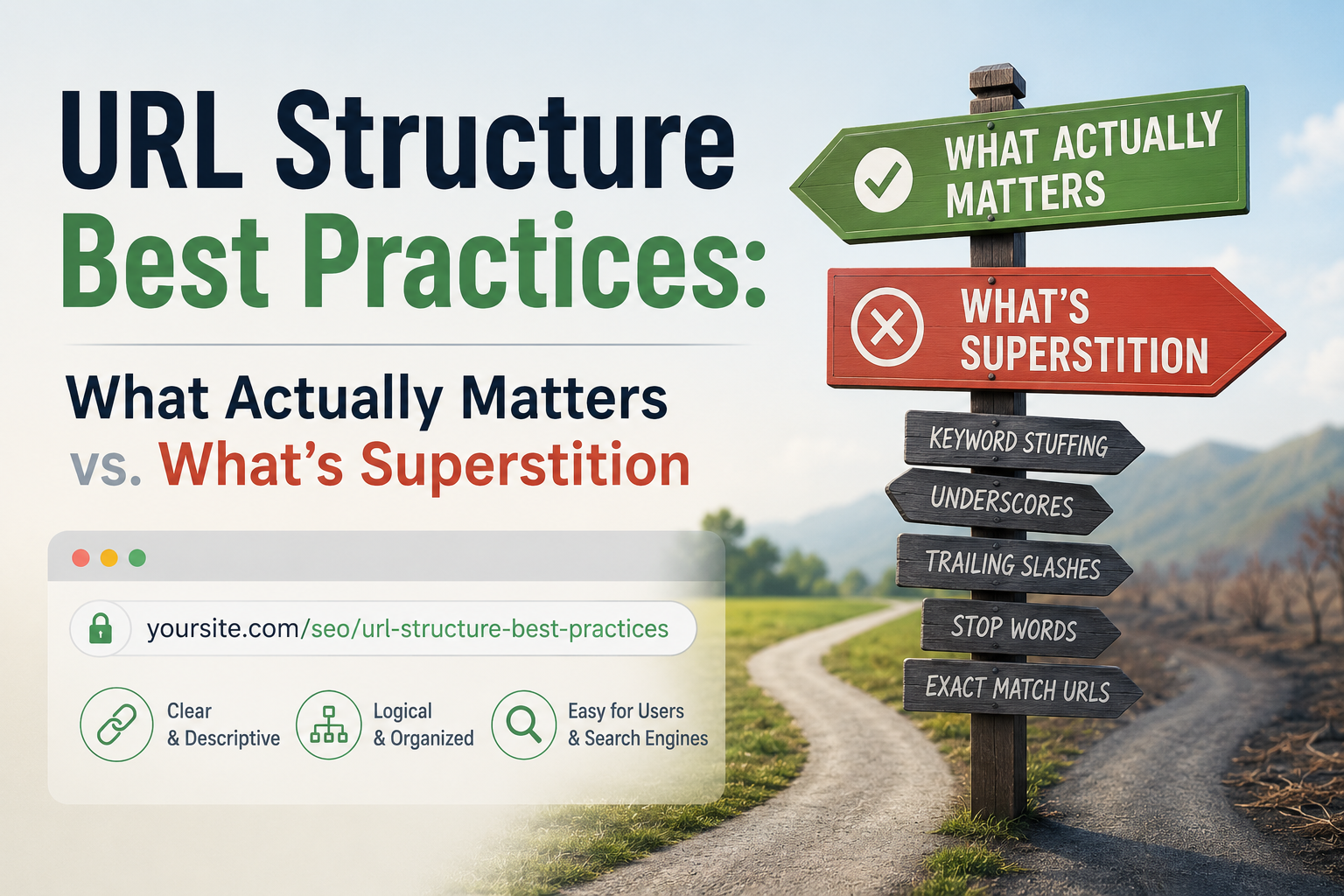
URL Structure Best Practices: What Actually Matters vs. What’s Superstition

Open ten different SEO guides and you’ll find ten confident, sometimes contradictory rules about URLs: stay under a certain character count, always include your exact keyword, never use dates, never nest more than three folders deep. Some of this is genuinely useful. A lot of it is superstition repeated so often it’s mistaken for settled fact. Here’s a breakdown of what’s actually confirmed, what’s a minor signal, and what’s a myth worth retiring.

What Actually Matters

Readability, for humans. This is the strongest, least debatable reason to care about URL structure at all. A URL like yoursite.com/blog/how-to-choose-running-shoes tells someone exactly what they’re about to click. A URL like yoursite.com/?p=4821&cat=12 tells them nothing. That affects trust and click-through behavior directly, regardless of what any algorithm does with the string.

A logical, consistent structure. Pick a pattern — flat (/post-name) or categorized (/category/post-name) — and stick with it. Consistency helps both visitors navigating the site and your own ability to manage it as it grows. Switching patterns partway through a site’s life is what creates a tangle of legacy redirects down the road.HTTPS. Google confirmed HTTPS as a ranking signal back in 2014, and it remains a baseline trust factor — a security requirement, not a stylistic preference.

Avoiding duplicate URLs for the same content. If one page is reachable through multiple URLs — with and without a trailing slash, different capitalization, tracking parameters — that’s a genuine technical issue. Canonical tags tell Google which version is the real one, and settling on one consistent format going forward prevents the problem from recurring.

One real keyword in the slug, used naturally. This is confirmed, but genuinely minor. Google’s own public guidance consistently frames it as a lightweight, tie-breaker-level signal — a small hint during initial crawling, before Google has fully processed the page’s actual content. Once a page is indexed, this effect fades almost entirely, since the title, headers, and body copy become far stronger indicators of what the page is about.

What’s Mostly Superstition

URL length as a direct ranking factor. This is the biggest myth still in circulation. Google’s Search Advocate John Mueller has said outright that URL length doesn’t affect rankings, and that URLs function as identifiers rather than something scored on length. The “shorter URLs rank better” idea traces back to older correlation studies that noticed shorter URLs tend to show up on well-established, well-organized sites — a correlation with solid site architecture in general, not a causal length effect. If your CMS produces a longer URL because of a genuinely deep, logical folder structure, that’s a site-architecture question, not an SEO penalty.

URL length affecting click-through rate. This carried some truth back when search results displayed the full URL path prominently. Today, on both mobile and desktop, Google typically shows the site name, a favicon, and a breadcrumb-style path instead of the raw URL string. Your title tag and meta description now do far more of the work in earning a click than URL length ever will.Keyword-stuffed URLs. Cramming several keyword variations into one slug (/best-cheap-running-shoes-for-beginners-2026-review) adds nothing beyond one clean, natural phrase, and it actively damages readability and click appeal. Since the underlying keyword signal is already minor, the returns diminish almost immediately after the first clear mention.

Dates in URLs, as a blanket rule. The common advice — “never put a date in a URL, it makes content look stale” — is situational rather than universal. For genuinely evergreen content, skipping the date makes sense, since a 2019 timestamp next to otherwise current advice undercuts it. But for content that’s inherently tied to a moment in time — news coverage, an annual roundup, an event recap — a date is honest and appropriate. The real mistake is applying a blanket “no dates” rule to content that actually benefits from being dated.

The Middle Ground: Things That Matter a Little

URL depth (how many folders deep a page sits). Extremely deep nesting (/category/subcategory/subcategory/subcategory/post-name) can create real crawl inefficiency on very large sites, and pages positioned further from the homepage in a site’s internal link structure sometimes receive a weaker authority signal as a result. For a small or mid-sized site, this rarely becomes a practical problem. For a large e-commerce site with thousands of pages, it’s worth deliberate planning.

Category or folder naming. Google does read the category names in a URL path as a mild thematic hint. Worth getting right when a site’s structure is first being built, but not worth a full restructure of an already-established site.

A Simple, Durable Rule of Thumb

Given how much of this list turns out to be either minor-but-confirmed or outright myth, the practical takeaway is simple: build URLs for the person clicking on them, not for an imagined algorithm scoring them keyword by keyword. A clean, readable, natural-language slug with one clear keyword, served over HTTPS, with no duplicate versions floating around, covers essentially everything actually confirmed to matter. Anything beyond that is optimizing for a rule that either doesn’t exist or barely moves the needle, at the cost of readability that genuinely does.

Don’t Retroactively Chase This

One important caution: if your existing URLs don’t perfectly follow every practice above, resist the urge to rush in and fix them. Changing a URL means implementing a redirect, and while a well-executed 301 preserves most of a page’s ranking value, it isn’t risk-free — doing it purely to shorten a URL or squeeze in a keyword that’s already a minor signal rarely justifies the disruption. Save URL structure decisions for new content and genuine restructuring projects, not as a retroactive fix for pages that are already performing fine.

URL structure is one of those SEO areas where the gap between “widely repeated” and “actually confirmed” is unusually wide. Getting the fundamentals right once, at the outset, matters far more than chasing incremental rules that mostly turn out to be folklore.

Posted on

Do You Need a Blog If You’re Not a Content Business?

If you run a plumbing company, a dental practice, a boutique law firm, or an online shop selling physical goods, “start a blog” probably sounds like advice for someone else entirely. Content creators have blogs. You have a business that fixes pipes, and becoming a part-time writer on top of everything else can feel like a distraction from the actual work. That instinct is worth questioning, and the honest answer is: it depends on what you want out of it, but for most small businesses, some version of a blog is worth having even if “blog” isn’t quite the right mental model for what you actually need.

The Real Question Isn’t “Blog or No Blog”

A more useful question is: are there things your potential customers search for online before they’re ready to search for your business by name? If someone searches “how often should I replace my water heater” before deciding to call a plumber, or “how to know if you need a root canal” before choosing a dentist, that search happens whether or not your business shows up in the results. A blog, in this sense, isn’t really about becoming a writer or a content creator — it’s about being present the moment someone forms the question that eventually leads them to hire someone like you.

Businesses that skip this entirely aren’t avoiding content marketing so much as handing that moment over to whichever competitor, forum, or generic article happens to show up instead.

Where a Blog Genuinely Doesn’t Help

It’s worth being honest about when this doesn’t apply. If your business runs almost entirely on foot traffic, local referrals, or word of mouth, and hardly any potential customer ever searches anything related to your service before contacting you, a blog probably isn’t a meaningful use of your time. A hyper-local business with an already-saturated referral network, or one serving a very narrow, well-known clientele is unlikely to see much return from content built to answer a stranger’s search query.

A blog also won’t help if it’s treated as a box to check: a handful of thin, generic posts published once and never revisited tends to do little for visibility, and can make a business look neglected to anyone who stumbles across it.

Where It Genuinely Does

For most small businesses with any online presence, though, the case is stronger than the initial instinct suggests, for a few concrete reasons.People research before buying, even for local, in-person services. Someone choosing a dentist, contractor, or lawyer very often looks things up first, even if the final decision comes down to reviews and a phone call. Content answering a real, common question puts your business in front of them earlier in that process, not just at the moment they’re already comparing options.

It builds evidence of expertise that reviews alone can’t provide. Reviews tell a visitor other people liked working with you. A well-written explainer on a topic in your field tells them you actually know what you’re talking about: which matters most in fields where trust and expertise are hard to judge from the outside, like legal, medical, financial, or technical services.

It gives you something to rank for beyond your business name. If the only page of yours that shows up in search results is your homepage, you’re only visible to people who already know to search for you by name. A handful of pages answering real questions in your field gives people who don’t yet know you exist a way to find you.It’s an asset that keeps working after publication. Unlike a social post or an ad, which stops generating anything once you stop paying for it or the algorithm buries it, a genuinely useful page answering a real question can keep bringing in visitors for years with only occasional updates.

What This Should Actually Look Like, If Not a “Blog”

If the word “blog” makes this feel like a mismatch for your business, it helps to reframe it mentally as a resource section instead. The difference is more about mindset than format. Rather than frequent, personality-driven posts, aim for a smaller number of thorough, genuinely useful explainer pages built around the real questions your customers actually ask. Write toward the questions you already get asked in person or over the phone, since that’s usually a faster, more reliable source of topics than guessing at what might rank. Prioritize depth and accuracy over frequency — four excellent pages that truly answer real questions will do more for a small business than forty thin, generic ones. And update the pages that matter most periodically, rather than abandoning them the moment they’re published.

The Time Cost, Honestly

The real objection isn’t whether this works — it’s whether it’s worth the time for a business not built around content. The honest answer is that a small, well-chosen set of pages takes far less ongoing time than the “publish constantly” version of blogging that intimidates most non-content businesses in the first place. There’s no need for a content calendar or a posting schedule: just a handful of pages that genuinely answer the questions your customers already have, built once and maintained lightly, rather than a constant stream of new material.

The Actual Decision to Make

The question worth answering honestly isn’t “should I have a blog.” It’s: do people search for anything related to what I do before they find me, and if so, is anything of mine currently showing up when they do? If the honest answer is no, a handful of well-written, genuinely useful pages is one of the more low-maintenance ways to close that gap — not because every business needs to become a content business, but because the search happens either way.

Posted on

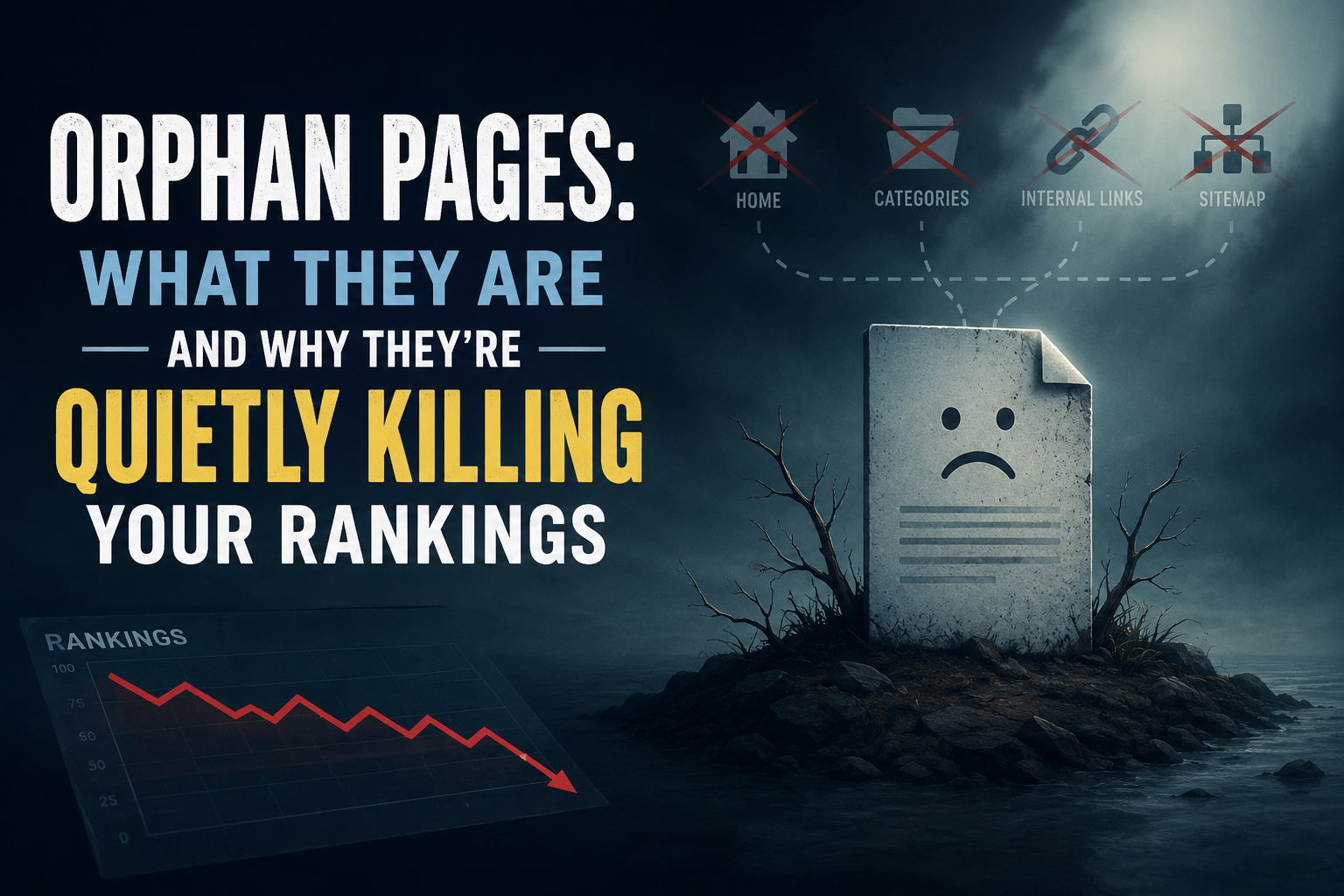
Orphan Pages: What They Are and Why They’re Quietly Killing Your Rankings

An orphan page is any page on your site that has zero internal links pointing to it. It can still load, still be indexed, and still show up in search results, but because nothing on your own site links to it, both search engines and visitors have no path to find it through normal browsing. This quietly weakens crawl priority, link equity, and topical authority, even when the content itself is genuinely good.

What is an orphan page?

An orphan page is a page with no internal links pointing to it from anywhere else on the site. It exists, it’s reachable if someone already has the exact URL, and it may even appear in search results, but no other page links to it. A visitor who lands on the homepage and browses normally, following the navigation and the content, will never come across it, because there’s no path leading there.

This is different from a page that’s simply hard to find. A page buried five clicks deep but still reachable through the site’s structure isn’t an orphan, it’s just poorly positioned. An orphan page has no path at all, not even a long one.

Why do orphan pages happen?

Orphan pages rarely happen on purpose. They accumulate quietly, and the most common causes are a redesign or migration where a new navigation structure gets built and pages that weren’t explicitly carried over lose every internal link even though the page itself still exists; an old campaign or landing page that was heavily linked for a few weeks and then had those links removed once the promotion ended, without the page itself ever being deleted or redirected; content that was published without a plan for where it fits, so nobody ever went back to link to it from related material; a category or tag structure that changed or got removed, orphaning a page that was only ever reachable through that archive; and pages that are only ever “linked” through the XML sitemap, which search engines can crawl but real visitors never encounter through ordinary browsing, technically keeping the page indexed while leaving it functionally orphaned from a user’s perspective.

Why do orphan pages hurt search rankings?

Search engines use internal links, not just the sitemap, to judge which pages on a site matter most. A page that receives links from several other relevant pages sends a signal of importance and relevance. A page with zero internal links sends the opposite signal, regardless of how strong the content actually is.

This shows up in a few concrete ways. Crawl priority suffers, since search engines devote more attention to pages that are well-connected within a site’s structure, meaning an orphan page may get crawled less often and updates to it take longer to be noticed. Link equity suffers too: when one page links to another, it passes along some of its own authority, and a page with no incoming internal links gets none of that benefit no matter how strong the homepage or other top pages are. Topical authority takes a hit as well, since a page that’s genuinely relevant to a content cluster but isn’t linked into it contributes nothing to that cluster’s overall strength, sitting unused instead of reinforcing the site’s authority on the subject. And user experience, which feeds back into rankings, suffers because a visitor who can’t find related content through normal navigation has a worse experience and is more likely to leave after a single page, which contributes to the kind of weak engagement signals that correlate with worse performance over time.How do you find orphan pages on your own site?

There’s no need to guess. One reliable method is crawling the site with a tool like Screaming Frog, which is free for up to 500 URLs, and comparing the pages it finds by following links against the pages listed in the XML sitemap; anything that appears in the sitemap but was never reached by following a link is an orphan. Another is checking Google Search Console’s Pages report for indexed URLs, then manually spot-checking whether each one is reachable through the site’s normal menus and internal links. A third is searching the site directly using a site:yourdomain.com query in Google and clicking through unfamiliar-looking results to see whether a path back to them exists from the homepage.

How do you fix an orphan page once you find one?

The right fix depends on whether the page still deserves to exist. If the content is still relevant and valuable, the fix is to link to it: find two or three genuinely related pages on the site and add a natural, in-context link, rather than dumping it into an unrelated “related posts” widget just to check a box — the link should make sense to a real reader following the topic, not just to a crawler. If the content is outdated but the underlying topic still matters, it’s often worth updating and relaunching the page as something current, then linking to it properly from related content going forward. If the content no longer serves any purpose at all, the better move is redirecting it to the most relevant current page rather than letting it decay in isolation, or removing it and letting it return a proper 404 if there’s genuinely no equivalent replacement.

Is fixing orphan pages a one-time task?

No. New content keeps getting published, old campaigns keep ending, redesigns keep happening, and the conditions that create orphan pages keep recurring as a result. Sites that stay clean are the ones that check for this periodically, not the ones that fix it once and move on. Manually cross-referencing a sitemap against a real crawl, then judging whether each mismatch still deserves a link, is exactly the kind of repetitive audit work that’s easy to do diligently for a month and then quietly abandon — and it’s also exactly the kind of pattern-matching task an AI-assisted SEO tool can flag automatically, catching orphaned pages within weeks of appearing rather than years later.

A site with strong content and a weak internal structure is leaving real value unclaimed. Orphan pages are one of the simplest problems to find and one of the most straightforward to fix. The hardest part is usually just remembering to look.

Posted on

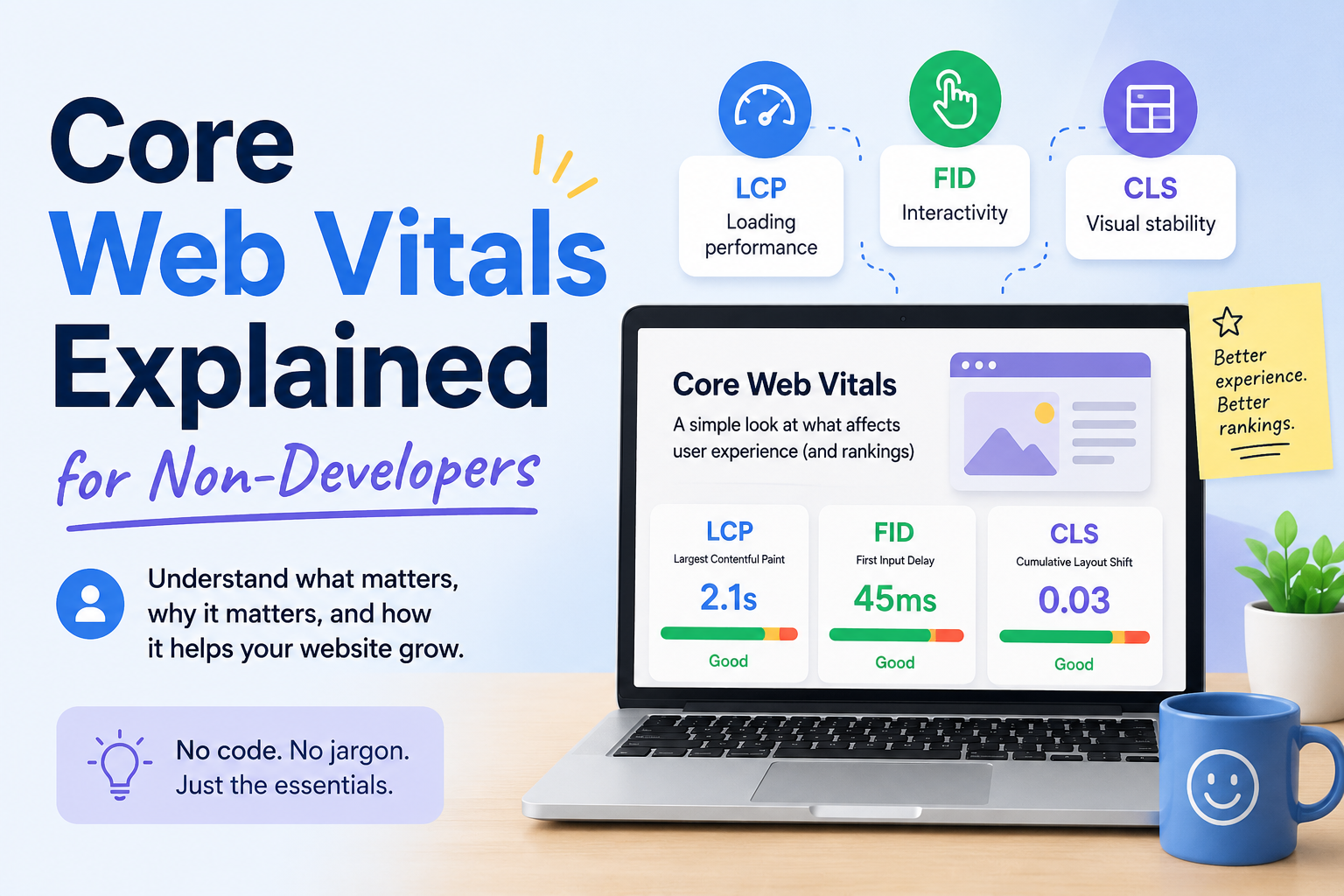
Core Web Vitals Explained for Non-Developers

You’ve probably seen the term in Google Search Console: a warning about “Core Web Vitals” issues, maybe a red or yellow status next to some of your pages. If you’re not a developer, this can feel like being told your car has a problem with its “flux capacitor”. It’s technically alarming, functionally meaningless. Here’s what Core Web Vitals actually are, why they matter, and what you can realistically do about them without writing code.

What Core Web Vitals Actually Measure

Core Web Vitals are three specific metrics Google uses to judge how a real visitor experiences your page: how fast it loads, how quickly it responds when they click or tap something, and how visually stable it is while it loads. Google doesn’t measure these in a lab with a perfect connection. It measures them from real Chrome users visiting your actual site, then looks at the 75th percentile — meaning your page needs to perform well for at least three out of every four visitors, not just the fastest ones.

The three metrics are:

Largest Contentful Paint (LCP) — how long it takes for the biggest visible element on the page (usually a hero image, a heading, or a large block of text) to fully render. Good: under 2.5 seconds.

Interaction to Next Paint (INP) — how long the page takes to visibly respond after someone clicks, taps, or types something. Good: under 200 milliseconds. This replaced an older metric called First Input Delay in 2024; if you read something referencing FID, it’s outdated.

Cumulative Layout Shift (CLS) — how much content unexpectedly jumps around while the page loads. You’ve felt this: you go to tap a button and an ad loads in above it, so you tap the wrong thing instead. Good: under 0.1.A page needs to be “good” on all three, for most visitors, over a rolling 28-day window, to get a clean bill of health in Search Console.

Why This Matters Beyond SEO

Google has confirmed Core Web Vitals are a ranking signal, but a modest one — think of it as a tie-breaker between pages that are otherwise similar in relevance and quality, not something that overrides genuinely better content. A slow, janky page with excellent content can still outrank a fast page with thin content.

The bigger impact is usually on conversion, not ranking. A visitor who taps a button and nothing happens for half a second, or who loses their place because an ad shifted the layout, is a visitor who’s more likely to leave. Slow, unstable pages bleed revenue and trust even on the rare occasion they don’t cost you a ranking position.

What Usually Causes Each Problem

You don’t need to read code to understand the common culprits.

LCP problems are usually about images and server speed: a large, uncompressed hero image, a slow web host, or render-blocking scripts that delay everything else from showing up. This is the most common Core Web Vitals failure on content-heavy sites like blogs, because a big header image is often the largest element on the page.

INP problems are almost always about JavaScript: heavy scripts (chat widgets, ad tech, complex sliders) that tie up the browser and delay it from responding to a tap. This is the hardest of the three to fix without developer help, because the fix usually means removing or deferring scripts rather than adjusting a setting.

CLS problems are usually about things loading in without reserved space: an image or ad that doesn’t have a set size, so the page shifts once it finally loads; a custom font that swaps in and reflows the text; a cookie banner or promotional bar that pops in above existing content.

What You Can Actually Do Without a Developer

Compress images before uploading them. Free tools like TinyPNG or Squoosh can cut file size significantly with no visible quality loss. This is the single highest-leverage fix most non-developers can do themselves, since oversized images are the most common LCP culprit on blogs and small business sites.

Set explicit dimensions on images. Most modern CMS platforms (WordPress, Shopify, Squarespace) do this automatically when you upload through their media library, but manually embedded images or custom HTML sometimes skip it. This is the most common fix for CLS.

Remove or reduce third-party scripts you don’t need. Every chat widget, tracking pixel, and embedded widget adds weight. If you installed five plugins over the years and only use two, the other three may still be silently loading and slowing you down.

Switch to a lighter theme, if you’re on WordPress. Heavily-featured themes with lots of built-in animation and JavaScript are a common, underappreciated source of both LCP and INP problems, and switching to a simpler theme can fix issues that no amount of image compression will touch.

Use a content delivery network (CDN). Many hosts include one, or offer it as a low-cost add-on. A CDN serves your site from servers physically closer to each visitor, which directly improves LCP.

Where to Check Your Actual Scores

Two free tools, no code required:Google Search Console’s Core Web Vitals report shows your real, field-measured data, grouped by page type, with a clear Poor/Needs Improvement/Good breakdown.

PageSpeed Insights lets you test any individual URL and gives specific, plain-language suggestions ranked by likely impact.

Check Search Console first to see which pages actually have a problem in the real world, then run those specific pages through PageSpeed Insights for suggestions.

Setting Realistic Expectations

Fixing these issues doesn’t produce an instant result. Google’s real-user data updates on a rolling 28-day window, so a fix you make today typically won’t be reflected in Search Console for several weeks. Don’t panic and try five more things in the meantime — make a change, wait, and check.

You also don’t need a perfect score. You need to be out of the “poor” range on the pages that actually matter to your business — your homepage, your top landing pages, anything driving meaningful traffic or conversions. A slightly slow About page that gets ten visits a month is not the priority a slow, unstable homepage is.

Where This Fits Into a Bigger Picture

Core Web Vitals are one piece of a larger technical foundation, not a standalone score to chase. A fast, stable page with thin or unhelpful content still won’t rank well or convert visitors — good performance removes a barrier, it doesn’t replace substance. If you’re running a full technical SEO audit, treat this checklist as one section of it, not the whole project.

Manually testing every page, tracking which ones regress after a redesign or plugin update, and re-checking a month later is exactly the kind of repetitive monitoring work that’s easy to do once and then quietly stop doing — which is precisely where a tool that can flag regressions automatically earns its keep, freeing you to focus on the content and structural decisions that still need a human’s judgment.

Core Web Vitals sound intimidating mostly because of the acronyms. Underneath them are three plain questions: does it load fast, does it respond quickly, and does it hold still. Answer those honestly for your most important pages, and you’ve covered the bulk of what actually matters.

Posted on

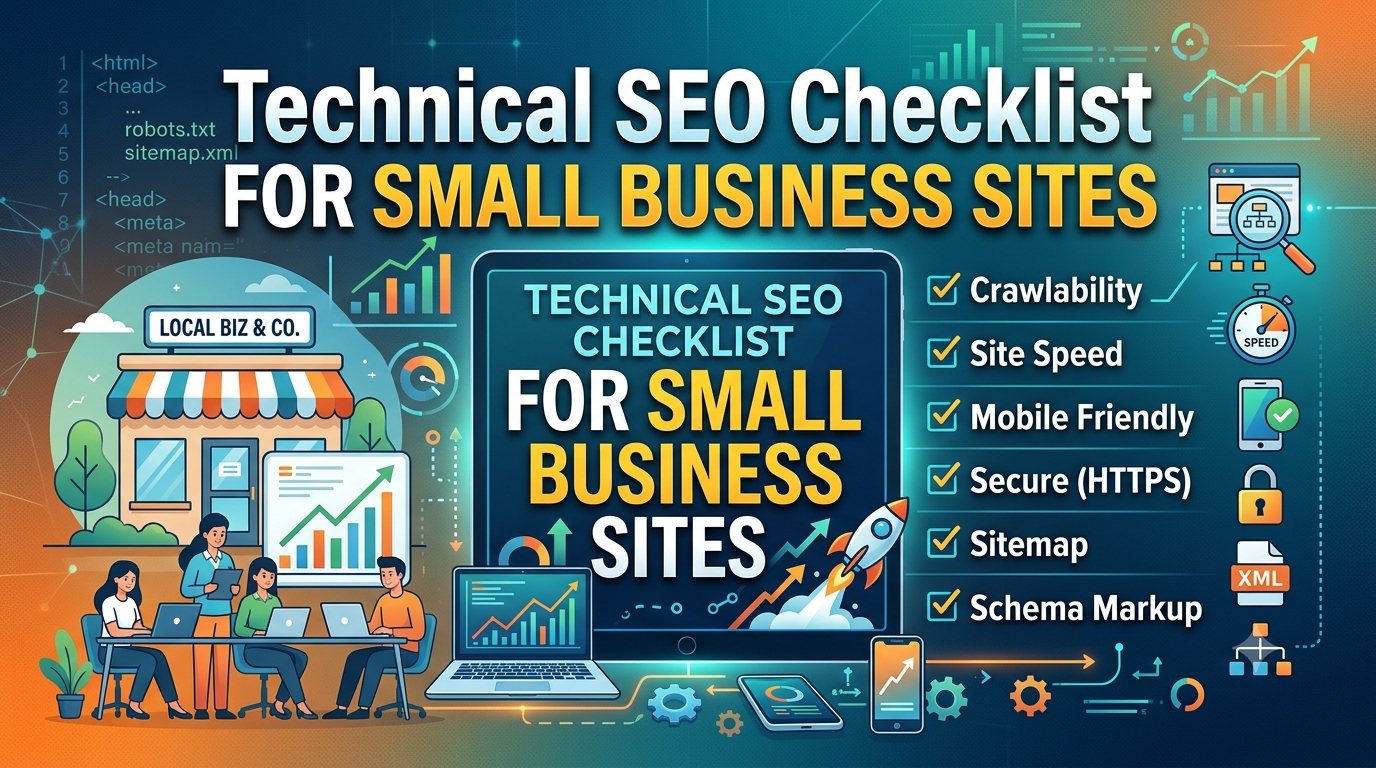
Technical SEO Checklist for Small Business Sites

Technical SEO has a reputation for being intimidating, the kind of thing that requires a developer and a weekend you don’t have. Most of it isn’t. The majority of technical issues that quietly cap a small business site’s rankings are things you can check and fix without touching code. This is a working checklist, organized by what actually matters most.

Confirm Google Can Find Your Pages

Before worrying about rankings, confirm indexing. A page that isn’t indexed can’t rank at all, regardless of how good the content is.

Search site:yourdomain.com in Google and scan whether your important pages show up

In Google Search Console, check the Pages report under Indexing for anything marked “Excluded” that shouldn’t be

Look for accidental noindex tags left over from a staging site or theme default — this is a surprisingly common small-business mistake after a redesign

Check your robots.txt file isn’t blocking sections of the site it shouldn’t be

Fix Your Sitemap and Submit It

Your XML sitemap tells search engines which pages exist and are worth crawling. Most CMS platforms (WordPress with Yoast or RankMath, Shopify, Squarespace) generate one automatically, usually at yourdomain.com/sitemap.xml.

Confirm the sitemap exists and loads without errors

Submit it in Google Search Console under Sitemaps if you haven’t already

Check it doesn’t include pages you’ve deleted, redirected, or marked noindex

Check Core Web Vitals and Page Speed

Page experience is a real, ranking factor. Slow pages hurt conversions regardless of SEO. Run your key pages through Google’s PageSpeed Insights or check the Core Web Vitals report in Search Console.

Look specifically at Largest Contentful Paint (how fast the main content loads) and Cumulative Layout Shift (whether things jump around as the page loads)

The most common small-business fixes: compress images before uploading, remove unused plugins, and switch to a lighter theme if you’re on WordPress

You don’t need a perfect score. You need to not be in the “poor” range on your important pages

Make Sure the Site Works on Mobile

Google indexes and ranks based primarily on the mobile version of your site. If your site was designed years ago and never properly adapted, this alone can be capping your visibility.

Load your site on an actual phone, not just a browser resized smaller

Check that text is readable without zooming, buttons are tappable without misclicking, and nothing overflows off the edge of the screen

Use Search Console’s mobile usability report to catch issues site-wide rather than page by page

Get HTTPS Right, Fully

Most sites have HTTPS at this point, but partial implementation causes quiet problems.

Confirm your whole site loads under https://, not just the homepage

Check for “mixed content” warnings, where a secure page still loads an image or script over an insecure connection

Make sure the non-secure http:// version of your site redirects properly to https://, rather than existing as a duplicate version of every page

Clean Up Duplicate and Thin Pages

Small business sites often accumulate duplicate content without realizing it: a page that exists at two URLs, tag or category archive pages with almost no unique content, or old blog posts that say almost nothing.

Use Search Console’s coverage report to spot pages Google has flagged as duplicates

Consolidate near-duplicate pages into one strong page and redirect the others

Either meaningfully expand thin pages or remove and redirect them — a small site with twenty strong pages will usually outperform one with eighty thin ones

Fix Broken Links and Redirect Chains

Broken internal links waste crawl budget and create dead ends for visitors. Redirect chains (a URL that redirects to a URL that redirects again) slow things down and dilute the SEO value passed through the chain.

Run a free crawl tool like Screaming Frog (the free tier handles up to 500 URLs, plenty for most small sites) to find 404s and redirect chains

Fix internal links to point directly at the final destination URL, not through a chain of old redirects

Set up custom 404 pages that help lost visitors find their way, rather than a dead end

Verify Your Site’s Structured Data Is Valid

Schema markup helps search engines understand what your pages represent — a local business, a product, a review, an article. Errors here don’t usually cause penalties, but broken markup means you’re not getting whatever benefit valid markup would provide.

Run key pages through Google’s Rich Results Test

For a local business, confirm LocalBusiness schema includes accurate name, address, phone number, and hours

Don’t add schema types your page doesn’t actually support with real content — inaccurate markup can be flagged as spam

Check Your Internal Linking

Technical SEO isn’t only about crawlers and code — it’s also about whether your site’s structure makes sense. Orphan pages (pages with no internal links pointing to them) are hard for both users and search engines to find.

Confirm every important page is linked from at least one other page on your site

Link from high-traffic pages to newer or underperforming ones that deserve more visibility

Avoid linking every page to every other page indiscriminately — internal links should reflect genuine relevance, not just presence

Set Up Basic Monitoring So You Catch Problems Early

Technical SEO isn’t a one-time project. Sites break quietly: a plugin update adds a stray noindex tag, a redesign drops the sitemap, a migration breaks half your internal links.Keep Search Console connected and check it monthly, not just when something feels wrong

Set up uptime monitoring if your host doesn’t already provide it

Recheck this list roughly every quarter, or immediately after any redesign, migration, or major plugin update

Where to Focus First

If you only have an afternoon, prioritize in this order: confirm indexing, fix mobile usability, and clean up duplicate or thin content. These three have the most direct impact on whether your site can rank at all, before anything else on this list matters.

Working through a list like this manually across dozens of pages is realistic once. Doing it every month, across a growing site, is where the tedium actually lives. It’s exactly the kind of repetitive crawling, checking, and flagging an AI-assisted SEO tool is built to take off your plate.

Technical SEO for a small business site isn’t about chasing every advanced tactic available. It’s about making sure nothing basic is quietly capping the work you’re already putting into your content.

Posted on

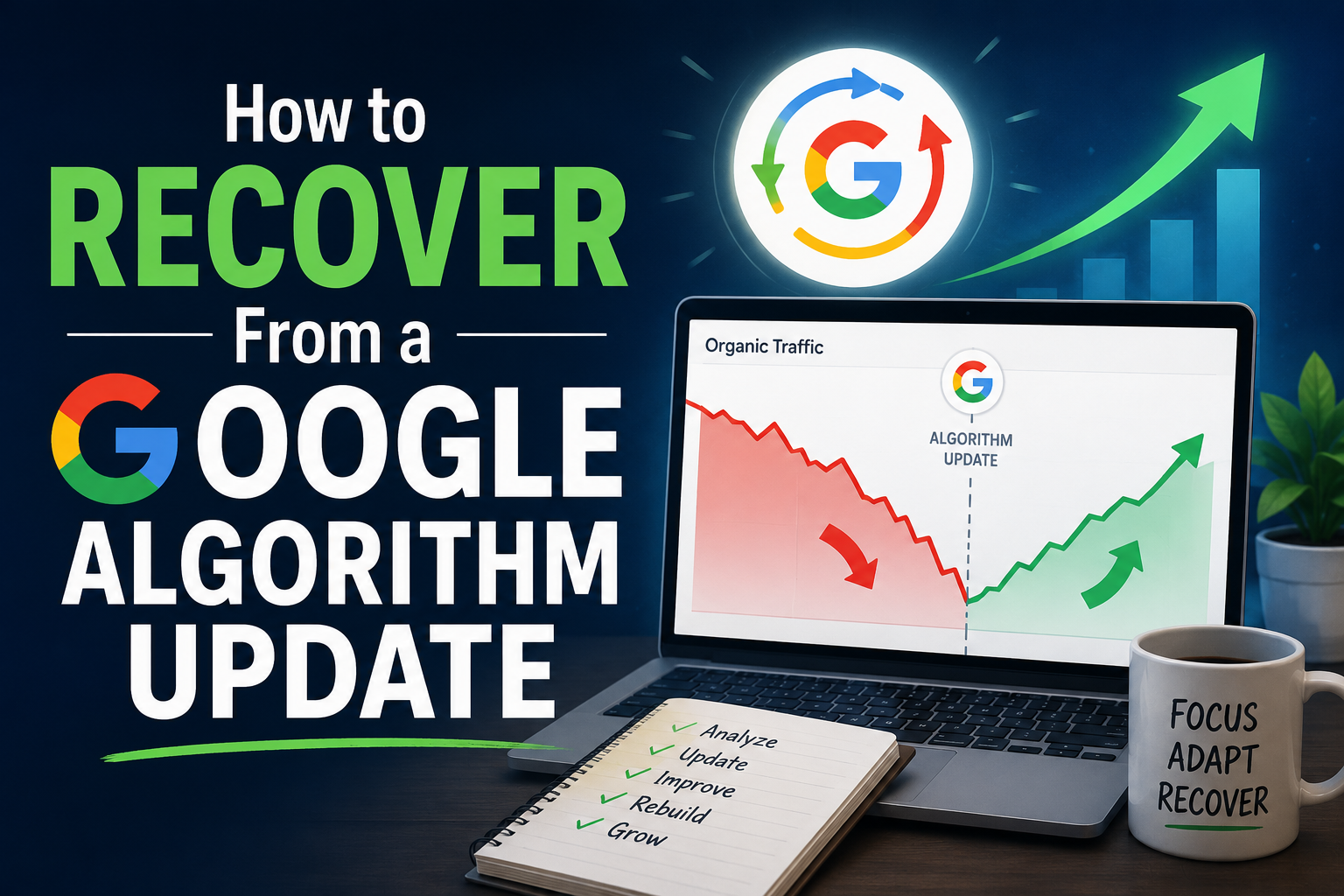
How to Recover From a Google Update

You check your analytics one morning and traffic has dropped. Pages that ranked reliably for months have slipped, and the timing lines up with something you half-remember seeing in an SEO newsletter: Google rolled out another update. Now what?

Recovering from an algorithm update is less about a single fix and more about a disciplined process: first confirming what actually happened, then diagnosing why, then acting on evidence instead of panic. Here’s how to work through it.

Confirm It’s Actually an Update, Not Something Else

Before assuming an algorithm update caused your drop, rule out simpler explanations. Check Google Search Console for manual actions, verify your site wasn’t accidentally deindexed or hit with a noindex tag, and confirm nothing changed on your end — a broken redirect, a botched migration, a plugin update that altered your sitemap.

Google runs broad core updates several times a year, alongside narrower spam updates and product-specific updates like Discover. These are typically announced on the Google Search Status Dashboard and via Google’s Search Central account, and rollouts commonly take one to two weeks to fully complete. If your traffic drop coincides with a confirmed rollout window, and other sites in your niche are reporting similar volatility, that’s a real signal, not a coincidence.

Resist the Urge to React Immediately

The instinct after a drop is to start changing things right away, chasing whatever the latest thread on social media claims fixed someone else’s traffic. Don’t. Core updates are wide-reaching recalibrations of how content is scored. Google has been consistent that these updates don’t target specific sites or pages, they reweight signals across the entire index simultaneously.

Making large changes mid-rollout makes it much harder to tell later which change helped, which hurt, and which did nothing. Wait until the rollout is complete before drawing conclusions or making major edits.

Identify Exactly What Dropped

Once the update has finished rolling out, go page by page rather than judging your site as a whole. Pull your Search Console performance data and compare rankings and clicks before and after the update window. Look for patterns:

Did the drop hit specific pages, or the whole site?

Did it affect a particular content type?

Did competing pages that outrank you now share a common trait ?

A site-wide, uniform drop suggests a broader trust or quality signal issue. A drop concentrated in one section suggests the update reweighted something specific to that kind of content — thin affiliate pages, outdated information, or content that no longer matches what searchers actually want for that query.

Read Google’s Own Guidance Before Anyone Else’s

Google publishes a set of self-assessment questions for site owners evaluating content quality after an update, covering things like whether the content demonstrates real expertise, whether it was written for people rather than to rank, and whether someone would trust it enough to bookmark or share it. These questions haven’t changed much across updates because the underlying goal hasn’t changed: reward genuinely useful, credible content and de-rank content that was built primarily to capture search traffic.

Before following third-party “recovery checklists,” go through Google’s own framing honestly for the pages that dropped. It’s often more revealing than any tool’s diagnosis, because it forces you to evaluate the actual content rather than surface-level metrics.

Fix the Real Problem, Not a Proxy for It

If your honest audit turns up thin or outdated content, the fix is substantive revision — adding real depth, updating facts, demonstrating actual experience with the topic — not cosmetic changes like swapping a headline or adding more keywords to the same shallow page. If the issue is structural — content that’s technically fine but poorly organized, hard to scan, or disconnected from related pages on your site — that’s a different fix: better headers, clearer formatting, stronger internal linking.

It’s worth being honest here about mixed causes. A single ranking drop is sometimes a combination of a real core update and unrelated noise — a Search Console reporting bug, a temporary bout of volatility in the first days of rollout, or seasonal search behavior. Don’t attribute every drop entirely to the update just because the timing lines up.

Understand Recovery Timelines Realistically

Recovery doesn’t usually happen the moment you fix a page. Google often needs to recrawl, reassess, and in many cases wait for the next core update before meaningfully re-evaluating a site that improved. This means real recovery can take weeks or months, not days, and a page that hasn’t bounced back within a week of your edits isn’t necessarily still broken — it may simply be waiting on the next recalibration cycle.

This is also why chasing every update in a panic is counterproductive. The sites that recover most reliably are the ones that make real, substantive improvements and then let the process play out, rather than the ones cycling through superficial changes every few weeks hoping something sticks.

Where a Tool Actually Helps

The hardest part of this process isn’t knowing that a page needs improvement. It’s finding, across potentially hundreds of pages, which specific ones dropped, what they have in common, and which of your competitors’ pages now outperform them and why. That’s a pattern-matching task across a large body of content, which is exactly where an AI-assisted SEO tool earns its keep: surfacing which pages moved, flagging what changed in the landscape around them, and giving you a prioritized list to work through.

Algorithm updates are unsettling, but they’re not random. They reward a content that genuinely serves the person searching with reasonable consistency over time. Confirm what happened, diagnose it honestly, fix the cause, and give the process the time it actually needs.

Posted on

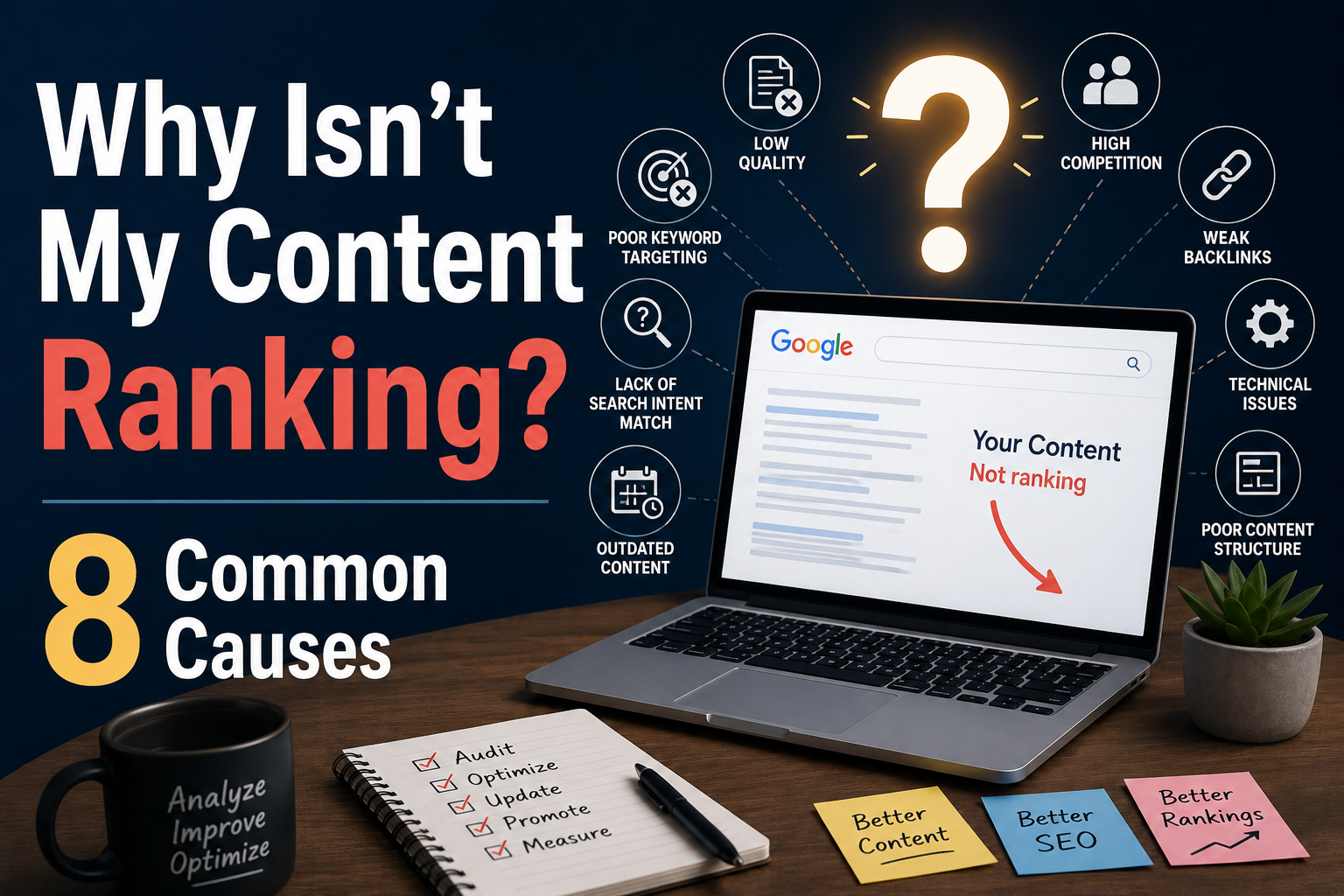
Why Isn’t My Content Ranking? 8 Common Causes

You published the article. You optimized the title, added a meta description, sprinkled in the keyword a few times. Weeks later, you check Google and you’re nowhere to be found — not page one, not page three, sometimes not indexed at all. If this sounds familiar, you’re almost certainly running into one of a handful of common, fixable problems.

Here are the eight most likely reasons your content isn’t ranking, in roughly the order worth checking.

You’re targeting a keyword you can’t win

Search results are a competitive space, and some keywords are simply out of reach for a new or smaller site. If you’re a solo blogger trying to rank for “best credit cards,” you’re competing against NerdWallet, Forbes, and Bankrate — sites with thousands of backlinks and years of authority. Before writing anything, check who currently ranks for your target term. If it’s all major brands with huge domains, look for a more specific, lower-competition variation instead. “Best credit cards for freelancers with irregular income” is a real keyword with real search volume, and it’s winnable.

Your content doesn’t match search intent

Google is very good at understanding why someone is searching, not just what they typed. If someone searches “how to change a tire” and you’ve written a 2,000-word essay on tire manufacturing history before getting to the steps, you’ve mismatched intent. Look at what’s currently ranking for your target term. If the top results are all step-by-step guides, product comparisons, or definitions, that tells you the format Google believes satisfies the query. Match it first, then differentiate.

The content is thin, or thin in disguise

Word count alone doesn’t win rankings, but content that fails to fully answer the question does lose them. A common trap is padding: adding sections, examples, or tangents to hit an arbitrary word count without adding real value. Google’s systems are increasingly good at detecting this. Ask honestly: if a reader came to this page with a specific problem, would they leave with it solved? If the answer is “mostly,” you have a gap. Fill it with the missing specifics, not more filler.

Nobody links to it

Backlinks remain one of the strongest ranking signals, and this is the piece most creators want to skip. If your article has zero external sites linking to it, you’re relying entirely on on-page factors to compete against pages that have both. You don’t need hundreds of links — often a handful from relevant, credible sites will outperform dozens from low-quality ones. Outreach, guest posts, and simply creating something genuinely link-worthy (original data, a useful tool, a strong opinion) are the realistic paths here.

Technical issues are blocking indexing entirely

Sometimes the content is fine and the problem is that Google never properly crawled or indexed it. Check for:

Pages accidentally marked noindex

A robots.txt file blocking the relevant section of your site

Broken internal links that leave the page orphaned with no path for crawlers to find it

Extremely slow load times that cause crawl budget issues on large sites

A quick search of site:

yourdomain.com “your page title” in Google will tell you fast whether the page is indexed at all.

Your site lacks topical authority in this area

Google increasingly evaluates not just a single page, but whether your site as a whole demonstrates depth on a topic. A single well-optimized article on a site that otherwise has nothing related to the subject has a harder time ranking than the same article on a site with ten other relevant, interlinked pieces. If you’re publishing one-off articles across unrelated topics, you may be undermining every one of them. Building a cluster of related content, linked together, tends to outperform isolated posts even when the isolated posts are individually well-written.

You haven’t given it enough time

New content, especially on newer sites, often takes weeks to months to fully rank — even when everything else is right. Google needs to crawl the page, assess it against competitors, and in many cases wait for other sites to link to it before confidence builds. If your article is under a month old, patience may be the actual answer, not a rewrite.

Something changed and you didn’t notice

Google rolls out algorithm updates regularly, some minor and some significant. Content that ranked well for a year can drop after an update shifts what the algorithm rewards. This is often more original expertise, better user experience, or different intent. If a page that used to perform well has dropped, check the timing against known update rollouts before assuming the content itself was always the problem.

Diagnosing the real cause

Competitive research, intent analysis, backlink audits, technical crawling, and site-wide content mapping. Doing this manually for every underperforming page is realistic for one article, but it doesn’t scale once you have dozens or hundreds of pages to maintain.

This is the actual gap an AI SEO assistant is built to close: not writing your content for you, but running the diagnostic work: checking indexation, comparing your page against what’s currently ranking, flagging thin sections, and surfacing which of your pages lack topical support. You know which of these eight causes actually applies before you spend hours guessing.

Ranking problems are rarely mysterious once you know where to look. Work through the list in order, be honest about what you find, and fix the first real issue you hit rather than rewriting the whole page on a hunch.

Want to know what your competitors are writing? Use my easy content gap finding SEO Extension. Available for one-time purchase, no subscriptions.

Posted on

How To Build A SaaS Without Code (The Gold Standard) — With Audiorista

Audiorista is a no-code platform that sits at an interesting intersection for independent creators who want to monetize their work through software. Unlike traditional no-code tools that lock you into rigid templates or shared marketplaces, Audiorista lets you create a fully branded, native content app for iOS, Android, and web that reflects your specific expertise and audience needs. For a creator who has spent years developing knowledge in a niche, this distinction matters because the resulting product does not have to look or behave like a generic streaming service or course platform.

The typical path for an independent creator starts with content. You write newsletters, produce videos, record podcasts, or build a community around a specific topic. At some point, the audience becomes large enough that people begin asking for tools and direct access rather than just advice. A fitness creator might notice followers wanting guided workout audio series and progress tracking. A financial educator might see demand for exclusive market analysis episodes and calculators delivered in one app. A career coach might realize their audience needs structured audio lessons, video modules, and downloadable resources in a private, branded experience. These are not just content gaps. They are product opportunities.

Audiorista becomes relevant here because it allows a creator to build the solution without hiring a development team or learning to code. The platform provides a straightforward dashboard for uploading or ingesting content (audio, video, text/PDFs, RSS feeds), customizing branding (logo, colors, layout, onboarding), and enabling monetization. You can create user accounts and subscriptions, process in-app and web payments, deliver offline-capable playback, and manage everything under your own App Store and Google Play listings. More importantly, you can design the experience around the specific way your audience already engages with your content. A generic podcast or course app forces users to adapt to its structure. An Audiorista-built app can adapt to the mental models and formats your content has already established.

Monetization through a branded SaaS-style app works differently than advertising or sponsorships. Instead of earning based on attention metrics, you earn based on the value your app provides. A creator with ten thousand email subscribers or podcast listeners might convert a meaningful percentage into paying subscribers for specialized, exclusive content and tools. At a solid monthly price point, that quickly becomes predictable recurring revenue. The economics are more stable than fluctuating ad rates, and the business becomes more valuable over time because recurring revenue compounds while you retain full ownership of the customer relationship and data.

The transition from content to software requires thinking about the product as an extension of the content strategy rather than a separate business. The content builds trust and demonstrates expertise. The app operationalizes that expertise into a repeatable, always-available product. A creator who teaches productivity methods can deliver a branded app with guided audio sessions, video modules, and supporting text resources that implement their specific system. A creator who analyzes real estate or runs a niche community can package exclusive episodes, courses, and resources under their own brand. The app does not replace the content. It deepens the relationship with the most engaged segment of the audience.

Audiorista handles the technical infrastructure so the creator can focus on product decisions that leverage their domain knowledge. Content management, native app distribution, subscription paywalls, analytics, and streaming performance are available as core features. The creator does not need to worry about server maintenance, app store compliance details, or security patches. This matters because independent creators typically operate with limited time and no technical staff. The platform effectively compresses the distance between identifying a need and shipping a polished, branded solution.

Pricing strategy for creator-built apps tends to work best when it reflects the specificity of the offering rather than competing on features with generalist alternatives. A broad streaming or course platform might need to charge a low price to compete. A specialized app for a particular niche—combining podcasts, courses, meditations, or professional resources under one brand—can command a higher price because it solves a narrow problem completely and delivers a premium, owned experience.

Audiorista’s flexibility supports this approach because you are not constrained by the feature set or branding of a marketplace template. You can build exactly what your audience needs and nothing more.The real advantage for independent creators is the compounding effect of owning the distribution channel and the product. Most SaaS founders struggle with customer acquisition. Creators already have the audience. Most creators struggle with monetization beyond sponsorships and ads. A branded app provides direct revenue from the audience while keeping the relationship first-party. Audiorista sits in the middle as the technical bridge that makes this combination accessible without a venture capital timeline or a technical co-founder.

The platform is not without limitations. Higher-tier plans are needed for advanced scale, web apps, or heavy customization. There is a monthly cost to run and distribute the apps. Building a polished experience still requires thoughtful content organization and branding decisions. But for a creator who has already invested years in building an audience, these constraints are manageable compared to the alternative of not capturing the value that audience represents.

The most successful implementations tend to start small. A focused library of exclusive episodes, a structured course series, or a core set of audio/video resources that solve one clear need. Something that can be uploaded and branded relatively quickly in Audiorista but would take far longer (and cost far more) to develop as a custom native app. Once that initial offering gains traction, the creator can expand based on actual user behavior rather than assumptions. This iterative approach mirrors how good content is developed, which makes it a natural fit for creators who already understand the value of publishing before perfecting.

Independent creators who treat their expertise as intellectual property eventually realize that content alone is difficult to scale as a business. Every article, video, or episode requires new effort to produce. Software, once built, can serve an unlimited number of users with marginal additional cost. Audiorista does not make building a professional app effortless, but it makes it possible for people whose primary skill is knowing something deeply rather than building technology. For the creator ready to make that transition, it represents a plausible path from audience to asset.

Posted on

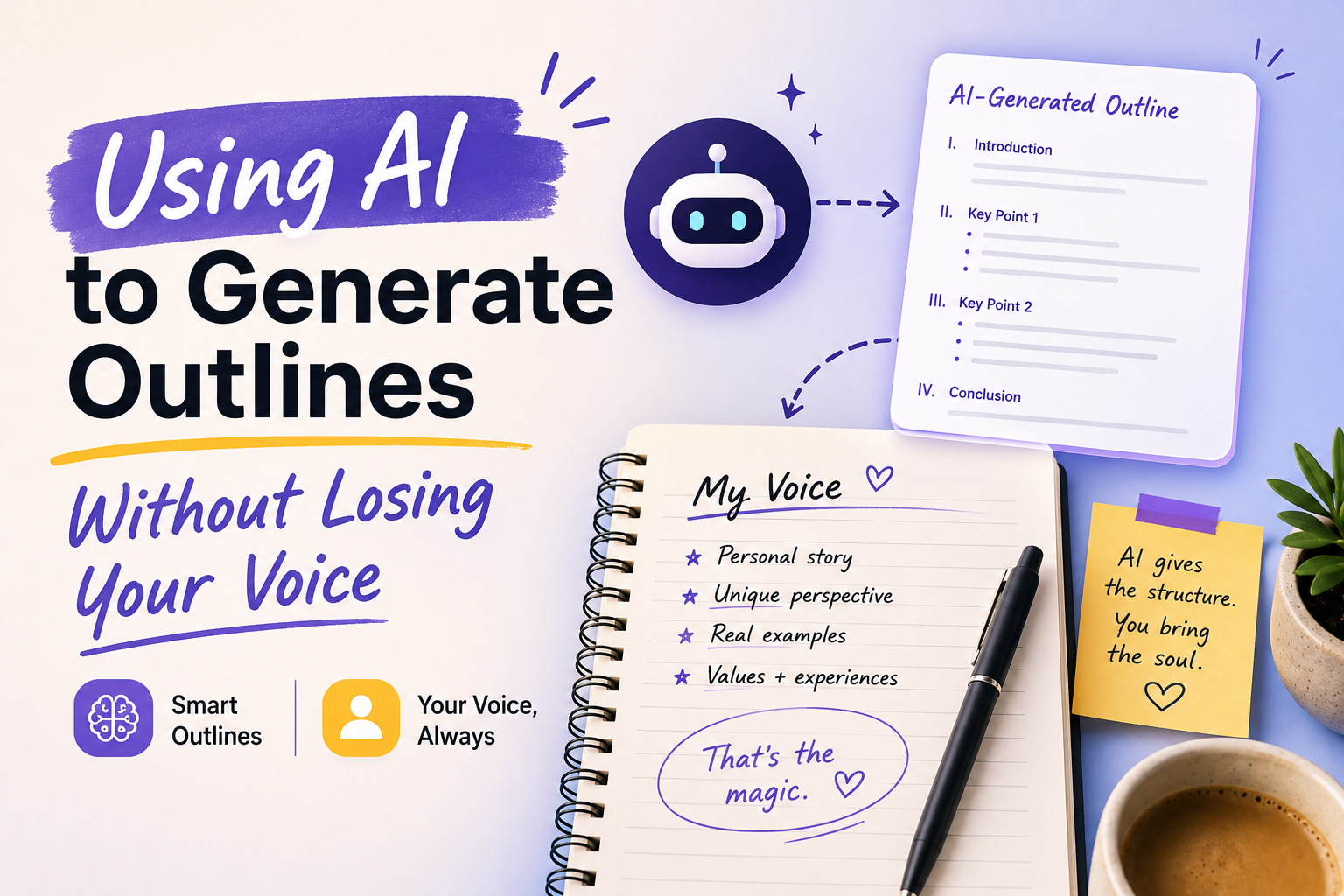
Using AI to Generate Outlines Without Losing Your Voice

There is a quiet fear that comes with outsourcing the first step of creation. You sit down to write, and instead of facing the blank page, you hand it to a machine. The cursor blinks, the model responds, and suddenly you are staring at a scaffold that feels competent but alien. It is too clean, too balanced, too much like everyone else. This is the trap of the AI outline: it gives you structure, but it does not give you you.

The outline is where voice lives or dies. It is not merely a table of contents. It is the rhythm of your thinking, the weight you place on one idea over another, the moment you decide to linger and the moment you decide to cut. When an AI generates an outline, it is doing something different. It is averaging. It is predicting what should come next based on what has already been written by thousands of other people. The result is often a perfectly reasonable progression that no one would argue with and no one would remember.So the question is not whether to use AI for outlines. The question is how to use it without becoming a passenger in your own work.

Start by treating the AI output as raw material rather than architecture. When the model gives you a sequence of sections, do not accept the hierarchy. Move things. Demote the point that feels overexplained. Elevate the tangent that surprised you. The AI suggested that the historical context come first, but your instinct says to open with the contradiction you noticed yesterday. Follow the instinct. The outline is not a contract. It is a sketch, and you are allowed to redraw it until the proportions feel right.

Voice is also a matter of what you leave out. AI tends toward completeness. It wants to be thorough, to touch every base, to acknowledge every counterargument in measured paragraphs. Your voice, by contrast, is defined by your obsessions. You care about some things more than others, and that care is audible to the reader. When you review an AI outline, look for the sections that make you impatient. Those are the sections that do not belong, or at least not in the form suggested. Cut them, or compress them into a single transitional sentence. The outline should reflect your priorities, not the median priorities of the internet.

Another way to reclaim the outline is to write it twice. The first time, generate it with AI to see the landscape of what is possible. The second time, close the laptop and speak the outline aloud into a voice recorder. Walk around the room and explain the piece as if you were talking to one specific person you know. Transcribe that. Compare the two. The spoken version will be messier, but it will contain your actual syntax, your natural pivots, the places where you slow down for emphasis. Merge the useful structure from the AI version with the living texture of the spoken version. The result will be an outline that holds your shape.

You can also use the AI to sharpen your voice rather than replace it. Feed it a paragraph you have already written in your own style and ask it to outline what comes next, but with a constraint: the outline must mirror your sentence rhythms, your paragraph lengths, your tendency toward short declarative statements or long cumulative ones. Some models can do this with surprising fidelity if you give them enough examples. You are not asking the AI to invent your voice. You are asking it to extend a pattern you have already established.

There is a deeper practice here that goes beyond technique. Before you ever open the AI tool, spend a few minutes writing by hand. Not on the topic. Write about why the topic matters to you. Write the anecdote that made you care. Write the question you cannot answer. This writing will not appear in the final piece, but it will tune your ear to your own frequency. When the AI outline arrives, you will recognize immediately which parts resonate and which parts land with a dull thud, because you have just spent time listening to yourself.

The goal is not to reject the efficiency that AI offers. The goal is to make sure the efficiency serves something human. An outline generated by AI can save you an hour of wandering, but only if you are willing to spend ten minutes wandering in your own mind first. That ten minutes is the difference between a piece that sounds assembled and a piece that sounds discovered.

In the end, your voice is not a style to be preserved like a specimen under glass. It is a habit of attention, a way of moving through ideas that is yours because you practiced it. The AI can hand you the map, but you still have to choose the path, set the pace, and decide what is worth stopping for. The outline is where that journey begins. Make sure it begins in your own direction.