Posted on

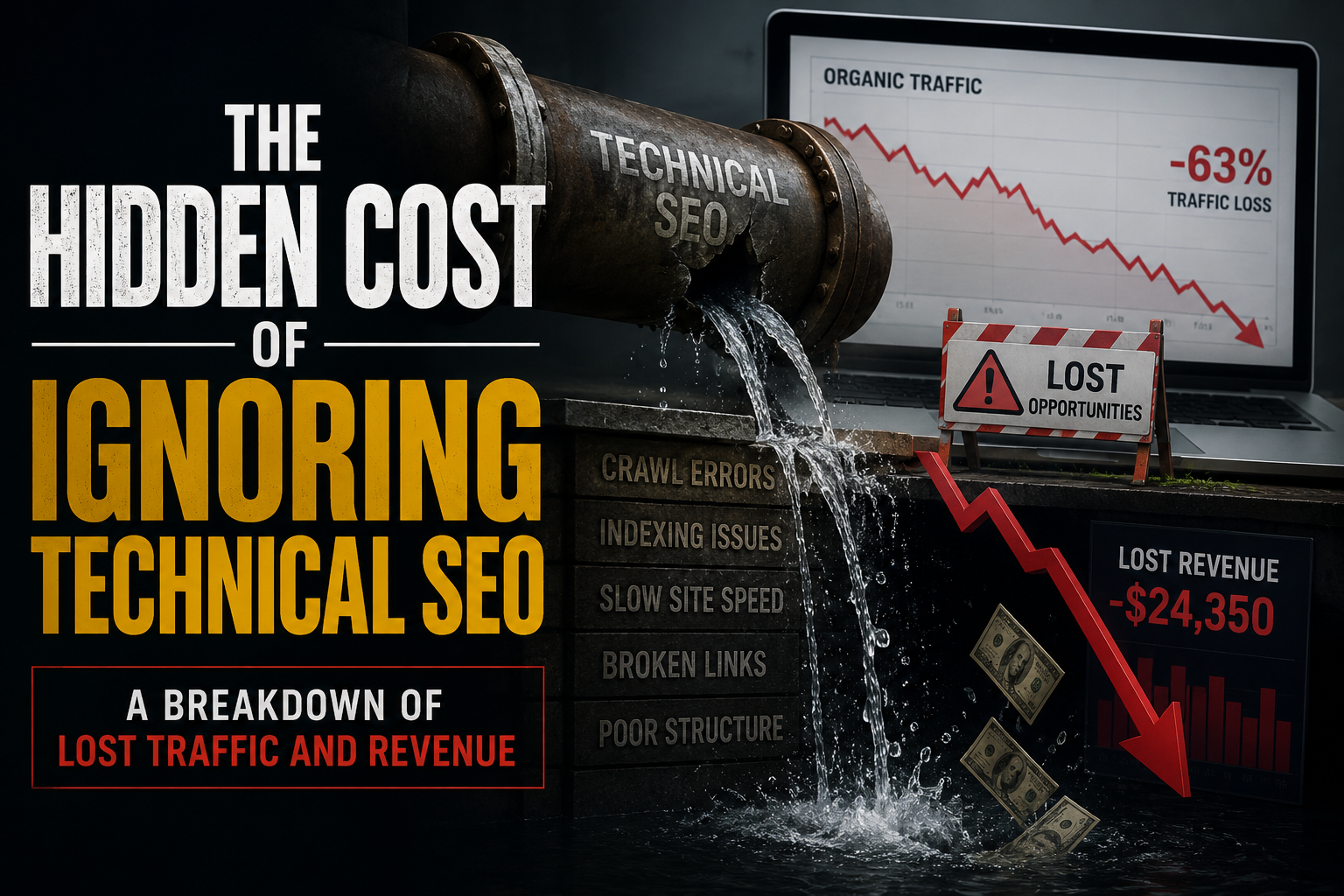
The Hidden Cost of Ignoring Technical SEO: A Breakdown of Lost Traffic and Revenue

Most businesses pour their energy into content creation, social media campaigns, and paid advertising while quietly overlooking the foundation that makes all of that effort visible in the first place. Technical SEO sits beneath the surface of your website like the plumbing in a house, and when it fails, everything above it starts to rot. The problem is that technical issues rarely announce themselves with flashing red lights. They accumulate in silence, slowly draining your organic traffic, eroding your search rankings, and costing you revenue that you will never even know you lost.

Search engines have evolved dramatically over the past decade. Google no longer simply counts keywords and backlinks to determine where your site deserves to rank. It crawls, renders, and evaluates how fast your pages load, how well they perform on mobile devices, whether your site architecture makes sense, and whether your content can actually be discovered and understood by its algorithms. When technical SEO is neglected, you are not just missing out on marginal gains. You are building an invisible wall between your business and the people who are actively searching for exactly what you offer.

Consider page speed for a moment. A website that takes more than three seconds to load loses roughly forty percent of its visitors before they even see a single word of content. Google has made speed a confirmed ranking factor, which means slow load times do not just frustrate users, they actively push your pages down the search results. Every position you drop on the first page of Google represents a significant percentage of lost clicks. The difference between ranking first and ranking fifth can easily mean thousands of missed visitors per month for a moderately competitive keyword. Those are not abstract numbers. They represent real people who needed a solution, found your competitor instead, and never knew your business existed.

Mobile usability compounds the problem further. With more than sixty percent of global web traffic now coming from mobile devices, a site that performs poorly on smartphones is effectively turning away the majority of its potential audience. Responsive design is no longer a nice-to-have feature. It is a baseline expectation, and Google indexes the mobile version of your site first. If your buttons are too small to tap, your text requires pinching and zooming to read, or your layout breaks on smaller screens, you are signaling to both users and search engines that your site is not worth their time. The traffic you lose here does not go to a void. It goes to competitors who invested in a seamless mobile experience.

Crawlability and indexability represent another silent killer. Search engines use automated bots to navigate your website, following links from page to page and deciding what to include in their massive indexes. If your site has broken links, redirect chains, orphaned pages with no internal links pointing to them, or a poorly configured robots.txt file, those bots will either fail to reach your content or choose not to index it. You could publish the most brilliant article in your industry, but if search engines cannot find it or do not deem it worthy of indexing, it might as well not exist. The tragedy is that many businesses produce outstanding content that never sees the light of day because their technical infrastructure is broken.

Duplicate content is another issue that quietly sabotages rankings. When multiple pages on your site contain substantially similar content, search engines struggle to determine which version deserves to rank. Rather than rewarding you with multiple positions, they often dilute the ranking potential across all versions or choose to rank none of them prominently. This commonly happens with e-commerce sites that use manufacturer descriptions across hundreds of product pages, or with websites that create separate URLs for mobile and desktop versions of the same page without proper canonical tags. The result is a scattered, weakened presence in search results that leaves traffic and revenue on the table.

Structured data, though it sounds intimidating to the uninitiated, is another technical element that carries enormous weight. By implementing schema markup, you help search engines understand the context of your content, which can unlock rich results like star ratings, product prices, event dates, and FAQ dropdowns directly in the search results. These enhanced listings dramatically improve click-through rates because they occupy more visual space and provide immediate value to searchers. Businesses that ignore structured data are essentially showing up to a job interview in casual clothes while their competitors arrive in tailored suits. Both candidates might have the same qualifications, but one makes a far stronger first impression.

Core Web Vitals have brought technical performance into the spotlight in ways that cannot be ignored. These metrics measure real-world user experience across three dimensions: how fast the largest content element loads, how long it takes for the page to become interactive, and how much the layout shifts unexpectedly as elements load. Google has explicitly stated that these metrics influence rankings, and poor scores are now a direct competitive disadvantage. The businesses that treat Core Web Vitals as a priority gain a measurable edge, while those that dismiss them as technical minutiae find themselves sliding down the rankings without understanding why.

The revenue impact of all these technical failures is staggering. Organic search remains one of the highest-intent, most cost-effective marketing channels available. Visitors who find you through search are actively looking for solutions, which makes them significantly more likely to convert than someone who stumbles across a social media post. When technical SEO issues suppress your organic visibility, you are forced to compensate by spending more on paid advertising to maintain traffic levels. This creates a vicious cycle where rising acquisition costs eat into your margins while your competitors enjoy free, compounding organic traffic. Over months and years, the difference between a technically sound website and a neglected one can amount to hundreds of thousands or even millions of dollars in lost revenue.

Security also plays a role that many overlook. An SSL certificate, indicated by HTTPS in your URL, is not optional. Browsers now warn users away from non-secure sites, and Google has confirmed HTTPS as a ranking signal. A site without proper security measures loses trust before a visitor even arrives, and the technical penalty in search rankings only deepens the wound. In an era of increasing data privacy concerns, appearing insecure is a fast track to irrelevance.

Perhaps the most insidious aspect of ignoring technical SEO is that the damage compounds over time. A single broken page might seem insignificant today, but as your site grows, those broken pages multiply. As algorithms evolve, the technical standards rise. What was acceptable five years ago is now a liability. The businesses that treat technical SEO as an ongoing discipline rather than a one-time checklist build a foundation that strengthens with age. Those that ignore it find themselves facing a mountain of technical debt that becomes increasingly expensive and complex to resolve.

Fixing these issues is not about chasing algorithm updates or engaging in technical perfectionism for its own sake. It is about removing the invisible barriers that prevent your best work from reaching the people who need it. A technically sound website ensures that your content, your products, and your brand get the visibility they deserve. It protects the investment you have already made in design, copywriting, and marketing. It creates a user experience that builds trust and encourages conversions.

The hidden cost of ignoring technical SEO is not just lost traffic. It is lost trust, lost opportunity, and lost revenue that you will never see on a balance sheet because it was never there to begin with. The businesses that understand this and act on it consistently are the ones that dominate search results year after year. The ones that do not are left wondering why their competitors always seem to be one step ahead, never realizing that the answer was hiding in plain sight, buried in the code they never bothered to fix.


Posted on

DIY SEO Audit vs. Automated Tools: What You’re Missing by Doing It Manually

If you’ve ever tried to run an SEO audit by hand, you know the drill: a spreadsheet with a dozen tabs, a browser window full of open tools, and a checklist that somehow always feels incomplete by the time you’re done. Manual audits aren’t wrong, exactly, but they’re slow, error-prone, and they max out at the limits of your own attention span.

Automated SEO audit tools exist precisely because that process doesn’t scale. Here’s a closer look at what you’re actually giving up when you stick with the manual approach — and what you gain when you don’t.

The Time Cost Is Bigger Than You Think

A thorough manual audit of even a mid-sized site (say, 200–500 pages) can easily eat up 15–20 hours. That includes crawling the site (or clicking through it page by page), checking meta tags, testing page speed, hunting for broken links, reviewing header structure, and cross-referencing everything against best practices you’re holding in your head or in a half-updated Google Doc.

An automated audit tool does the same crawl-and-check process in minutes. Not because it’s smarter than you, but because it doesn’t get tired, doesn’t lose its place, and doesn’t need to context-switch between fifteen different browser tabs. That time difference isn’t just convenience — it’s the difference between auditing a site once a quarter and auditing it every week.

Manual Audits Miss Things

This is the part people underestimate. It’s not that manual auditors are bad at their jobs. It’s that certain classes of SEO issues are almost invisible without tooling:

Duplicate content across parameterized URLs that look different in the address bar but serve nearly identical content

Orphan pages with no internal links pointing to them, which you’d never stumble across by browsing normally

Redirect chains three or four hops deep that quietly bleed link equity

Inconsistent canonical tags that contradict what’s in your sitemap

Crawl budget waste from thin or low-value pages that search engines are wasting time on instead of your priority content

None of these are things you’ll catch by eyeballing a page in your browser. They live in the site’s underlying structure, and finding them requires actually crawling the site the way a search engine would.

Consistency Is Where Manual Audits Really Fall Apart

Say you audit your site in January and catch a handful of issues. You fix them. Then June rolls around and you do it again — but this time you’re busier, so you skip a few checks, or you use a slightly different process because your team has changed since then. Six months later, your two audits aren’t really comparable anymore.

Automated tools apply the exact same criteria every single time. That consistency matters more than it sounds like it should, because it’s what lets you actually track progress. You can look at your site’s health score in January and compare it to June and know the comparison is apples-to-apples — not colored by which junior team member ran the check or how much coffee they’d had that morning.

The Real Value Isn’t Just Detection

Here’s something a lot of people miss when they compare manual audits to automated ones: finding issues is only half the job. The harder part is knowing which issues actually matter.

A manual audit tends to produce a flat list — 47 things wrong, no clear ranking. Good automated tools don’t just surface problems; they weight them by potential impact, so you’re not spending your Tuesday afternoon fixing a missing alt tag on a page that gets four visits a month while a critical indexability issue on your highest-traffic page sits untouched.

That prioritization is genuinely hard to replicate manually unless you already have deep technical SEO expertise — and even then, it’s easy to let bias creep in (fixing what’s familiar rather than what’s impactful).

Where Manual Review Still Matters

To be fair, automated tools aren’t a total replacement for human judgment. They’re excellent at flagging technical issues, structural problems, and anything that can be measured programmatically. They’re less good at things like:

Evaluating whether your content actually answers search intent

Judging brand voice and content quality

Understanding nuanced competitive positioning

Making strategic calls about which pages deserve investment

The strongest approach isn’t “manual audits vs. automated tools” — it’s using automation to handle the repetitive, detection-heavy work so your time (or your team’s time) goes toward the judgment calls that actually require a human brain.

What This Looks Like in Practice

A reasonable workflow looks something like this: run an automated audit regularly and let it handle the crawling, detection, and prioritization. Then spend your actual working hours on the fixes that matter most and on the strategic, content-level decisions that no tool can make for you.

That’s a very different use of time than spending an entire day just figuring out what’s broken.

Manual SEO audits aren’t obsolete because they’re bad practice — they’re obsolete because they ask a human to do a job that’s fundamentally repetitive, data-heavy, and easy to automate. The hours you’d spend clicking through pages and cross-checking a mental list of best practices are hours you could spend on strategy, content, and the parts of SEO that genuinely benefit from human thinking.

If you’re still running audits by hand, it’s worth trying an automated tool on your site just once and comparing what it finds against your last manual pass. Most people are surprised by the gap.

Posted on

The Productivity of Silence: Your Environment Is Louder Than You Think

I built a browser extension because I was tired of my brain betraying me.

Not because I lacked discipline. Not because I needed a productivity system. But because my environment was winning every single time I sat down to work.

We’ve been sold a lie about productivity. The self-help industry loves to tell you to wake up at 5 AM, drink bulletproof coffee, and journal your intentions. But here’s the uncomfortable truth: none of your morning routines matter if your environment is constantly hijacking your attention.

When people talk about “silence” as a productivity tool, they usually mean literal quiet. That’s fine. But the silence that moves the needle is created through curation.

It’s about building an environment so intentionally designed that your brain stops reacting and starts creating.

Environmental Chaos: A Tax

Every notification, every sudden loud ad, every jarring volume spike on a YouTube video, you’re paying a cognitive tax. Not once. Every single time.

Neuroscience calls this attention residue. When your focus is broken, even for a split second, it takes an average of 23 minutes to fully return to deep work. A loud pre-roll ad doesn’t just annoy you for five seconds. It quietly steals half an hour of your best thinking.

Most people don’t notice because the damage is invisible. You just feel “off” at 3 PM. You blame your sleep. You blame your diet. You never blame the fact that your browser just screamed at you four times before lunch.

This is why mindfulness is an environmental design practice.

Curate Like Your Output Depends on It

Mindful productivity means treating your workspace like a museum curator treats a gallery. Every element is chosen. Nothing is accidental.

Visual curation means one tab open, notifications off, your phone in another room. Physical curation means a clean desk, good light, a chair that doesn’t punish your back. Audio curation is where most people fail. They’ll spend $300 on noise-canceling headphones and then let their browser blast them with unpredictable volume swings all day.

You can’t achieve flow state when your auditory environment is a minefield.

The Audio Layer Nobody Talks About

Here’s a scenario that probably happened to you today.

You’re watching a tutorial, a lecture, or a deep-focus playlist. The content is quiet and calm. Then an ad hits and your nervous system spikes. Your shoulders tense. Your focus evaporates. You grab the volume knob, fumble with it, and by the time you settle back in, the moment is gone.

Or worse: you’re in a flow state listening to a podcast, and the host’s voice drops to a whisper. You strain to hear. Your brain shifts from creating to decoding. The spell is broken.

This is not a minor inconvenience. It’s an environmental design failure.

Your browser is the primary workspace for modern knowledge work. And yet, most people accept that its audio layer is chaotic, unpredictable, and actively hostile to deep focus.That’s backwards. So I decided to fix it.

Why I Built Volume Regularizer

I built Volume Regularizer because I was sick of my browser audio working against me.It’s a lightweight browser extension that runs real-time audio normalization across every video you watch. Loud ads get pulled down. Quiet dialogue gets boosted up. Everything stays at the volume you chose, not the volume some advertiser decided would grab your attention.

I designed it with ten smart presets that match whatever mode you’re in. Aggressive Anti-Ad for YouTube deep dives. Podcast and Dialogue for long-form interviews where every word matters. Late Night and Headphones for burning the midnight oil without a jolt. ASMR and Meditation for the rare moments you actually use those apps—and yes, even meditation content has inconsistent volume.

The best part? It’s completely private. No network requests, no data collection, no accounts. All processing happens inside your browser. I built it that way because I don’t want my tools spying on me, and I figured you don’t either.

If you spend more than an hour a day in your browser—which, if you’re reading this, you do—this is the single highest-ROI environmental upgrade you can make.

Silence Is a Standard

Here’s the reframe that changed everything for me.

Silence isn’t something you find. It’s something you enforce.

You don’t stumble into a distraction-free environment. You build it. You curate it. You defend it like your best work depends on it—because it does.

The people doing the most meaningful work aren’t the ones with the most willpower. They’re the ones with the most boring environments. Their tools don’t surprise them. Their notifications don’t seduce them. Their audio doesn’t attack them.They’ve removed friction so thoroughly that the only thing left is the work itself.

Your Move

Take inventory of your environment right now. Not your goals. Not your habits. Your environment.

How many tabs are open? How many apps have permission to interrupt you? How many times did your audio betray your focus today?

Fix the container, and the content takes care of itself.

Start with the layer you interact with most: your browser. Take 30 seconds to install Volume Regularizer and reclaim your audio environment. Your future flow states will thank you.

Because at the end of the day, productivity isn’t about doing more. It’s about protecting the conditions that let you do what matters.

Curate your silence. Build your focus. Do the work.

Ready to stop fighting your browser and start owning your focus? Get Volume Regularizer here.

Posted on

The Search Paradox: Why Traditional Query Volume is Growing in the Age of Artificial Intelligence

The prevailing narrative in technology circles often suggests that the rise of generative artificial intelligence signifies the inevitable obsolescence of traditional search engines. Pundits frequently argue that conversational interfaces such as ChatGPT will cannibalize the market share of established players like Google and Bing by providing direct answers rather than links. However, empirical data and recent market analysis from reveal a far more nuanced reality. Despite the adoption of large language models, traditional search volume is experiencing significant year-over-year growth, driven by a phenomenon that researchers are beginning to identify as search task expansion.

Quantitative analysis of global search trends indicates that the total volume of traditional queries has reached historic highs even as AI usage surges. According to research conducted by SparkToro in collaboration with Datos, Google’s search volume grew by an estimated 21.6% between 2023 and 2024 [1]. This remarkable growth in a mature product category contradicts the early predictions of a rapid decline in search engine utility. While generative AI tools have certainly captured a portion of informational intent, they appear to be functioning as a supplementary layer rather than a wholesale replacement. The scale of this disparity is significant; as of mid-2025, traditional search engines still handle approximately 373 times more daily queries than the leading conversational AI platforms [1].

This counterintuitive growth can be explained through the lens of behavioral economics and information science. A recent study by Gartner found that generative AI features such as AI Overviews are actually lengthening the consumer research journey rather than shortening it [2]. Their survey revealed that 31% of consumers spend more time searching for information after interacting with an AI summary, compared to 16% who spend less time [2]. This suggests that AI often acts as a catalyst for deeper investigation, prompting users to verify claims, compare sources, or explore nuanced sub-topics that the initial AI response may have oversimplified. Furthermore, Gartner reports that 31% of consumers consider a broader set of product options due to AI-generated insights, signaling that these tools are expanding the scope of search behavior rather than narrowing it to a single definitive answer [2].

Academic research supports the idea that search engines and AI chatbots serve distinct cognitive functions. A 2026 study published in the Journal of Librarianship and Information Science observed that while university students utilize AI for brainstorming and summarization, they consistently return to traditional search engines for authoritative verification [3]. This “dual-track” information seeking behavior suggests that as AI makes the initial stage of information gathering more efficient, it lowers the barrier to entry for complex queries, thereby increasing the total number of subsequent searches performed to validate and refine those initial findings. This is a digital manifestation of the Jevons Paradox, where technological efficiency in one area leads to increased consumption across the broader system.

From a strategic business perspective, the resilience of traditional search is reflected in the financial performance of major search providers. Alphabet’s recent earnings reports continue to show robust growth in search advertising revenue, a direct proxy for sustained user engagement and query volume. While Harvard Business Review notes that AI is indeed “upending marketing on two fronts” by compressing certain customer journeys, it also emphasizes that traditional search remains the primary “front door to the internet” for the vast majority of transactional and branded intent [4]. The rise of “zero-click” searches has changed the nature of website traffic, but it has not diminished the underlying volume of search activity itself.

In conclusion, the emergence of generative artificial intelligence has not heralded the end of the search engine era but has instead inaugurated a more complex and high-volume information ecosystem. The growth of traditional search volume alongside AI adoption demonstrates that human curiosity and the need for verifiable information are not finite resources that can be easily exhausted. Rather than a zero-sum game, the relationship between AI and traditional search is becoming increasingly symbiotic, where each tool enhances the utility of the other. For businesses and researchers alike, the challenge is no longer choosing between these platforms, but understanding how to navigate a landscape where the total demand for information is higher than ever before.

References

[1] Fishkin, R. (2025). “New Research: Google Search Grew 20%+ in 2024; receives ~373X more searches than ChatGPT.” SparkToro. https://sparktoro.com/blog/new-research-google-search-grew-20-in-2024-receives-373x-more-searches-than-chatgpt/

[2] Gartner, Inc. (2026). “Gartner Survey Finds Only One-Third of Consumers Say GenAI Rivals Search Engines.” Gartner Press Release. https://www.gartner.com/en/newsroom/press-releases/gartner-survey-finds-only-one-third-of-consumers-say-genai-rivals-search-engines-marketers-must-optimize-for-both-ai-driven-and-traditional-search

[3] Lund, B. D., et al. (2026). “Artificial intelligence (AI) and information seeking: A comparative exploration of AI chatbots, search engines, and library resources.” Journal of Librarianship and Information Science.

https://journals.sagepub.com/doi/abs/10.1177/09610006261438484[4] Harvard Business Review. (2026). “AI Is Upending Marketing on Two Fronts.” HBR.org. https://hbr.org/2026/02/ai-is-upending-marketing-on-two-fronts

Posted on

A Blog’s Design Matters Almost as Much as Its SEO

Search engine optimization gets nearly all the attention in conversations about blog growth. Keywords, backlinks, and site structure are measurable, teachable, and easy to turn into checklists. Design, by comparison, feels subjective and hard to quantify. But treating design as a secondary concern is a mistake. A blog’s design is one of the mechanisms that determines whether all your hard SEO work pays off.

Start with the most basic reality of how search traffic actually converts into value. Ranking well on a search engine only gets a visitor to the page. What happens after that click is entirely a design question. If the page is cluttered, slow to load, or hard to read on a phone, visitors leave within seconds. Search engines track exactly this kind of behavior. When people click a result and immediately bounce back to the search page, that signals the page failed to satisfy the search intent, and rankings tend to drift downward over time as a result. In this sense, poor design doesn’t just cost a blog readers, it actively undermines the SEO metrics that were supposed to attract those readers in the first place.

Page speed is a clear example of design and SEO becoming the same thing rather than separate disciplines. A bloated, image-heavy layout with unoptimized code will load slowly regardless of how well the surrounding content is written or how carefully the keywords were chosen. Search engines factor loading speed directly into ranking decisions, particularly for mobile users. A beautifully designed page that loads slowly is, from a technical standpoint, a poorly designed page. Good design and good technical SEO overlap almost completely at this layer.

Readability is another place where the two disciplines merge. Clear heading structure, generous white space, legible font sizing, and sensible paragraph length aren’t just aesthetic choices, they are what allow both human readers and automated systems to understand what a page is actually about. A well-organized page with descriptive subheadings makes it far easier for a reader to scan and decide whether to keep reading. That same structure also makes it easier for search engines and AI systems to parse the page’s content, identify its main topics, and represent it accurately in search results or generated answers. Design decisions that improve human comprehension tend to improve machine comprehension at the same time, because both are ultimately trying to extract meaning using the same framework.

This overlap matters even more now that a growing share of discovery happens through AI systems that summarize or cite web content directly. These systems favor pages with clean structure, clearly labeled sections, and content that is easy to extract. A page that buries its actual answer inside dense, unbroken paragraphs or inconsistent formatting is harder for an AI system to summarize correctly, which means it’s less likely to be cited or referenced. A page that states its key points clearly gives these systems an easier, more accurate structure to work from. Good design, in other words, is quickly becoming a form of AI visibility optimization in its own right, not just a courtesy.

Trust signals round out the picture. Visitors and algorithms alike use visual cues to judge credibility. A dated layout, intrusive ads, or inconsistent formatting can make even accurate, well-researched content feel untrustworthy at a glance. Search engines have increasingly incorporated signals related to user trust and page experience into their ranking systems, meaning that a blog’s poor visual credibility can influence its search performance negatively even when the underlying writing is excellent.

None of this means SEO fundamentals like keyword research, internal linking, and content depth stop mattering. But design should be understood as sitting alongside them. A well-optimized page with poor design will struggle to hold the traffic it earns and may struggle to keep the rankings it achieves. A well-designed page with weak SEO will struggle to be found at all. The two disciplines succeed or fail together, and any blog strategy that treats design as an afterthought is leaving a significant part of its growth potential unaddressed.

Digital assets are the best way to make money long-term. Learn how here.

Posted on

Social Media Traffic Takes Just as Much Patience as SEO Traffic

There’s a persistent myth floating around the internet that blogging is the “slow” channel and social media is the “fast” one. Write a blog post, the story goes, and you’ll wait months for Google to notice you. Post on social media, on the other hand, and you can go viral overnight. This idea is comforting, which is probably why it refuses to die. It is also mostly wrong.

Anyone who has actually tried to build a following on a platform like Instagram, TikTok, X, or LinkedIn knows the truth is messier. Yes, a single post can occasionally explode and bring in more views in a day than a blog might see in a year. But that outcome is the exception, not the rule, and it almost never happens to accounts with no history behind them. The overnight viral hit is usually the visible tip of a much longer, much less glamorous process that looks a lot like the slow grind of blogging.

Consider what actually has to happen before an account starts generating meaningful traffic. The platform’s algorithm needs to learn who you are, what you post about, and who tends to engage with it. That learning process isn’t instant. It happens gradually, post after post, as the system gathers signals about watch time, comments, shares, and saves. A brand new account posting brilliant content today is still, in the algorithm’s eyes, an unknown quantity. It has to earn trust the same way a new blog has to earn authority in search engines, one signal at a time.

This is strikingly similar to how search engines treat new websites. A blog doesn’t rank on page one the week it launches, no matter how well written the content is. Search engines want to see consistency, relevance, and engagement signals accumulate over time before they hand over premium placement. Replace “search engine” with “recommendation algorithm” and the story barely changes. Both systems are, at their core, trust-building machines, and trust is not something that can be rushed.

There’s also the audience side of the equation, which is just as slow-moving as the algorithmic side. People don’t follow an account or subscribe to a newsletter after seeing one post. They notice you, forget about you, see you again somewhere else, and only after several of these small encounters do they decide you’re worth following. This is true whether someone is discovering a blog through a friend’s recommendation or scrolling past a creator’s content for the fifth time before finally hitting follow. Familiarity breeds trust, and familiarity requires repetition, and repetition requires time.

What makes social media feel faster is really just a difference in feedback cycles, not a difference in the underlying timeline to real growth. A blog post might take days or weeks to show any sign of traction in analytics. A social post shows its numbers within hours. That immediacy creates an illusion of speed, but immediate feedback is not the same as immediate results. Watching your view count in real time doesn’t shorten the months it takes to build an audience large enough to sustain a business or a career; it just makes the waiting more visible and, often, more agonizing.

There’s a reason so many successful creators, on any platform, describe their first year as mostly invisible. They posted consistently, adjusted based on what worked, and kept going even when the numbers barely moved. That is the same posture required of any blogger who wants to build organic search traffic. Show up regularly.

None of this is meant to discourage anyone from using social media as a growth channel. It works, and for many businesses and creators it works extremely well. But it works on the same terms that blogging does: patient, consistent effort compounding over time, occasionally punctuated by a lucky break that only looks lucky from the outside. Anyone building an audience today, whether through search or through a feed, should plan for a marathon and treat any early sprint as a pleasant surprise rather than the expected outcome.

The best way to make money online long-term is to build digital assets. Learn how here.

Posted on

Why Every Writer and Digital Marketer Should Install an Audio Compressor Extension

If you write for a living, you probably work with something playing in the background: a focus playlist, a podcast, a client’s YouTube video, a Zoom recording you’re transcribing. And if you’ve done this for more than a week, you’ve had that moment: a sudden blast of volume from an ad, a jump cut, or a poorly mixed video that yanks you out of your flow, makes you fumble for the volume slider, or forces you to rip your headphones off entirely.

That’s the exact problem audio compressor browser extensions are built to solve.

What a Compressor Extension Actually Does

In audio engineering, a compressor evens out the difference between the loudest and quietest parts of a sound. Instead of muting or blocking anything, it narrows the dynamic range: pulling down the peaks and often boosting the quiet parts so everything sits closer to a consistent, comfortable volume.

A browser-based compressor extension applies that same principle to whatever audio is playing in your tab. It sits between the source and your speakers or headphones, smoothing out sudden spikes in real time. You still hear everything — the extension doesn’t strip content or cut audio out — it just keeps the volume from swinging wildly from whisper-quiet to ear-splitting.

Why This Matters for Writers and Marketers Specifically

You’re constantly context-switching between tabs and sources. A content marketer might have a competitor’s ad campaign playing in one tab, a client call recording in another, and a music playlist in a third. Every one of those sources was mixed differently, which means every one of them has its own volume personality. A compressor levels the playing field so you’re not constantly readjusting.

You spend a lot of time reviewing raw or unmixed audio and video. Writers doing research, marketers reviewing user-generated content, or anyone auditing ad creative regularly encounters audio that hasn’t been professionally leveled: think raw customer testimonials, unedited interview footage, or a client’s rough-cut video draft. These sources are exactly where volume spikes are most likely to occur.

Flow state is fragile. Deep writing work depends on sustained concentration. A jarring noise doesn’t just startle you for a second, it breaks your train of thought and can cost several minutes of re-orientation to get back into the work. Removing that risk protects your output, not just your ears.

If you’re considering adding one to your browser, adjustable threshold and ratio settings are also useful, letting you tune how aggressively the extension flattens loud moments versus leaving some natural dynamics intact. Low CPU overhead matters: you don’t want an extension that bogs down your browser while you’re trying to work. And a simple on/off toggle is worth having for moments when you actually want to hear something at its original mix, like reviewing a final client deliverable.

Compressor extensions are a small, low-effort addition to your toolkit, but they solve a real and recurring annoyance for anyone who works with audio open in the background all day. For writers protecting their focus and marketers reviewing a constant stream of mixed-quality media, it’s an easy way to keep the sound on without the risk.

Posted on

XML Sitemaps Explained: What They Do and What They Don’t

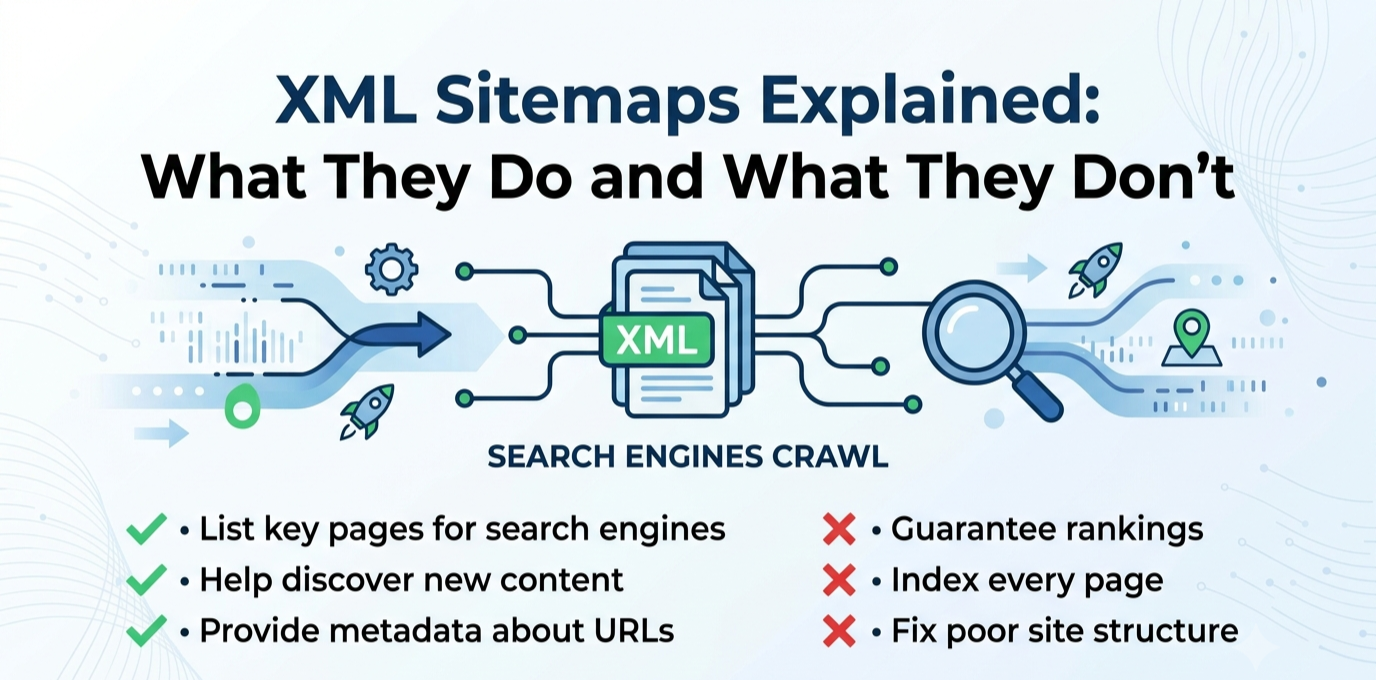
An XML Sitemap helps search engines index your site faster. They don’t improve rankings. It is a file, usually at a URL like yoursite.com/sitemap.xml, that lists the URLs you want search engines to know about, along with optional metadata like when each page was last modified. It is not a ranking system, nor a table of contents for visitors, and not a way of telling Google how important a page is. It functions more like a directory listing, a straightforward statement of which URLs exist on your site.

The real job of a sitemap is discovery, not ranking. It helps search engines find pages they might otherwise miss or take longer to reach through normal crawling. This matters most for large sites with thousands of pages, where crawling every internal link path would be slow on its own, or for new sites with few or no external backlinks yet, and for sites with pages that are poorly linked internally, where the sitemap acts as a backup discovery path. For a well-established, well-linked site, the sitemap plays a smaller role. Most pages will be found through normal crawling anyway. It speeds up discovery of new content and signals which URLs are connonical.

It is equally important to understand what a sitemap does not do, since this is where most confusion comes from. It does not improve rankings, since ranking depends on content quality, relevance, backlinks, and other factors the sitemap doesn’t communicate. It does not guarantee indexing, since listing a URL is a request, not a command, and Google can choose not to index pages. It does not fix a page’s underlying quality problems, and it does not override other signals telling Google not to index a page, since a noindex tag, a robots.txt block, or a canonical pointing elsewhere all take precedence, and including those pages in your sitemap only sends a contradictory signal.

A few sitemap problems show up on real sites. The sitemap could include pages that shouldn’t be there, such as deleted content returning a 404, thin tag or category archive pages, or pages marked noindex elsewhere. The sitemap can be missing pages that should be there, often because a plugin conflict, a manual page-building process, or a migration created content outside the normal publishing flow. The sitemap hasn’t been resubmitted after a significant structural change, like a URL migration or a large batch of new content. And the sitemap references the wrong protocol or domain version, such as still listing http URLs after a move to https, creating a mismatch between what the sitemap says and what actually resolves.

Checking your sitemap takes only a few minutes. Load the sitemap URL directly in a browser and confirm it loads without errors and looks reasonably complete. In Google Search Console, check the Sitemaps report under Indexing, which shows whether Google successfully read it, how many URLs were discovered, and whether there were processing errors. Cross-reference a handful of your most important pages against the sitemap to confirm they’re listed, and spot-check a few entries to confirm they’re pages you’d actually want indexed.

A sitemap is a discovery aid. Treat it as infrastructure worth getting right once and checking periodically, particularly after major site changes. It’s not a tool that can solve a ranking or visibility problem with a different underlying cause. Get the fundamentals correct, keep it current, keep it limited to pages you genuinely want found, and put your actual effort into the things that do influence rankings: content quality, site structure, and the rest of a real technical SEO foundation.

Posted on

Image SEO: Alt Text, File Names, and Compression Done Right

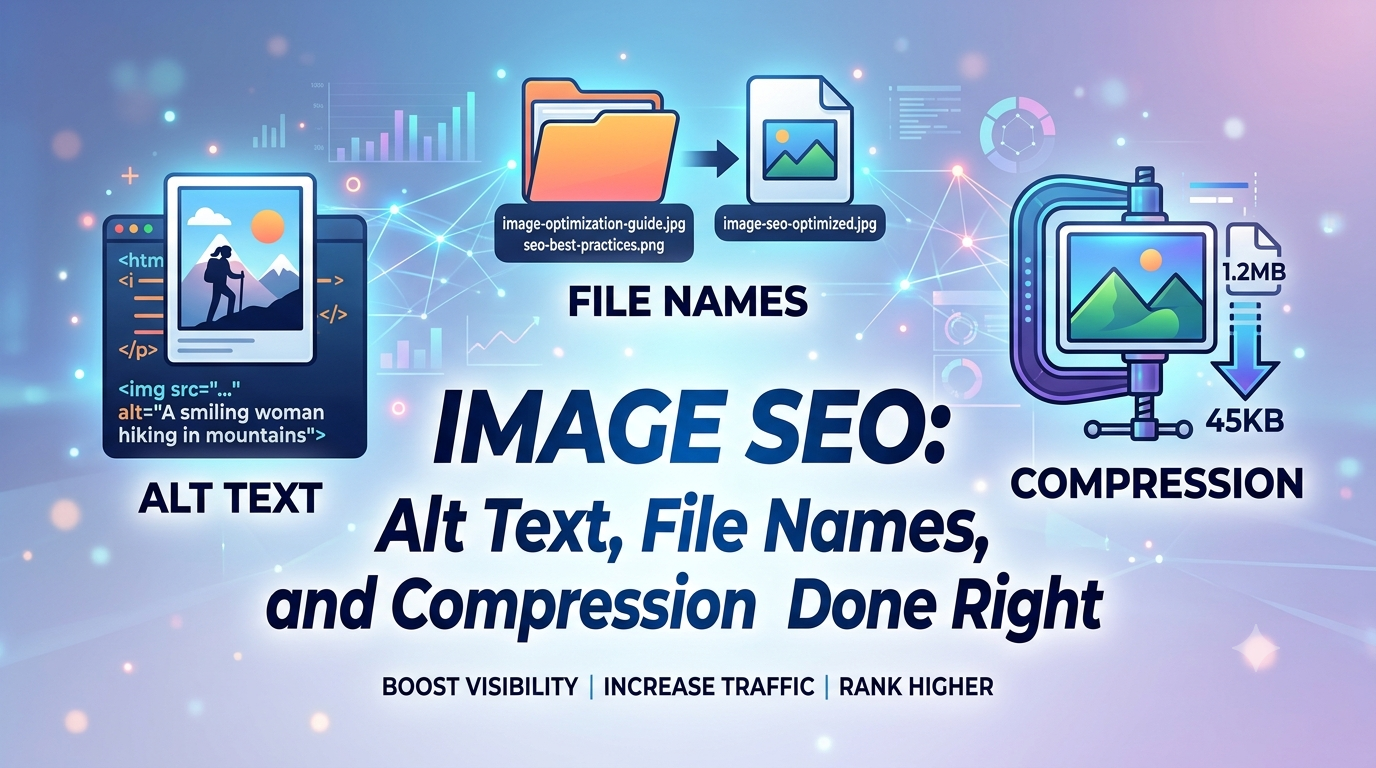
Images tend to be the most overlooked part of SEO, and one of the easiest to fix. Site owners will pour effort into headlines, headings, and body copy, then upload a photo named something like IMG_4832.jpg, skip the alt text, and never revisit it. That oversight costs you in three separate ways: missed Google Images traffic, slower page speed from an oversized file, and a worse experience for anyone relying on a screen reader. Fortunately, all three problems share the same set of fixes.

Why File Names Matter

Before Google even renders an image or reads its alt text, the file name itself already carries information. Something like IMG_7489.jpg tells a search engine nothing. Something like tropical-green-smoothie-recipe.jpg communicates what’s in the photo before any visual analysis happens. This is a real ranking signal, and it costs nothing: rename images descriptively before uploading, using words separated by hyphens rather than underscores or spaces. Google parses hyphens as word breaks, while underscores get read as one fused term. It’s a small task per image with a lasting payoff.

Writing Alt Text That Actually Works

Alt text is arguably the single most impactful image SEO habit that gets neglected, and it serves two purposes simultaneously: helping screen-reader users understand what’s shown, and giving Google one of its strongest signals about what an image depicts and which searches it’s relevant to. Effective alt text describes what’s genuinely present, in plain, natural phrasing. For product photography, that often means naming the brand, color, and a distinguishing feature rather than a generic label like “shoe.” For an image supporting a point in an article, it means describing what that image is specifically illustrating in context, not a generic caption that could apply to any similar photo anywhere online.

The mistake to avoid is using alt text to cram in extra keywords. Alt text that reads like a list of search terms rather than an honest description tends to perform worse, and it also fails the accessibility purpose it exists for. When an image is purely decorative the right move is an empty alt attribute rather than forcing a description, since that tells screen readers to skip past it instead of reading out something meaningless.

Choosing the Right Format

Format choice has the biggest single effect on how much an image weighs down a page, and this has genuinely shifted in recent years. WebP is now a safe default everywhere: every major browser supports it, it produces noticeably smaller files than JPEG or PNG at comparable visual quality, and it supports transparency, meaning it can replace PNG in nearly every use case. AVIF pushes this further, frequently beating JPEG by a wide margin on file size, though it takes more time to encode and a small sliver of older browsers still lag in support. The most future-proof setup serves AVIF first, falls back to WebP, and falls back again to JPEG or PNG for edge cases, using the HTML picture element so the browser picks automatically. If your platform can’t handle that tiered setup, defaulting to WebP alone still captures most of the benefit.

Compression Without Losing Quality

Even in a modern format, an oversized file still drags down a page. The common mistake is uploading a photo at its full resolution and letting the browser shrink it visually while the full file weight still has to be downloaded. The fix is compressing images before upload and sizing them to match how large they’ll actually appear, rather than shipping a four-thousand-pixel-wide photo into an eight-hundred-pixel column. Free tools like Squoosh, or the automated pipelines built into many CMS platforms, can apply lossy compression at a quality level where the difference is invisible while shrinking file size substantially. As a rough guideline, aim for hero and above-the-fold images to stay under a few hundred kilobytes, with supporting images well below that, adjusted for how visually complex each image is.

Preventing Layout Shift and Protecting Page Speed

Two more habits round this out. First, always set width and height attributes on image elements, or define an aspect ratio in CSS, so the browser reserves the right amount of space before the image finishes loading. Skipping this is a leading cause of layout shift, where page content jumps around as images pop in, something that hurts both the user experience and your Core Web Vitals score. Second, apply lazy loading to anything below the fold so the browser isn’t wasting bandwidth on images the visitor hasn’t scrolled to yet, but make sure your single most important image is excluded from lazy loading and prioritized to load right away, since it usually determines your Largest Contentful Paint score.

Structured Data and Discoverability

Beyond the image file itself, a bit of structured data can help Google understand an image’s role on the page, especially for product photos or a page’s main representative image. This isn’t necessary for most content, but it’s a low-effort addition worth making on e-commerce pages. Product schema that includes image properties can meaningfully change how a listing shows up in search results. For a typical blog, nailing the fundamentals covers nearly all of the upside.

Building This Into Your Workflow, Not Treating It as a Separate Project

The real failure point usually isn’t a lack of knowledge, since none of it feels urgent the moment a page goes live. Before publishing, take a moment to confirm every image has a genuine file name, real alt text, a modern format, and a reasonable file size. Making this part of your standard publishing checklist is what keeps an image library in good shape as a site grows.

Posted on

Featured Snippets: How to Format Content to Win the Position Zero Box

Above the normal search results, sometimes above even the top-ranked page, Google displays a box with a direct answer pulled straight from someone’s content: a definition, a short list of steps, a comparison table. This is a featured snippet, commonly called “position zero,” and it’s one of the few places in modern search where a page that isn’t ranked first can still land the most visible spot on the page. It’s also more winnable than most SEO tactics, because it’s driven by formatting as much as by authority.

What a Featured Snippet Actually Is

A featured snippet is a single page’s content that Google extracts and displays in a highlighted box above the standard organic results, with the source page’s title and URL shown beneath it. Google generally pulls these from pages already ranking on page one for the query, most commonly from positions two through eight, not necessarily the current top result. This matters practically, because a page doesn’t need to be the single top-ranked result to win the snippet. It needs a genuinely well-formatted answer while already ranking reasonably well.

It’s worth knowing directly that featured snippets have persisted even as AI Overviews, Google’s AI-generated answer summaries, have expanded to cover a large share of searches. The two features aren’t fully separate. The same clear, well-structured, directly-answered content that wins a traditional snippet is also the kind of content AI systems tend to pull from and cite. Optimizing for a snippet is, in effect, also optimizing for AI-answer visibility, rather than a separate, competing effort.

The Four Snippet Formats, and Which Queries Trigger Each

Google selects a different snippet format depending on the shape of the query, and matching your content structure to the right format matters more than any other single factor.

Paragraph snippets are the most common format, pulled for definition and explanation queries like “what is X,” “why does X happen,” or short factual questions. Google typically extracts a tight block of text, generally in the range of forty to sixty words, so the winning move is having a genuinely direct answer of roughly that length sitting immediately under a heading that matches the query.

List snippets, whether numbered or bulleted in Google’s display, dominate procedural “how to” queries covering how to configure something, how to fix something, or step-by-step processes. Google pulls the list items directly from the page’s underlying structure, so the content needs an actual ordered or unordered list in the HTML, not a paragraph describing steps in prose.

Table snippets are common for comparison and conversion-style queries, things like “X vs. Y,” unit conversions, or pricing comparisons. These require an actual HTML table rather than a bulleted comparison, since Google extracts the row and column structure directly from the markup.

Video snippets appear for highly visual how-to queries, such as how to tie a specific knot or how to fold something, and are dominated by video content rather than text. These are less relevant for a text-based blog unless you’re also producing video content to go alongside it.

The Formatting Approach That Actually Wins the Box

Winning the box comes down to a consistent set of habits rather than a single trick. Start by matching the query almost verbatim in a heading. If you’re targeting “what is a content cluster,” use that exact phrasing, or something very close to it, as an H2, rather than a cleverer or more creative rewording. Google favors content that clearly maps to the query as typed.

From there, put the direct answer immediately after that heading. Skip the throat-clearing and the “great question, let’s dig in” preamble entirely. The first sentence or two after the heading should be the actual answer, not a lead-up to it.

Keep paragraph answers concise, aiming for roughly forty to sixty words for a definitional answer. That’s long enough to be complete, and short enough for Google to extract as a clean block. For process-based or comparison content, make sure the answer is actually structured as a real list or a real table in the page’s underlying HTML, not simply described in a paragraph. Google can only extract what’s genuinely marked up that way.

Throughout, favor active, declarative language. State plainly what something is, rather than what it might be, and write definitions in the present tense, saying “content marketing is” rather than “content marketing was traditionally considered.” And be selective about which queries you target in the first place. Only pursue snippets for queries where you already rank reasonably well, since Google pulls snippets almost exclusively from page-one results. If a page currently ranks on page two or three, the right fix is improving the underlying ranking first. Reformatting alone won’t win a snippet from far outside page one.

How to Find Your Best Opportunities

Rather than guessing which queries to target, check where you’re already positioned well. In Google Search Console, filter your Performance report for queries where your average position falls somewhere between roughly two and ten. Cross-reference that list against question-shaped queries, ones starting with what, how, why, when, or where, or containing phrases like “vs” or “difference between.” For each one, search the query directly and look at whether a snippet currently exists, what format it uses, and whether your own page’s structure currently matches that format.

This approach turns snippet-hunting into a mechanical process rather than a guessing game. You’re not creating new content from scratch. You’re reformatting pages you already have that are already close to winning.

A Few Things Worth Knowing Before You Invest Time Here

Snippets are a single-winner format. Exactly one URL holds the box per query at a time, and ownership can shift if a competitor reformats their own page more effectively or if Google’s own algorithm re-evaluates the match. It’s worth treating any snippet win as something to periodically re-check, rather than something you win once and forget about.

It’s also worth being honest that not every query is a good target right now. Highly competitive, broad definitional queries increasingly get served by an AI Overview instead of a traditional snippet, and chasing those specific queries with snippet-formatting tactics alone won’t recover a slot that’s been structurally replaced by a different search feature entirely. Procedural “how to” queries and comparison or table-style queries have generally proven more resistant to that substitution than pure definitional ones, which makes them a more reliable place to focus effort at the moment.

Why This Is Worth the Relatively Small Effort

Compared to most SEO work, this is unusually low-cost. You’re not writing new content or building new links. You’re restructuring content you’ve already published to match a format Google is already looking for. For a small site without the backlink profile to compete for position one on a competitive term, winning a snippet from a lower organic position is one of the few ways to claim the most visible spot on the page without first winning the harder authority battle that position one usually requires.

If you’re running a broader content audit, it’s worth adding a check for snippet-format opportunities as its own distinct pass, alongside checking for thin content or broken links. It’s a different kind of question than the usual audit questions. It’s not asking whether a page is good, but whether it’s structured the way Google actually extracts content. It’s easy to skip entirely if you’re only looking at traditional ranking metrics.