Posted on

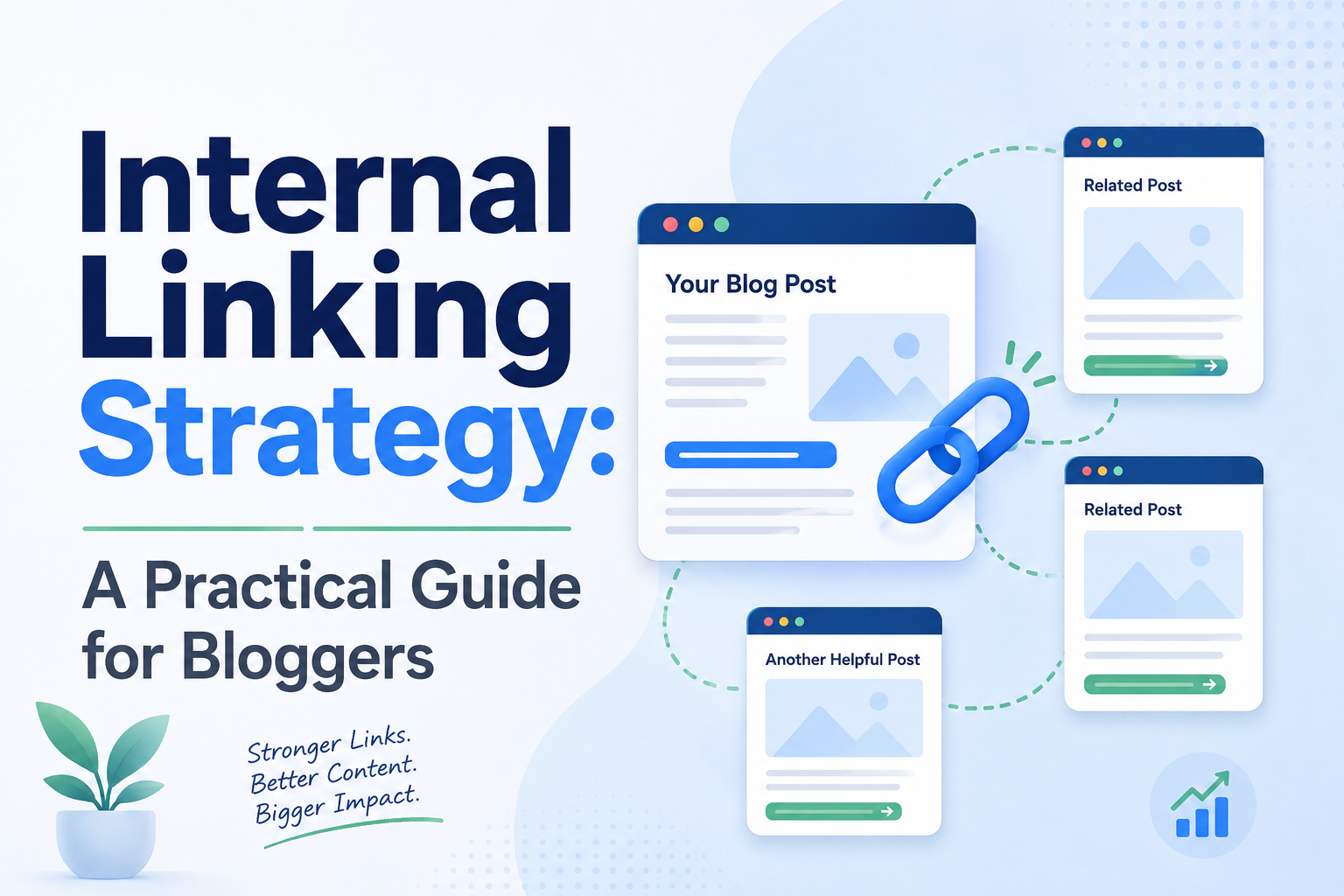
Internal Linking Strategy: A Practical Guide for Bloggers

Internal linking is the part of SEO that gets the least attention and offers some of the best return for the effort involved. Unlike backlinks, which depend on someone else deciding your content is worth referencing, internal links are entirely within your control. You decide which pages connect to which, and that decision shapes how both readers and search engines understand what matters on your site.

This post covers how to build an internal linking strategy deliberately, rather than relying on whatever a “related posts” plugin happens to surface.

Why Internal Links Matter as Much as They Do

Search engines rely heavily on links, internal and external, to understand which pages on a site are important and how topics relate to each other. A page that receives many internal links from relevant, well-established pages tends to be treated as more significant than an identical page sitting with no internal links at all, which is really the core problem behind the orphaned posts discussed earlier in this series.

Readers respond to internal links too, just for more obvious reasons. A well-placed link that answers a natural follow-up question keeps someone reading your site instead of bouncing back to search results. Multiply that across a blog, and the difference between a site with a deliberate linking structure and one without shows up clearly in pages-per-session and average time on site. These correlate with better long-term rankings and increased revenue.

Linking With Intent, Not Obligation

The most common failure in internal linking isn’t linking too little, it’s linking without a reason. A link dropped into a paragraph because a plugin suggested it, or because a writer felt obligated to reference an old post, tends to feel like an interruption rather than a genuine next step for the reader.

A better standard is to ask whether the sentence containing the link would still make sense and still be useful if the link were removed. If a link only exists because you wanted to link somewhere, and the surrounding sentence is otherwise empty of meaning, that’s a sign the link is serving the site’s structure at the expense of the reader.

Anchor Text That Actually Describes the Destination

Anchor text carries meaning for both readers and search engines, and vague anchor text wastes that signal. Linking the words “click here” or “this post” tells a reader almost nothing about what they’ll find on the other side, and tells a search engine even less about the topic of the destination page.

Descriptive anchor text that reflects the actual topic of the linked page does double duty: it sets accurate reader expectations and reinforces topical relevance for the page being linked to. This matters enough that it’s worth a pass over old posts specifically to fix generic anchor text, even without touching anything else about the post.

How Deep Should Links Go

A useful mental model is to think of your site’s pages arranged in a hierarchy going from broad to narrow — homepage, then pillar pages, then cluster posts, then perhaps very narrow supporting notes underneath those. Links should flow generously in both directions between adjacent levels of that hierarchy: pillar pages linking down into their cluster posts, and cluster posts linking back up to their pillar, as covered in the pillar page guide earlier in this series.

Links that skip levels — a narrow cluster post linking directly to another unrelated narrow post several clusters away — are fine occasionally when genuinely relevant, but shouldn’t be the backbone of your linking strategy. The backbone should be the pillar-to-cluster relationship, since that’s what gives search engines the clearest signal about how your content is organized by topic.

Auditing Your Existing Links

If you’ve already gone through the content audit covered earlier in this series, you likely have a rough map of which posts belong to which topic groups. The next step is going through that map and checking, post by post, whether the links that should exist actually do.

This is slower going than it sounds, because it requires actually reading each post to find natural linking opportunities rather than just checking a box that says “this post links somewhere.” A post might technically contain three internal links and still be poorly linked, if all three point to unrelated tangents rather than the genuinely relevant posts sitting right next to it in the same cluster. Reading every post in a cluster with an eye specifically toward missing or weak links is exactly the kind of pattern-matching task that becomes tedious past a few dozen posts and is well suited to being done automatically at scale, even though the actual decision of where a link belongs still benefits from a quick human sanity check.

Fixing Old Posts Without Rewriting Them

A useful habit is treating internal linking as something you can improve without touching the rest of a post. Going back through an old article purely to add two or three well-placed links, without otherwise editing it, is a low-risk, high-value task, since it doesn’t disturb whatever is already working about the post while still improving its position in your site’s overall structure.

This is also a good use of time immediately after publishing something new. A freshly published post has no incoming links yet by definition, so the first task after hitting publish should be going to two or three related older posts and adding a link into the new one, rather than waiting for a future audit to notice the gap.

Navigation and Non-Contextual Links

Everything above concerns links inside the body of an article, sometimes called contextual links, which tend to carry the most weight because they’re chosen deliberately rather than generated automatically. Navigation menus, footer links, and “related posts” widgets matter too, but they carry less individual weight per link since they appear identically across many pages rather than being chosen for a specific piece of content.

That doesn’t make them worthless. A well-curated “related posts” section that actually reflects genuine topical relationship, rather than just the most recent five posts regardless of subject, still helps readers and still reinforces cluster structure. It just shouldn’t be treated as a substitute for deliberate contextual linking within the article itself.

A Simple Standard to Hold Every New Post To

Before publishing anything new, a workable minimum standard is that the post links up to its relevant pillar page, links across to at least one or two genuinely related cluster posts, and receives at least one link back from an existing post shortly after publication, rather than being left to sit as an orphan until some future audit catches it. Holding every new post to that standard from the start prevents most of the linking problems this series has covered from ever accumulating in the first place.
Posted on

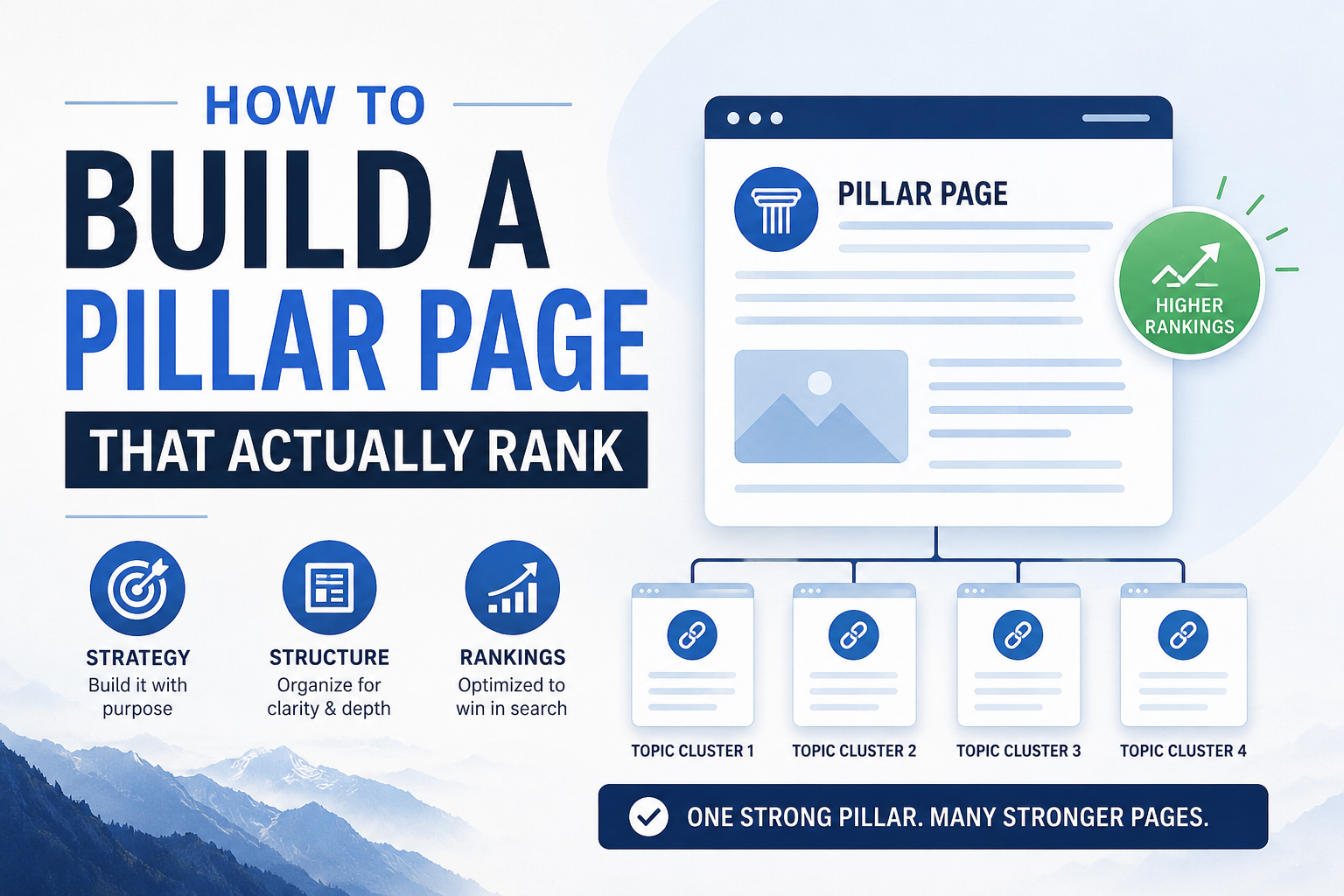
How to Build a Pillar Page That Actually Ranks

A lot of bloggers hear “pillar page” and picture something like a glorified table of contents: a long post that links out to a bunch of other posts and not much else. That’s part of what a pillar page does, but it’s not what makes one rank. A pillar page that works is a genuinely comprehensive resource on its topic, one that would be useful even to a reader who never clicks a single link.

What a Pillar Page Needs to Do

A pillar page has two jobs at once, and most pillar pages only do one of them. The first is to be the best answer to the broad topic it covers, comprehensive enough that a reader who lands on it and reads nothing else still walks away satisfied. The second is to organize and link out to every relevant supporting post in its cluster, so that both readers and search engines can see the full depth of coverage your site has on the subject.

If you only do the first job, you end up with a great standalone article that isn’t connected to anything. If you only do the second job, you end up with a thin hub page that reads like a list of links wearing a headline.

Choosing the Right Topic Scope

Before writing anything, get the scope right. Too broad, and the page can’t possibly be comprehensive without ballooning into something unreadable — “how to blog” is too broad for almost any niche site to own credibly. Too narrow, and there’s no room for a real cluster underneath it — “how to brew coffee in a French press with 2:1 ratio” is really a cluster post pretending to be a pillar.

A workable test is whether the topic naturally supports somewhere between five and twelve distinct, non-overlapping supporting posts. If you can’t list at least five, the topic is probably too narrow for its own pillar. If you’re listing twenty and they don’t feel related to each other, it’s probably two or three pillar topics being treated as one.

Structuring the Page Itself

A pillar page that ranks well tends to follow a predictable shape, even though the specific content varies by niche. It opens by clearly stating what the page covers and who it’s for, so a reader (and a search engine parsing the page) immediately understands its scope. It then works through the topic in a logical order, using clear H2 and H3 headers that mirror the actual subtopics a reader cares about, rather than headers written to stuff in keywords.

Each major section should say enough on its own to be genuinely useful, then link out to the relevant cluster post for anyone who wants to go deeper. The link should feel like a natural next step, not an interruption.

Near the end, a well-built pillar page often includes a short section that ties the whole topic together and points toward related pillars if the site has them, giving both readers and search engines a sense of how this pillar fits into the broader site.

Writing for Comprehensiveness Without Padding

The instinct to hit a big word count on a pillar page sometimes leads to padding — restating the same point three different ways to look thorough. That backfires. Comprehensiveness means covering every subtopic a reasonable reader would want addressed, not repeating yourself to inflate length. It’s entirely possible to write a genuinely comprehensive 2,500-word pillar page and a padded, repetitive 4,000-word one on the same topic, and the shorter one will usually perform better, because readers and search engines both register when a page respects their time.

A useful habit while drafting is to imagine the ten most common follow-up questions a curious reader would ask after your opening section, and make sure each one is addressed somewhere in the page, even briefly, with a link to the fuller treatment in a cluster post where one exists.

Linking the Cluster In

Once the supporting posts exist, or as you plan them, the pillar page’s internal links matter as much as its prose. Every relevant cluster post should be linked from the pillar at the point in the page where that subtopic is first introduced, not bundled into a generic list at the very bottom. A reader scanning the “grind size” section should find the deep-dive link right there, in context, rather than having to hunt for it in a separate “further reading” block.

The reverse direction matters just as much. Every cluster post should link back up to the pillar, usually early in the post, so that both readers and search engines can trace the relationship in both directions. A pillar page that links out beautifully but receives no links back from its own cluster posts is only doing half the job.

Common Mistakes That Keep Pillar Pages From Ranking

The most frequent mistake is publishing the pillar page before any of its cluster posts exist, then never coming back to add the links once they’re written. The page ends up permanently underlinked, and the whole point of a pillar structure never actually happens.

Another common mistake is treating the pillar page as a one-time project rather than something that gets revisited. Topics evolve, new subtopics emerge, and a pillar page written two years ago often needs a pass to fold in newer supporting posts and updated information, the same way any decayed content does.

A third mistake is choosing a pillar candidate based on which post happens to be the longest, rather than which one is actually the best foundation for the topic. Length alone doesn’t make a post a good hub. A shorter, well-organized post with a clear structure is often a better pillar candidate than a long, rambling one that happens to have more words.

Updating an Existing Post Into a Pillar

You often don’t need to write a pillar page from scratch. If your content audit surfaced a post that’s already broad, already performing reasonably well, and already roughly in the right shape, upgrading it into a proper pillar is usually faster and more effective than starting over. That means expanding thin sections, adding the subtopic headers your cluster actually needs, and going through and adding links to every relevant supporting post you have or plan to write.

This approach also tends to preserve whatever ranking signal the original post had already built up, rather than starting a brand-new URL from zero.

Measuring Whether It’s Working

A pillar page that’s doing its job shows a few consistent signs over time. Search Console impressions for a wide range of related queries tend to climb, since a genuinely comprehensive page naturally surfaces for many different phrasings of the topic rather than just one exact keyword. Time on page and pages-per-session for visitors landing on the pillar tend to be noticeably higher than for a typical single post, since readers are moving between the pillar and its cluster posts rather than reading one page and leaving. And the supporting cluster posts themselves often see a lift in their own rankings over the following months, since they’re now benefiting from a stronger, better-linked hub pointing to them.

None of these show up overnight. A pillar structure is closer to a foundation you build once and maintain than a quick win, which is exactly why it’s worth getting the structure right from the start rather than publishing something thin and circling back later.

The next post in this series looks at the reverse question — once a pillar and its cluster exist, how many supporting posts is actually enough, and when adding more starts to hurt rather than help.

Posted on

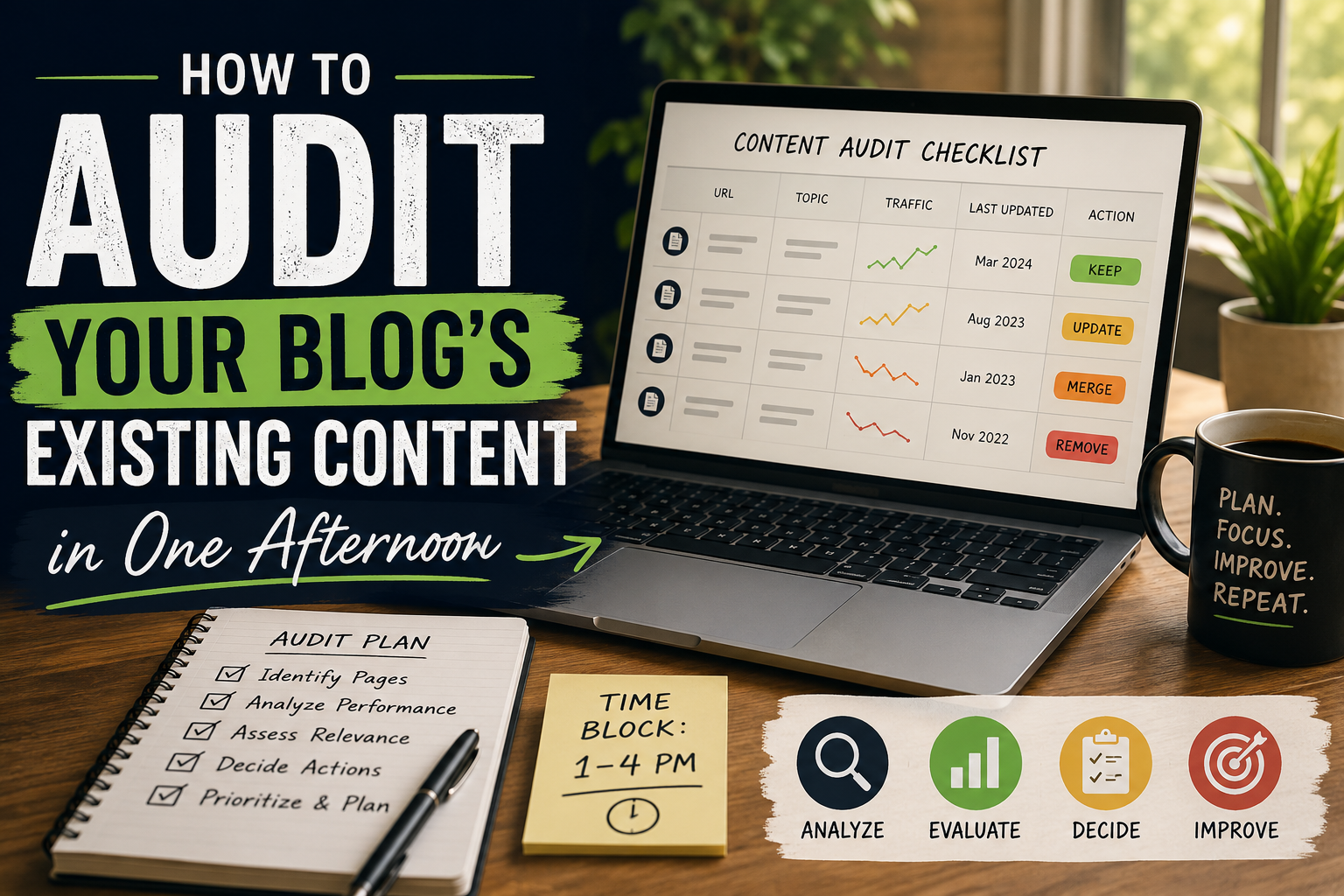
How to Audit Your Blog’s Content in One Afternoon

Most bloggers avoid content audits because the word “audit” sounds like a project involving spreadsheets, consultants, and a headache. It doesn’t have to be. For most blogs under a couple hundred posts, a useful first-pass audit takes an afternoon. The goal of a first audit isn’t perfection. It’s visibility.

This post walks through exactly how to do that first pass: what to look at, what to record, and what decisions to make once you can see your whole blog laid out in front of you.

Why Bother Auditing at All

If you’ve been publishing for a while without a deliberate structure, you likely have posts that overlap, posts nobody links to, and posts that used to rank and quietly stopped. None of that is visible from inside the WordPress dashboard, where posts are just a flat list sorted by date. An audit turns that flat list into a map — which is the prerequisite for building the content clusters discussed previously.

You can’t fix what you can’t see. That’s the case for doing this.

What You’ll Need

A spreadsheet (Google Sheets or Excel is fine)

Access to your site’s analytics (Google Search Console is the most useful source)

An hour or two of uninterrupted time

Every published URL on your blog

That’s it. You don’t need paid tools for a first pass.

Pull a Full List of URLs

Export every blog post URL you have. If your site has a sitemap.xml, that’s the fastest source — most platforms generate one automatically at yoursite.com/sitemap.xml or yoursite.com/post-sitemap.xml. Paste the list into your spreadsheet, one URL per row.

If you don’t have a sitemap, your CMS’s post list (sorted by date, exported or copy-pasted) works fine too.

Add the Basic Columns

For each post, record:

Title

URL

Publish date

Primary topic (your own best guess, one or two words)

Word count (rough estimate is fine)

Last updated (if different from publish date)

This is tedious but mechanical — you’re not making judgment calls yet, just recording facts.

Pull in Performance Data

Open Google Search Console and export the Pages report for the last 12 months. Match it against your spreadsheet by URL and add two more columns:

Clicks (last 12 months)

Average position

This step turns your audit from a content list into a performance map. Posts with high average position but low clicks might have a title or meta description problem. Posts with neither clicks nor decent position are candidates for a rewrite, a merge, or retirement.

Group by Topic

Now the actual audit work begins. Sort your spreadsheet by the “Primary topic” column and look at what clusters naturally. You’re looking for two things:

Groups of 4+ posts that clearly belong together. These are your candidate content clusters

Singletons, posts with no obvious siblings which either need a cluster built around them eventually, or don’t deserve one and should be evaluated on their own merits.

Don’t worry about perfect categorization here. The goal is a rough map, not a taxonomy PhD.

Flag the Problems

As you go through each group, tag posts with one of these flags:

Orphan: no internal links point to this post from anywhere else on the site (check this using a “site:yoursite.com [exact title]” search, or a crawler if you have one)

Overlap: two or more posts in the group are targeting essentially the same keyword or question

Decayed: a post that used to rank well (check older Search Console data if available) but has dropped significantly

Thin: under 500 words, unlikely to be comprehensive enough to be useful as-is

These four flags are the ones worth tracking first. You can add more later, but these four alone will tell you 80% of what’s wrong with an unaudited blog.

Step 6: Make the Calls

With everything tagged, go group by group and make three decisions per cluster:

Which post is the pillar candidate? Usually the longest, broadest, or best-performing post in the group.Which posts need to be merged? Overlapping posts targeting the same query should usually become one stronger post, with the weaker one redirected.

Which posts need new internal links? Any orphan that fits a group gets added to your linking to-do list.

You now have a working map: pillar candidates, cluster members, merge targets, and a linking backlog. That’s a real content strategy, built in an afternoon, from information you already had sitting in your dashboard and Search Console.

What This Looks Like at Scale

This process works cleanly up to maybe 40–60 posts. Past that, the manual grouping step (Step 4) starts to break down because human pattern-matching gets slower and less consistent the more rows you’re staring at. Bloggers with a couple hundred posts often quit the audit around this point, not because it stopped being valuable, but because it stopped being fast.

This is the part of the process most worth automating: reading every post’s content (not just its title), grouping by actual topical similarity rather than a guessed keyword, and flagging orphans and overlaps algorithmically instead of by eye. The judgment calls in Step 6 still benefit from a human decision. But the grouping and flagging in Steps 4 and 5 are exactly the kind of repetitive classification work that doesn’t need to be done by hand past a certain blog size.

What to Do With the Results

Once you’ve got your map, the next posts in this series cover each fix directly: finding and repairing orphaned posts, building a proper pillar page, and deciding how many posts belong in a cluster. Treat this audit as the diagnostic step. Everything downstream depends on having gone through it honestly, even if the results are embarrassing the first time you see your blog laid out end to end.

Posted on

What Is a Content Cluster and Why Your Blog Needs One

If you’ve been blogging for more than a year, you probably have a problem you can’t quite see: your content is scattered. You’ve got fifteen posts that are all sort of about the same thing, written months apart, none of them linking to each other, none of them agreeing on which one is the “main” resource. Google sees this too — and it doesn’t reward it.

The fix has a name: content clustering. It’s one of the highest-leverage things a solo blogger can do to improve rankings without writing a single new word — because it’s not about creating content, it’s about organizing what you already have.

This guide is the foundation for everything else in this series. If you only read one post on content organization, make it this one.

What a Content Cluster Actually Is

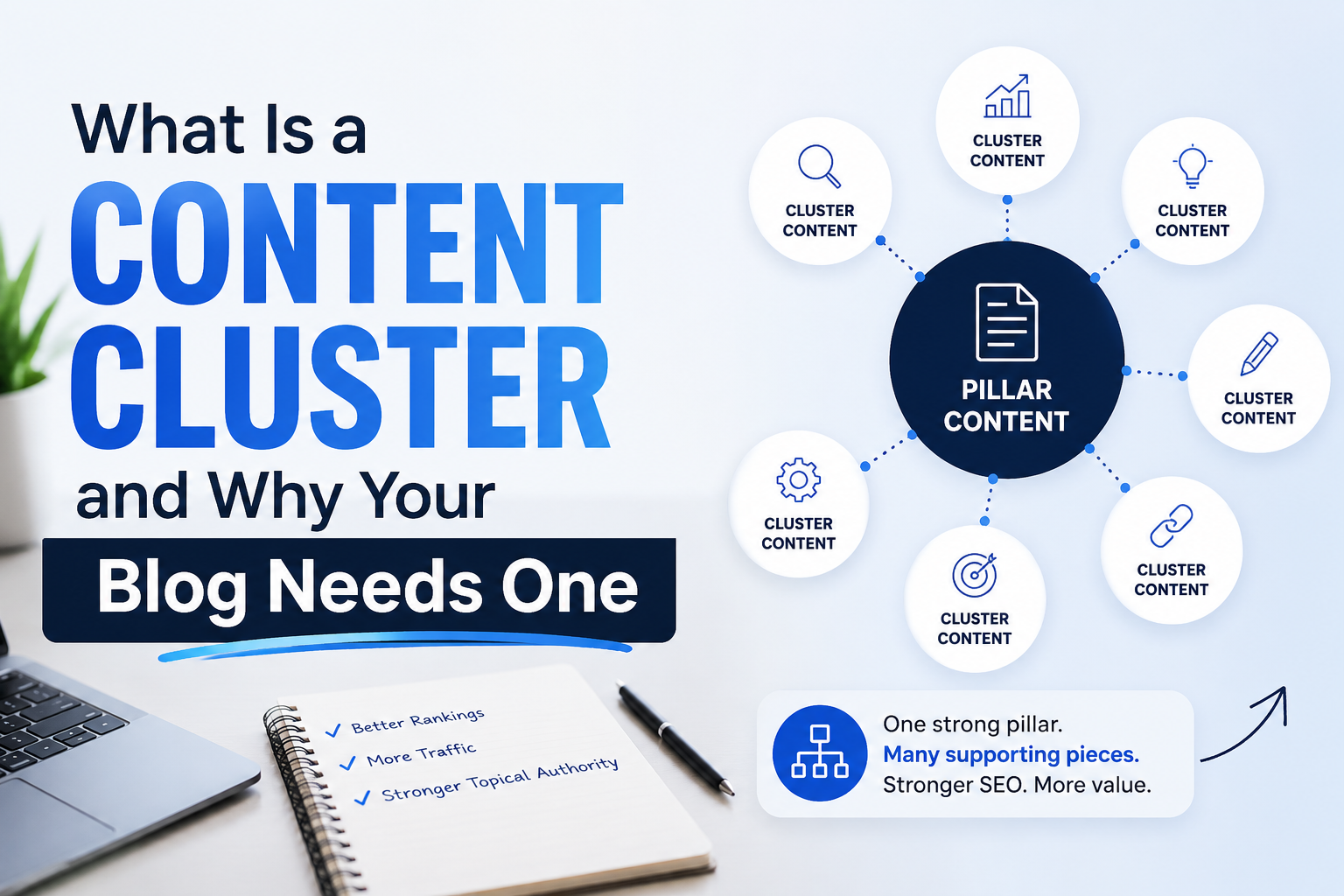
A content cluster is a group of articles that all revolve around one central topic, structured around a single pillar page that acts as the hub.The pillar page covers the topic broadly — think of it as the front door. The supporting posts (“cluster content”) go deep on narrow subtopics, and every one of them links back to the pillar page. The pillar page links out to all of them in return.For example, if your blog covers home coffee brewing, a cluster might look like this:

Pillar page: “The Complete Guide to Brewing Coffee at Home”

Cluster posts: “Pour-Over vs. French Press: Which Is Right for You,” “How to Choose a Grind Size for Every Brew Method,” “Water Temperature and Why It Ruins Your Coffee,” “Best Budget Grinders Under $100”

Each cluster post answers one specific question in depth. The pillar page ties them all together and gives a reader (or a search engine) a clear map of everything you know about the topic.

Why Clusters Matter More Than Individual Posts

Most bloggers think in terms of single posts: write it, publish it, hope it ranks. Clustering shifts the unit of strategy from the post to the topic.

Here’s why that shift matters:

Search engines reward topical depth, not just individual page quality. A single well-written 2,000-word post competing against a site with twelve interlinked posts on the same topic is at a structural disadvantage — even if your post is better written. The site with the cluster has demonstrated comprehensive coverage. Google’s ranking systems increasingly look at a domain’s overall authority on a topic, not just the merits of one URL.

Internal links distribute authority. When your pillar page links to ten supporting posts, and those posts link back, you’re passing ranking signal around your own site instead of leaking it. A page with zero internal links pointing to it is much harder to rank, no matter how good the writing is.

Readers stay longer. A visitor who lands on your pour-over guide and finds a clear link to “grind size for every brew method” is far more likely to click through and read a second page than one who hits a dead end. Session duration and pages-per-visit are behavior signals that correlate with better rankings, and clusters are the most natural way to generate that behavior.

It reveals what you’re missing. Once you group your existing posts into clusters, gaps become obvious. Maybe you have six posts about grind size and none about water temperature — an easy, high-value post to write next, because you already know it fits into an existing structure.

What Happens Without Clustering

Unclustered blogs tend to develop the same set of problems over time, usually invisibly:

Orphaned posts — pages with no internal links pointing to them at all, effectively invisible to both readers and search engines except through direct search

Cannibalization — two or three posts competing for the same keyword, splitting ranking signal between them instead of consolidating it into one strong page

Redundant coverage — the same subtopic covered shallowly in three different posts instead of thoroughly in one

No clear “best” page — when a reader searches your site for a topic, there’s no obvious single resource to point them toIf any of that sounds familiar, don’t worry — it’s the default state of almost every blog that’s been running for a while without a deliberate content strategy. The point of this guide isn’t to make you feel behind. It’s to show you the fix is mostly reorganization, not new writing.

How to Identify Your Existing Clusters

Before you build anything new, take stock of what you already have. This is a content audit, and it doesn’t require special tools to start — just a spreadsheet and an hour.

List every published post with its URL, title, and primary topic.

Group posts by broad theme. Don’t overthink the categories at this stage — five or six buckets is usually enough to start.

Look for natural pillar candidates. Within each group, is there one post that’s broader, more comprehensive, or already ranking better than the others? That’s your pillar candidate.

Flag orphans. Any post that doesn’t obviously belong to a group, or has no internal links pointing to it, gets flagged for a decision: fold it into a cluster, rewrite it, or retire it.

Flag overlaps. Multiple posts targeting near-identical keywords should be marked for merging or differentiation.

Doing this manually for a blog under 50 posts is very doable in an afternoon. Past that, it starts to get tedious — which is exactly the kind of repetitive pattern-matching work that’s well suited to being automated, since the task is really just reading every post and classifying it by topic, links, and overlap.

Building a Cluster From Scratch

If you’re starting a new topic area rather than reorganizing an old one, build it deliberately, in this order:

Step 1: Choose the pillar topic. Pick something broad enough to have 5–10 natural subtopics, but narrow enough to be genuinely useful — not “coffee” but “brewing coffee at home.”

Step 2: Map the subtopics before you write. List every question a reader would reasonably have after reading the pillar page. Each one is a candidate cluster post.

Step 3: Write the pillar page last, or plan to revise it. It’s tempting to write the pillar first, but pillar pages work best when they’re written (or rewritten) after you know exactly what the supporting posts cover, so the internal links feel natural rather than forced.

Step 4: Link deliberately, not automatically. Every cluster post should link to the pillar in the first or second paragraph, not buried in a “related posts” widget at the bottom. Every pillar section should link to its corresponding cluster post the first time that subtopic is mentioned.

Step 5: Revisit the cluster periodically. Clusters aren’t a one-time project. New subtopics emerge, old posts decay, and competitors publish new angles. Treat each cluster as a living structure you maintain, not a checklist you complete once.

A Common Mistake: Clustering by Category, Not by Intent

A lot of bloggers assume their existing WordPress categories are their clusters. They usually aren’t. Categories are often built around internal logic (how you think about your content) rather than search intent (how readers think about their problem).

A better test: does this group of posts answer a single, coherent question a real person would type into Google? “Coffee” is a category. “How do I brew good coffee at home without expensive equipment” is a cluster.

How Big Should a Cluster Be?

There’s no fixed number, but a useful range for most solo bloggers is 5 to 12 supporting posts per pillar. Fewer than five and the pillar page probably doesn’t need its own hub yet — just fold the content together. More than twelve and you likely have two clusters pretending to be one; look for a natural split point.

The Payoff

Once a cluster is built, it tends to compound. New posts have an obvious home. Old posts get a second life through fresh internal links. Readers explore more of your site per visit. And when you eventually decide to update or refresh content, you’re updating a structure instead of hunting through years of scattered, disconnected posts.

This is also the exact problem an AI-assisted content audit is good at solving at scale — reading every post on a blog, grouping them by topic, spotting orphans and overlaps, and proposing a cluster structure automatically. Doing it by hand works fine for 30 posts. It stops being fun around post 150.

The rest of this series digs into the mechanics: how to run a content audit, how to fix orphaned posts, how to build a pillar page that actually ranks, and how to decide how many posts belong in a cluster. Start with an honest inventory of what you have — everything after that gets easier once you can see the shape of your own site clearly.

Posted on

What Is Keyword Cannibalization (And Why Bloggers Should Slow Down)

If you’ve been blogging for a while and your traffic has started to plateau or even decline despite publishing more content, keyword cannibalization might be the culprit. It’s one of the sneakiest SEO problems out there, because it isn’t caused by writing badly. It’s caused by writing too much about the same thing.

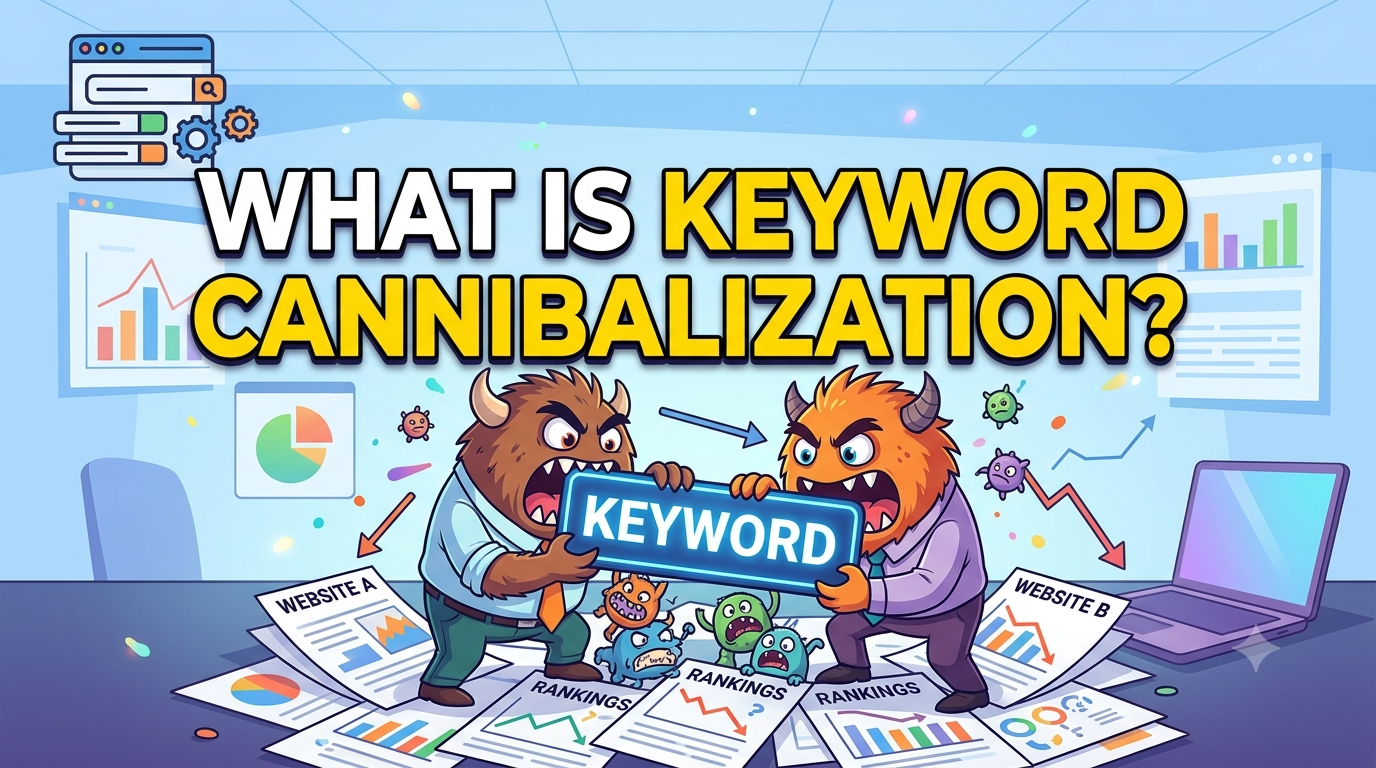
Keyword cannibalization happens when two or more pages on your website are trying to rank for the same keyword or search intent. Instead of one strong, authoritative page competing for that search term, you end up with several weaker pages competing against each other. Search engines like Google have to decide which of your pages is the most relevant answer, and when the signals are split across multiple URLs, none of them tends to perform as well as a single consolidated page would. Your own content becomes its own biggest competitor.

This often happens gradually and without anyone noticing. A blogger writes an article about “how to start a vegetable garden,” and a few months later writes another one about “beginner’s guide to growing vegetables at home.” The topics feel different enough at the time, but to a search engine, they’re answering nearly the same question. Over time, a blog can accumulate dozens of these near-duplicate posts, each one diluting the ranking potential of the others. Rather than one page climbing steadily up the search results, several pages hover in mediocre positions, none of them ever breaking through.

This is also why publishing more articles isn’t always the growth strategy it appears to be. There’s a common assumption that more content automatically means more visibility, but content volume without a clear content strategy tends to backfire. Every new article needs to serve a distinct purpose and target a distinct intent. When bloggers chase volume for its own sake, whether to fill a content calendar or capture every possible variation of a keyword, they end up fragmenting their authority instead of building it. Search engines also have limited crawl budget and patience for sites that seem repetitive, which can hurt how efficiently new content gets indexed and evaluated in the first place.

There’s a reputational cost too. A blog with fifteen overlapping articles on nearly the same subject reads as unfocused to actual visitors, not just to algorithms. Readers land on a page, sense that it’s thin or redundant, and bounce, which sends further negative signals about the quality of the page. A single, comprehensive, well-organized article on a topic tends to earn more trust, more backlinks, and more shares than five scattered ones ever could.

The fix isn’t to stop writing. It’s to write with intention. Before publishing a new post, it helps to check whether an existing article already covers similar ground. If it does, the better move is often to expand and improve that existing page rather than create a new one, or to sharpen the angle so the new post targets a genuinely different question or audience. Auditing an existing blog for overlapping content and merging or redirecting weaker pages into a stronger one can also recover lost rankings surprisingly quickly.

Ultimately, keyword cannibalization is a reminder that in SEO, depth usually beats sheer output. A smaller blog with a handful of authoritative, well-targeted articles will often outperform a sprawling one where every post is quietly competing with its neighbors for the same spot in search results.

Posted on

Evergreen Content: What It Is and Why Your Site Needs It

There is a kind of writing that refuses to age. It does not expire when the news cycle moves on, and does not become an embarrassing relic of a moment that has passed. This is evergreen content, and it is the quiet engine behind nearly every successful content strategy.

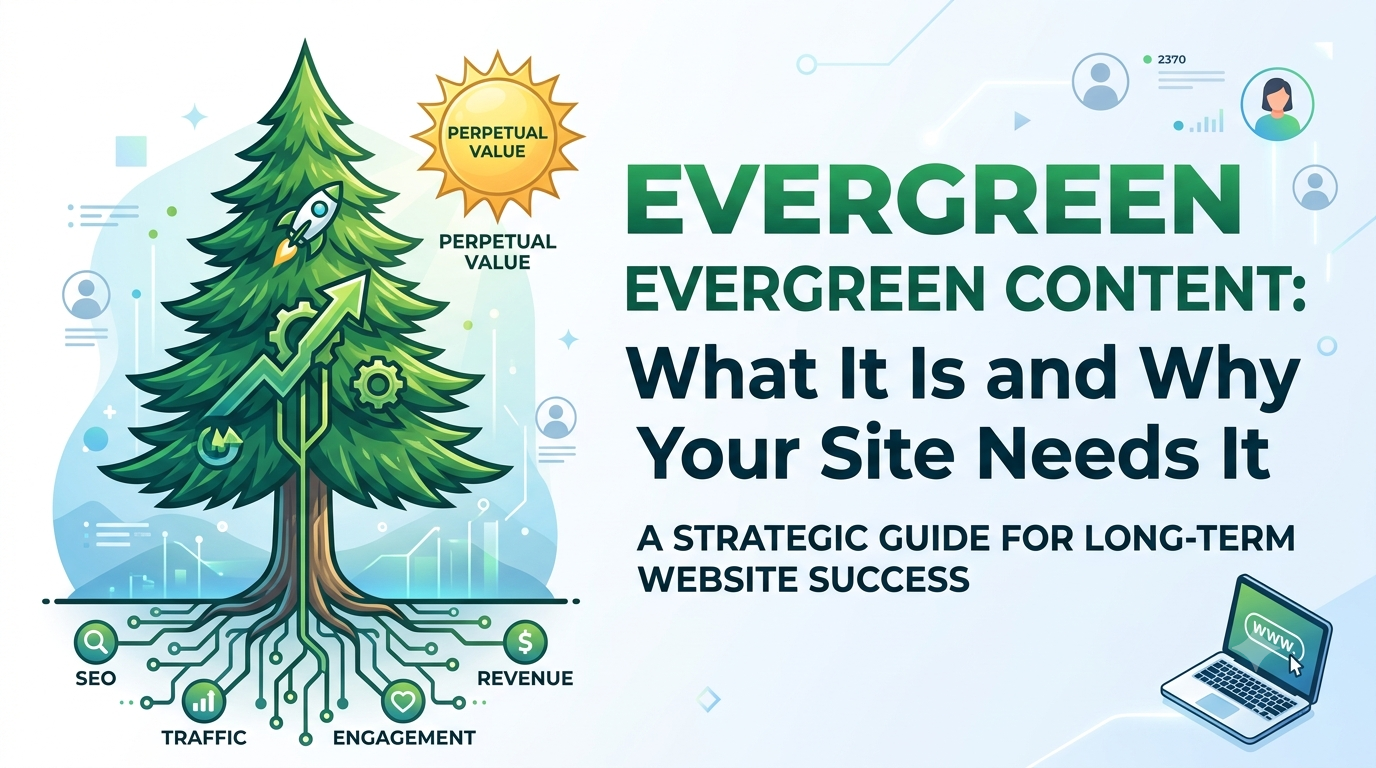
Evergreen content is information that remains relevant and useful long after it is published. It answers questions that people will still be asking in five years, or ten, or twenty. A guide to changing a flat tire is evergreen. A news article about yesterday’s stock market crash is not. A tutorial on how to boil an egg is evergreen. A commentary on this season’s fashion trends is not. The distinction is not about quality or depth. It is about time, and whether the passage of time destroys the value of what has been written.

The reason this matters is simple. Most content on the internet is born, lives briefly, and then dies. A breaking news story might attract a surge of traffic today and almost none tomorrow. A reaction to a viral meme might feel clever now and painfully dated in a month. Evergreen content, by contrast, accumulates. It sits quietly in search results, drawing in readers month after month, year after year. It does not require constant feeding. It works while you sleep.

Search engines love this kind of material because search engines exist to answer questions, and many of the questions people ask are timeless. Someone in 2010 wanted to know how to write a resume. Someone in 2026 wants to know the same thing. Someone in 2040 will want to know it too. If your article answers that question well, it can attract traffic for decades with only minor updates. This is the compounding interest of the content world. Small effort now, outsized return later.

Creating evergreen content demands a shift in mindset. The writer must resist the temptation to be current and instead choose to be useful. This means focusing on fundamentals rather than fads. It means explaining how something works rather than reacting to the latest development. It means choosing topics where the underlying truth is stable, even if the surface details change. The principles of healthy eating do not change much, even if the specific diet books do. The basics of personal finance do not change much, even if the economic headlines do.

That said, evergreen does not mean frozen. The best evergreen pieces are maintained. A tutorial on using software might need updating when the interface changes. A guide to legal procedures might need revising when the law shifts. But the core structure, the core question, and the core value remain intact. The content ages gracefully, like a well-built house that needs fresh paint rather than a complete rebuild.

Businesses that understand this build libraries, not newsrooms. They invest in comprehensive guides, detailed explainers, and foundational resources that serve their audience for the long haul. They recognize that one exceptional evergreen article can generate more lifetime value than a hundred fleeting posts combined. The traffic is steadier. The audience is more aligned. The conversion is higher because the reader arrived with a genuine question, not a passing curiosity.

The discipline of evergreen content is the discipline of patience. It does not deliver instant gratification. A viral hit might give you a million views in a day. An evergreen guide might give you a hundred views a day for ten years. The math favors the latter, but the latter requires faith. You must believe that usefulness outlasts novelty, that depth defeats speed, and that the questions people care about most are the ones that never go away.

So when you sit down to write, ask yourself whether anyone will care about this in five years. If the answer is no, you are writing for the moment. There is a place for that, but it is a different game with different rules. If the answer is yes, you are writing for the long term. You are planting a tree that will shade readers you will never meet, answering questions for people who have not yet learned to ask them. That is evergreen content. It is not the loudest voice in the room. It is the one that never stops speaking.

Posted on

What Is Seo? – Basic WordPress SEO

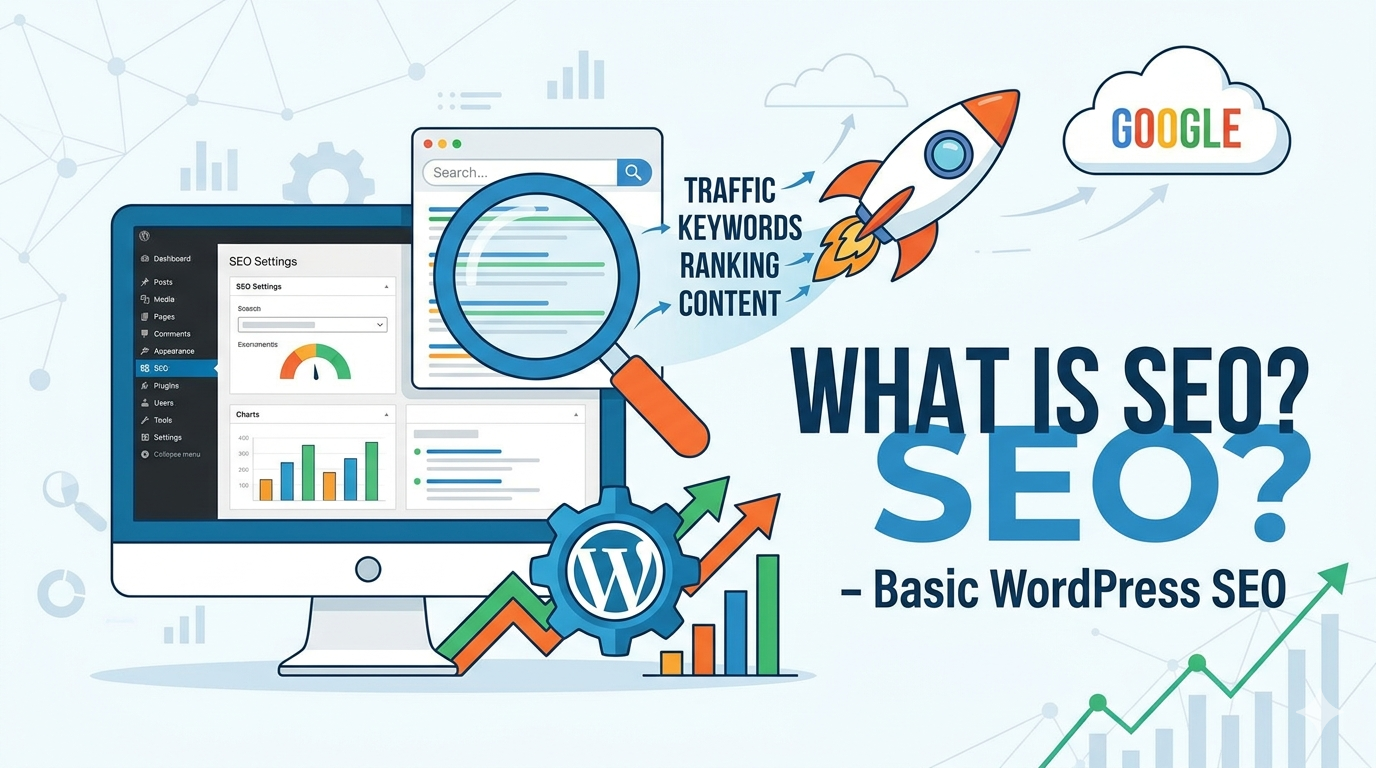
Search Engine Optimization is the practice of improving your website so that it appears higher in the results pages when people search for relevant terms on Google, Bing, or other search engines. At its core, SEO is about making your content discoverable and valuable to both search engines and human readers. Search engines use automated programs called crawlers to browse the web, index pages, and rank them based on hundreds of factors including relevance, authority, and user experience.

For a WordPress site, the foundation of good SEO starts with your hosting and site speed. A slow website frustrates visitors and signals to search engines that your site provides a poor user experience. Choose a reputable host, optimize your images before uploading them, and consider using a caching plugin to serve pages faster. WordPress makes this relatively straightforward through its plugin ecosystem, but the principle remains that performance matters.Your WordPress theme also plays a significant role in SEO. A well-coded, lightweight theme that follows semantic HTML standards helps search engines understand your content structure. Avoid themes bloated with unnecessary scripts and animations that add no value to your readers. The structure of your site should be logical, with clear navigation that allows both users and crawlers to find your most important pages within a few clicks.

Content remains the most critical element of any SEO strategy. When you write a blog post or page in WordPress, focus on creating genuinely useful information that answers the questions your audience is asking. Before writing, think about what someone might type into a search bar to find your content. These phrases are your keywords, and while you should not stuff them awkwardly into every sentence, they should appear naturally in your title, opening paragraph, and throughout the text where relevant. WordPress allows you to set a custom permalink structure, and you should use this to create clean, descriptive URLs that include your target keyword rather than random numbers and characters.

On-page optimization in WordPress involves several elements you control directly within each post or page. Your title tag, which appears in search results as the clickable headline, should be compelling and include your primary keyword near the beginning. The meta description, though not a direct ranking factor, influences whether someone clicks through to your site, so write it as a concise advertisement for your content. Use header tags to structure your content hierarchically, with one main heading followed by subheadings that break your text into scannable sections. This not only helps readers but also helps search engines understand the topical flow of your article.

Images enhance your content but can harm your SEO if not handled properly. Every image you upload to WordPress should have a descriptive file name rather than a string of numbers. Fill in the alt text field with a brief, accurate description of what the image shows, incorporating a keyword only if it fits naturally. This practice improves accessibility for visually impaired users and gives search engines context about your visual content.

Internal linking is a powerful but often overlooked aspect of WordPress SEO. When you publish a new article, look for opportunities to link to relevant older posts within your site, and update existing content to reference your new work. This distributes authority throughout your site and keeps visitors engaged longer. WordPress makes this easy with its link insertion tools, but the strategy requires intentional thinking about how your content relates thematically.

Mobile responsiveness is no longer optional. The majority of searches now happen on mobile devices, and Google uses mobile-first indexing, meaning it primarily evaluates the mobile version of your site. Most modern WordPress themes are responsive by default, but you should always preview your content on multiple devices to ensure text is readable without zooming, buttons are easily tappable, and images scale appropriately.

Security and trust signals matter for SEO as well. Search engines prefer secure websites, so ensure your WordPress site uses HTTPS rather than HTTP. Your hosting provider can help you obtain and install an SSL certificate, often at no additional cost. Regularly update your WordPress core, themes, and plugins not only to protect against vulnerabilities but also to maintain site stability, as hacked or malfunctioning sites quickly lose search visibility.

Building authority takes time and extends beyond your website itself. When other reputable sites link to your content, search engines interpret this as a vote of confidence. Focus on creating content so valuable that others naturally want to reference it. Guest posting on relevant industry blogs, participating in genuine community discussions, and building relationships with other content creators can earn you quality backlinks. Avoid the temptation to buy links or participate in link schemes, as these practices violate search engine guidelines and can result in severe penalties.

Finally, understand that SEO is a long-term commitment rather than a one-time task. Search algorithms evolve, competitor landscapes shift, and your own content ages. Use tools like Google Search Console to monitor how your WordPress site performs in search results, identify which queries bring you traffic, and spot technical issues that need attention. Google Analytics or privacy-focused alternatives can show you how visitors behave once they arrive, revealing which content resonates and where you might be losing potential customers.

Success with WordPress SEO comes from consistently applying these fundamentals while remaining patient. No plugin can replace the need for quality content and genuine user value, but WordPress provides an excellent framework for implementing sound SEO practices without needing to write code. Start with the basics, measure your progress, and refine your approach as you learn what works for your specific audience and niche.

Posted on

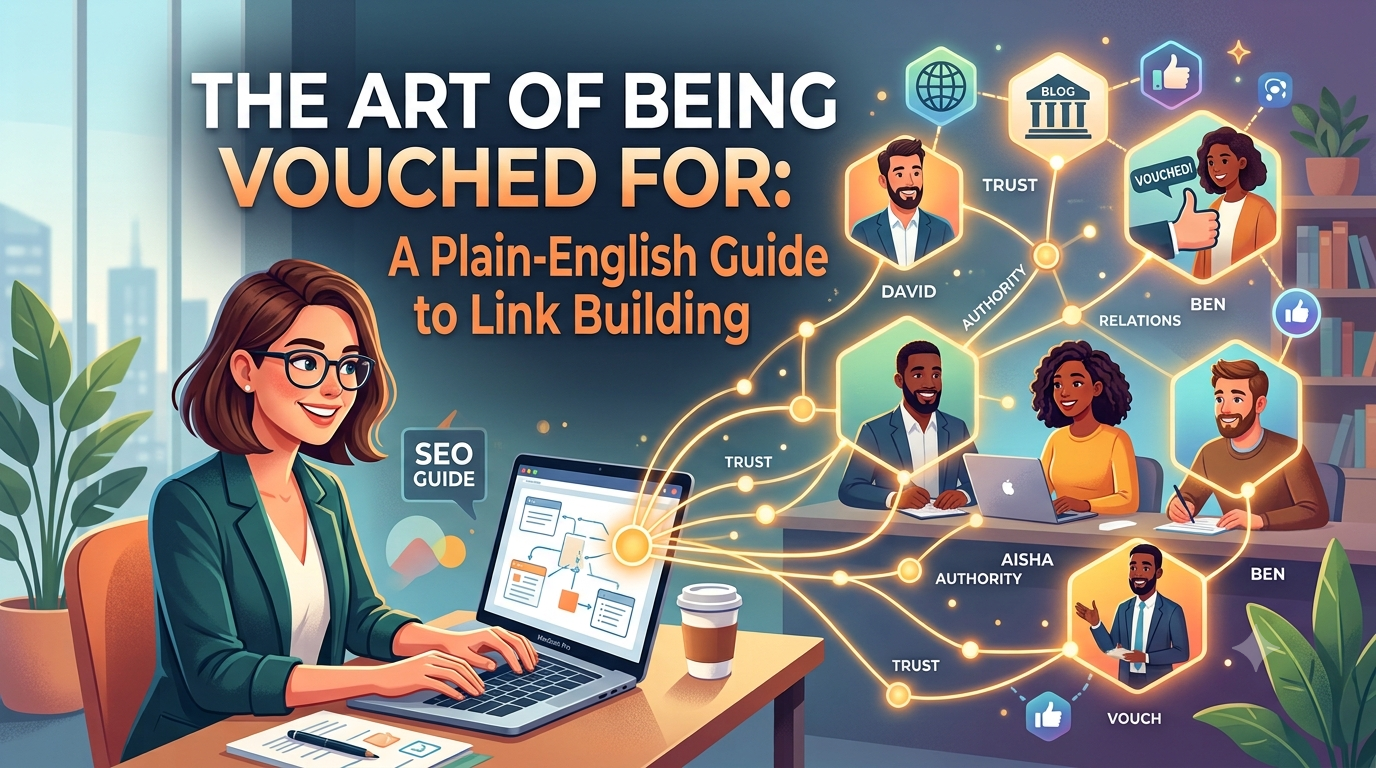
The Art of Being Vouched For: A Plain-English Guide to Link Building

Imagine you’ve just moved to a new city and you’re looking for a good dentist. You could scroll through a directory of every dental practice in town, or you could ask three people you trust for a recommendation. Most of us would choose the recommendation. A trusted person vouching for someone else carries more weight than any self-description ever could. Link building is, at its heart, the digital version of that same process — and understanding it could be one of the most valuable things you do for your business.

What Link Building Actually Is

When another website includes a hyperlink that points to your website, that link is called a backlink. Link building is the practice of earning, cultivating, and sometimes actively pursuing those backlinks from other sites across the internet.

Search engines like Google have, since their earliest days, treated these incoming links as votes of confidence. The reasoning is straightforward: if a reputable, well-regarded website links to your page, it is implicitly telling its own readers — and the search engine — that your content is worth their time. The more of these votes you accumulate, particularly from sources that are themselves trusted and authoritative, the more credible your own site appears in the eyes of the algorithm.

This credibility directly influences where your website appears in search results. A business with many high-quality backlinks will, all else being equal, rank higher for relevant search terms than a business with few or none. And higher rankings mean more people finding you when they’re actively looking for what you sell.

Why It Matters If You’re Selling Something

If you’re promoting a product or a service, visibility is everything. You could have the finest product in your category, priced fairly, presented beautifully — and it means nothing if the people who want it can’t find you. Most people begin their search for a product or service with a search engine, and most of those people click on results from the first page. If you’re not there, you’re functionally invisible to a vast portion of your potential customers.This is why businesses invest in search engine optimisation, and link building is one of the most powerful levers within that discipline. It’s the difference between a shop on a busy high street and the same shop tucked down an alley with no signs. The product might be identical. The foot traffic won’t be.

Beyond raw search rankings, links from respected websites carry their own direct value. When a well-known industry publication, a popular blog, or a trusted review site links to your business, their audience follows. Those readers arrive at your site already primed to take you seriously, because a source they already trust has pointed them your way. That warm introduction is something paid advertising rarely achieves as naturally.

The Difference Between a Good Link and a Bad One

Not all backlinks are created equal, and this is where many businesses go wrong. A link from a major newspaper, a respected trade journal, or a widely-read blog in your industry is worth far more than a hundred links from obscure, low-quality directories that exist purely to host links. Search engines are sophisticated enough to tell the difference, and they reward accordingly.

Worse, certain link-building practices can actively harm your rankings. Buying links in bulk, participating in link schemes, or stuffing your brand into irrelevant comment sections are tactics that search engines have become adept at detecting and penalising. What looks like a shortcut often turns out to be a trap. The businesses that build lasting search presence do so through links they genuinely earned — by producing content worth referencing, by building relationships with people in their industry, and by offering real value that others want to share.

How Businesses Actually Build Links

The most durable link-building strategy is also the most intuitive: create things that deserve to be linked to. This means writing articles that answer questions your customers are genuinely asking. It means publishing research or data that other people in your field will want to cite. It means producing guides, tools, or resources useful enough that bloggers and journalists naturally reach out to them when writing about your topic.

Beyond content, relationships matter enormously. Guest writing for industry publications, being quoted as an expert source in relevant articles, collaborating with complementary businesses on shared projects, and earning coverage through genuine public relations work are all ways that links accumulate organically over time. None of it is fast, and none of it is guaranteed — but all of it compounds. Every quality link you earn makes the next one slightly easier to get, because your site becomes more credible with each one.The Long GameLink building is not a campaign with a start and end date. It’s an ongoing commitment to building your reputation on the internet the same way you’d build it anywhere else — by doing good work, being visible in the right conversations, and earning the trust of people whose trust is worth having.

For anyone serious about promoting a product or service in the long term, this is not optional background noise. It is one of the fundamental pillars of being findable by the people who are already looking for exactly what you offer. The businesses that treat it seriously, and invest in it patiently, tend to find that search becomes one of their most reliable and cost-effective sources of new customers. The ones that ignore it often find themselves perpetually dependent on paid advertising — paying for attention that a well-built reputation would have delivered for free.The internet is not so different from any other community. People follow recommendations. Authority is earned. And the businesses that others point to with confidence are the ones that thrive.

Posted on

Why Writing More SEO Content Will Do More for Your Traffic Than Social Media Ever Will

There is a temptation, especially for newer webmasters, to pour energy into social media. The feedback is immediate, the audience feels tangible, and the platforms are designed to make you feel like you are making progress. But if your goal is sustainable, compounding traffic to your website, the hard truth is that most social media activity is closer to running on a treadmill than building a road. SEO content, on the other hand, is infrastructure. And infrastructure lasts.

The Fundamental Difference: Rented Attention vs. Owned Traffic

When you post on Instagram, X, or LinkedIn, you are borrowing an audience. The platform owns the relationship, controls the algorithm, and can change the rules at any time — and they do, constantly. Organic reach on most major platforms has been declining for years as they push creators toward paid promotion. Even when a post performs well, the traffic spike is sharp and brief. Within 24 to 48 hours, most social posts are effectively dead, buried under the avalanche of new content from the millions of other accounts competing for the same eyeballs.

An SEO article is different in kind, not just degree. Once a well-optimized piece of content earns its ranking, it can generate consistent traffic every single day — for months or even years — without you touching it again. The effort you put in today does not expire next Tuesday. It compounds.

Search Intent Is the Most Valuable Traffic on the Internet

People who find your site through a Google search are not passively scrolling. They typed something into a search bar because they wanted an answer, a product, or a solution. That intent makes them vastly more likely to engage, subscribe, or buy compared to someone who saw your post in a social feed while they were killing time. Organic search visitors consistently outperform social visitors on almost every metric that actually matters: time on page, bounce rate, conversion rate, and return visits.

When you write a thorough, well-researched article targeting a specific search query, you are essentially setting a trap in exactly the right place for the exact right person at exactly the right moment in their decision-making process. No social post can replicate that precision.

The Compounding Effect That Social Media Cannot Match

The most powerful argument for investing in SEO content is mathematical. Imagine you write two articles a week for a year. Some will rank well, some won’t, but the ones that do will keep earning traffic indefinitely. By the end of that year, you might have 50, 60, or 80 pages working for you around the clock. Each one is a separate entry point into your website, a separate trap laid for a separate audience.

Social media does not work this way. Two posts a week for a year gives you 104 posts that are essentially all dead. The cumulative value of past social posts trends toward zero over time. The cumulative value of past SEO content trends upward. That asymmetry becomes enormous over a three to five year horizon, and it is the reason why sites with serious SEO strategies eventually start to feel unstoppable — they have hundreds of pages generating small but steady streams of traffic that add up to something huge.

Social Media Has a Role, But It Is a Supporting One

None of this means you should abandon social media entirely. It serves real purposes: building brand awareness, warming up audiences, distributing content to people who already follow you, and occasionally earning the kind of social shares that generate backlinks, which in turn help your SEO. But the key word there is “supporting.” Social media works best as a distribution channel for your SEO content, not as a traffic strategy in its own right.The mistake most webmasters make is treating social posting as a substitute for content creation rather than a complement to it. They spend three hours a week crafting tweets and reels, and one hour writing articles, when the return on investment strongly argues for the opposite ratio.

The Long Game Almost Always Wins

SEO is not fast. It requires patience, consistency, and a tolerance for delayed gratification that social media has trained people out of. You may write excellent content for six months before you see significant results, and that lag can feel discouraging when your Instagram post got 200 likes yesterday.

But those 200 likes did not send 200 people to your website, did not put 200 email addresses on your list, and will not send anyone to your website six months from now. The SEO article you published in January that finally hits page one in July will still be sending you traffic in the following year and beyond. That is the trade-off, and once you truly internalize it, the choice of where to spend your time becomes much clearer.Build the asset. Write the content. The traffic will follow — and unlike social traffic, it will stay.

Posted on

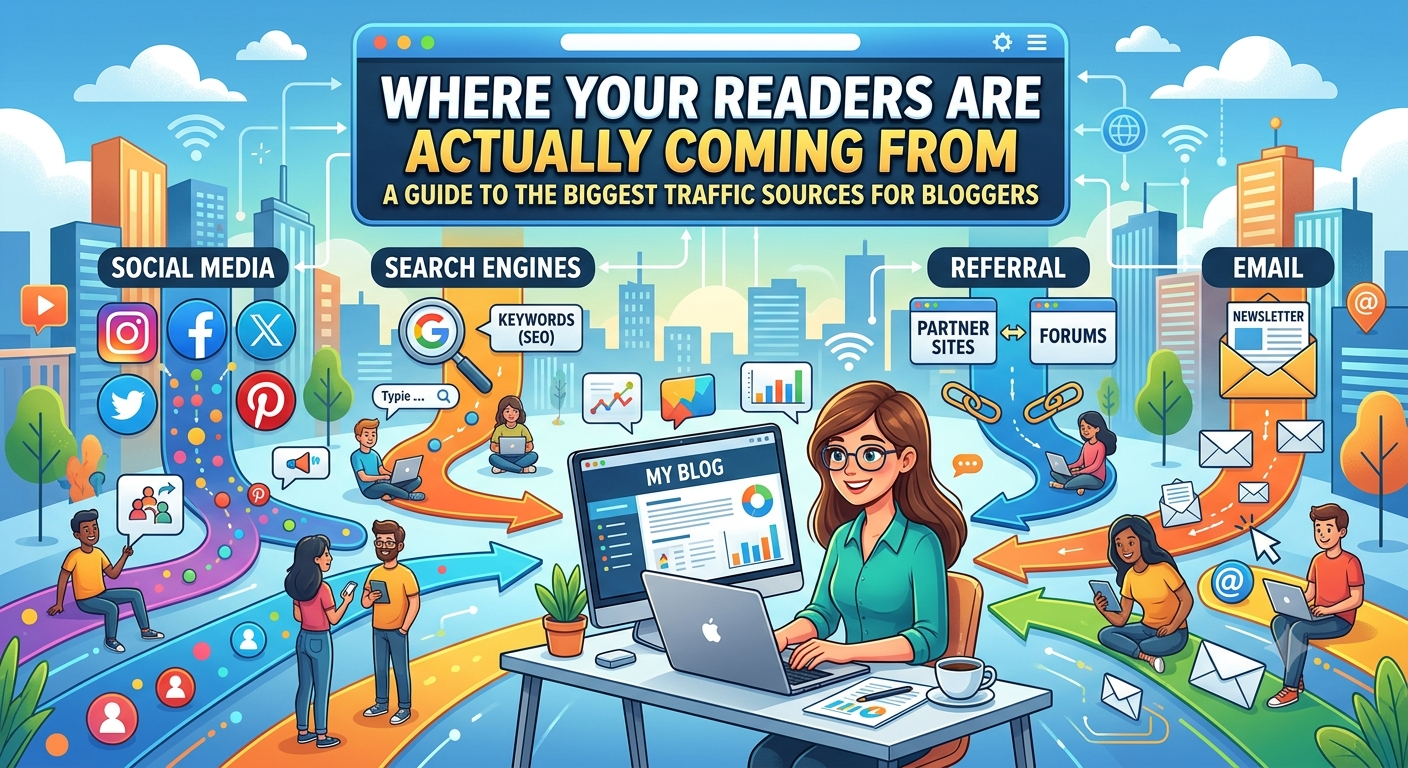
Where Your Readers Are Actually Coming From: The Biggest Traffic Sources for Bloggers

Starting a blog or website is the easy part. Getting people to actually show up? That’s where aspiring creators get stuck. The internet is vast, and the path from publishing your first post to building a consistent audience can feel overwhelming. But here’s the truth: the majority of meaningful web traffic flows from a small number of well-established channels. Understanding where those channels are and how they work is the most important strategic advantage a new blogger can have.

Search Engines: The Long Game That Pays Forever

Organic search traffic from Google, Bing, and other search engines is the holy grail for most website owners, and for good reason. When someone types a question into a search engine and your article appears in the results, that click costs you nothing. Unlike paid advertising, it doesn’t stop the moment you run out of budget. Unlike social media, it doesn’t disappear into a feed within hours. A well-optimized post can continue driving traffic for months or even years after it’s published.

The discipline behind earning this traffic is called Search Engine Optimization, or SEO, and it revolves around understanding what your target audience is searching for and creating content that genuinely answers those questions better than anyone else. This means researching the exact phrases and questions people type into search bars — known as keywords — and structuring your content around them. It also means earning credibility in the eyes of search engines by accumulating backlinks, which are links from other reputable websites pointing to yours.

The catch, and it’s an important one, is that organic search traffic takes time to build. A new website has no authority in the eyes of Google. It can take anywhere from three to twelve months before you begin seeing meaningful search traffic. This is why so many new bloggers get discouraged and quit before they ever see results. But for those who stay patient and keep publishing quality content, organic search becomes the most scalable and sustainable traffic source available.

Social Media: Fast Reach, Short MemorySocial media platforms represent a very different kind of traffic engine. Where search is slow and durable, social is fast and fleeting. A post on Instagram, X (formerly Twitter), Pinterest, Facebook, or LinkedIn can drive a spike of visitors to your site within hours — but that traffic often fades just as quickly as the post moves down the feed.

That said, social media is far from irrelevant for bloggers. Pinterest in particular functions more like a visual search engine than a traditional social platform, and content on Pinterest can continue circulating and driving clicks for years, making it unusually valuable for bloggers in lifestyle, food, home decor, and travel niches. Facebook Groups remain a powerful way to connect with highly specific communities and share your work with people who are genuinely interested in your topic. And Instagram and TikTok, while they don’t always drive direct clicks, build brand awareness and audience loyalty that can translate into long-term readership.

The key to making social media work for your blog is to choose one or two platforms where your audience actually spends time, rather than trying to maintain a presence everywhere at once. Spreading yourself thin across every platform is a recipe for burnout and mediocre results on all of them.

Email: The Traffic Source You Own

Of all the traffic sources available to bloggers, email is the only one that truly belongs to you. Your social media following can be decimated overnight by an algorithm change. Your search rankings can drop after a Google update. But your email list is yours — a direct line to readers who have explicitly said they want to hear from you.

When you send a newsletter, you’re not competing with an algorithm or hoping that a platform decides to show your content to your followers. You’re landing directly in someone’s inbox. The click-through rates from email newsletters consistently outperform social media by a significant margin, and email subscribers tend to be a blogger’s most engaged, most loyal readers.

Building an email list should be a priority from day one, not something you think about after you’ve already grown an audience. Offering a lead magnet — a free resource, checklist, or mini-course in exchange for an email address — is one of the most effective ways to accelerate list growth. Even a small, engaged email list of a few hundred subscribers can be more valuable than tens of thousands of social media followers who scroll past your posts without clicking.

Referral Traffic: The Power of Other People’s Audiences

Referral traffic comes from other websites linking to yours. This could be a blogger in your niche mentioning your article, a journalist citing your research, or a popular forum thread where someone shared your post. Each of these links sends readers your way and, as a bonus, also signals to search engines that your content is worth paying attention to — which helps your SEO at the same time.

Building referral traffic requires you to step outside the walls of your own website and become part of a broader conversation. Guest posting on established blogs in your niche is one of the most reliable strategies. By contributing a high-quality article to a site that already has an audience, you get your name and your work in front of new readers who might then follow you back to your own site. Podcast appearances, collaborations with other creators, and simply being mentioned in relevant roundup posts all contribute to this stream of incoming readers.

The relationships you build with other bloggers and content creators in your space are often what make the difference between a site that slowly gains momentum and one that stays invisible for years.

Direct Traffic: The Mark of a Real Brand

Direct traffic is the purest signal that you’ve built something people genuinely value. These are your true fans, the readers who don’t need a search engine or a social media algorithm to remind them you exist.

Direct traffic tends to grow slowly in the early days, but it compounds over time. Every reader who has a memorable experience on your site, who saves your URL, who tells a friend about your work becomes a small, self-renewing traffic source. Nurturing this kind of loyalty requires consistent quality, a distinctive voice, and a site that’s genuinely worth returning to.

The bloggers and website owners who build lasting audiences don’t usually bet everything on a single traffic source. They play the long game with SEO while using social media to create immediate visibility. They build an email list from the start and nurture it carefully. They invest in relationships with other creators and look for opportunities to reach new audiences through referrals and collaborations.

No single channel will grow your site on its own. But together, these sources create a diversified traffic foundation that’s resilient and ultimately unstoppable.