Posted on

Turning Your Blog Posts Into YouTube Videos: A Look at the Software Making It Possible

If you have spent years building up a library of blog posts, you already have something most video creators lack: a backlog of research, structure, and proven ideas. What you may not have is the time or equipment to turn that writing into video. Fortunately, a growing category of AI-powered software now exists specifically to bridge that gap, converting a blog post into a narrated, visually edited video ready for YouTube in a fraction of the time traditional production would take.

The basic idea behind these tools is simple. You provide a blog post, either by pasting the URL or the raw text, and the software analyzes the content to extract the core narrative. From there it writes or rewrites the material into a script suited for spoken delivery, generates a voiceover using synthetic speech, and pairs each section with matching visuals pulled from stock footage libraries or AI-generated imagery. The result is a complete video with captions, transitions, and often background music, produced without a camera, microphone, or editing timeline ever touching your hands.

Pictory is one of the more established names in this space. Its URL to Video feature lets you drop in a link to any blog post, after which the AI extracts the content, builds a script, and matches visuals scene by scene before adding captions and narration. It is designed with repurposing in mind, allowing the same source material to be exported for YouTube, LinkedIn, and other platforms with minimal extra effort, and it tends to perform especially well on longer, more detailed posts where its summarization strengths come through.

Descript takes a somewhat different approach, leaning on its AI Script Rewriter to reshape blog text into a video-ready script that you can then adjust for tone, length, and style before moving into production. It suits people who want more hands-on control over the transformation from written word to spoken script, since you can guide the rewriting process conversationally rather than accepting a single automated pass.

InVideo AI is often recommended once you are ready to move beyond simple slideshow-style output. It generates narrated, YouTube-ready videos directly from a blog link, selecting AI-driven footage relevant to the content and adding voiceover, music, and transitions automatically. Many creators treat it as the natural next step after starting with something simpler like Lumen5, which is frequently cited as an easy on-ramp for bloggers due to its shallow learning curve and reliable output quality.

For creators more interested in short-form spin-offs, such as YouTube Shorts, tools like Revid and FluxNote focus on compressing a blog post down into a punchy sixty-second video rather than a full-length piece. These tools tend to emphasize finding the single most surprising or actionable sentence in a post and building a short, fast-paced video around it, which works well for driving traffic back to the original article.

Whichever software you choose, the workflow tends to follow a similar pattern. It helps to start with your best-performing posts, the ones already proven to hold a reader’s attention, since that same material is more likely to hold a viewer’s attention too. It is also worth editing your script before feeding it in, trimming hyperlinks, shortening dense sentences, and writing a fresh opening hook rather than reusing your blog’s introduction verbatim, since spoken and written openings rarely work the same way. Reviewing the AI-selected footage before publishing matters as well, since automated visual matching can occasionally pull clips that are generic or slightly off-topic. Finally, it is worth resisting the urge to reuse your blog title and featured image for YouTube; a video needs its own title, thumbnail, and keyword-rich description to perform well in a completely different search ecosystem.

None of this replaces the value of original video production, but for a blog with an existing archive of content, this software offers a genuinely efficient way to reach audiences who would never have found you through text alone. The research and writing are already done. What these tools solve is the distribution gap that used to require an entirely separate skill set and budget to close.

Posted on

How Reputation Tracking Can Boost Your SEO

Most SEO strategies focus on the usual suspects: keywords, backlinks, site speed, content quality. But there’s a quieter lever that often gets overlooked: your online reputation. How your brand is perceived across reviews, social mentions, forums, and news coverage doesn’t just shape customer trust. It actively influences how search engines rank you.

Here’s how reputation tracking and SEO connect, and how to use one to strengthen the other.

Google’s own quality guidelines emphasize E-E-A-T — Experience, Expertise, Authoritativeness, and Trustworthiness. Reputation is essentially a real-world signal of trustworthiness and authority. When people talk about your brand positively across the web, it sends signals that you’re a credible, established entity.

Why Reputation Matters to Search Engines

Search engines also increasingly rely on “off-site” signals: mentions of your brand (even without a link), sentiment in reviews, and how consistently your business information appears across the web. Reputation tracking gives you visibility into all of that.

The Direct Connections Between Reputation and SEO

Reviews influence local and organic rankings

For local businesses especially, review quantity, recency, and star ratings are a known ranking factor in Google’s local algorithm. A steady stream of fresh, positive reviews on Google Business Profile, Yelp, and industry-specific platforms tells Google your business is active and trusted.

Brand mentions act like implied backlinks

Even unlinked mentions of your brand name across news sites, blogs, and forums are believed to contribute to authority signals. Reputation monitoring tools help you find these mentions — and when appropriate, reach out to turn them into linked citations.

Click-through rate gets a lift

When someone searches your brand name and sees a page full of positive reviews, trust badges, or favorable news snippets in the results, they’re more likely to click through. Higher CTR is itself a signal that can reinforce your rankings over time.

Negative content can suppress rankings — or get suppressed

A wave of negative reviews or a damaging news story can hurt conversions even if rankings hold. Reputation tracking lets you catch these early, respond, and push positive content up through targeted SEO efforts before the negative content dominates the SERP.5. User-generated content adds fresh, relevant text

Reviews and Q&A sections are a constant source of new, keyword-rich content that search engines crawl. This organic content often includes the exact phrases and questions potential customers are searching for.

Building a Reputation-SEO Workflow

Monitor continuously. Use tools like Google Alerts, Mention, or dedicated reputation platforms (Birdeye, Podium, ReviewTrackers) to track brand mentions and reviews in real time.Respond promptly. Timely, thoughtful responses to reviews — especially negative ones — signal engagement to both customers and search engines.

Encourage reviews systematically. Build review requests into your customer journey rather than leaving them to chance.Audit your SERP regularly. Search your brand name and see what shows up on page one. Identify gaps where negative or outdated content could be pushed down with fresh, optimized content.

Turn mentions into links. When you find unlinked brand mentions, reach out and ask for a citation — an easy, low-friction link-building tactic.The Bottom LineSEO and reputation management used to live in separate departments. Increasingly, they’re the same job. Tracking what people say about your brand — and acting on it — doesn’t just protect your image. It feeds the trust and authority signals that search engines reward with better visibility.

Posted on

The 10 Best Reputation Management Software Platforms in 2026

Online reviews now shape buying decisions before a customer ever speaks to a salesperson, which is why reputation management software has moved from a nice-to-have to a core part of the marketing stack. The right platform pulls reviews, social mentions, and local listings into one dashboard, flags problems before they spiral, and makes it easy to respond at scale. Here’s a rundown of ten of the strongest options on the market right now.

Reputation.com remains one of the most complete platforms available, especially for large, multi-location businesses in regulated industries like healthcare, automotive, and hospitality. It consolidates reviews, surveys, social mentions, and listings into a single system and layers AI-driven analysis on top, producing a benchmark-style Reputation Score that lets leadership teams see, at a glance, how trust in the brand is trending. The tradeoff is cost and complexity: it’s built for enterprises, not solo operators.

Birdeye is a favorite among agencies because of its strong white-label support, letting marketing firms manage reputation for dozens of clients under their own branding. It combines review generation, messaging, and listings management with automated workflows, so teams aren’t manually chasing every new mention across the web.

Podium leans heavily into communication. Alongside Google and Facebook review management, it offers calling, SMS messaging, and social messaging in one inbox, plus an AI assistant that drafts quick replies. With integrations across more than 200 tools, it fits naturally into businesses that already treat texting as a primary customer touchpoint.

Sprout Social started as a social media management tool and has grown into a genuine reputation management contender. Its Smart Inbox centralizes reviews and mentions from Google, Yelp, TripAdvisor, Facebook, and Glassdoor, while sentiment analysis and social listening help teams catch shifts in public perception before they become full-blown crises.

Chatmeter was built specifically for large, multi-location brands such as retail chains and healthcare networks. Its focus on local SEO means it doesn’t just track reviews, it also keeps listings accurate across dozens or hundreds of locations, which directly affects how easily customers find and trust each branch.

ReviewTrackers is a solid choice for businesses that want reputation management tied closely to local search performance. Beyond monitoring and analyzing reviews, it includes niche add-ons like employer brand monitoring and app store monitoring, which makes it useful for companies that care as much about recruiting reputation as customer reputation.

Brand24 stands out for real-time sentiment analysis, tracking mentions across the web and social platforms as they happen rather than in a delayed digest. Agencies and brands that need to catch a reputation issue within minutes, not hours, tend to gravitate toward it.

Yext Reviews focuses on helping businesses manage reputation at scale across many locations, with an emphasis on improving local search rankings alongside customer satisfaction. Its strength lies in keeping brand information and reviews consistent everywhere a customer might encounter the business online.

Trustpilot is one of the most recognized names in the review space, widely used by e-commerce and consumer brands to collect, display, and respond to customer reviews. Its public review pages carry significant trust with shoppers, making it a common choice for companies that want their reputation to double as a marketing asset.

NetReputation rounds out the list as a service more than a pure software platform, aimed at individuals and companies that need dedicated help suppressing negative content and building a positive online presence. It’s a useful option for anyone dealing with reputation damage that self-serve software alone won’t fix.

Choosing between these tools comes down to scale and need. A single-location business mostly needs review generation and fast response tools, while an enterprise brand with hundreds of locations needs analytics, benchmarking, and local SEO baked in. Most companies start with a free trial or demo across two or three platforms before committing, since the right fit depends heavily on which review sites and social channels matter most to your customers.

Posted on

The Fastest Way to SEO Traffic: Write About Your Competitors

If you’re a SaaS founder waiting for your product blog to rank for generic keywords like “project management tips,” you’re going to be waiting a long time. Those terms are dominated by media sites, established brands, and content farms with years of domain authority behind them.

There’s a faster path, and it’s hiding in plain sight: write about your competitors and the adjacent tools your customers already use.Why This WorksPeople searching “[Competitor] alternatives,” “[Competitor] vs [Competitor],” or “[Competitor] pricing” are not casually browsing. They’re actively shopping. They already know they need a tool in your category — they just haven’t picked one yet. That’s about as high-intent as search traffic gets.

Compare that to someone searching “how to manage a remote team.” They might need your product, or they might just want a listicle. The competitor searcher is already three steps further down the funnel.There’s also a supply-and-demand angle. Your competitors are unlikely to write “Us vs. [Your Product]” comparison posts — nobody wants to give oxygen to a rival. That leaves a content gap that’s easy to fill and often has surprisingly low keyword competition, even for products with big marketing budgets.

The Content Types That Work

Comparison pages (“X vs Y”)

Direct, honest comparisons of your product against a named competitor. These convert well because the reader is actively deciding between the two.Alternative pages (“X alternatives”)

People searching this are often already unhappy with a competitor — maybe due to pricing, missing features, or poor support. Meet them with a clear case for switching.”

Best [category] tools” roundups

Broader roundups that include your competitors and your own product. Yes, mentioning competitors here feels counterintuitive, but it builds trust and captures searches your dedicated comparison pages might miss.

Adjacent tool content

Write about software your customers use alongside yours, not instead of yours. A project management tool might publish “Best Slack Integrations for Remote Teams” — capturing an audience with clear overlap but zero direct competition for the click.

How to Do This Without Sounding Biased

The biggest risk with this strategy is credibility. A comparison page that reads like a sales pitch gets dismissed instantly.Be genuinely fair. Acknowledge where the competitor is actually better — cheaper plan, better mobile app, whatever it is. This is what makes the rest of the page believable.Use specifics, not adjectives. “Loads in 1.2 seconds” beats “blazing fast.” Specifics read as researched; adjectives read as marketing.

Update regularly. Competitor pricing and features change. A stale comparison page erodes trust fast — and search engines notice abandoned content too.Don’t skip the downsides of your own product. Every tool has trade-offs. Naming yours makes the whole page more credible.

Pick your top three competitors and your top five adjacent tools. Write one comparison page and one alternatives page per competitor, plus a couple of adjacent-tool roundups. That’s roughly ten pieces of content — enough to start seeing traffic within a few months while your primary keyword content builds authority in the background.

This isn’t a replacement for a broader content strategy. It’s a shortcut to the highest-intent traffic available to you, using searches your competitors can’t easily compete for.

Posted on

Why You Need Uptime Monitoring (Even If You Think You Don’t)

Most website owners find out their site is down the same way: a customer emails to ask why they can’t check out, or a colleague pings you on Slack saying “hey, is the site broken for you too?” By the time you hear about it, the outage might have already been running for twenty minutes, an hour, or longer.Uptime monitoring exists to close that gap. It’s one of those tools that feels unnecessary right up until the moment it isn’t — and by then, the damage is already done.

What Uptime Monitoring Actually Does

At its core, an uptime monitor pings your website or specific endpoints (like your homepage, checkout page, or API) at regular intervals — often every one to five minutes. If your site fails to respond, or responds with an error, the tool alerts you immediately via email, SMS, Slack, or another channel you’ve set up.It sounds simple because it is simple. But that simplicity is the point: it replaces “hope someone notices” with “get notified the second something breaks.”

The Real Cost of Not Knowing

Downtime itself is often unavoidable — servers fail, hosting providers have outages, deployments go wrong. What’s avoidable is not knowing about it quickly. A few reasons that gap matters more than people expect:

Lost revenue adds up fast. If you run an e-commerce site or any business where visitors convert to revenue, every minute of downtime is a minute of lost sales. A site that’s down for two hours during peak traffic can lose far more than the cost of years of monitoring.

Customer trust doesn’t recover instantly. A visitor who hits an error page once might try again later. A visitor who hits it twice starts looking for alternatives. Repeated or prolonged outages quietly push people toward competitors, and you often never find out it happened.

Search engines notice too. Search crawlers that repeatedly hit a down or slow-responding site can deprioritize crawling it, and prolonged unavailability can affect how a site is treated in rankings over time. Reliability isn’t just a user experience issue — it’s a visibility issue.Small issues become big ones without warning. Slow response times often precede full outages. Monitoring tools that track response time, not just up/down status, give you a chance to catch degrading performance before it becomes a total failure.

Who Actually Needs This

It’s tempting to assume uptime monitoring is only for large companies with dedicated ops teams, but that’s backwards. Smaller sites and solo operators often need it more, precisely because they don’t have someone watching dashboards all day or a support team fielding “is the site down?” messages. If you’re the only one who’d notice a problem, you’re also the only one who needs to be notified the moment it happens.This applies whether you’re running:An e-commerce storeA SaaS product with an API customers depend onA content site or blog that relies on ad revenue or affiliate trafficA portfolio or business site where downtime looks unprofessional to potential clients

What to Look For in a Monitoring Tool

Not all uptime monitors are built the same. A few things worth prioritizing:

Check frequency — every 5 minutes is standard; every 1 minute catches issues faster

Multiple alert channels — email alone isn’t enough if you’re away from your inbox; SMS, Slack, and push notifications matter

Status pages — a public page showing your site’s uptime history builds trust with customers and reduces “is it just me?” support tickets

Response time tracking, not just binary up/down status

A free tier, so you can start monitoring without committing to a cost before you’ve seen the value

UptimeRobot covers all of this and is one of the more widely used tools in this space, with a free plan that’s genuinely usable for small sites and paid tiers that scale up in check frequency and features as you grow.(Disclosure: the link above is a referral link — using it may earn us a small commission at no extra cost to you.)

Uptime monitoring is one of the lowest-effort, highest-value tools you can add to your stack. It takes a few minutes to set up, runs quietly in the background, and its entire job is to make sure you’re never the last to know when something’s wrong with your own site. Given how much a single unnoticed outage can cost — in revenue, trust, or search visibility — it’s hard to argue against having eyes on your site 24/7, even when you’re not.

Posted on

Why Your Competitors Outrank You With Worse Content: The Technical Advantage Nobody Sees

There is a particular kind of frustration that keeps SEO professionals awake at night. You have done the research. Your content is longer, more detailed, more thoroughly sourced, and more genuinely helpful than anything else on the first page of search results. You have included original data, commissioned custom graphics, and written with the kind of authority that comes from years of genuine expertise. Yet when you search the target keyword, there it is: a competitor ranking above you with a page that is shorter, thinner, clearly outdated, and arguably less useful to the user. The natural instinct is to blame the algorithm. You tell yourself that Google is broken, that rankings are rigged by backlinks or brand recognition or some opaque favoritism that has nothing to do with quality. But the truth is usually more humbling, and it lives beneath the surface of the page itself. Your competitor is not winning despite having worse content. They are winning because their worse content lives inside a technically superior website, and that invisible foundation is carrying them to the top.

We have been conditioned to believe that content is king, and in a narrow sense, that is still true. But a king without a castle, without roads, without supply lines, and without an army to enforce his rule, is just a person in expensive clothing. Content needs infrastructure to reach its potential, and most websites are crumbling from within while their owners obsess over word count, keyword density, and semantic richness. The competitor with thinner content has likely built a site that Google can crawl efficiently, render completely, index confidently, and serve to users without friction. Their page loads in under two seconds on a budget Android phone over a slow mobile network. Yours takes six seconds and shifts layout three times before the user can tap a button. Their internal linking structure funnels authority precisely to the pages they want to rank. Yours strands valuable content in orphaned corners that search engines visit rarely and trust less. Their structured data helps Google understand the context, relationships, and entities on the page. Yours forces Google to guess. These are not minor details. They are the difference between a page that search engines can confidently rank and a page that languishes in obscurity no matter how brilliant the prose.

Consider the journey that a page must take before it can rank. First, Google must discover it. This sounds trivial until you realize how many well-written pages are effectively invisible because they sit behind poor site architecture. If your content is buried four levels deep in a navigation structure with no logical internal linking, or if it is published on a subdomain that is not properly connected to your main domain’s authority, or if your XML sitemap is outdated and your robots.txt accidentally discourages crawlers from reaching that section, Google may never find the page at all. The competitor’s thinner content might be linked prominently from their homepage, referenced in their global navigation, and supported by a breadcrumb trail that makes its position in the site hierarchy unmistakable. Googlebot visits it frequently because the site has taught Google that new content there is worth checking. Your masterpiece, meanwhile, is a hidden room in a mansion with no doors. The content quality is irrelevant if the crawler cannot reach it.

Even when discovery happens, rendering is the next gate. Modern websites are increasingly dependent on JavaScript to load content, inject related articles, populate comments, and assemble the final page that a human sees. If your site serves a shell of HTML and expects the browser to build the actual content through complex scripting, you are forcing Google to work harder to see what you see. Google has improved at rendering JavaScript, but it is not instantaneous, and it is not guaranteed to match the capabilities of a modern desktop browser. Your competitor’s simpler page might be fully rendered in the initial HTML response, giving Google immediate access to every word, every heading, and every link. Your beautifully dynamic page might require Google to execute multiple scripts, wait for API calls, and piece together the content like a puzzle. If any step in that chain fails, or times out, or is blocked by a resource that Googlebot cannot access, the crawler sees less than the full picture. It sees a fraction of the content you worked so hard to create, and it ranks that fraction accordingly. The competitor’s page looks complete to Google. Yours looks incomplete, not because it is, but because your technical stack hides the completeness behind rendering complexity.

Speed and stability create another invisible advantage that directly impacts rankings. Google has confirmed that Core Web Vitals are ranking factors, but the impact goes beyond the explicit signal. A fast, stable page encourages longer dwell times, lower bounce rates, and higher engagement. Users do not leave in frustration before the content loads. They do not abandon the page because a late-loading ad pushed the text they were reading off the screen. They stay, they read, they click deeper into the site. Google observes these behavioral signals, and it interprets them as evidence that the page satisfied the searcher’s intent. Your competitor’s thinner content loads instantly, presents itself cleanly, and allows the user to consume it without interruption. Your superior content stutters, shifts, and forces the user to wait. The user leaves before experiencing the quality you invested in, and Google records that departure as a vote of no confidence. The algorithm is not consciously preferring worse content. It is responding to the reality that users are engaging more successfully with the faster, more stable experience.

Indexation quality is another arena where technical superiority quietly defeats content excellence. When Google crawls your site, it makes a judgment about whether a page deserves a place in its index. This judgment is influenced by what surrounds the page. If your site is bloated with thin, duplicate, or auto-generated pages, Google may apply a lower overall quality threshold to your entire domain. It may crawl your brilliant article, note that it is well-written, but still hesitate to index it prominently because the surrounding context suggests that your site lacks editorial discipline. The competitor’s thinner content sits on a lean, focused site where every indexed page has a clear purpose. Google has learned to trust that domain. It indexes new pages quickly and ranks them generously because the historical pattern says this site does not waste the indexer’s time. Your site, despite its individual gems, has trained Google to be cautious. The content quality of one page cannot fully overcome the reputational drag of a technically messy domain.

Structured data and semantic clarity provide yet another hidden boost. Your competitor’s page might not be as comprehensive as yours, but it might communicate its purpose to Google with crystal clarity through schema markup. It might explicitly declare the author, the publication date, the review rating, the product availability, or the FAQ content. Google does not have to infer what the page is about or whether it matches a specific search intent. The signals are unambiguous. Your page, richer in narrative and detail, might offer none of this semantic scaffolding. Google has to parse your natural language, interpret your headings, and guess at your entities. In a world where search engines are increasingly driven by structured knowledge graphs, the page that speaks Google’s language often wins over the page that speaks beautifully in human terms but offers no machine-readable translation. The competitor’s content is worse for the user but better for the algorithm, and in the early stages of ranking, algorithmic comprehension matters enormously.

Internal linking is perhaps the most underappreciated technical lever in this entire dynamic. Your competitor might have a modest blog post, but it exists within a web of contextual links that pass authority, establish topical clusters, and signal which pages are cornerstone resources. Their navigation, their related posts, their category pages, and their in-content references all point to that page with optimized anchor text and logical relevance. Your superior content, meanwhile, was published as a standalone piece with no strategic connection to the rest of your site. It has no internal links pointing to it from high-authority pages. It does not sit within a clearly defined topic cluster. It is an island, and islands do not rank well no matter how lush their vegetation. The competitor’s page rides a current of distributed authority. Your page drowns in isolation.

Backlinks certainly play a role in competitive rankings, and it is tempting to attribute a competitor’s success entirely to their link profile. But backlinks do not exist in a vacuum. A technically sound site attracts more links because it is more trustworthy, more crawlable, and more likely to remain accessible over time. Journalists and bloggers link to pages that load quickly, that do not break, and that present a professional face. A site that returns server errors, that serves mixed content warnings, or that redirects through chains of broken URLs, earns fewer links over time and loses the value of the links it once had. The competitor’s thinner content might have attracted links precisely because the site as a whole is reliable. Your better content lives on a site that link builders have learned to avoid because the technical experience is flaky. The link gap is not separate from the technical gap. It is a consequence of it.

There is also the matter of how Google evaluates expertise, authoritativeness, and trustworthiness at the site level rather than the page level. A technically neglected site sends subtle signals of untrustworthiness. Broken pages suggest abandonment. Slow load times suggest a lack of investment. Missing security certificates suggest indifference to user safety. Outdated markup suggests that no one competent is maintaining the property. These impressions accumulate in Google’s assessment of your domain, and they create a ceiling on how high even your best content can rise. The competitor’s site, even if their individual articles are weaker, projects institutional competence through its technical polish. Google trusts the platform, and that trust flows downhill to every page it hosts. Your content is fighting an uphill battle against the suspicion that your site is not a serious contender.

The most painful realization is that this advantage is largely invisible to the casual observer. When you look at the search results, you see two pages side by side. You read them both, and yours is objectively better. What you do not see is the crawl efficiency, the render completeness, the indexation confidence, the Core Web Vitals distribution, the structured data markup, the internal linking graph, and the domain-level trust signals that Google weighs alongside the visible text. You are comparing apples to apples while Google is comparing entire orchards. The competitor’s page is not an outlier. It is the natural result of a system that rewards technical competence at every stage of the search pipeline.

The path forward is not to abandon content quality. That would be a fatal overcorrection. The path is to recognize that content quality is necessary but not sufficient, and to invest in the technical foundation with the same intensity you bring to research and writing. Audit your site architecture to ensure that every valuable page is discoverable within three clicks from your homepage. Simplify your rendering so that critical content appears in the initial HTML without requiring complex JavaScript execution. Optimize your Core Web Vitals not to chase a perfect Lighthouse score, but to deliver a genuinely stable and fast experience for real users on real devices. Implement structured data that helps search engines understand your content’s context and intent. Build internal linking strategies that distribute authority to your most important pages and establish clear topical clusters. Clean up index bloat so that your domain projects editorial discipline rather than chaotic volume. Fix broken links, server errors, and redirect chains that erode crawl efficiency and user trust.

When you do this work, something remarkable happens. Your great content finally has the infrastructure it deserves. It is discovered quickly, rendered completely, indexed confidently, and served to users without friction. The behavioral signals improve. The authority compounds. The rankings rise. And one day, you look at the search results and realize that your page is not just better in substance. It is better in every way that matters to a search engine. The competitor with thinner content falls behind not because the algorithm suddenly got smarter about quality, but because your technical advantage became too large to ignore. The invisible foundation that once carried them is now carrying you, and this time, the content on top is worthy of the elevation.


Posted on

Having Too Many Pages Is Killing Your SEO

There is an instinct in digital marketing that more is better. More content, more pages, more keywords targeted, more opportunities to be found. It feels logical. The internet is vast, search queries are infinite, and every new page is another ticket in the sweepstakes of organic traffic. So businesses scale. They publish daily. They create tag pages for every conceivable attribute, location pages for every zip code, archive pages that multiply with every new post. The site grows from five hundred pages to fifty thousand, then to half a million, and somewhere in that expansion a poison begins to circulate. The poison is index bloat, and it works in slow motion, diluting your authority, confusing search engines, and gradually teaching Google that your site is more noise than signal.

Index bloat is the condition of having far more pages indexed by search engines than your site actually needs. It is the accumulation of low-utility URLs that exist for technical or navigational convenience rather than for human benefit. Faceted navigation pages that combine every filter permutation. Tag and category archives that contain only a single post. Near-duplicate product pages that differ only by color or size. Auto-generated location pages with thin, templated content. Internal search result pages that were never meant to be landing destinations. Printer-friendly versions of articles. Parameterized URLs that track sessions or sort listings. Each of these pages might seem harmless in isolation, but together they form a bloated index that warps how search engines perceive your entire domain.

The mechanics of the damage are devastating. Search engines do not evaluate pages in a vacuum. They evaluate websites as entities, and form a quality assessment that applies across your domain. When Google indexes tens of thousands of pages from your site and discovers that a significant portion of them are thin, duplicate, or functionally empty, it does not simply ignore the bad pages and reward the good ones. It adjusts its overall confidence in your site. It begins to crawl less aggressively because it has learned that most of what it finds is not worth the effort. It becomes hesitant to rank your genuinely valuable pages because the surrounding context suggests that your site as a whole lacks editorial discipline. The good pages do not float above the bloat. They are weighed down by it.

Crawl efficiency is the first casualty. Every page that Googlebot crawls consumes resources, both on your server and within Google’s own infrastructure. When your site presents an ocean of low-value URLs, you force Google to waste energy navigating through junk to find your treasure. This is particularly damaging for large sites with genuinely important content buried beneath layers of auto-generated pages. Googlebot might spend its time crawling the hundredth variation of your product listing page while your freshly published, meticulously researched cornerstone article waits days or weeks to be discovered. The bloat does not just add volume. It actively obscures what matters.

Keyword cannibalization is another silent killer that thrives in bloated indexes. When you have dozens or hundreds of pages targeting slight variations of the same query, you are no longer building a clear case for why any single page deserves to rank. You are splitting your own relevance signals across multiple weak contenders and forcing Google to choose between them. Often, Google chooses none of them, or it chooses a page that is not your preferred destination. A single, comprehensive, authoritative page on a topic will almost always outperform ten thin pages that each address a narrow slice of the same subject. Yet bloat creates exactly this fragmentation, and the result is a site that has massive indexed volume but minimal ranking power.

User experience suffers in ways that indirectly but powerfully impact SEO. When a searcher lands on a faceted navigation page that shows zero results because the filter combination is impossible, or on a tag archive with a single poorly related post, or on a location page that is clearly a template with the city name swapped out, they leave. They bounce. They return to the search results and choose a competitor. Google observes this behavior across thousands of sessions, and it learns that your pages do not satisfy intent. This is not a theoretical penalty. It is the algorithm correctly identifying that your bloated index is full of dead ends, and it responds by reducing your visibility across the board, even for the pages that would have otherwise performed well.

The tragedy of index bloat is that it often masquerades as growth. Marketing teams celebrate the milestone of ten thousand indexed pages. Content managers are incentivized by publishing volume. E-commerce platforms auto-generate pages because the technology makes it easy. The bloat accumulates in the background, like plaque in an artery, while everyone focuses on surface-level metrics. Traffic might even grow initially, as the sheer number of long-tail pages captures a scattering of obscure queries. But over time, the decline sets in. Rankings for competitive terms slip. Crawl coverage in Search Console shows erratic patterns. New content takes longer to index. The site feels heavy, sluggish in the search ecosystem, and no one can pinpoint why because the problem is not any single page. It is the cumulative weight of thousands.

Identifying bloat requires looking beyond the metrics that usually dominate SEO reports. Total indexed pages is the number to watch, and more importantly, the ratio of indexed pages to pages that actually receive organic traffic. If you have fifty thousand pages indexed but only two thousand of them generated a single organic click in the past year, you have a bloat problem. Search Console’s index coverage report will reveal patterns of excluded pages, and while not every excluded page is a problem, a high volume of duplicate or soft four hundred pages is a warning sign. Site crawls will uncover orphaned pages, endless pagination, and parameter combinations that spiral into infinity. Log file analysis, if you have access to it, will show Googlebot spending disproportionate time on sections of your site that offer no real value. The evidence is always there, but you have to be willing to look for it and accept what it means.

Fixing index bloat is less glamorous than launching new content, but it is often the highest-impact SEO work you can do. The first step is prevention. Stop generating pages for the sake of scale. Question whether every new tag, every new filter, every new location variant truly needs its own indexable URL. Implement robust canonicalization for pages that are necessary for navigation but do not deserve independent ranking. Use your robots.txt file and meta robots tags thoughtfully to block crawlers from sections that serve no search purpose. Consolidate thin pages into comprehensive resources rather than fragmenting topics across dozens of micro-pages.

For existing bloat, the cleanup is surgical. Identify the low-traffic, low-value indexed pages and determine whether they should be improved, consolidated, or removed. Pages that cannot be salvaged should return a proper four hundred status code or be noindexed, depending on whether they serve any user purpose at all. Be careful with mass removal, as sudden changes can cause turbulence, but a disciplined, phased approach to pruning will signal to search engines that your site is under responsible editorial management. Redirect chains from old auto-generated URLs should be cleaned up. Internal linking should be rationalized so that your strongest pages receive the authority they deserve instead of having it dissipated across a thousand weak cousins.

The mindset shift required is the hardest part. For years, the SEO industry celebrated content velocity and page count as proxies for success. The prevailing wisdom was to capture every keyword variation, to blanket the search landscape with your presence, to out-volume the competition. That strategy is dead, and index bloat is its ghost. Modern search engines are sophisticated enough to recognize when a site is playing a numbers game, and they penalize it not through explicit penalties but through the quiet mechanism of diminished trust. The sites that win today are the ones that demonstrate restraint, that publish with purpose, and that treat every indexable page as a serious commitment to quality rather than a throwaway entry in a database.

There is a liberating clarity that comes from embracing a smaller, stronger index. When you stop trying to be everywhere, you can focus on being somewhere that matters. Your crawl budget, to the extent that the concept applies, is not wasted on junk. Your internal linking flows cleanly to your most important destinations. Your keyword targeting is precise rather than scattered. Google learns that when it visits your site, it finds substance, and it responds by crawling more eagerly and ranking more generously. The pages that remain after a bloat cleanup do not just maintain their positions. They rise, because the dead weight that was dragging them down has finally been cut loose.

The cost of index bloat is not a single lost ranking or one bad quarter. It is the erosion of everything you are building. Every page you allow into the index is a vote against your own credibility. Every auto-generated URL is a signal that you value scale over substance. Every duplicate fragment is a missed opportunity to consolidate authority into something that can actually compete. The web does not need more pages. It needs better ones. And the first step toward building better pages is having the discipline to stop building so many.

Posted on

The Mobile-First Indexing Reality Check: What Google Sees vs. What You See on Your Desktop

There is a blindness that afflicts most people who build and manage websites. They spend their days staring at large monitors, designing layouts with generous white space, hover effects that trigger on mouse movement, navigation menus that expand gracefully across wide headers, and content that breathes comfortably within twelve hundred pixel containers. They test their work in Chrome on a MacBook Pro, make adjustments based on what they see, and declare the site ready for the world. Then they wonder why their search rankings stagnate, why their mobile traffic bounces at alarming rates, and why Google seems to evaluate their site so differently than they do. The answer is sitting right in front of them, literally, and they cannot see it because they are looking through the wrong lens. Google stopped seeing the web through desktop eyes years ago, and most website owners are still designing for a world that no longer exists.

Mobile-first indexing is not a new concept. Google announced it, rolled it out, and completed the transition for the vast majority of sites by the early twenty-twenties. Yet the phrase has become so familiar that it has lost its urgency. It is treated as a checkbox, something that was addressed during a redesign three years ago and therefore no longer requires attention. This complacency is dangerous because mobile-first indexing is not a one-time migration. It is a permanent state of being, a fundamental shift in how Google perceives, evaluates, and ranks the web. When Google indexes your site, it is looking at the mobile version. Not a simplified mobile version. Not a responsive adaptation viewed on a large screen. The actual mobile version, rendered on a mobile viewport, with all the constraints and compromises that implies. If your mobile experience is an afterthought, then your entire search presence is built on a foundation you have never actually inspected.

The gap between what you see on your desktop and what Google sees on mobile is often staggering. On a large monitor, a sidebar filled with related articles, category filters, and promotional banners feels like helpful context. It sits neatly beside your main content, adding depth without intrusion. On a mobile device, that same sidebar is either shoved to the bottom of the page, where no one scrolls to find it, or it collapses into a hamburger menu that hides critical internal links from both users and crawlers. The desktop version presents a rich tapestry of interconnected content. The mobile version presents a single column of text with its supporting architecture stripped away or buried. Google indexes the stripped version. It follows the links it can find in the mobile render, and if those links are hidden behind accordions, buried in footers, or loaded lazily only after user interaction, Google may never discover them at all.

This creates an indexation problem that desktop testing will never reveal. You might have two hundred pages on your site, carefully interlinked through a sidebar navigation system that makes perfect sense on a wide screen. But when Google renders the mobile version, it sees a homepage with a collapsed menu, a handful of body content, and a footer with minimal links. The internal linking structure that you believe connects your entire site has effectively vanished. Googlebot crawls what it can reach, indexes what it can see, and moves on. Your orphaned pages are not flagged as errors in Search Console because there is nothing technically wrong with them. They simply do not exist in Google’s map of your site because the pathways to them were invisible in the mobile render.

Content parity is another illusion that desktop testing perpetuates. On your monitor, the main article and the sidebar content are all visible simultaneously, and it is easy to assume that mobile users and crawlers receive the same information, just rearranged. But mobile pages often load content conditionally. Scripts detect a small viewport and decide to hide certain elements, truncate descriptions, defer image loading, or collapse sections behind read more buttons. Sometimes this is done to improve performance, sometimes to simplify the interface, and sometimes simply because the mobile design was rushed and no one considered the SEO implications. When Google indexes the mobile version, it indexes what is present in the initial HTML and what is rendered in the mobile viewport. If your desktop page contains five hundred words of introductory context that is hidden behind an expandable section on mobile, Google may weight that content differently or fail to index it at all. The desktop page you are so proud of is not the page that determines your rankings.

The technical differences run deeper than layout and content visibility. Desktop browsers and mobile browsers handle JavaScript differently, render fonts differently, and process media queries at different breakpoints. A script that executes flawlessly on your desktop Chrome instance might fail silently on a mobile browser, leaving a critical section of your page unrendered. A font that looks crisp and readable on a Retina display might be too small or improperly loaded on a budget Android device, causing Google to flag readability issues. An image that lazy-loads smoothly on a fast Wi-Fi connection might never appear for a user on a throttled mobile network, and if that image contains important text or context, both the user and the crawler are missing information you assumed was there. These are not hypothetical edge cases. They are the daily reality of the mobile web, and they are invisible unless you deliberately look for them.

Google’s rendering engine has improved dramatically, but it is not identical to a human browsing experience. When Googlebot visits your site, it uses a mobile user agent, renders the page in a mobile viewport, and evaluates what it finds. But it does not interact with your page the way a user does. It does not click every accordion, scroll infinitely to trigger lazy-loaded content, or wait patiently for a slow script to finish executing. If your mobile design relies on user interaction to reveal critical content, navigation, or links, Google may never see those elements. A desktop designer might create an elegant tabbed interface where each tab contains a different section of content, perfectly organized for a mouse user. On mobile, those tabs might require a tap to reveal their contents, and if Google does not simulate that tap, the tabbed content is effectively empty in the index. Your desktop page is rich and comprehensive. Your mobile page, as Google sees it, is a shell.

The performance gap between desktop and mobile is another reality that desktop testing obscures. On your office connection, your site loads in two seconds and feels snappy. On a mobile network with variable signal strength, on a device with limited processing power, that same site might take eight or ten seconds to become interactive. Core Web Vitals are measured using field data from real mobile users, not from your MacBook on fiber internet. A site that passes every lab test on desktop can fail every meaningful mobile performance metric. Google does not rank your desktop experience. It ranks the experience of your actual users, and the majority of them are on mobile devices with constraints that your development environment does not replicate. When you optimize images for a large screen, when you load heavy scripts that power desktop animations, when you assume that bandwidth and processing power are unlimited, you are building a fast site for a shrinking minority while punishing the growing majority.

This disconnect has real business consequences that extend beyond SEO. Mobile users convert differently than desktop users. They have less patience, smaller screens, and different intent patterns. A checkout process that feels straightforward on desktop, with multiple form fields visible at once and a sidebar summarizing the order, becomes a tedious exercise in scrolling and zooming on mobile. A call-to-action button that is prominently placed in a desktop header might be buried beneath a collapsed menu on mobile, invisible until the user actively seeks it out. These are user experience failures that directly impact revenue, and they are invisible to anyone who only evaluates their site on a large monitor. But from an SEO perspective, the consequences are equally severe. Google measures engagement signals like bounce rate, and those signals deteriorate. Your rankings fall not because of a technical penalty, but because Google identifies that your mobile page is not satisfying the people who land on it.

The path forward requires a fundamental shift in how you evaluate your own website. Stop opening your homepage on your laptop and calling it a review. Open it on a three-year-old Android phone with a cracked screen. Open it on a slow mobile network. Clear your cache and load it fresh. Watch what actually renders in the first three seconds. Count how many taps it takes to reach your most important content. Check whether your navigation menu exposes the same internal links that your desktop sidebar displays so prominently. Use Google’s own tools, the Mobile-Friendly Test, the URL Inspection Tool in Search Console, and PageSpeed Insights with mobile emulation turned on, not as final verdicts but as starting points for deeper investigation. These tools show you a snapshot of what Google sees, and if that snapshot looks impoverished compared to your desktop version, you have found your problem.

Most importantly, stop treating mobile as a responsive adaptation of desktop. Start treating it as the primary version of your site, because that is exactly what it is in Google’s eyes. When you plan a new page, design the mobile version first. Ensure that all critical content is visible without interaction. Ensure that internal linking is accessible without digging through collapsed menus. Ensure that your most important conversion paths are achievable with thumbs on small screens. Then, and only then, enhance the desktop experience with the additional space and capabilities that larger screens provide. This is not progressive enhancement as a philosophical ideal. It is progressive enhancement as a survival strategy in a mobile-first indexing world.

The desktop monitor on your desk is a lie. It shows you a version of your site that is increasingly irrelevant to how the world discovers and evaluates your business. Google made its choice years ago, and it chose mobile. Every day that you spend optimizing for a large screen while ignoring the small one is a day you spend building for an audience that is shrinking. The reality check is simple and brutal. Look at your site the way Google looks at it, through a mobile viewport, and ask yourself honestly whether what you see deserves to rank. If the answer makes you uncomfortable, you have seen the problem. Fix it.

Posted on

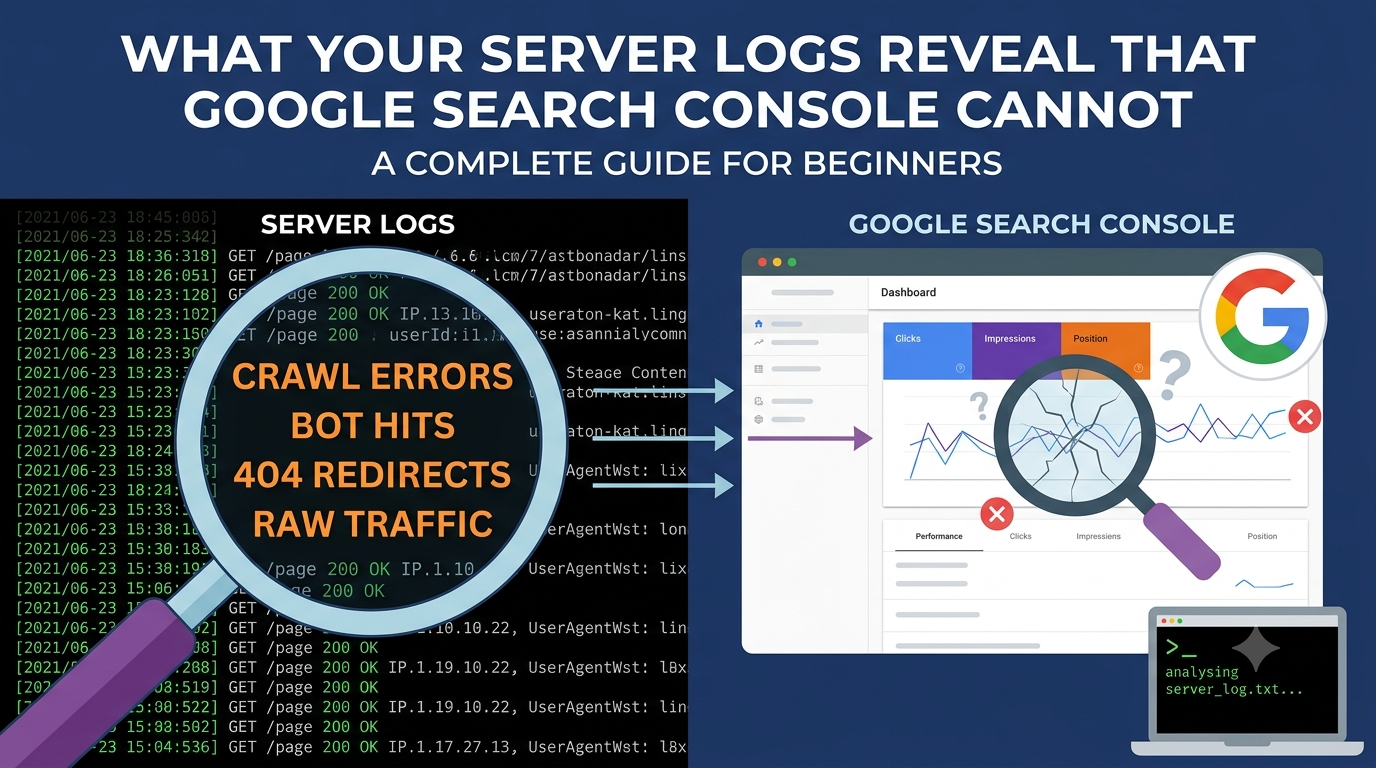
Log File Analysis for Beginners: What Your Server Logs Reveal That Google Search Console Cannot

Server logs can be daunting. You open a file that contains every request made to your website, every image fetched, every script loaded, every visit from every bot and human across the entire world, and you realize that the polished dashboards you have been staring at for years are summaries. The logs are the territory itself, raw and unfiltered, and they contain truths that no tool, no search console report, and no analytics platform can ever fully capture. Learning to read them is like learning to read the pulse of your website in real time, and once you develop that skill, you begin to see things that were always there but never visible.

Google Search Console is an indispensable tool, and saying otherwise would be foolish. It tells you which pages are indexed, which queries are driving impressions, where your click-through rates are falling, and whether manual actions have been applied to your site. But it also shows you what Google chooses to show you, processed through its own interface, its own sampling methods, and its own timing delays. The data is aggregated, anonymized, and often delayed by days. It tells you that Googlebot visited your site, but it does not tell you exactly when, from which IP address, with which user agent, or what specific resources it requested during that visit. It tells you that a page has a crawl error, but it does not show you the precise HTTP response code, the exact timestamp, or the sequence of requests that led to that failure. These gaps are not flaws in the tool. They are simply the limitations of a platform designed for millions of users rather than for the granular forensic analysis that serious technical SEO often demands.

Server logs do not summarize. They record. Every request is timestamped to the second, attributed to a specific IP address; all carrying the exact user agent string, the precise URL requested, the HTTP status code returned, the number of bytes transferred, and the referrer if one exists. When you analyze these logs, you are not looking at a report generated by someone else. You are conducting your own investigation, and the level of detail is staggering. You can see that Googlebot hit your homepage at exactly eleven minutes past three on a Tuesday morning, then followed a link to your product category page thirty-seven seconds later, encountered a five hundred server error on the third request, and left without crawling the rest of your pagination. You can see that Bingbot visits your blog posts more frequently than Googlebot does, or that a rogue bot from an unknown IP is scraping your pricing data every night at midnight. You can see that your server response time spikes every Thursday afternoon, not because of some mysterious algorithm update, but because your backup process is running and consuming resources that slow down every crawled page. These are not hypotheticals. These are the kinds of revelations that emerge when you stop relying on dashboards and start reading the actual transcript of what happens on your server.

The first thing logs reveal is crawler behavior. Google Search Console gives you a crawl stats report, but it is sampled and delayed. Your logs show you every single crawl in real time. You can identify which sections of your site Googlebot visits most often and which sections it ignores entirely. You might discover that your blog, which you consider a cornerstone of your content strategy, is crawled once a month while your outdated tag pages are crawled daily because of a poorly structured internal linking scheme. You might find that Googlebot is spending enormous amounts of time crawling faceted navigation URLs with endless parameter combinations, wasting energy on near-duplicate pages while your core product pages sit waiting for attention. These are architectural problems that no amount of keyword optimization can fix, and they are invisible in every other tool you use.

Logs also expose the true nature of your server errors. Search Console will eventually alert you to soft four hundred errors or server failures, but logs show you the exact moment they occurred, the specific bot that encountered them, and the sequence of events that preceded the failure. This matters because not all errors are equal. A five hundred error that Googlebot encounters on your homepage is a crisis. A five hundred error on a long-abandoned subdirectory that has no internal links and receives no traffic is a housekeeping issue. Logs let you make that distinction instantly. They also reveal transient errors that Search Console might miss entirely. If your server hiccups for ten minutes during a high-traffic period and returns five hundred errors to every crawler that visits during that window, your logs capture every single instance. Search Console might aggregate this into a vague trend line that you dismiss as noise. The logs tell you that ten minutes of downtime translated into forty-seven failed crawl attempts, and that is information worth acting on.

Response time is another area where logs provide clarity that aggregated tools cannot match. Search Console offers a rough sense of page speed, and Lighthouse gives you lab-based simulations, but logs show you the actual time it took your server to respond to every single request from every single crawler. You can identify whether Googlebot is consistently receiving slower responses than other users, which might indicate that your server is deprioritizing bot traffic or that your caching layer behaves differently for crawlers. You can spot patterns that correlate with traffic spikes, plugin updates, or database queries that run out of control. You can see whether your content delivery network is actually improving response times for crawler requests or whether it is introducing latency that hurts your crawl efficiency. These are technical insights that translate directly into competitive advantage, and they live only in your logs.

Perhaps the most underappreciated value of log analysis is its ability to reveal how crawlers discover your pages in the first place. Search Console shows you which pages are indexed, but it does not show you the path that led a crawler there. Logs do. You can trace the journey of a bot as it moves through your site, following links from page to page, and you can identify where that journey breaks down. If a critical page is only being crawled when it is submitted directly through a sitemap and never discovered through internal links, that is a structural problem. If Googlebot is finding pages through external links that you did not know existed, that is an opportunity. If it is repeatedly crawling redirect chains because your internal links still point to old URLs, that is a leak in your authority that you can now measure and fix. The crawl path is as important as the crawl destination, and only logs show you the full map.

Logs also protect you from assumptions. When traffic drops suddenly, the natural instinct is to blame an algorithm update or a competitor surge. But logs might reveal that a configuration change caused your server to start blocking Googlebot from an entire section of your site three days before the traffic decline. They might show that a staging site was accidentally left open to crawlers and is now cannibalizing your crawl attention with duplicate content. They might reveal that a new security plugin is issuing four hundred errors to legitimate crawlers while letting human traffic through without issue. These are diagnostic scenarios where every other tool gives you symptoms while logs give you the cause. Without them, you are treating the fever while the infection spreads unchecked.

Getting started with log analysis is less intimidating than it sounds. Most hosting providers generate logs in standard formats, typically Common Log Format or Combined Log Format, and these can be parsed with free tools like Screaming Frog or even simple command-line scripts. The key is to filter for the user agents you care about, primarily Googlebot and other search engine crawlers, and to focus initially on a manageable time window. You do not need to analyze years of data to find actionable insights. A week of logs during a typical traffic period will reveal patterns that have been hiding in plain sight. Look for status codes that are not two hundred, response times that spike above your baseline, URLs that are crawled with unexpected frequency, and crawl paths that seem illogical or broken. Each of these is a thread you can pull, and often that thread leads directly to a problem that has been costing you rankings without your knowledge.

The limitation of logs is that they are noisy. A busy site generates millions of lines, and most of them are routine, unremarkable requests for images, scripts, and stylesheets that tell you nothing of strategic value. This is why filtering and segmentation are essential. You need to isolate crawler traffic from human traffic, distinguish between different types of bots, and focus on requests that matter for SEO, namely HTML page requests rather than static assets. You also need to understand that logs do not tell you everything. They show you what happened on your server, but they do not tell you why Google chose to rank or not rank a particular page. They are one piece of the puzzle, albeit a piece that most people never bother to pick up.

There is also a temporal honesty to logs that is refreshing in an industry obsessed with real-time dashboards and instant gratification. Logs do not predict the future. They do not offer recommendations. They simply document what occurred, and that documentation forces you to think like an investigator. You stop asking what you should do next and start asking what actually happened. That shift in perspective grounds your technical SEO work in observable reality rather than speculation, and it builds a habit of verification that protects you from the constant churn of industry myths and algorithm update panic.

What your server logs reveal is the unvarnished truth of how the digital world interacts with your property. They show you whether the foundations you have built can support the attention you are trying to attract. They expose the leaks in your architecture, the inefficiencies in your server configuration, and the gaps between how you imagine your site works and how it actually performs under the scrutiny of automated visitors. Google Search Console is a window into Google’s perception of your site, but logs are the door into the site itself. Walking through that door requires more effort than glancing through the window, but what you find on the other side makes every other tool finally start making sense.

Posted on

The Network Effect of Showing Up Everywhere

Backlinks do not appear because your content is good. They appear because your content was seen by someone who has a website and a reason to reference it. That sounds obvious until you realize how many creators publish once, share once, and then wonder why the domain authority needle never moves. The truth is that every additional platform you post to is not merely a distribution channel. It is a separate lottery ticket in a drawing where the prize is another site owner deciding your perspective is worth citing.

Think about how a backlink forms in the wild. A writer is drafting a post on a topic you covered. They need a source, a statistic, a take, or a tool. They do not find you by searching Google for “good blog post to link to.” They find you because your headline crossed their feed while they were scrolling. Maybe it was LinkedIn, where they saw your summary in a professional context. Maybe it was Twitter, where a thread distilled your argument into something quotable. Maybe it was Reddit, where a discussion surfaced your post as the answer to a question. Each platform has a different audience, a different mood, and a different probability of containing someone who publishes. By limiting yourself to one or two platforms, you are not being efficient. You are being invisible to entire categories of potential linkers.

The mechanism is not direct. Social media links themselves are typically nofollow, which means they pass negligible ranking juice in the algorithmic sense. But ranking juice is not the point. The point is discovery by humans who control editorial decisions. A nofollow tweet that reaches a blogger is worth infinitely more than a dofollow directory listing that reaches no one. Search engines do not create backlinks. People do. And people are scattered across platforms in patterns that do not map neatly to your personal preferences.

There is also a compounding effect that is easy to miss. When your content appears on multiple platforms, it starts to feel ubiquitous. A potential linker who sees your work on LinkedIn, then encounters it again on Hacker News, then spots it in a YouTube comment thread begins to perceive you as authoritative not because of any single exposure, but because of repetition across contexts. Authority is often just familiarity dressed up. The more surfaces your ideas touch, the more likely they are to be treated as common knowledge worth referencing. Conversely, if a writer searches for a topic and finds three competing sources, they will almost always link to the one they have encountered before, even if they cannot remember where. That encounter happened on a social platform. You need to manufacture those encounters deliberately.

Timing matters too. A backlink created six months after publication is still a backlink. Social media posts have longer tails than their analytics dashboards suggest. A Reddit thread can resurface. A Pinterest pin can circulate seasonally. A LinkedIn post can be rediscovered by someone searching the platform’s archive for a topic you covered. Each platform has its own half-life and its own rediscovery mechanics. Posting to ten platforms does not mean ten immediate bursts of traffic. It means ten separate opportunities for delayed discovery by someone with a website and a deadline.

The environmental argument is worth mentioning. Backlinks are the original sustainable traffic source. They do not require ad spend to maintain. They do not evaporate when an algorithm changes. They compound. A single backlink from a high-trust domain can send referral traffic for years. Social media traffic, by contrast, is a faucet that turns off the moment you stop posting. The strategic purpose of social distribution, then, is not to replace backlinks but to create the conditions for their emergence. You are using ephemeral visibility to build permanent infrastructure.

Critics will say this is spammy. That depends entirely on execution. If you are auto-posting identical text to twenty platforms with no regard for context or community norms, you are not building backlinks. You are building resentment. If you are adapting your angle to each platform’s culture, engaging genuinely in comments, and treating each post as an invitation to a conversation rather than a broadcast, you are doing exactly what the internet was designed for. You are making your ideas findable by the people most likely to amplify them through their own editorial channels.

The math is simple in aggregate and mysterious in specifics. If one in every thousand social media viewers has the ability and inclination to create a backlink, then posting to one platform with a thousand viewers yields one potential link. Posting to ten platforms with a hundred viewers each yields the same raw exposure, but the audiences do not overlap perfectly. The blogger who only uses Mastodon will never see your LinkedIn post. The academic who only checks Twitter will miss your Facebook share. The indie developer who lives on Hacker News will remain unaware of your Instagram carousel. Each platform is a filter, and you want your content to pass through as many filters as possible before it reaches the person who matters.

Backlinks are a lagging indicator of attention. You cannot manufacture them directly. You can only increase the surface area of your visibility until probability takes over. Every platform you ignore is a missed opportunity for the right person to see your work at the right moment and decide that their own audience needs to know about it too. The backlink is just the receipt for that decision. And receipts only get issued to vendors who show up where the buyers are shopping.