Posted on

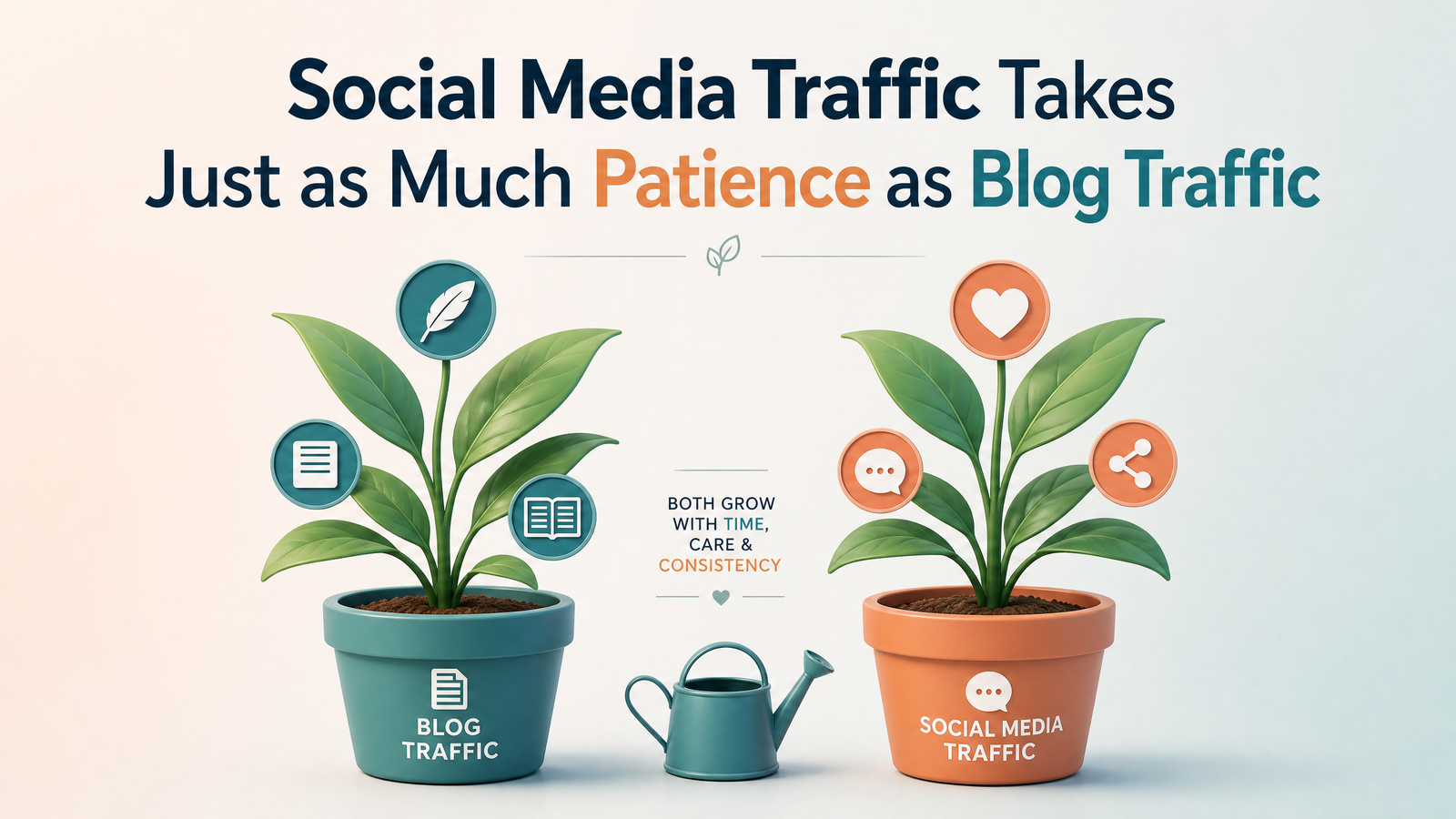
Social Media Traffic Takes Just as Much Patience as SEO Traffic

There’s a persistent myth floating around the internet that blogging is the “slow” channel and social media is the “fast” one. Write a blog post, the story goes, and you’ll wait months for Google to notice you. Post on social media, on the other hand, and you can go viral overnight. This idea is comforting, which is probably why it refuses to die. It is also mostly wrong.

Anyone who has actually tried to build a following on a platform like Instagram, TikTok, X, or LinkedIn knows the truth is messier. Yes, a single post can occasionally explode and bring in more views in a day than a blog might see in a year. But that outcome is the exception, not the rule, and it almost never happens to accounts with no history behind them. The overnight viral hit is usually the visible tip of a much longer, much less glamorous process that looks a lot like the slow grind of blogging.

Consider what actually has to happen before an account starts generating meaningful traffic. The platform’s algorithm needs to learn who you are, what you post about, and who tends to engage with it. That learning process isn’t instant. It happens gradually, post after post, as the system gathers signals about watch time, comments, shares, and saves. A brand new account posting brilliant content today is still, in the algorithm’s eyes, an unknown quantity. It has to earn trust the same way a new blog has to earn authority in search engines, one signal at a time.

This is strikingly similar to how search engines treat new websites. A blog doesn’t rank on page one the week it launches, no matter how well written the content is. Search engines want to see consistency, relevance, and engagement signals accumulate over time before they hand over premium placement. Replace “search engine” with “recommendation algorithm” and the story barely changes. Both systems are, at their core, trust-building machines, and trust is not something that can be rushed.

There’s also the audience side of the equation, which is just as slow-moving as the algorithmic side. People don’t follow an account or subscribe to a newsletter after seeing one post. They notice you, forget about you, see you again somewhere else, and only after several of these small encounters do they decide you’re worth following. This is true whether someone is discovering a blog through a friend’s recommendation or scrolling past a creator’s content for the fifth time before finally hitting follow. Familiarity breeds trust, and familiarity requires repetition, and repetition requires time.

What makes social media feel faster is really just a difference in feedback cycles, not a difference in the underlying timeline to real growth. A blog post might take days or weeks to show any sign of traction in analytics. A social post shows its numbers within hours. That immediacy creates an illusion of speed, but immediate feedback is not the same as immediate results. Watching your view count in real time doesn’t shorten the months it takes to build an audience large enough to sustain a business or a career; it just makes the waiting more visible and, often, more agonizing.

There’s a reason so many successful creators, on any platform, describe their first year as mostly invisible. They posted consistently, adjusted based on what worked, and kept going even when the numbers barely moved. That is the same posture required of any blogger who wants to build organic search traffic. Show up regularly.

None of this is meant to discourage anyone from using social media as a growth channel. It works, and for many businesses and creators it works extremely well. But it works on the same terms that blogging does: patient, consistent effort compounding over time, occasionally punctuated by a lucky break that only looks lucky from the outside. Anyone building an audience today, whether through search or through a feed, should plan for a marathon and treat any early sprint as a pleasant surprise rather than the expected outcome.

The best way to make money online long-term is to build digital assets. Learn how here.

Posted on

Why Every Writer and Digital Marketer Should Install an Audio Compressor Extension

If you write for a living, you probably work with something playing in the background: a focus playlist, a podcast, a client’s YouTube video, a Zoom recording you’re transcribing. And if you’ve done this for more than a week, you’ve had that moment: a sudden blast of volume from an ad, a jump cut, or a poorly mixed video that yanks you out of your flow, makes you fumble for the volume slider, or forces you to rip your headphones off entirely.

That’s the exact problem audio compressor browser extensions are built to solve.

What a Compressor Extension Actually Does

In audio engineering, a compressor evens out the difference between the loudest and quietest parts of a sound. Instead of muting or blocking anything, it narrows the dynamic range: pulling down the peaks and often boosting the quiet parts so everything sits closer to a consistent, comfortable volume.

A browser-based compressor extension applies that same principle to whatever audio is playing in your tab. It sits between the source and your speakers or headphones, smoothing out sudden spikes in real time. You still hear everything — the extension doesn’t strip content or cut audio out — it just keeps the volume from swinging wildly from whisper-quiet to ear-splitting.

Why This Matters for Writers and Marketers Specifically

You’re constantly context-switching between tabs and sources. A content marketer might have a competitor’s ad campaign playing in one tab, a client call recording in another, and a music playlist in a third. Every one of those sources was mixed differently, which means every one of them has its own volume personality. A compressor levels the playing field so you’re not constantly readjusting.

You spend a lot of time reviewing raw or unmixed audio and video. Writers doing research, marketers reviewing user-generated content, or anyone auditing ad creative regularly encounters audio that hasn’t been professionally leveled: think raw customer testimonials, unedited interview footage, or a client’s rough-cut video draft. These sources are exactly where volume spikes are most likely to occur.

Flow state is fragile. Deep writing work depends on sustained concentration. A jarring noise doesn’t just startle you for a second, it breaks your train of thought and can cost several minutes of re-orientation to get back into the work. Removing that risk protects your output, not just your ears.

If you’re considering adding one to your browser, adjustable threshold and ratio settings are also useful, letting you tune how aggressively the extension flattens loud moments versus leaving some natural dynamics intact. Low CPU overhead matters: you don’t want an extension that bogs down your browser while you’re trying to work. And a simple on/off toggle is worth having for moments when you actually want to hear something at its original mix, like reviewing a final client deliverable.

Compressor extensions are a small, low-effort addition to your toolkit, but they solve a real and recurring annoyance for anyone who works with audio open in the background all day. For writers protecting their focus and marketers reviewing a constant stream of mixed-quality media, it’s an easy way to keep the sound on without the risk.

Posted on

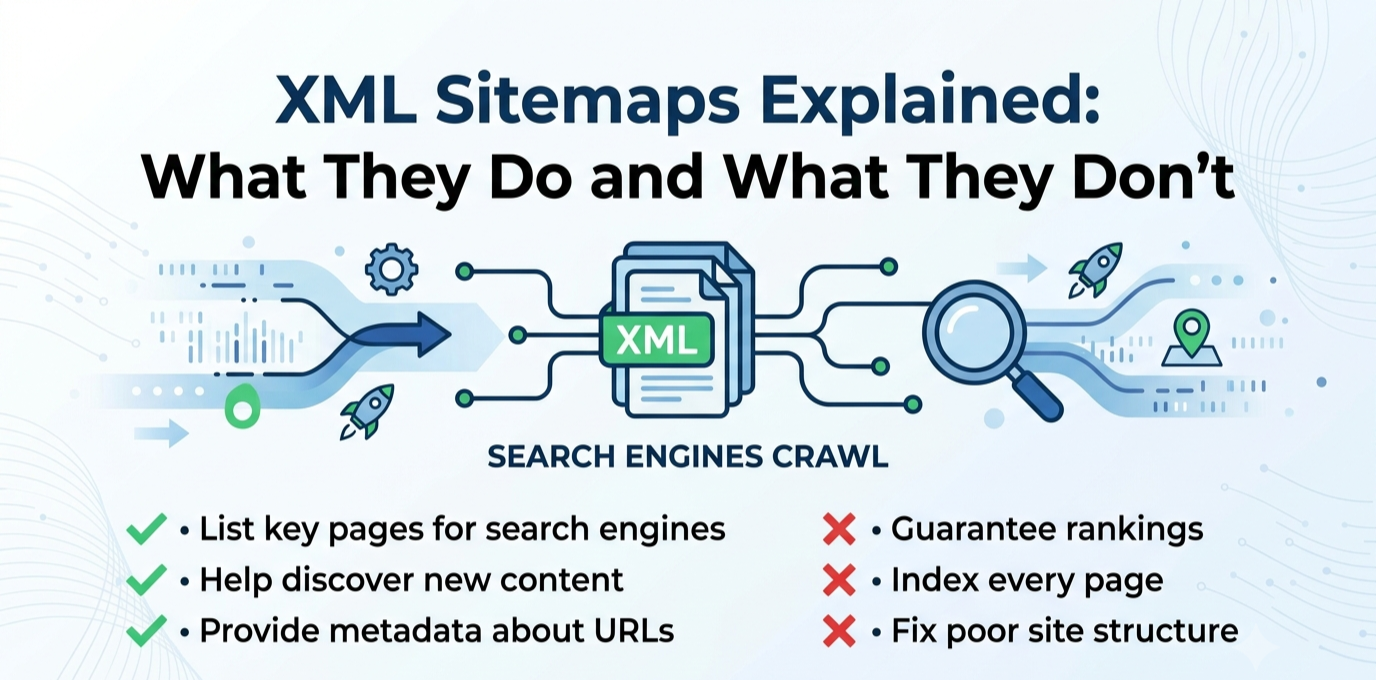
XML Sitemaps Explained: What They Do and What They Don’t

An XML Sitemap helps search engines index your site faster. They don’t improve rankings. It is a file, usually at a URL like yoursite.com/sitemap.xml, that lists the URLs you want search engines to know about, along with optional metadata like when each page was last modified. It is not a ranking system, nor a table of contents for visitors, and not a way of telling Google how important a page is. It functions more like a directory listing, a straightforward statement of which URLs exist on your site.

The real job of a sitemap is discovery, not ranking. It helps search engines find pages they might otherwise miss or take longer to reach through normal crawling. This matters most for large sites with thousands of pages, where crawling every internal link path would be slow on its own, or for new sites with few or no external backlinks yet, and for sites with pages that are poorly linked internally, where the sitemap acts as a backup discovery path. For a well-established, well-linked site, the sitemap plays a smaller role. Most pages will be found through normal crawling anyway. It speeds up discovery of new content and signals which URLs are connonical.

It is equally important to understand what a sitemap does not do, since this is where most confusion comes from. It does not improve rankings, since ranking depends on content quality, relevance, backlinks, and other factors the sitemap doesn’t communicate. It does not guarantee indexing, since listing a URL is a request, not a command, and Google can choose not to index pages. It does not fix a page’s underlying quality problems, and it does not override other signals telling Google not to index a page, since a noindex tag, a robots.txt block, or a canonical pointing elsewhere all take precedence, and including those pages in your sitemap only sends a contradictory signal.

A few sitemap problems show up on real sites. The sitemap could include pages that shouldn’t be there, such as deleted content returning a 404, thin tag or category archive pages, or pages marked noindex elsewhere. The sitemap can be missing pages that should be there, often because a plugin conflict, a manual page-building process, or a migration created content outside the normal publishing flow. The sitemap hasn’t been resubmitted after a significant structural change, like a URL migration or a large batch of new content. And the sitemap references the wrong protocol or domain version, such as still listing http URLs after a move to https, creating a mismatch between what the sitemap says and what actually resolves.

Checking your sitemap takes only a few minutes. Load the sitemap URL directly in a browser and confirm it loads without errors and looks reasonably complete. In Google Search Console, check the Sitemaps report under Indexing, which shows whether Google successfully read it, how many URLs were discovered, and whether there were processing errors. Cross-reference a handful of your most important pages against the sitemap to confirm they’re listed, and spot-check a few entries to confirm they’re pages you’d actually want indexed.

A sitemap is a discovery aid. Treat it as infrastructure worth getting right once and checking periodically, particularly after major site changes. It’s not a tool that can solve a ranking or visibility problem with a different underlying cause. Get the fundamentals correct, keep it current, keep it limited to pages you genuinely want found, and put your actual effort into the things that do influence rankings: content quality, site structure, and the rest of a real technical SEO foundation.

Posted on

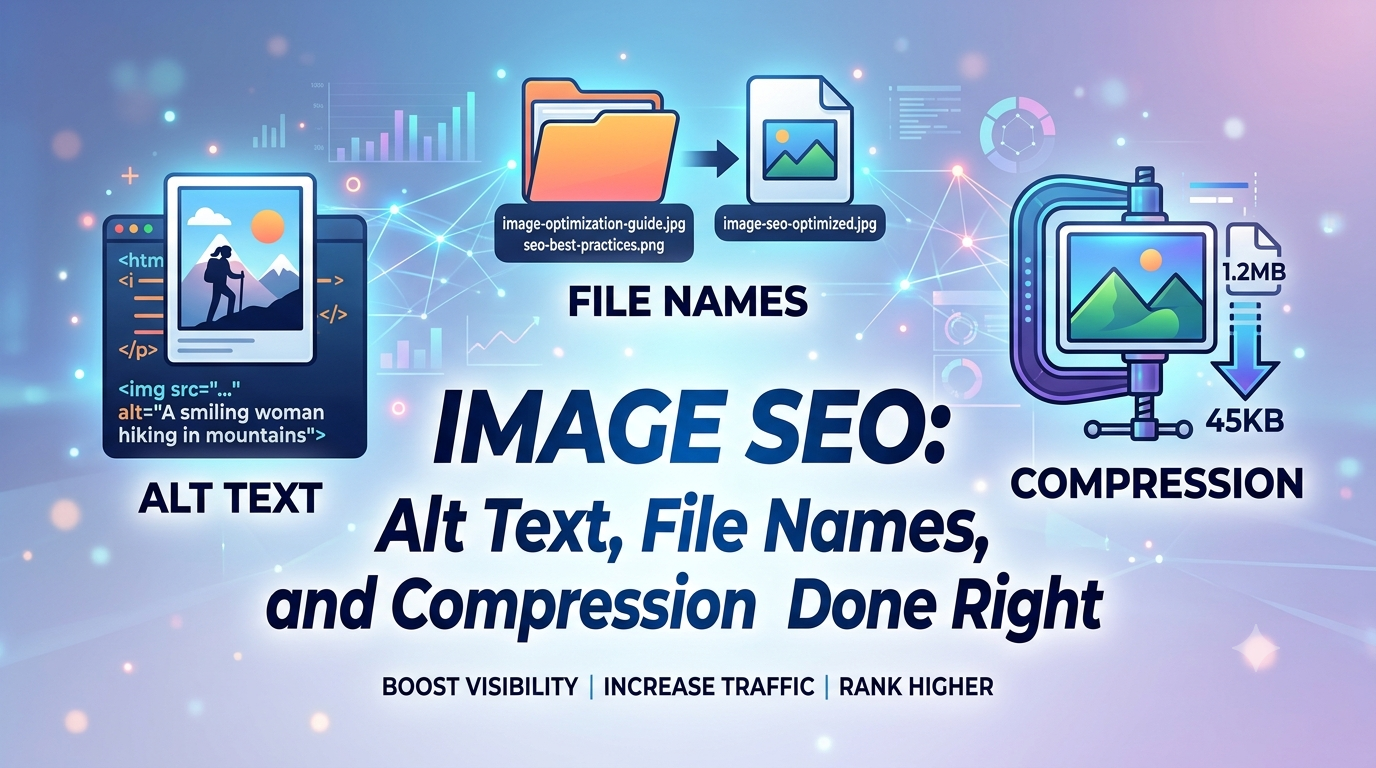
Image SEO: Alt Text, File Names, and Compression Done Right

Images tend to be the most overlooked part of SEO, and one of the easiest to fix. Site owners will pour effort into headlines, headings, and body copy, then upload a photo named something like IMG_4832.jpg, skip the alt text, and never revisit it. That oversight costs you in three separate ways: missed Google Images traffic, slower page speed from an oversized file, and a worse experience for anyone relying on a screen reader. Fortunately, all three problems share the same set of fixes.

Why File Names Matter

Before Google even renders an image or reads its alt text, the file name itself already carries information. Something like IMG_7489.jpg tells a search engine nothing. Something like tropical-green-smoothie-recipe.jpg communicates what’s in the photo before any visual analysis happens. This is a real ranking signal, and it costs nothing: rename images descriptively before uploading, using words separated by hyphens rather than underscores or spaces. Google parses hyphens as word breaks, while underscores get read as one fused term. It’s a small task per image with a lasting payoff.

Writing Alt Text That Actually Works

Alt text is arguably the single most impactful image SEO habit that gets neglected, and it serves two purposes simultaneously: helping screen-reader users understand what’s shown, and giving Google one of its strongest signals about what an image depicts and which searches it’s relevant to. Effective alt text describes what’s genuinely present, in plain, natural phrasing. For product photography, that often means naming the brand, color, and a distinguishing feature rather than a generic label like “shoe.” For an image supporting a point in an article, it means describing what that image is specifically illustrating in context, not a generic caption that could apply to any similar photo anywhere online.

The mistake to avoid is using alt text to cram in extra keywords. Alt text that reads like a list of search terms rather than an honest description tends to perform worse, and it also fails the accessibility purpose it exists for. When an image is purely decorative the right move is an empty alt attribute rather than forcing a description, since that tells screen readers to skip past it instead of reading out something meaningless.

Choosing the Right Format

Format choice has the biggest single effect on how much an image weighs down a page, and this has genuinely shifted in recent years. WebP is now a safe default everywhere: every major browser supports it, it produces noticeably smaller files than JPEG or PNG at comparable visual quality, and it supports transparency, meaning it can replace PNG in nearly every use case. AVIF pushes this further, frequently beating JPEG by a wide margin on file size, though it takes more time to encode and a small sliver of older browsers still lag in support. The most future-proof setup serves AVIF first, falls back to WebP, and falls back again to JPEG or PNG for edge cases, using the HTML picture element so the browser picks automatically. If your platform can’t handle that tiered setup, defaulting to WebP alone still captures most of the benefit.

Compression Without Losing Quality

Even in a modern format, an oversized file still drags down a page. The common mistake is uploading a photo at its full resolution and letting the browser shrink it visually while the full file weight still has to be downloaded. The fix is compressing images before upload and sizing them to match how large they’ll actually appear, rather than shipping a four-thousand-pixel-wide photo into an eight-hundred-pixel column. Free tools like Squoosh, or the automated pipelines built into many CMS platforms, can apply lossy compression at a quality level where the difference is invisible while shrinking file size substantially. As a rough guideline, aim for hero and above-the-fold images to stay under a few hundred kilobytes, with supporting images well below that, adjusted for how visually complex each image is.

Preventing Layout Shift and Protecting Page Speed

Two more habits round this out. First, always set width and height attributes on image elements, or define an aspect ratio in CSS, so the browser reserves the right amount of space before the image finishes loading. Skipping this is a leading cause of layout shift, where page content jumps around as images pop in, something that hurts both the user experience and your Core Web Vitals score. Second, apply lazy loading to anything below the fold so the browser isn’t wasting bandwidth on images the visitor hasn’t scrolled to yet, but make sure your single most important image is excluded from lazy loading and prioritized to load right away, since it usually determines your Largest Contentful Paint score.

Structured Data and Discoverability

Beyond the image file itself, a bit of structured data can help Google understand an image’s role on the page, especially for product photos or a page’s main representative image. This isn’t necessary for most content, but it’s a low-effort addition worth making on e-commerce pages. Product schema that includes image properties can meaningfully change how a listing shows up in search results. For a typical blog, nailing the fundamentals covers nearly all of the upside.

Building This Into Your Workflow, Not Treating It as a Separate Project

The real failure point usually isn’t a lack of knowledge, since none of it feels urgent the moment a page goes live. Before publishing, take a moment to confirm every image has a genuine file name, real alt text, a modern format, and a reasonable file size. Making this part of your standard publishing checklist is what keeps an image library in good shape as a site grows.

Posted on

Featured Snippets: How to Format Content to Win the Position Zero Box

Above the normal search results, sometimes above even the top-ranked page, Google displays a box with a direct answer pulled straight from someone’s content: a definition, a short list of steps, a comparison table. This is a featured snippet, commonly called “position zero,” and it’s one of the few places in modern search where a page that isn’t ranked first can still land the most visible spot on the page. It’s also more winnable than most SEO tactics, because it’s driven by formatting as much as by authority.

What a Featured Snippet Actually Is

A featured snippet is a single page’s content that Google extracts and displays in a highlighted box above the standard organic results, with the source page’s title and URL shown beneath it. Google generally pulls these from pages already ranking on page one for the query, most commonly from positions two through eight, not necessarily the current top result. This matters practically, because a page doesn’t need to be the single top-ranked result to win the snippet. It needs a genuinely well-formatted answer while already ranking reasonably well.

It’s worth knowing directly that featured snippets have persisted even as AI Overviews, Google’s AI-generated answer summaries, have expanded to cover a large share of searches. The two features aren’t fully separate. The same clear, well-structured, directly-answered content that wins a traditional snippet is also the kind of content AI systems tend to pull from and cite. Optimizing for a snippet is, in effect, also optimizing for AI-answer visibility, rather than a separate, competing effort.

The Four Snippet Formats, and Which Queries Trigger Each

Google selects a different snippet format depending on the shape of the query, and matching your content structure to the right format matters more than any other single factor.

Paragraph snippets are the most common format, pulled for definition and explanation queries like “what is X,” “why does X happen,” or short factual questions. Google typically extracts a tight block of text, generally in the range of forty to sixty words, so the winning move is having a genuinely direct answer of roughly that length sitting immediately under a heading that matches the query.

List snippets, whether numbered or bulleted in Google’s display, dominate procedural “how to” queries covering how to configure something, how to fix something, or step-by-step processes. Google pulls the list items directly from the page’s underlying structure, so the content needs an actual ordered or unordered list in the HTML, not a paragraph describing steps in prose.

Table snippets are common for comparison and conversion-style queries, things like “X vs. Y,” unit conversions, or pricing comparisons. These require an actual HTML table rather than a bulleted comparison, since Google extracts the row and column structure directly from the markup.

Video snippets appear for highly visual how-to queries, such as how to tie a specific knot or how to fold something, and are dominated by video content rather than text. These are less relevant for a text-based blog unless you’re also producing video content to go alongside it.

The Formatting Approach That Actually Wins the Box

Winning the box comes down to a consistent set of habits rather than a single trick. Start by matching the query almost verbatim in a heading. If you’re targeting “what is a content cluster,” use that exact phrasing, or something very close to it, as an H2, rather than a cleverer or more creative rewording. Google favors content that clearly maps to the query as typed.

From there, put the direct answer immediately after that heading. Skip the throat-clearing and the “great question, let’s dig in” preamble entirely. The first sentence or two after the heading should be the actual answer, not a lead-up to it.

Keep paragraph answers concise, aiming for roughly forty to sixty words for a definitional answer. That’s long enough to be complete, and short enough for Google to extract as a clean block. For process-based or comparison content, make sure the answer is actually structured as a real list or a real table in the page’s underlying HTML, not simply described in a paragraph. Google can only extract what’s genuinely marked up that way.

Throughout, favor active, declarative language. State plainly what something is, rather than what it might be, and write definitions in the present tense, saying “content marketing is” rather than “content marketing was traditionally considered.” And be selective about which queries you target in the first place. Only pursue snippets for queries where you already rank reasonably well, since Google pulls snippets almost exclusively from page-one results. If a page currently ranks on page two or three, the right fix is improving the underlying ranking first. Reformatting alone won’t win a snippet from far outside page one.

How to Find Your Best Opportunities

Rather than guessing which queries to target, check where you’re already positioned well. In Google Search Console, filter your Performance report for queries where your average position falls somewhere between roughly two and ten. Cross-reference that list against question-shaped queries, ones starting with what, how, why, when, or where, or containing phrases like “vs” or “difference between.” For each one, search the query directly and look at whether a snippet currently exists, what format it uses, and whether your own page’s structure currently matches that format.

This approach turns snippet-hunting into a mechanical process rather than a guessing game. You’re not creating new content from scratch. You’re reformatting pages you already have that are already close to winning.

A Few Things Worth Knowing Before You Invest Time Here

Snippets are a single-winner format. Exactly one URL holds the box per query at a time, and ownership can shift if a competitor reformats their own page more effectively or if Google’s own algorithm re-evaluates the match. It’s worth treating any snippet win as something to periodically re-check, rather than something you win once and forget about.

It’s also worth being honest that not every query is a good target right now. Highly competitive, broad definitional queries increasingly get served by an AI Overview instead of a traditional snippet, and chasing those specific queries with snippet-formatting tactics alone won’t recover a slot that’s been structurally replaced by a different search feature entirely. Procedural “how to” queries and comparison or table-style queries have generally proven more resistant to that substitution than pure definitional ones, which makes them a more reliable place to focus effort at the moment.

Why This Is Worth the Relatively Small Effort

Compared to most SEO work, this is unusually low-cost. You’re not writing new content or building new links. You’re restructuring content you’ve already published to match a format Google is already looking for. For a small site without the backlink profile to compete for position one on a competitive term, winning a snippet from a lower organic position is one of the few ways to claim the most visible spot on the page without first winning the harder authority battle that position one usually requires.

If you’re running a broader content audit, it’s worth adding a check for snippet-format opportunities as its own distinct pass, alongside checking for thin content or broken links. It’s a different kind of question than the usual audit questions. It’s not asking whether a page is good, but whether it’s structured the way Google actually extracts content. It’s easy to skip entirely if you’re only looking at traditional ranking metrics.

Posted on

How to Write Product Descriptions That Rank and Convert

Most product descriptions exist to fill a required field, not to accomplish anything. A dimension, a material, a bullet list lifted straight from the manufacturer’s spec sheet, and the page gets marked done. That approach quietly fails at both jobs a product description is supposed to do: help the page rank, and help the reader decide to buy. The encouraging part is that fixing one usually fixes the other.

Why Manufacturer Copy Hurts You Twice

If you sell something other retailers also carry, and you’ve copied the manufacturer’s description word for word, you have a duplicate content problem. Search engines see identical text across dozens of competing retailer pages and have no basis for ranking yours above the rest. This is one of the most fixable SEO issues in e-commerce, and it hides in plain sight because the copied text reads perfectly fine to a human.

Beyond the ranking problem, generic manufacturer copy also fails to persuade. It describes the product without making any case for buying it instead of closing the tab. Rewriting it addresses both issues at once.

Start With Search Intent, Not the Spec Sheet

Before writing anything, check what people are actually searching for when they land on this type of page. Search “waterproof hiking boots women’s” and you’ll see a mix of intents. Some people want one specific model, some want a category page with options to compare, some want reviews. Product pages tend to rank best for specific, commercial-intent searches: a named model, a “buy” or “best” qualifier, or a narrow feature combination like “waterproof hiking boots wide toe box.” Understanding this helps you write toward the actual question being asked instead of a generic list of specs.

Lead With the Benefit, Not the Feature

A feature is what a product has. A benefit is what that feature actually means for the person using it. “300D ripstop nylon exterior” is a feature. “Holds up to daily trail abuse without tearing” is the benefit. Both matter, but the order matters more than most people expect: leading with the benefit and backing it with the feature as proof reads as persuasive, while opening with a wall of specs reads like a datasheet.

A structure that works for most products: one or two sentences establishing who the product is for and the core problem it solves, a short set of benefit-led bullets each backed by the relevant spec, and any remaining technical detail a careful buyer would want (exact dimensions, materials, care instructions, compatibility).

Write for the Specific Buyer, Not Every Possible Buyer

Generic copy tries to appeal to everyone and ends up compelling nobody. A line like “great for any occasion, perfect for everyone” could describe almost anything in your catalog, which means it isn’t really describing this product at all. Get specific about exactly who this is best suited for, and be honest about who it isn’t. Ironically, a more specific description often converts better, precisely because it feels written for the reader rather than pasted across the whole catalog.

Address the Objections a Buyer Actually Has

Every product category carries a handful of recurring hesitations. Clothing means sizing and fit. Electronics mean compatibility and battery life. Anything shipped means weight and fragility. Your own return reasons or customer service questions, if you have access to them, are a direct map of the objections your description should be answering. Handling these directly in the description cuts down on both cart abandonment and returns.

Use Specific Language Instead of Marketing Filler

Words like “premium,” “high-quality,” “innovative,” and “state-of-the-art” carry almost no information because they appear on nearly every product page online. They also do nothing for search relevance, since they’re not terms people actually search for. Replace them with the specific, checkable fact that would justify the claim in the first place.

Structure for Scanning, Not Just Reading

Most shoppers scan a product page rather than reading it top to bottom.

They glance at the image, skim the title, jump to the price, skim the bullets, then decide whether the full description is worth reading at all. Structure the page around that behavior: a clear, benefit-oriented opening line, scannable bullets for the key features and benefits, and full sentences reserved for whatever genuinely needs explaining (fit notes, care instructions, what’s included).

Don’t Skip Structured Data

Product schema markup doesn’t move your ranking position, but it does make your listing eligible for rich results like star ratings, price, and stock status shown right in the search results, which meaningfully affects click-through rate even at an identical rank. If you’re not using Product schema yet, it’s one of the highest-value, lowest-effort additions available specifically for e-commerce pages.

Keep Original Content Even at Scale

The challenge for any store beyond a handful of products is that hand-writing genuinely original, benefit-led copy for every SKU doesn’t scale. This is a real and common tradeoff: teams either accept generic manufacturer copy across most of the catalog and hand-write only their bestsellers, or they find some way to produce distinct copy at volume. Duplicate copy shared with dozens of competing retailers can’t distinguish your page. Prioritize your highest-traffic or highest-margin products for a full rewrite first, then work down the list rather than treating it as all-or-nothing.

Before publishing, ask one honest question: if someone searched for this product and ended up on ten different retailers’ pages, does this description give them any reason to buy from you instead of the next tab? If the answer is no, the description isn’t finished yet, no matter how complete the spec list looks.

Posted on

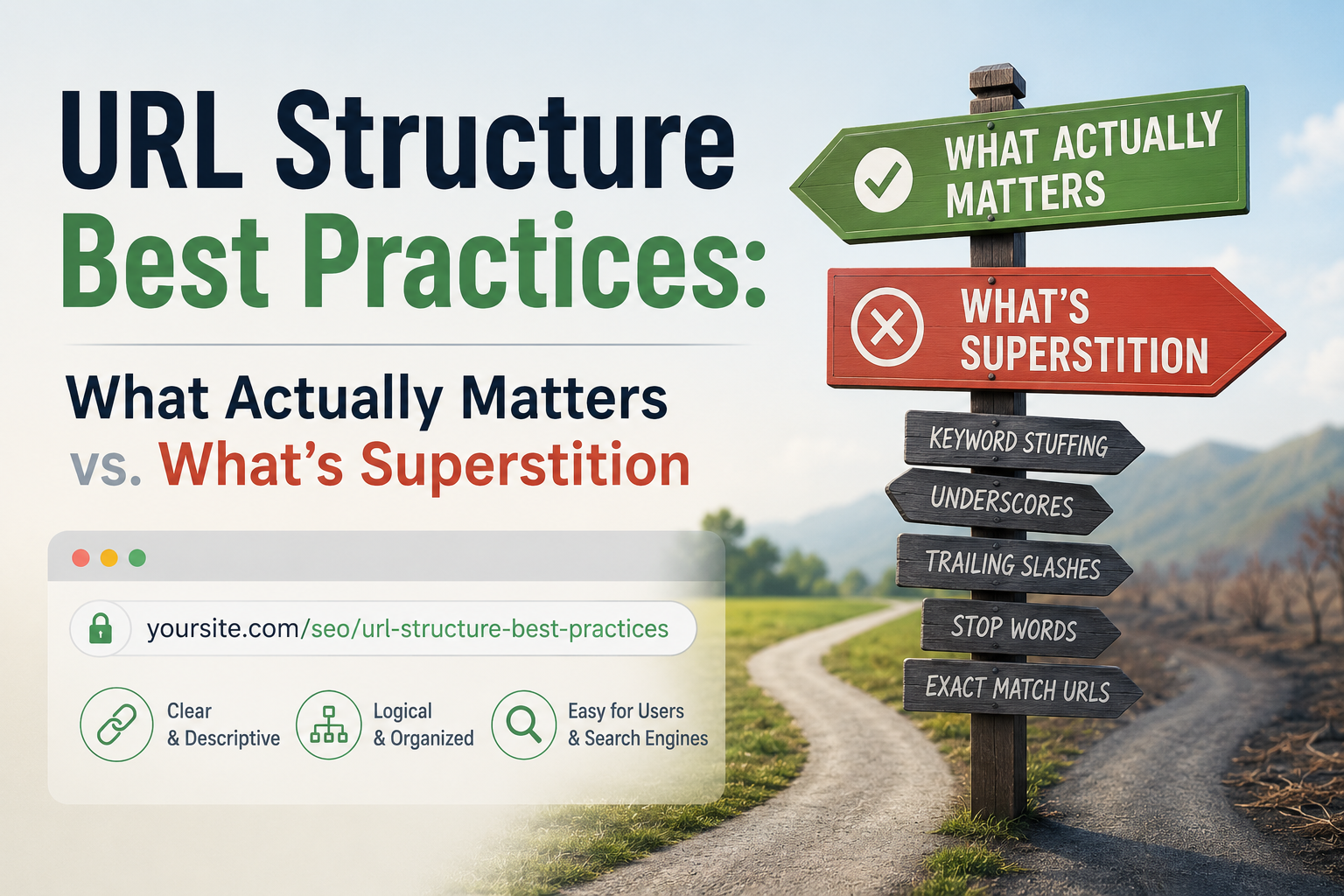
URL Structure Best Practices: What Actually Matters vs. What’s Superstition

Open ten different SEO guides and you’ll find ten confident, sometimes contradictory rules about URLs: stay under a certain character count, always include your exact keyword, never use dates, never nest more than three folders deep. Some of this is genuinely useful. A lot of it is superstition repeated so often it’s mistaken for settled fact. Here’s a breakdown of what’s actually confirmed, what’s a minor signal, and what’s a myth worth retiring.

What Actually Matters

Readability, for humans. This is the strongest, least debatable reason to care about URL structure at all. A URL like yoursite.com/blog/how-to-choose-running-shoes tells someone exactly what they’re about to click. A URL like yoursite.com/?p=4821&cat=12 tells them nothing. That affects trust and click-through behavior directly, regardless of what any algorithm does with the string.

A logical, consistent structure. Pick a pattern — flat (/post-name) or categorized (/category/post-name) — and stick with it. Consistency helps both visitors navigating the site and your own ability to manage it as it grows. Switching patterns partway through a site’s life is what creates a tangle of legacy redirects down the road.HTTPS. Google confirmed HTTPS as a ranking signal back in 2014, and it remains a baseline trust factor — a security requirement, not a stylistic preference.

Avoiding duplicate URLs for the same content. If one page is reachable through multiple URLs — with and without a trailing slash, different capitalization, tracking parameters — that’s a genuine technical issue. Canonical tags tell Google which version is the real one, and settling on one consistent format going forward prevents the problem from recurring.

One real keyword in the slug, used naturally. This is confirmed, but genuinely minor. Google’s own public guidance consistently frames it as a lightweight, tie-breaker-level signal — a small hint during initial crawling, before Google has fully processed the page’s actual content. Once a page is indexed, this effect fades almost entirely, since the title, headers, and body copy become far stronger indicators of what the page is about.

What’s Mostly Superstition

URL length as a direct ranking factor. This is the biggest myth still in circulation. Google’s Search Advocate John Mueller has said outright that URL length doesn’t affect rankings, and that URLs function as identifiers rather than something scored on length. The “shorter URLs rank better” idea traces back to older correlation studies that noticed shorter URLs tend to show up on well-established, well-organized sites — a correlation with solid site architecture in general, not a causal length effect. If your CMS produces a longer URL because of a genuinely deep, logical folder structure, that’s a site-architecture question, not an SEO penalty.

URL length affecting click-through rate. This carried some truth back when search results displayed the full URL path prominently. Today, on both mobile and desktop, Google typically shows the site name, a favicon, and a breadcrumb-style path instead of the raw URL string. Your title tag and meta description now do far more of the work in earning a click than URL length ever will.Keyword-stuffed URLs. Cramming several keyword variations into one slug (/best-cheap-running-shoes-for-beginners-2026-review) adds nothing beyond one clean, natural phrase, and it actively damages readability and click appeal. Since the underlying keyword signal is already minor, the returns diminish almost immediately after the first clear mention.

Dates in URLs, as a blanket rule. The common advice — “never put a date in a URL, it makes content look stale” — is situational rather than universal. For genuinely evergreen content, skipping the date makes sense, since a 2019 timestamp next to otherwise current advice undercuts it. But for content that’s inherently tied to a moment in time — news coverage, an annual roundup, an event recap — a date is honest and appropriate. The real mistake is applying a blanket “no dates” rule to content that actually benefits from being dated.

The Middle Ground: Things That Matter a Little

URL depth (how many folders deep a page sits). Extremely deep nesting (/category/subcategory/subcategory/subcategory/post-name) can create real crawl inefficiency on very large sites, and pages positioned further from the homepage in a site’s internal link structure sometimes receive a weaker authority signal as a result. For a small or mid-sized site, this rarely becomes a practical problem. For a large e-commerce site with thousands of pages, it’s worth deliberate planning.

Category or folder naming. Google does read the category names in a URL path as a mild thematic hint. Worth getting right when a site’s structure is first being built, but not worth a full restructure of an already-established site.

A Simple, Durable Rule of Thumb

Given how much of this list turns out to be either minor-but-confirmed or outright myth, the practical takeaway is simple: build URLs for the person clicking on them, not for an imagined algorithm scoring them keyword by keyword. A clean, readable, natural-language slug with one clear keyword, served over HTTPS, with no duplicate versions floating around, covers essentially everything actually confirmed to matter. Anything beyond that is optimizing for a rule that either doesn’t exist or barely moves the needle, at the cost of readability that genuinely does.

Don’t Retroactively Chase This

One important caution: if your existing URLs don’t perfectly follow every practice above, resist the urge to rush in and fix them. Changing a URL means implementing a redirect, and while a well-executed 301 preserves most of a page’s ranking value, it isn’t risk-free — doing it purely to shorten a URL or squeeze in a keyword that’s already a minor signal rarely justifies the disruption. Save URL structure decisions for new content and genuine restructuring projects, not as a retroactive fix for pages that are already performing fine.

URL structure is one of those SEO areas where the gap between “widely repeated” and “actually confirmed” is unusually wide. Getting the fundamentals right once, at the outset, matters far more than chasing incremental rules that mostly turn out to be folklore.

Posted on

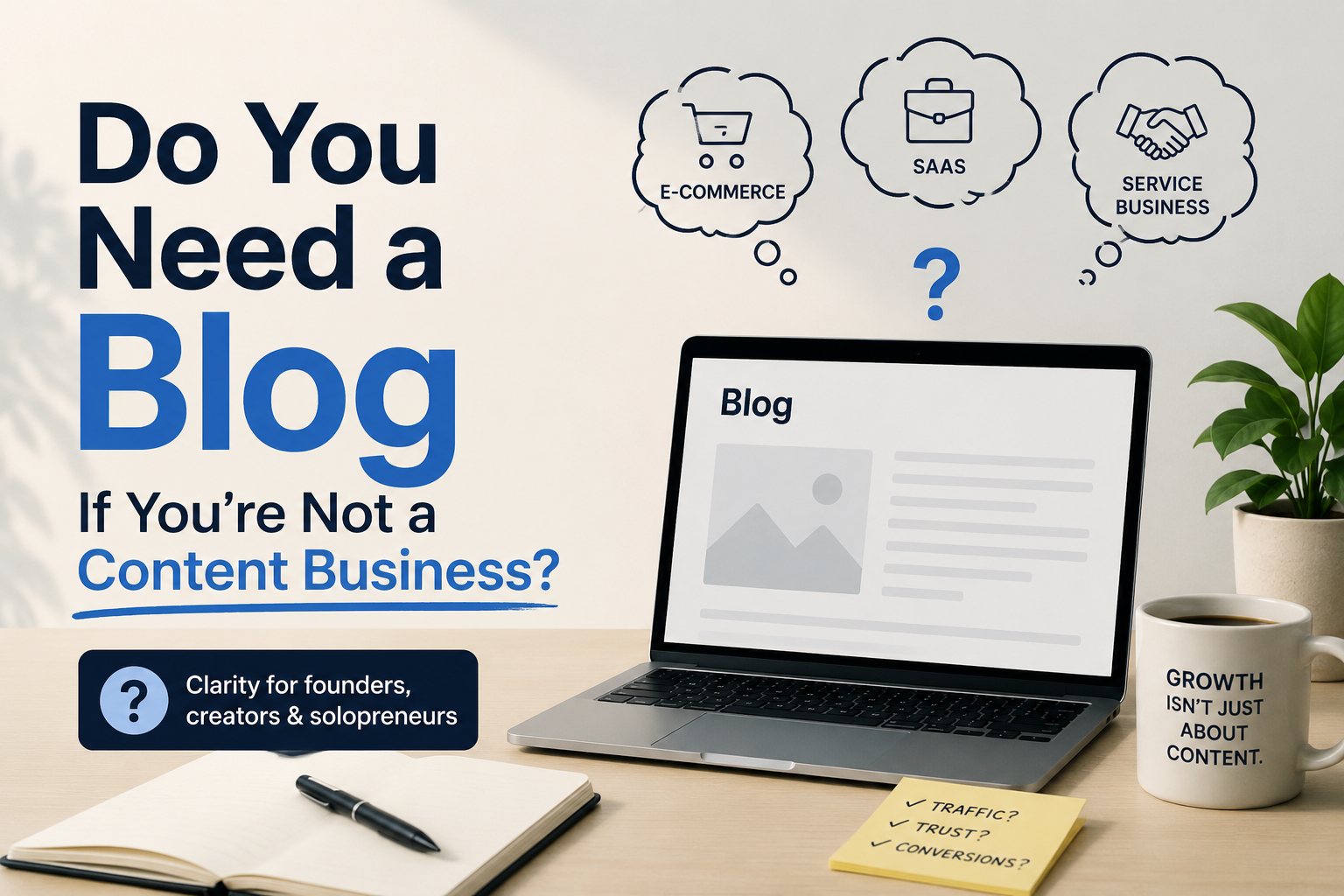
Do You Need a Blog If You’re Not a Content Business?

If you run a plumbing company, a dental practice, a boutique law firm, or an online shop selling physical goods, “start a blog” probably sounds like advice for someone else entirely. Content creators have blogs. You have a business that fixes pipes, and becoming a part-time writer on top of everything else can feel like a distraction from the actual work. That instinct is worth questioning, and the honest answer is: it depends on what you want out of it, but for most small businesses, some version of a blog is worth having even if “blog” isn’t quite the right mental model for what you actually need.

The Real Question Isn’t “Blog or No Blog”

A more useful question is: are there things your potential customers search for online before they’re ready to search for your business by name? If someone searches “how often should I replace my water heater” before deciding to call a plumber, or “how to know if you need a root canal” before choosing a dentist, that search happens whether or not your business shows up in the results. A blog, in this sense, isn’t really about becoming a writer or a content creator — it’s about being present the moment someone forms the question that eventually leads them to hire someone like you.

Businesses that skip this entirely aren’t avoiding content marketing so much as handing that moment over to whichever competitor, forum, or generic article happens to show up instead.

Where a Blog Genuinely Doesn’t Help

It’s worth being honest about when this doesn’t apply. If your business runs almost entirely on foot traffic, local referrals, or word of mouth, and hardly any potential customer ever searches anything related to your service before contacting you, a blog probably isn’t a meaningful use of your time. A hyper-local business with an already-saturated referral network, or one serving a very narrow, well-known clientele is unlikely to see much return from content built to answer a stranger’s search query.

A blog also won’t help if it’s treated as a box to check: a handful of thin, generic posts published once and never revisited tends to do little for visibility, and can make a business look neglected to anyone who stumbles across it.

Where It Genuinely Does

For most small businesses with any online presence, though, the case is stronger than the initial instinct suggests, for a few concrete reasons.People research before buying, even for local, in-person services. Someone choosing a dentist, contractor, or lawyer very often looks things up first, even if the final decision comes down to reviews and a phone call. Content answering a real, common question puts your business in front of them earlier in that process, not just at the moment they’re already comparing options.

It builds evidence of expertise that reviews alone can’t provide. Reviews tell a visitor other people liked working with you. A well-written explainer on a topic in your field tells them you actually know what you’re talking about: which matters most in fields where trust and expertise are hard to judge from the outside, like legal, medical, financial, or technical services.

It gives you something to rank for beyond your business name. If the only page of yours that shows up in search results is your homepage, you’re only visible to people who already know to search for you by name. A handful of pages answering real questions in your field gives people who don’t yet know you exist a way to find you.It’s an asset that keeps working after publication. Unlike a social post or an ad, which stops generating anything once you stop paying for it or the algorithm buries it, a genuinely useful page answering a real question can keep bringing in visitors for years with only occasional updates.

What This Should Actually Look Like, If Not a “Blog”

If the word “blog” makes this feel like a mismatch for your business, it helps to reframe it mentally as a resource section instead. The difference is more about mindset than format. Rather than frequent, personality-driven posts, aim for a smaller number of thorough, genuinely useful explainer pages built around the real questions your customers actually ask. Write toward the questions you already get asked in person or over the phone, since that’s usually a faster, more reliable source of topics than guessing at what might rank. Prioritize depth and accuracy over frequency — four excellent pages that truly answer real questions will do more for a small business than forty thin, generic ones. And update the pages that matter most periodically, rather than abandoning them the moment they’re published.

The Time Cost, Honestly

The real objection isn’t whether this works — it’s whether it’s worth the time for a business not built around content. The honest answer is that a small, well-chosen set of pages takes far less ongoing time than the “publish constantly” version of blogging that intimidates most non-content businesses in the first place. There’s no need for a content calendar or a posting schedule: just a handful of pages that genuinely answer the questions your customers already have, built once and maintained lightly, rather than a constant stream of new material.

The Actual Decision to Make

The question worth answering honestly isn’t “should I have a blog.” It’s: do people search for anything related to what I do before they find me, and if so, is anything of mine currently showing up when they do? If the honest answer is no, a handful of well-written, genuinely useful pages is one of the more low-maintenance ways to close that gap — not because every business needs to become a content business, but because the search happens either way.

Posted on

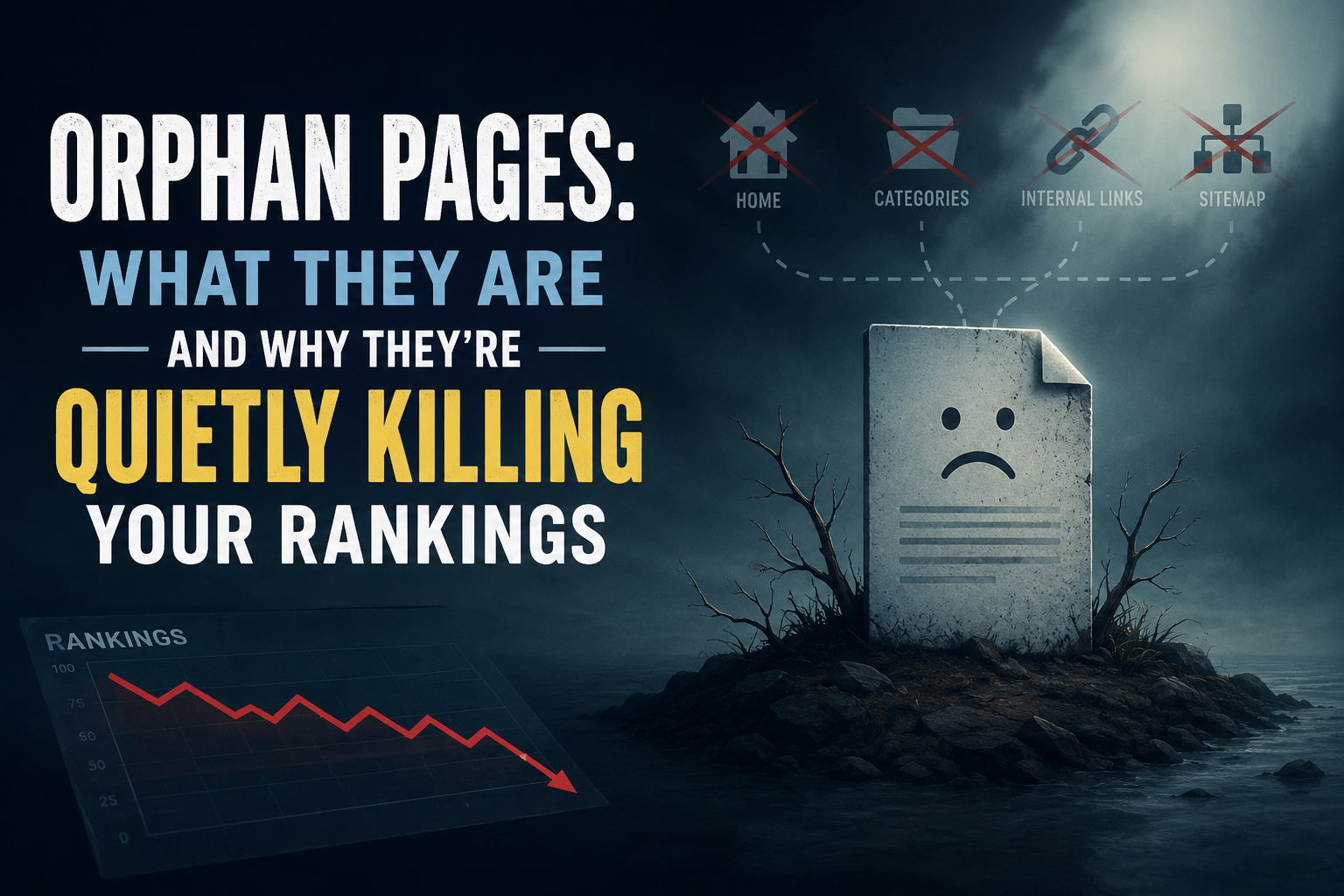
Orphan Pages: What They Are and Why They’re Quietly Killing Your Rankings

An orphan page is any page on your site that has zero internal links pointing to it. It can still load, still be indexed, and still show up in search results, but because nothing on your own site links to it, both search engines and visitors have no path to find it through normal browsing. This quietly weakens crawl priority, link equity, and topical authority, even when the content itself is genuinely good.

What is an orphan page?

An orphan page is a page with no internal links pointing to it from anywhere else on the site. It exists, it’s reachable if someone already has the exact URL, and it may even appear in search results, but no other page links to it. A visitor who lands on the homepage and browses normally, following the navigation and the content, will never come across it, because there’s no path leading there.

This is different from a page that’s simply hard to find. A page buried five clicks deep but still reachable through the site’s structure isn’t an orphan, it’s just poorly positioned. An orphan page has no path at all, not even a long one.

Why do orphan pages happen?

Orphan pages rarely happen on purpose. They accumulate quietly, and the most common causes are a redesign or migration where a new navigation structure gets built and pages that weren’t explicitly carried over lose every internal link even though the page itself still exists; an old campaign or landing page that was heavily linked for a few weeks and then had those links removed once the promotion ended, without the page itself ever being deleted or redirected; content that was published without a plan for where it fits, so nobody ever went back to link to it from related material; a category or tag structure that changed or got removed, orphaning a page that was only ever reachable through that archive; and pages that are only ever “linked” through the XML sitemap, which search engines can crawl but real visitors never encounter through ordinary browsing, technically keeping the page indexed while leaving it functionally orphaned from a user’s perspective.

Why do orphan pages hurt search rankings?

Search engines use internal links, not just the sitemap, to judge which pages on a site matter most. A page that receives links from several other relevant pages sends a signal of importance and relevance. A page with zero internal links sends the opposite signal, regardless of how strong the content actually is.

This shows up in a few concrete ways. Crawl priority suffers, since search engines devote more attention to pages that are well-connected within a site’s structure, meaning an orphan page may get crawled less often and updates to it take longer to be noticed. Link equity suffers too: when one page links to another, it passes along some of its own authority, and a page with no incoming internal links gets none of that benefit no matter how strong the homepage or other top pages are. Topical authority takes a hit as well, since a page that’s genuinely relevant to a content cluster but isn’t linked into it contributes nothing to that cluster’s overall strength, sitting unused instead of reinforcing the site’s authority on the subject. And user experience, which feeds back into rankings, suffers because a visitor who can’t find related content through normal navigation has a worse experience and is more likely to leave after a single page, which contributes to the kind of weak engagement signals that correlate with worse performance over time.How do you find orphan pages on your own site?

There’s no need to guess. One reliable method is crawling the site with a tool like Screaming Frog, which is free for up to 500 URLs, and comparing the pages it finds by following links against the pages listed in the XML sitemap; anything that appears in the sitemap but was never reached by following a link is an orphan. Another is checking Google Search Console’s Pages report for indexed URLs, then manually spot-checking whether each one is reachable through the site’s normal menus and internal links. A third is searching the site directly using a site:yourdomain.com query in Google and clicking through unfamiliar-looking results to see whether a path back to them exists from the homepage.

How do you fix an orphan page once you find one?

The right fix depends on whether the page still deserves to exist. If the content is still relevant and valuable, the fix is to link to it: find two or three genuinely related pages on the site and add a natural, in-context link, rather than dumping it into an unrelated “related posts” widget just to check a box — the link should make sense to a real reader following the topic, not just to a crawler. If the content is outdated but the underlying topic still matters, it’s often worth updating and relaunching the page as something current, then linking to it properly from related content going forward. If the content no longer serves any purpose at all, the better move is redirecting it to the most relevant current page rather than letting it decay in isolation, or removing it and letting it return a proper 404 if there’s genuinely no equivalent replacement.

Is fixing orphan pages a one-time task?

No. New content keeps getting published, old campaigns keep ending, redesigns keep happening, and the conditions that create orphan pages keep recurring as a result. Sites that stay clean are the ones that check for this periodically, not the ones that fix it once and move on. Manually cross-referencing a sitemap against a real crawl, then judging whether each mismatch still deserves a link, is exactly the kind of repetitive audit work that’s easy to do diligently for a month and then quietly abandon — and it’s also exactly the kind of pattern-matching task an AI-assisted SEO tool can flag automatically, catching orphaned pages within weeks of appearing rather than years later.

A site with strong content and a weak internal structure is leaving real value unclaimed. Orphan pages are one of the simplest problems to find and one of the most straightforward to fix. The hardest part is usually just remembering to look.

Posted on

Core Web Vitals Explained for Non-Developers

You’ve probably seen the term in Google Search Console: a warning about “Core Web Vitals” issues, maybe a red or yellow status next to some of your pages. If you’re not a developer, this can feel like being told your car has a problem with its “flux capacitor”. It’s technically alarming, functionally meaningless. Here’s what Core Web Vitals actually are, why they matter, and what you can realistically do about them without writing code.

What Core Web Vitals Actually Measure

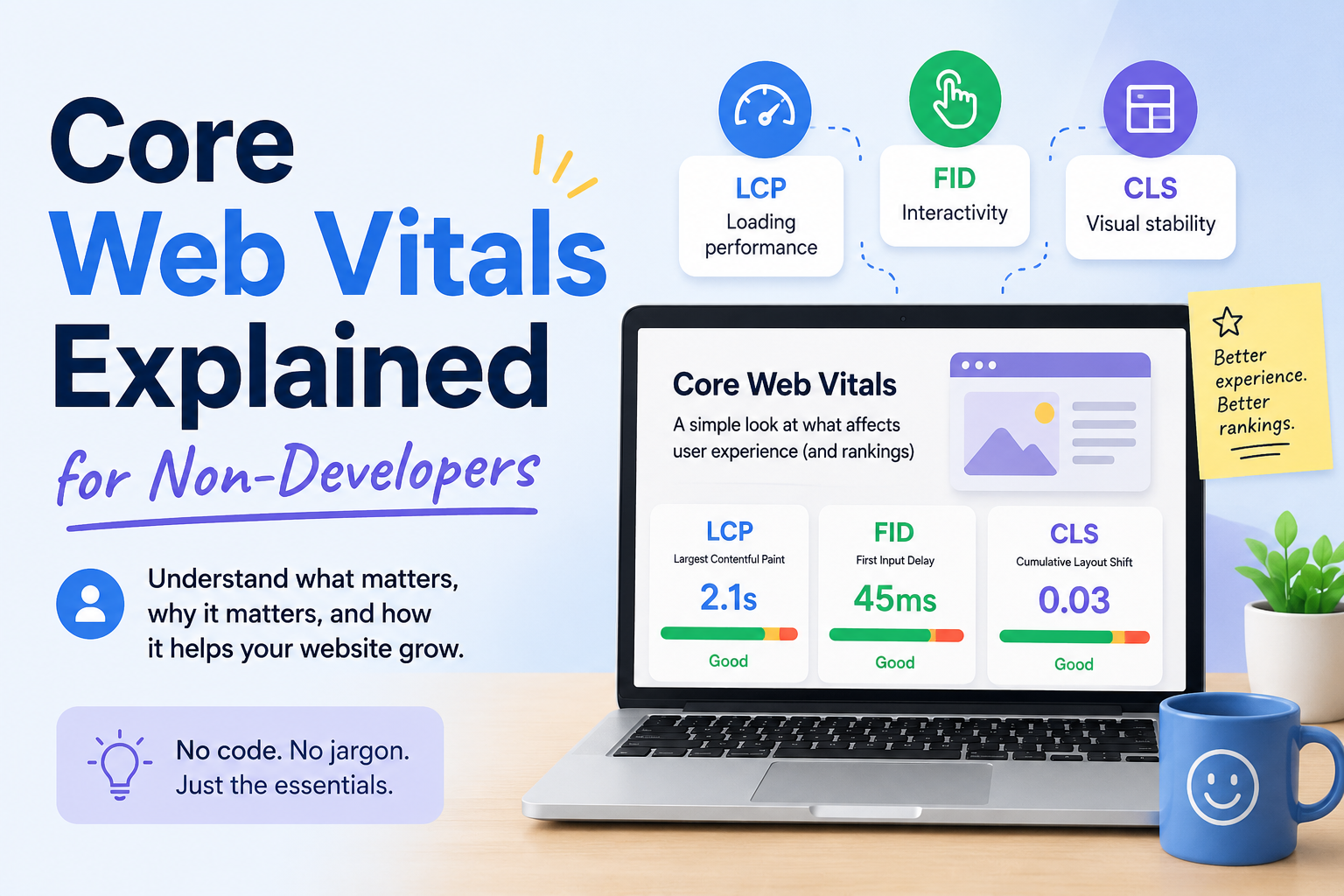
Core Web Vitals are three specific metrics Google uses to judge how a real visitor experiences your page: how fast it loads, how quickly it responds when they click or tap something, and how visually stable it is while it loads. Google doesn’t measure these in a lab with a perfect connection. It measures them from real Chrome users visiting your actual site, then looks at the 75th percentile — meaning your page needs to perform well for at least three out of every four visitors, not just the fastest ones.

The three metrics are:

Largest Contentful Paint (LCP) — how long it takes for the biggest visible element on the page (usually a hero image, a heading, or a large block of text) to fully render. Good: under 2.5 seconds.

Interaction to Next Paint (INP) — how long the page takes to visibly respond after someone clicks, taps, or types something. Good: under 200 milliseconds. This replaced an older metric called First Input Delay in 2024; if you read something referencing FID, it’s outdated.

Cumulative Layout Shift (CLS) — how much content unexpectedly jumps around while the page loads. You’ve felt this: you go to tap a button and an ad loads in above it, so you tap the wrong thing instead. Good: under 0.1.A page needs to be “good” on all three, for most visitors, over a rolling 28-day window, to get a clean bill of health in Search Console.

Why This Matters Beyond SEO

Google has confirmed Core Web Vitals are a ranking signal, but a modest one — think of it as a tie-breaker between pages that are otherwise similar in relevance and quality, not something that overrides genuinely better content. A slow, janky page with excellent content can still outrank a fast page with thin content.

The bigger impact is usually on conversion, not ranking. A visitor who taps a button and nothing happens for half a second, or who loses their place because an ad shifted the layout, is a visitor who’s more likely to leave. Slow, unstable pages bleed revenue and trust even on the rare occasion they don’t cost you a ranking position.

What Usually Causes Each Problem

You don’t need to read code to understand the common culprits.

LCP problems are usually about images and server speed: a large, uncompressed hero image, a slow web host, or render-blocking scripts that delay everything else from showing up. This is the most common Core Web Vitals failure on content-heavy sites like blogs, because a big header image is often the largest element on the page.

INP problems are almost always about JavaScript: heavy scripts (chat widgets, ad tech, complex sliders) that tie up the browser and delay it from responding to a tap. This is the hardest of the three to fix without developer help, because the fix usually means removing or deferring scripts rather than adjusting a setting.

CLS problems are usually about things loading in without reserved space: an image or ad that doesn’t have a set size, so the page shifts once it finally loads; a custom font that swaps in and reflows the text; a cookie banner or promotional bar that pops in above existing content.

What You Can Actually Do Without a Developer

Compress images before uploading them. Free tools like TinyPNG or Squoosh can cut file size significantly with no visible quality loss. This is the single highest-leverage fix most non-developers can do themselves, since oversized images are the most common LCP culprit on blogs and small business sites.

Set explicit dimensions on images. Most modern CMS platforms (WordPress, Shopify, Squarespace) do this automatically when you upload through their media library, but manually embedded images or custom HTML sometimes skip it. This is the most common fix for CLS.

Remove or reduce third-party scripts you don’t need. Every chat widget, tracking pixel, and embedded widget adds weight. If you installed five plugins over the years and only use two, the other three may still be silently loading and slowing you down.

Switch to a lighter theme, if you’re on WordPress. Heavily-featured themes with lots of built-in animation and JavaScript are a common, underappreciated source of both LCP and INP problems, and switching to a simpler theme can fix issues that no amount of image compression will touch.

Use a content delivery network (CDN). Many hosts include one, or offer it as a low-cost add-on. A CDN serves your site from servers physically closer to each visitor, which directly improves LCP.

Where to Check Your Actual Scores

Two free tools, no code required:Google Search Console’s Core Web Vitals report shows your real, field-measured data, grouped by page type, with a clear Poor/Needs Improvement/Good breakdown.

PageSpeed Insights lets you test any individual URL and gives specific, plain-language suggestions ranked by likely impact.

Check Search Console first to see which pages actually have a problem in the real world, then run those specific pages through PageSpeed Insights for suggestions.

Setting Realistic Expectations

Fixing these issues doesn’t produce an instant result. Google’s real-user data updates on a rolling 28-day window, so a fix you make today typically won’t be reflected in Search Console for several weeks. Don’t panic and try five more things in the meantime — make a change, wait, and check.

You also don’t need a perfect score. You need to be out of the “poor” range on the pages that actually matter to your business — your homepage, your top landing pages, anything driving meaningful traffic or conversions. A slightly slow About page that gets ten visits a month is not the priority a slow, unstable homepage is.

Where This Fits Into a Bigger Picture

Core Web Vitals are one piece of a larger technical foundation, not a standalone score to chase. A fast, stable page with thin or unhelpful content still won’t rank well or convert visitors — good performance removes a barrier, it doesn’t replace substance. If you’re running a full technical SEO audit, treat this checklist as one section of it, not the whole project.

Manually testing every page, tracking which ones regress after a redesign or plugin update, and re-checking a month later is exactly the kind of repetitive monitoring work that’s easy to do once and then quietly stop doing — which is precisely where a tool that can flag regressions automatically earns its keep, freeing you to focus on the content and structural decisions that still need a human’s judgment.

Core Web Vitals sound intimidating mostly because of the acronyms. Underneath them are three plain questions: does it load fast, does it respond quickly, and does it hold still. Answer those honestly for your most important pages, and you’ve covered the bulk of what actually matters.